Anyone here has practical working container like “Traefik” operational ? (can serve as reverse-proxy)
I’ve imported it and I can start it, but dash-board for example does not work. Also what about its config file “traefik.yml” ? I’ve shelled into the container but cannot find any config..also there seems 0 logging …
I couldn’t get the Traefik container to work too. Therefore I decided to use nginx-proxy.
Yes but this requires a DB in the backend. I have NPM also running on a Synology NAS combined with MariaDB where the config is stored for NPM ?
How did you install it ?
I tried to launch it via line below but it gives an error.
add remote-image=jc21/nginx-proxy-manager:latest interface=veth4 root-dir=/usb3-part1/npm mounts=npm_data,npm_encrypt start-on-boot=yes logging=yes
My container has been running on 7.8b3 since I started it 32 days ago. Perhaps an older build would run?
DB https://nginxproxymanager.com/setup/#using-mysql-mariadb-database
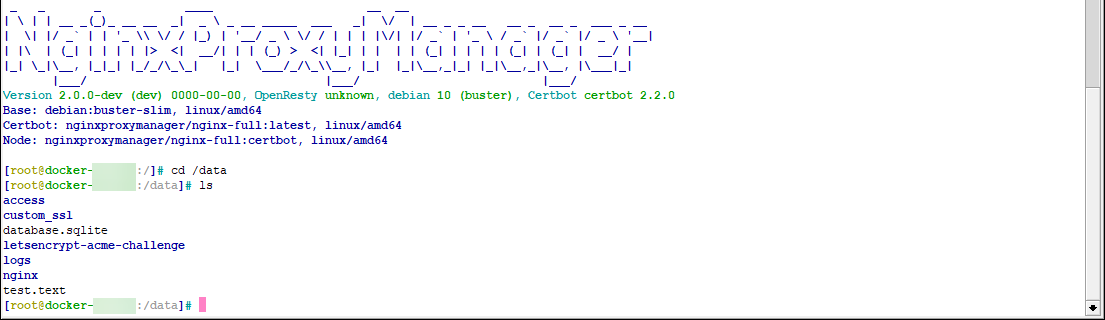
.
/container mounts
add dst=/data/ name=nginx-proxy-data src=/pcie1-part1/containers/mounts/nginx-proxy/data
add dst=/etc/letsencrypt/ name=nginx-proxy-ssl src=/pcie1-part1/containers/mounts/nginx-proxy/ssl
/container
add dns=172.17.0.1 envlist=nginx interface=Nginx mounts=nginx-proxy-data,nginx-proxy-ssl root-dir=pcie1-part1/containers/nginx start-on-boot=yes workdir=/app
/container config
set ram-high=512.0MiB registry-url=https://registry-1.docker.io tmpdir=pcie1-part1/containers/tmp
/container envs
add key=DISABLE_IPV6 name=nginx value=true
I use Caddy for my reverse proxies - one running on a container on an RB5009:
One small config file and automatic SSL with Letsencrypt:
I don’t know if this helps anyone, but I got Traefik to work on an RB1100 (which is actually ARM32) using this image: https://hub.docker.com/_/traefik
Was able to get it setup to act a CORS proxy for RouterOS (& similar to anNGNIX I’ve have, just Traefik seems “more modern”, and flexible)
While Traefik comes up easily… the UI is only for status, not configuration… so to make it do anything… it needs some “static configuration” (in their Traefik’s terms) loaded.
That can be provided in traefix.yaml file in /container/mount, or the “cmd”, or via env vars. But do anything useful it be dozen of env vars or “un-viewable-ly long line” as the cmd= in the /container config. The env var approach be useful if you want to control it’s configuration inside RouterOS, without PC or needing a mount at all (see https://doc.traefik.io/traefik/reference/static-configuration/env/). You could also create a new image with traefik as base, just with traefik.yaml included in new image. I explain the “mount approach” below.
To create the container for the config (adjust as needed):
:global rootdisk "raid1-part1"
/interface/veth/add name=veth-traefik address=172.18.18.18/24 gateway=172.18.18.1
/ip/address/add interface=veth-traefik address=172.18.18.1/24
/container add interface=veth-traefik logging=yes mounts=TRAEFIK_ETC root-dir="$rootdisk/traefik-etc"
/container add root-dir="$rootdisk/traefik-root" remote-image=library/traefik:v2.10 logging=yes interface=veth-traefik mounts=TRAEFIK_ETC
/container start
Now to use it, it needs a configuration. Your config vary depending on needs, but my example wants to forward everything it gets to the Mikrotik’s web servers, adding ACME Let’s Encrypt & CORS headers to read & redirecting to HTTP to HTTPS.
This part is more up to reader, since firewall rules vary a lot. But the follow config forwards all incoming 80/443 requests to Traefik’s web server which then proxies to Mikrotik’s webfig, REST, etc.
/ip firewall nat add comment="LAN port 80 to traefik web proxy" action=dst-nat chain=dstnat dst-port=8080 protocol=tcp src-address-list=LAN to-addresses=172.18.18.18 to-ports=8080
/ip firewall nat add comment="all (except traefik) port 80 to traefik web proxy" action=dst-nat chain=dstnat  dst-port=443 protocol=tcp to-addresses=172.18.18.18 from-address=!172.18.18.0/24 to-ports=443
/ip firewall nat add comment="all (except traefik) port 443 to traefik web proxy" action=dst-nat chain=dstnat  dst-port=80 protocol=tcp to-addresses=172.18.18.18 from-address=!172.18.18.0/24 to-ports=80
Since NAT rules are picked up first it’s easy to direct the web traffic to Traefik. You may need add or remove /ip/firewall/filter things too as needed/desired — above just an example…
Finally, you need to load a configuration after editing from your desktop/laptop. You might be able to use my traefik.yaml below as a base. The critical part is it needs to be named “traefik.yaml” (and be valid config) and copied to the TRAEFIK_ETC mount directory. You can enable ROSE/SMB to mount or use FTP/SCP/etc to copy it, but it some valid config named “traefik.yaml” need to end up the mount that goes to /etc/traefik.
Here was my working config that proxy to RouterOS 80/443 using the container’s gateway address (with /ip/services/http listening on 80/443 too):
log:
  level: debug
providers:
  file:
    directory: /etc/traefik
    watch: true
api:
  insecure: true
entryPoints:
  web:
    address: ":80"
  websecure:
    address: ":443"
certificatesResolvers:
  lets-encrypt:
    acme:
      email: REPLACE_WITH_VALID_EMAIL=me@example.com
      storage: acme.json
      #caServer: "https://acme-staging-v02.api.letsencrypt.org/directory"
      httpChallenge:
        entryPoint: web
serversTransport:
  insecureSkipVerify: true
http:
  routers:
    bigdude-redirect-http:
      rule: "Host(`REPLACE_ME_WITH_IP_CLOUD_NAME_OR_YOUR_OWN=snXXXXXXX.mynetname.net`)"
      service: routeros-web
      entryPoints:
        - web
      middlewares:
        - redirect-https
    bigdude-https:
      rule: "Host(`REPLACE_ME_WITH_SAME_AS_ABOVE`)"
      service: routeros-web
      entryPoints:
        - websecure
      middlewares:
        - cors-routeros
      tls:
        certResolver: "lets-encrypt"
  services:
    routeros-web:
      loadBalancer:
        passHostHeader: false
        servers:
          - url: "http://172.18.18.1"
  middlewares:
    redirect-https:
      redirectScheme:
        scheme: https
        permanent: true
    cors-routeros:
      headers:
        accessControlAllowCredentials: true
        accessControlAllowMethods:
          - GET
          - OPTIONS
          - PUT
          - POST
          - PATCH
          - DELETE
        accessControlAllowHeaders: "*"
        accessControlAllowOriginList:
          - https://localhost:3000
          - https://REPLACE_ME_WITH_SAME_AS_ABOVE=snXXXXXX.mynetname.net
        accessControlMaxAge: 100
        addVaryHeader: true
Please note the REPLACE things. The Traefik docs have more examples — above uses the “File (YAML)” configuration — as it’s refer to in their docs here: https://doc.traefik.io/traefik/getting-started/concepts/
Also, the LE certs only get checked/created at startup, so need to stop/start it after loading a config. All other change to the mounted traefik.yaml will happen live base on “file provider”'s watch being true.
Anyway, I liked Traefik configuration more than NGINX. I cannot vouch for its performance/stability/etc — mainly an experiment right now. HAProxy still seem like a better choice for anything real, but this seem better suited to a Mikrotik-sized container.
FWIW, to get nicely formatted colorized logs from Traefik container, the following complex command does that:
/log print proplist=message as-value where topics~"container" [:if ($message~"(ERR|INF|DBG|WRN)") do={:put [:pick "$message\1B[0K" 25 999]}]
You can add a “follow-only” after the “print” to do a tail while it’s running, too. Which gets you this:
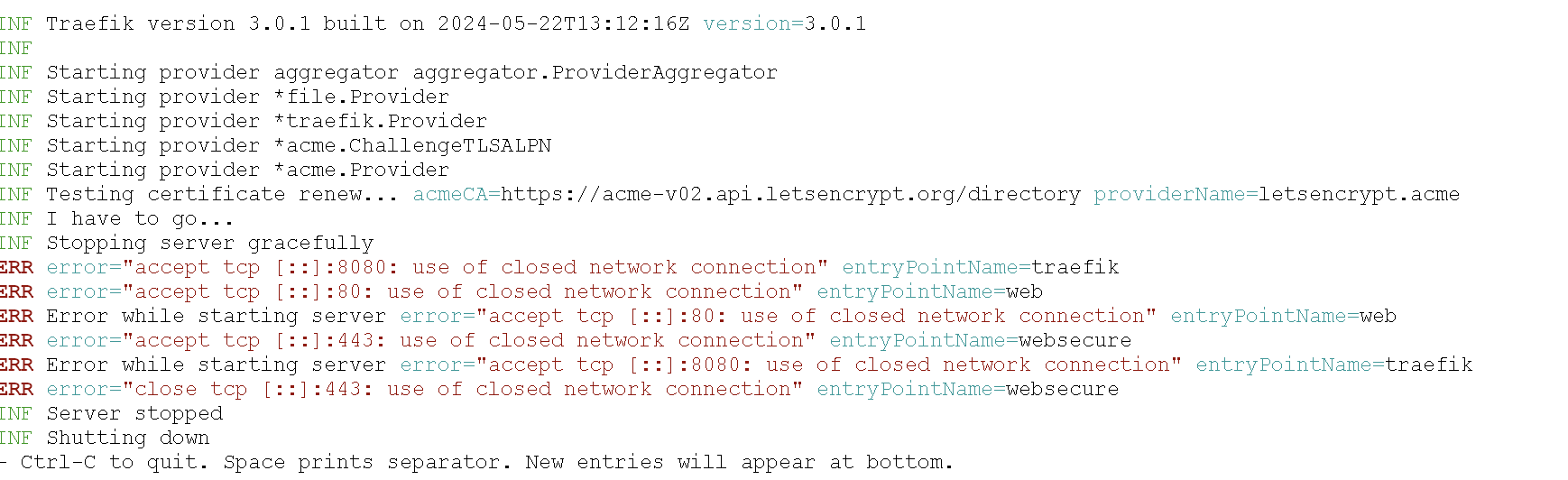
from this:
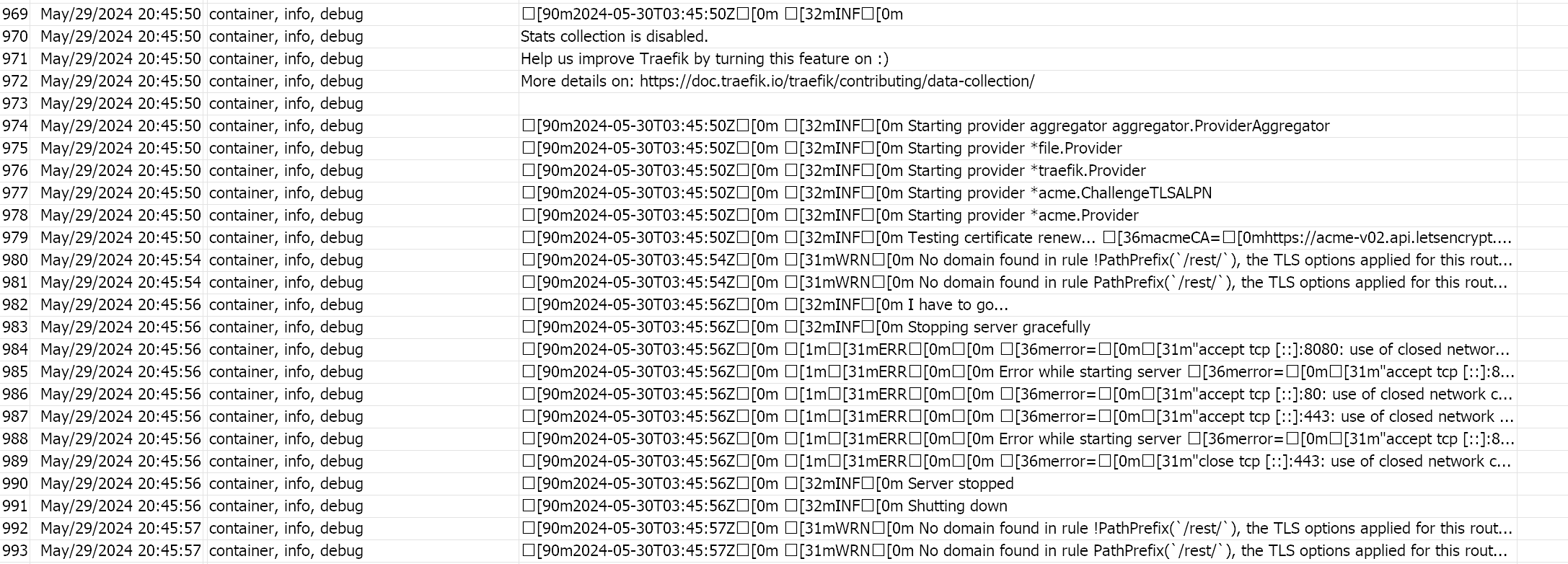
To avoid the ANSI colors, which does help. If using /container/env for the static configuration,
/container/env add key=TRAEFIK_LOG_NOCOLOR name=traefik-proxy value=true
or in static /etc/traefik/traefik.yaml file…
log:
  nocolor: true
and with “nocolor: true”… the “tail” command changes (since it strips the timestamp, which changes since there are no ANSI codes to account for, :pick needs to start at “20”):
/log print proplist=message as-value follow-only where topics~"container" [:if ($message~"(ERR|INF|DBG|WRN)") do={:put [:pick "$message" 20 999]}]
@propio3r Good morning, would you please tell me how you went about installing the nproxy manager container? I have 7.15 routers and I would like to install it but I can’t find instructions on how to do it anywhere. From already thank you very much
Everything you need is in these three links.
https://help.mikrotik.com/docs/display/ROS/Container
https://hub.docker.com/r/jc21/nginx-proxy-manager
https://nginxproxymanager.com/guide/#quick-setup
I have to try this. Thanks Amm0
Yeah it works on RB1100AHx4 and RB5009 for sure. I use it for CORS and automatically renewing LE certs. I should create one post on Traefik, since I do use it… But for cross-reference…
-
you can use /container/env to set some of Traefik’s “static configuration” settings - now this is more useful if you’re using a non-file “dynamic configuration” provider with Traefik, but sometimes env are easily with RouterOS containers than mucking with files too:
http://forum.mikrotik.com/t/project-mikrotik-proxy-manager/179387/1
If you’re using “file” as “configuration provider”, as shown above, you can do BOTH “static” settings (like port it uses), and the “dynamic” settings (the URLs it’s forwards/proxies/etc) in one place. Or you can mix env for “static” config and file for “dynamic” config. But Traefik is pretty flexible on it get’s settings, which also makes it a little tricky to configure the first time. The webpage that lives at :8080 will allow you see the effects of all the configuration, which is handy. -
Also, at least one way to setup the firewall for Traefik is referenced here:
http://forum.mikrotik.com/t/traefik-reverse-proxy/177309/1
I’m just starting to learn Traffic. Thanks to your tips, I also installed it on my Miroktik. I don’t understand everything yet, but the first thing that bothers me is that I can’t configure the container/Mikrotik so that I can access the Traffic web interface on port 80. It only accesses 8080, which is not very convenient. For now, I only need Traefik in LAN for experiments. And even if I need it for more serious things, it is unlikely that I will need to separate it to port 8080. What could be the problem, in the NAT rules or in the traefik.yaml settings?
Now I have a minimal setup of traefik.yaml
log:
  level: DEBUG

api:
  dashboard: true
  insecure: true

entryPoints:
  web:
    address: ":80"
  websecure:
    address: ":443"
  traefik:
    address: ":8080"

providers:
  file:
    directory: "/etc/traefik"
    watch: true
Slightly figured it out. To launch directly to gain access to the dashboard, we need this:
api:
  dashboard: true
  insecure: true

entryPoints:
  traefik:
    address: ":80"
We need a clear indication of the entry point “traefik”.
But I would like to set up authorization and other goodies. If I understand correctly, then you need to configure routes in the “/etc/traefik” directory. Something like this:
# DYNAMIC CONFIG (dashboard.yaml)
http:
  routers:
    traefik-dashboard:
      rule: "Host(`traefik.local`)"
      service: api@internal
      entryPoints:
        - "web"
And in traefik.yaml specify this:
providers:
  file:
    directory: /etc/traefik
    watch: true
But it doesn’t work for me. Although I registered the name on my local DNS. It pings. But I can’t go in by name or address.