As some of you have noticed, we managed to release v4.0beta4 without the changes that are mentioned in the changelog. This fixes this problem and has all the promised changes:
Profile support has just been added and can therefore be unstable. Payment support will be added, when profiles and accounting will be tested to work stable enough. Hoping to see PayPal in 4.0beta5 would be very optimistic.
Besides, major changes to payments are planned. Account balance will be stored for each user, multiple profiles will be available for purchase with one payment. And it will be possible for user to transfer money to his/her User Manager account and spend it later.
This wasn’t the case with the first UM 4.04b, but with this fixed package, after i log out of hotspot on another router running ROS 3.27 it takes a while to update in UM but eventually it removes my login from A sessions, but not from A users.
I have limited shared users to 1 so that when this happens, i cant log in again. I try rebooting both routers and it still lists me under A users. I have to delete the user completely and recreate it before i can login.
Any idea why this is?
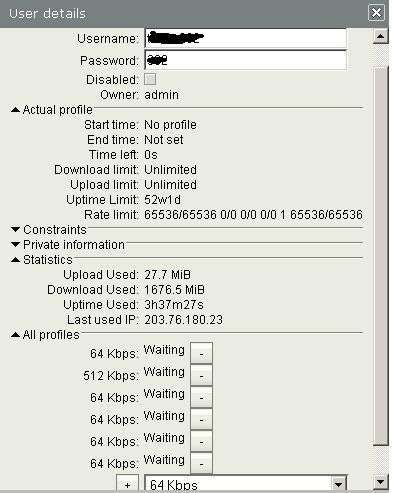
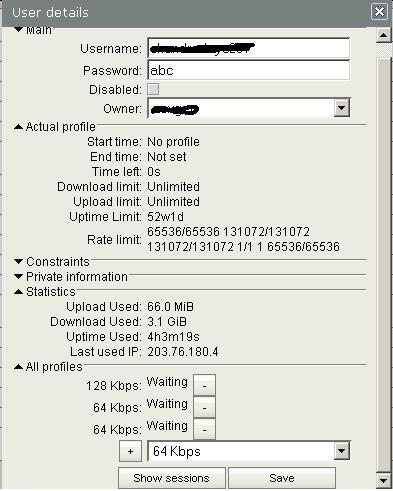
Also after i assign a profile to a user, ‘Actual Profile’ fails to show start time, end time or time left, but only specifies uptime limit and rate limit. This allows users go beyond the ‘validity’ period.
Anything on this as well?
We will check your reported issue with user staying active even when the session is closed.
About the Actual Profile start time, end time and time left. By default profile is started only when the user logs in, only then start time, end time and time left are set. If you specify “Starts at = now” for Profile, then it starts right after assignment. In that case start time and end time should be displayed correctly.
Anyway, Actual Profile fields are only used for displaying some info in web page. Even if they are not calculated right, they do not affect the usage/disconnection of the user. But if you find a bug, when these values are not calculated right, please report it here, describing how you get to this situation with incorrect behavior!
I thought that would be the case but i forgot to mention that even after users have logged in and out repeatedly, the values don’t change. I still get:
Start time: No profile
End time: Not set
Time left: 0s
That would still be acceptable, but its just that it does disconnect them, but they are able to log in again and they have their allotted time still available all over.
I cannot reproduce this error. I installed a setup, where HotSpot uses User Manager, created user with unlimited profile and “Shared Users=1” in UM. Then I can log in/off into/from the HotSpot using my laptop, everything works fine: active sessions appear and disappear as do Active users. Active sessions/users are refreshed only once every 5 minutes in web interface. So, check, if A sessions/users do change, when you log out and log in again into the UM web interface.
 Brilliant work…