hAP AC2+cAP AC Roaming is a joke

After spending about few weeks tweaking, tried countless methods just for improving roaming experience, I give up.

They just don’t designed to work together, the roaming experience is so bad no matter how I try, AP bridge/Mesh with same channel/CAPsMAN/AP bridge with disable RSTP/ enable PMKID… you name it, they just don’t work, and MikroTik guys just keep telling us they got nothing to do with roaming, then why other vendors can do? For example, just setup two units as AP bridge normally and let your mobile to do the roaming, my phone can roam successfully with any home routers/AP (Asus, TP-Link, Netgear, Huawei, Youhua… mix and match), but with hAP AC2 + cAP AC, my phone will drop 8~10pings and end up connection dropped and establish new connection to nearest AP, how could this happened? Those home routers/AP has no k/v/r supported too, they don’t even know each other, why they can but MikroTik cannot?

Disable RSTP? It improved my roaming, my phone will now connect to the nearest AP with just 1 or 2 pings drop, sound nice ya? But soon I found my phone connection will hangs about 10 seconds after roaming, every time!

CAPsMAN? Yes it helped in my roaming experience but still 3~4pings dropped, and significantly slow my throughput, my download speed will capped at max 370mbps and become unstable, sometimes 120mbps, sometimes 200mbps, sometimes 70mbps. Tried many firmware version including beta version, nothing helps.

Download test fails me too, they gonna take few seconds to reach max speed like an old man climbing hill, 100~180~220~170~370~430 then finally 470, and most of the time will stuck at 300~350, sometimes even give me 220+ only.

Now I replace them with a cheap cheap TP-Link Deco M4 (look at the price) and all the problems gone, max speed 520mbps, band steering, k/v/r supported, roaming flawlessly with almost no ping drop, reach max download speed within a second, I did some stress test with all the devices in my house, about 16 of it, some do transfer file from NAS/youtube 4k streaming/speedtest/ping test at the same time, they performs even better than hAP+cAP, the only advantage of business class loses to the cheap TP-Link too, funny.

I bought this 2 units is for improve my network, but it only gets me headache.
Do you want to let us know with this post that you have found the right brand of wireless networking devices for you?
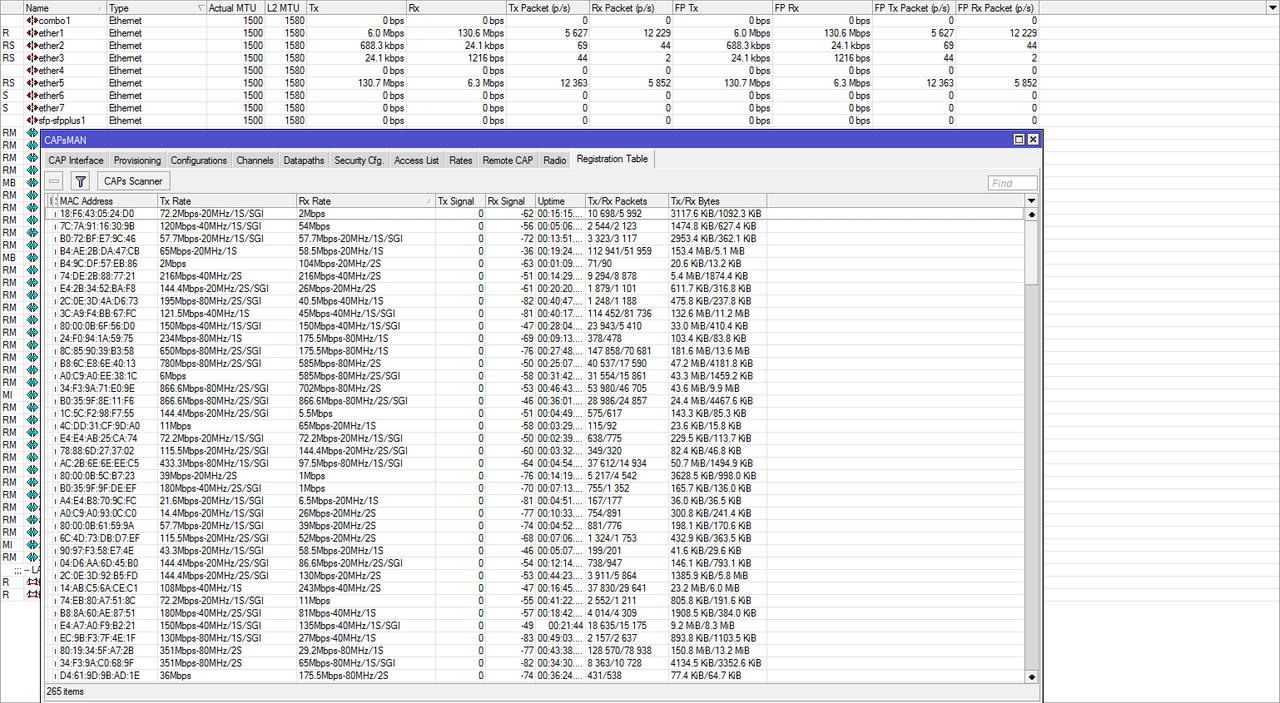
This is CapsMan with а few of cAP ac with connected and powered by them mAP Lites. Same SSID, roaming, shaper with QOS etc…no packet loss , just no problems !!!

For sure CAPsMAN can do roaming, but how about the experience of it? Video call hangs for 2~4 seconds during roaming and total throughput is low, I dunno why it will slow the things down as I monitored the CPU usage and nothing special, CPU is just about 10% (1 core 50%±), I have really no ideal what causes the download speed down from 470mbps to 360mbps.

Please don’t get me wrong, I’m still using hAP AC2 as my main router and I think it’s the best router for me, really happy with it, but just the wireless, even now I’m done with it I will surely keep the cAP AC for future, maybe they fixed all the problems (MAYBE), or else I will use it as a router with some APs and disable the wireless.

i have seen in some situations, mikrotik bridge do not allow for MAC adress to jump from one bridge interface to another quickly, that’s the only issue with roaming i have seen

even without that bridge issue of course you have a brief interruption in communications, i think that is normal for consumer applications and equipment

I hope in new ROSv7 have a lot of improvements, optimization and other protocol aviability in wireless part ! The Roaming works well, but only for reconnecting to device with strongest signal like 802.11k !

Roaming is always tricky to get right, as it was not envisioned in the original WiFi standard and has later been bolted on, but certainly MikroTik is not the best starting point as it lacks even basic support for roaming. In the MikroTik world, roaming is still “up to the client to do” and this leads to all kinds of problems, especially when you are trying to carpet an area with WiFi coverage.

Which unfortunately usually puts you in a place where you have to specify the correct kit for the job.

Indeed. Seeing that the cAP AC is their high-end ceiling access point clearly shows they are not interested in that market.

Lol, 802.11ax is on the way, and Mk still has this buggy non-certified mess instead 802.11ac. They don’t even think about ros 7, I won’t even surprise if company is in bad financial situation due to lost EU contracts…

Please take your trolling nonsense elsewhere.

RouterOS 7 Beta is available for download: https://forum.mikrotik.com/viewforum.php?f=1

In the whole world with every AP vendor and every client device, roaming is ALWAYS “up to the client”.

To clarify that - the client always makes the decision based on information it has learnt from the RF environment around it AND also from any additional information provided by APs they are connected to that support additional 802.11 standards such as 802.11k/r/v etc.

An AP can be configured with access list rules to disconnect a client earlier than they expected to encourage them to roam early but there is nothing to stop that client then instantly trying to re-associate back to the same identical AP again, then being kicked off again until after many many seconds later, the ‘stupid’ client software eventually choosing for themselves they want to roam elsewhere.

So yeah sadly, it’s always up to the client. It’s not just a “MikroTik thing”.

No, with the more expensive systems that do “seamless roaming” it is the AP/controller that decides where the client is served.
Of course that system also has some disadvantages and also the systems in the price segment where MikroTik operates do not offer this (AFAIK).

What you are referring to here is technically not a roaming, because in this case clients do not really roam, but are rather constantly talking to a single huge AP with spatially distributed radio elements. This approach clearly has advantages, but those come at a cost.

WOW! Sounds like a lot of folks are stuck in Wifi 4 (Wifi 6 was just announced by WFA this Monday)!

Wifi can do roaming, seamlessly with the phones which are in the market since 2-3 years!
Its offered by couple of retail MESH solutions which work well, and is becoming part of EasyMesh
standardization to be able to use CAP from one vendor and an extender form another one (at least that is the theory).

Those who don’t believe it, please try those out. Those who know it, and tested it, are indeed highly frustrated
with the Wifi limitations of Mikrotik right now. CAPSMan is a (very good) provisioning tool but nothing really
for smart Wifi.

The solution might be the just announced “Audience” product, which I hope offers MESH/roamin. Maybe
Mikrotik offers from here onward more functions in ROS around this.
Only drawback, with 160-180 euro per device (you need two of them), you end up at exactly the same cost as the retail products.

WeWiNet, my personal suggestion is to step back from the marketing language and read the above posters, they are very knowledgeable people and can enlighten you on how these protocols actually work (or don’t). I trust them and highly recommend you to pay more attention to what they say.

Yes, it is clear to me that it operates at layer 1 instead of layer 2 and that it means that all your APs are mostly sharing the same radio bandwidth.
But it solves the problem of roaming, especially the decision-making process in the client that tends to hold on to the latest connected AP until it loses the connection, then connects to another AP.

With the proper fast roaming support that transition can be faster than without it, but the issue of sub-optimal radio coverage just after you have moved remains until the client detects it. And the seamless roaming solution does not suffer from that.

It is comparable to the co-channel diversity amateur repeaters that I have worked on: seamless connectivity over a large area, but only a single talking channel.

RouterOS 7 uses Linux Kernel 4.14.131. Doesn´t this one provide e.g. native 802.11r/k support with IPQ4018/IPQ4019 based chipsets? So, the problem wit hAP ac2 + cAP ac could be automatically be resolved…?

anuser, no matter what the kernel is capable of, most programs and drivers are made in-house.

I think this is what makes more and more members of this forum lament on. Regarding bugs and missing features.
Mikrotik decided to use OpenSource for the bootloader and the kernel at least (NTP? OpenVPN?). But most drivers and protocols are obviously developed in house. While other vendors use hardware manufacture’s drivers and/or OpenSource software. This later aproach has a much bigger number of users, testers and developers behind it. So bugs could be find quicker and new features developed faster. Mikrotik seems to be lagging behind, e.g. 802.11v/k/r, Let’s Encrypt, … you name it.

If you just want to sell more hardware, maybe open up the bootloader and (actively) support installing OpenWRT (and the like) on your RouterBoards.