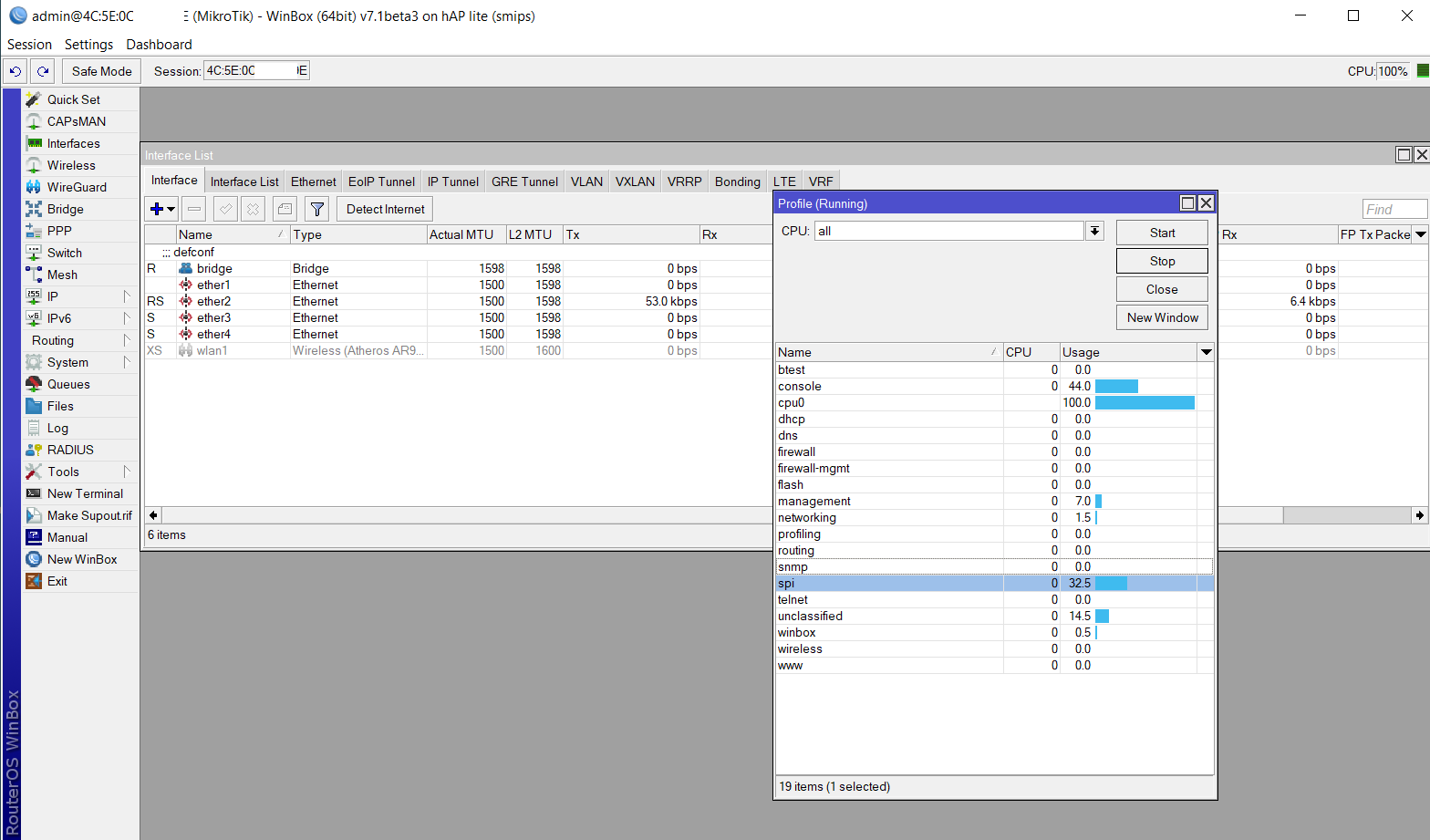
Tried to test ROS7 from the very first public beta. Everytime I install ROS7, my router (hAP lite) locks up with 100% CPU load, makes its management and testing impossible.
Latest version tested was ROS7.1b3. After installing it was locked-up so winbox discovery see it for few seconds and it disappears from the list after few seconds. If I try to login, it will say “Logging in” or “Loading descriptors” without any progress.
I have performed hard-reset, unplugged a cable from WAN port. And only after booting it up and waiting for ~3minutes i have managed to access my router to look at the tool->profile (see attachment below). After another 5 minutes CPU load lowered to 4%, then I have updated a firmware and rebooted. After reboot I’ve logged in only after 3 minutes and see 100% CPU again, which had lowered to 1-4% after some time. But after some more time it peaks to 100% again, disconnecting me from winbox.
I’ve seen similar feedbacks on this issue before in some of the threads.
I have same probelm. On RB411L with version 7.x (7.2.1) CPU permanently 100% after clean configuration (with default config, and no default configuration too).
Exactly what was happening on a SXT 5HnD for me. Runs 6.x fine, but 7.x 100% cpu even with no config. Unfortunately I destroyed the SXT the other day while trying to repair a hardware boot intermittency issue, so this is no longer a problem for me. But funnily enough, I do have a hAP lite too and that seems to run 7.x fine .. ?
RouterOS 7 runs fine on my RB433 which has the same CPU chip (1x core: MIPS 24Kc V7.4, @ 300MHz)… So I don’t think it’s a device limitation, it seems to be some kind of bug.