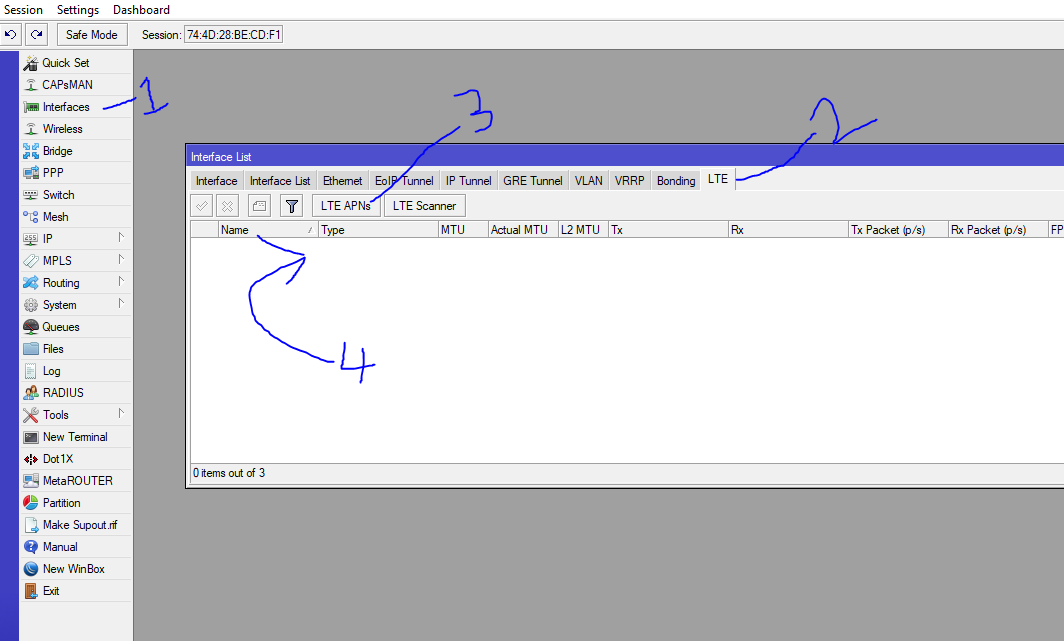
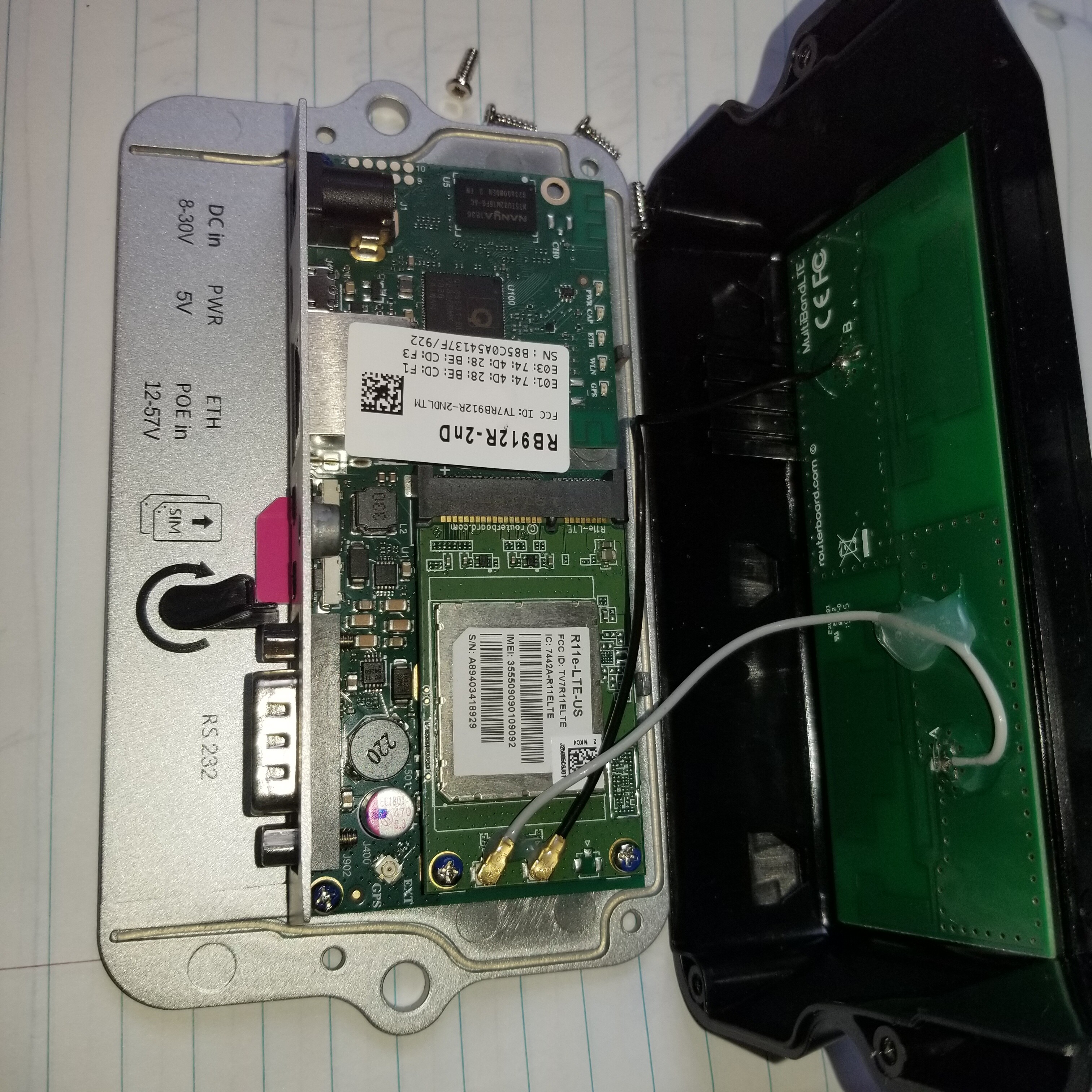
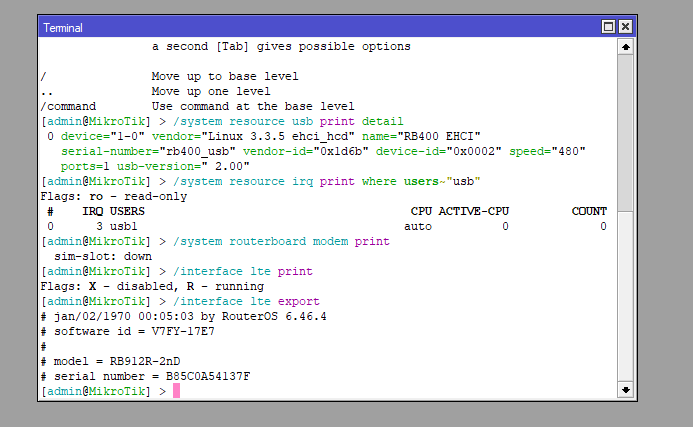
Shown in the attached picture is the way I normally set up and the problem I am having with the LtAP mini series. I have set up a few of these with no problems. But have gotten 2 now with this same issue. As shown in the picture, after inserting the sim card I go to 1.Interface 2. LTE 3. LTP APNs and then create the APN for the provider. The 2 units I cannot get to work do not show anything in the number 4 area on the picture. Where as the others that I have set up have a “LTE” item on that line. I had to install the one I had that was working, and the new one I got is doing the same thing. Please help. I hope this is just a quick setting change.
side note. I have tried changing the sim slot to the top slot, and changing it in the routerboard setting, no luck. I try to set the APN manually in the quick settings, no luck. I am at a lost of what to do.
I did not know there were 2 different models. I only inserted the sim. It is supposed to be a “kit”. It is the “Mikrotik LtAP mini LTE kit small weatherproof wireless access point with built in cellular modem”. That’s the amazon description. I have gotten about 4 or 5 of this same model and about half have the same problem.
At your place I will use warranty and turned this device.
Modem should be works out-of-box and only APN can not give automatical connectivity with internet but the devices is not work properly for you !.
This yes or no enable/disable detection modem as PPP or LTE device - perhaps this should be change to opposite. I have got the NO value. You can check the check box in WinBox of this.
port firmware set ignore-directip-modem=no
system reboot
or
Type of working the additional USB BUS but this is never changed until someone (previous user of device) not try use other modem etc. This is last hope option.
system routerboard usb set type=USB-type-A
system reboot
or
system routerboard usb set type=mini-PCIe
system reboot
If all those not change the discovery of LTE device then sorry.
Use warranty from distributor.
btw, You can buy $10 WWAN USB adapter and plugin this momem into adapter and use it at other MikroTik to checking purpose but this is just additional option.
I hope you have warranty because your device not work in normal proper way.
The modem portion seems to be missing in ROS7.6, not sure what version it was lost in. I’m trying to figure this out so I can use USB Android Tethering for a special application via “set ignore-directip-modem=yes” and I’m not getting anywhere because this is no longer available and I can’t seem to find anything on where it was moved to or if this feature was removed altogether.
Of course, this post is about LtAP mini and ros6 and you hijack this thread now insted open new one.
I can use USB Android Tethering for a special application via “set ignore-directip-modem=yes” and I’m not getting anywhere because this is no longer available and I can’t seem to find anything on where it was moved to or if this feature was removed altogether.
What.., Tethering is not about “not detect lte module inside”. The ignore-directip-modem is now in interface > lte tab > modem button > mode but maybe just read a official MikroTik documentation !