Hello Guys,
Please check the below issue , even when disconnecting the user from the active sessions , the same / or another user logs in with an invalid IP ( pppoe interface not running )
Thanks
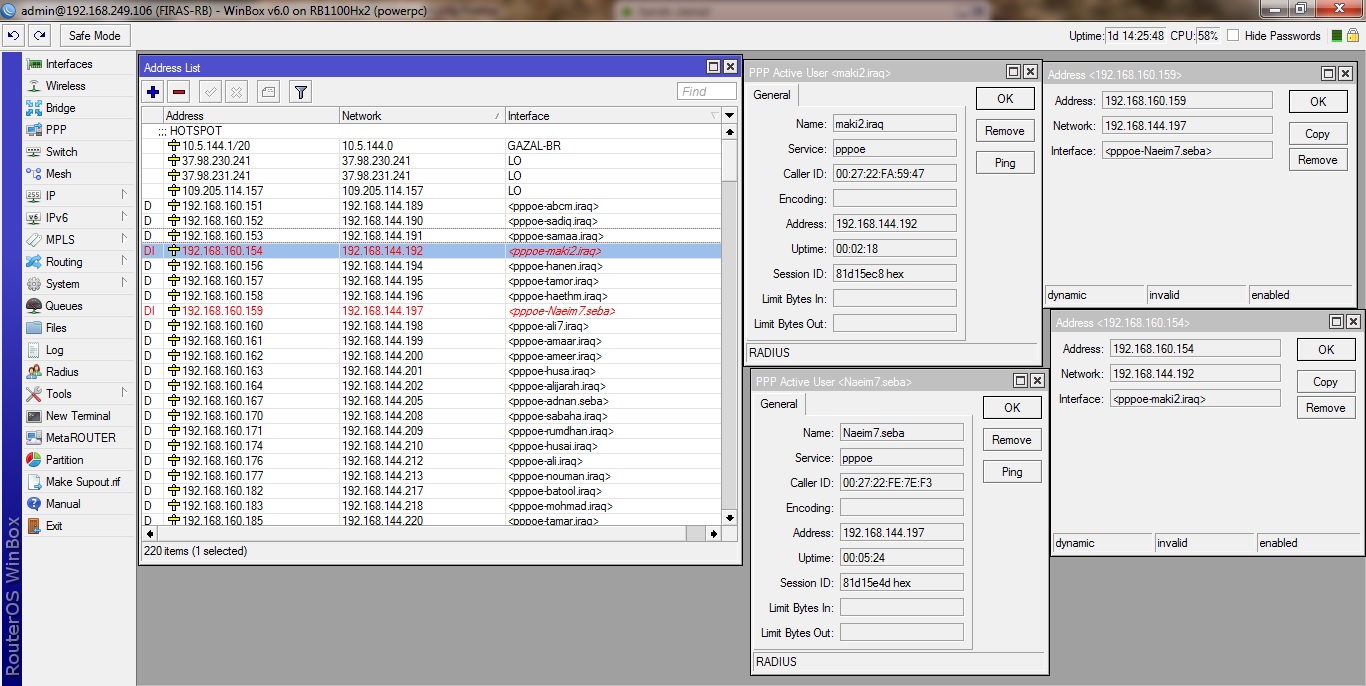
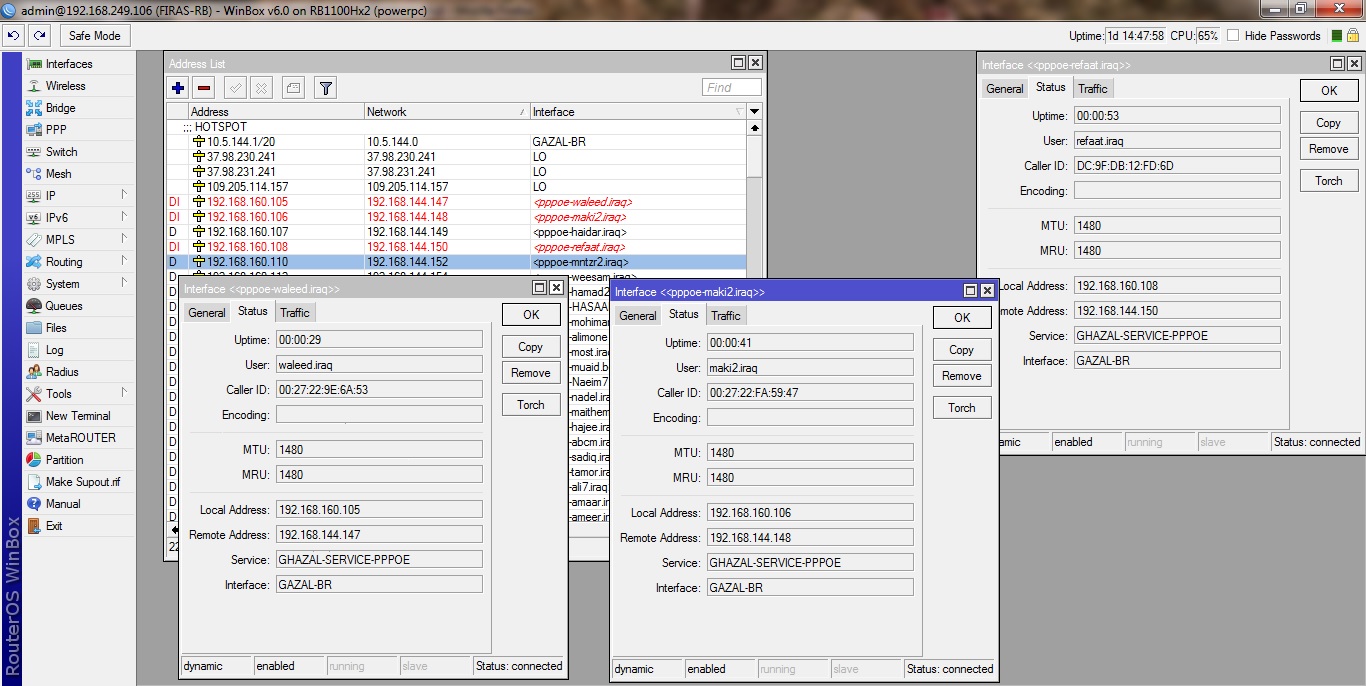
Hello Guys,
Please check the below issue , even when disconnecting the user from the active sessions , the same / or another user logs in with an invalid IP ( pppoe interface not running )
Thanks
show working interfaces. do they have ‘running’ state?
Thank you for the response
No, They don’t have “running” state
just the D for dynamic
so any ideas?
just so you know , I emailed the support 3 weeks ago , and no beep from them so far
hm… so ALL interfaces are not ‘running’, and only some of them have invalid addresses?.. as I can see on PPTP, they are in R state - don’t have any PPPoE to check
Hi All
I too have exactly the same problem on a RB100Hx2 since upgrading to v6.1, before that we were running without any problems on v5.25. The symptoms are that a random PPPOE interface will authenticate and get created on the PPPOE server but not enter a running state. So far the only work around to this that I have found is to reboot the RouterBoard.
Any ideas?
Have the same problem, but i don’t know it’s pppoe or radius or ospf glitch.
For removing this interfaces i use this script with 30 second interval in scheduler:
:local invip [/interface pppoe-server find running=no]; :toarray $invip; :foreach i in=$invip do={/interface pppoe-server remove $i}
Subscribers re-connect sometimes with valid ip, sometimes with invalid. I send a second ticket to support, cause this situation happened in 6.0rc11-14 , 6.0 6.1 7jun2013 build and last 6.1 12jun2013 build.

[offtop]
just a notice: it can be written as
/interface pppoe-server remove [find running=no]
[/offtop]
/interface pppoe-server remove [find running=no]
No, it works fine only if you have one invalid ip in address list. My subscribers can make 2 or 3 or many many more invalid connections in same time. I tried things like this before make script.
Anyway, this is not a solution.
Same here witch ccr1036, only dynamic not running, no route created,solves only when restart.
The script doesn’t work , As explained , when the user is kicked out , another user or the same one reconnects with the same problem
Since rebooting solves it ( hopefully for now ) , then the only thing to do is :
if ([:len [/interface pppoe-server find running=no]] > 0) do={/system reboot}
same error here, running on a rb1100ah … 6.2 routeros, bridged network, with pppoe and radius.
this error occurs from 6.0 versions.
We see the same Problem. We use pppoe with ca. 400 interfaces on a RB1000AHx2 and discoverd the same bug - Ip Address List shows roughly 9 ivalid entries. Kicking them will have them reappear as ivalid; kicking all interfaces or rebooting will have a different set of roughly 9 ivalid entries.
An Email to mikrotik support is yet to be answered.
Same issue here even with low uptime. Running v6.2 on CCR1036, however had the same problem before upgrading to CCR (was using 1100 before).
Do you need any dumps to locate the problem? The issue happens very often and it is very easy to spot a user with this issue on the router.
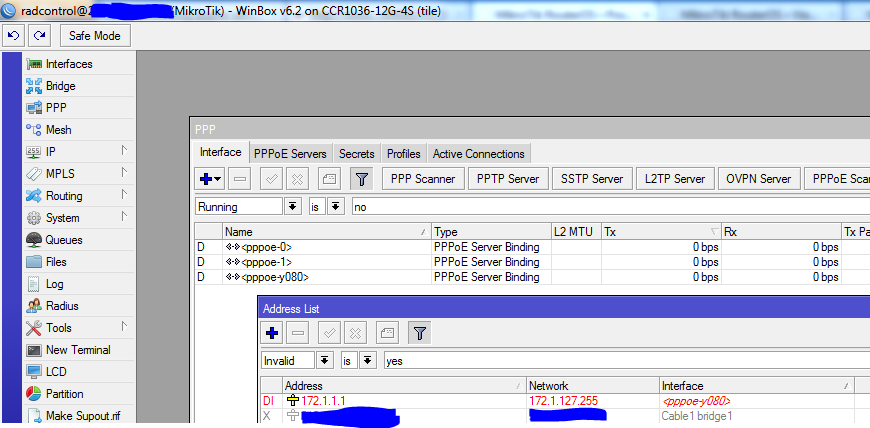
that was my problem too, I changed the RouterBoard not happened more.
Opening an old-ish thread but does anyone have any updates on this? Did Mikrotik ever respond?
We had exactly the same problem last year (would probably be around the same time as the rest of the posts here) on a CRS-1036.
We have two of the units and they were running 6.0 when installed (performing exactly the same job for redundancy).
One of them started having this exact problem, PPPoE interfaces not entering the running state. We upgraded to 6.10 which appeared to fix the problem, although it could just have been a coincidence if it’s an intermittent problem that’s sometimes “fixed” by a reboot.
We decided to perform another upgrade yesterday to 6.18 as they were getting a bit behind on firmware version, and it has started happening again. The router has been rebooted three times but we are still seeing it. With 6.18 however, it appears that the interface does eventually go into running state after a few minutes.
Interestingly, we have never had the problem with the other one (still running 6.0 at the moment), which combined with mattana’s response above suggests that it could somehow by hardware related.