Hi,
Sometime the usermanager hang, Have somebody any Idea? Why?
THX
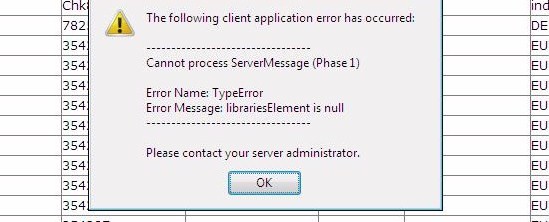
Hi,
Sometime the usermanager hang, Have somebody any Idea? Why?
THX
It would be great you can give us detailed instruction, how you can get the problem (actions you did before).
Refresh should help, but we would like to fix the problem for the upcoming versions.
HI,
Refresh didn`t help! You must close and open Usermanger and everything is fine..
The Problem occured when we switched between the users sites 
The Database is much more than 3000 Users big..
THX for the help
Could you create a database backup and send it to support at mikrotik dot com? Of course, if it is not too huge in size.
The Radius is Public, I can give mikrotik access to it, if they want.
This could help.
P.S. You should not use beta versions on public routers 
Yes I know, but I need the new Usermanager for our Callcenter..and till now it is the only problem..
THX
What is/are the new feature(s) you use (which is not available in the old User Manager)?
Another Problem is that you sometimes can`t login in at the Login Page of the Radius. After a Reboot everything works fine!
And when you restart (close ALL the windows of Firefox/Internet Explorer/Opera and open them again) the browser?
It will not help!! You must restart the Mikrotikrouter!!
How in hells name are you able to fit 3000+ users on a RB1000?
Must be using the CF slot huh?
YES, you must use CF Card!
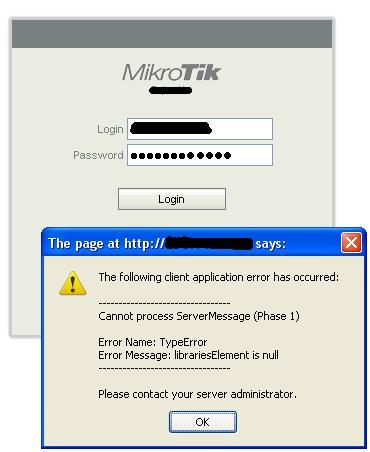
Actually I have experienced this error many times but not on a particular action.
last time i got this error when i was trying to log in.. after clicking ok please wait… message came but nothing was happening till 20mins so i have to refresh page & logged in.

how are you backing this database up, i seem to have zero success with both /tool user-manager database backup as well as using the webgui maintenance save
Sorry dude i dont mean to hijack your thread, just having a really hard time with this rc4 release and really need the help
regards
In console you can type
/tool user manager database save name=mainsql.umb
/tool user manager database save-logs name=logsql.umb
Just tried a couple of minutes ago, at least it works for me
If you still are unsuccessful, please use the following procedure:
/tool user-manage database print
Please note, that creating a backup can take some time, depending on your DB size. You can check, if the backup is over when User Manager web or console is responding again (it is unresponsive during a backup).
tool user-manager export file=xyxyxyname
DO NOT use export, as it will not save the database properly! Console does not display all the attributes saved in DB.
Export can only be used as emergency, when nothing else works and you want to save at least some of the data. But it should not be used as regular backup approach.
The old user manager does not limit users to just one active session.
Nah no good just get the same old Failed to save user-manager database backup
write error: No space left on disk
is there a way to save it to the CF?