Recently upgraded my core switch to RB5009UG+S+ from a Hex-S as it died. And instead of just uploading my backup config I thought perhaps I would give a manual config approach this time rather than rely on just defaults. I am having an issue with vlans not really communicating with each other. They can ping gateways but nothing inside and for some reason vlan 25 just isnt cooperating at all. Devices on the switch on vlan 25 can talk to each other but not outside and nothing outside can talk to them at all.
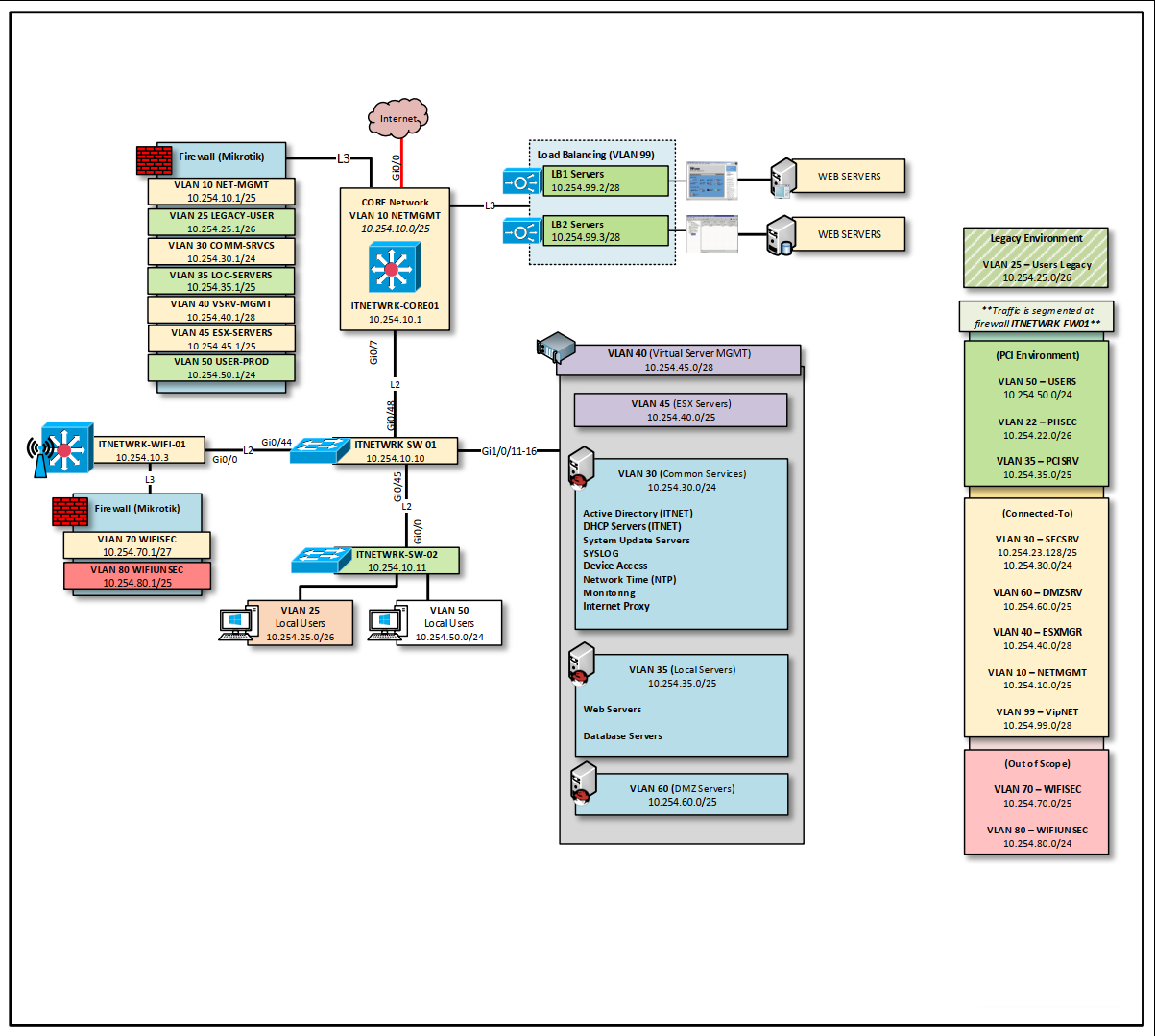
I have setup vlans, tied them to an interface, added addresses/dhcp/etc. I also have a Cisco switch I have hooked up to the last port (gi0/7) and onto a trunked port on the cisco (gi1/0/48). The two vlans I am setting up so I can begin some segmentation and create a much more fleshed out network plan I have been creating is just not playing nice. I have the config for both the mikrotik and cisco (with some redactions) and would love some help figuring out what I am missing as I have followed the basics and checked but something is either missing or misconfigured and things arent working.
With the attached files, the main issue is VLAN 25 has my old stuff I am going to migrate off to VLAN 50 but right now vlan 10 and 25 cant talk at all.
ITNETWRK-CORE01 is the mikrotik 5009
ITNETWRK-SW-01 is the cisco switch
Right now the wifi (running on a sep mikrotik) works fine.
The plan is to setup vlans and control access via the firewall for segmentation. The reason for all of this is I am trying to setup a lab environment now that I got the 5009.
Thank you, and was a good read but I do understand vlans. I just need to make sure im not missing something in my configs and another set(s) of eyes always helps. As far as I understand how mikrotik sets up vlans it should work fine but something isnt meshing well and just need someone to overlook what I have and see where I might be mssing.
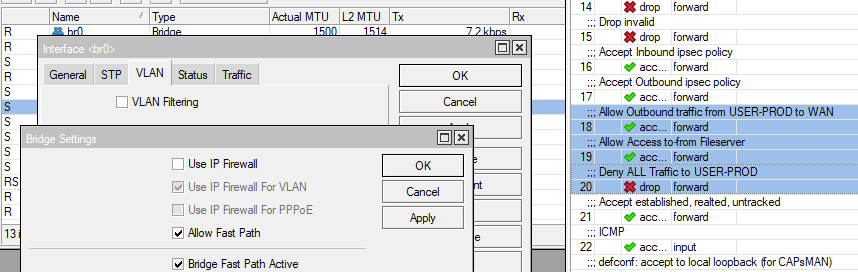
Bridge vlan-bridge is not set for vlan-filtering but you are using 802.1q (vlan) subinterfaces on it
Bridge br0, vlan 25, you are using service-tags. Any reason?
The Cisco config you sent has the wrong name (CISCO-SW04) and not what should be ITNETWRK-SW-02. The IP is correct but is in VLAN 1, not in VLAN 10 as your diagram seems to imply.
If that’s correct, interface gi1/0/44 on the Cisco is an access port, not a trunk.
None of the config has the spanning-tree priority set. If you don’t set it somewhere else, then the root is going to be … a surprise.
WARNING WARNING WARNING
Potential for cutting yourself out of the network. Consider taking one of the interfaces out of the bridges and assigning it an IP directly should you need to rescue the device without too much trouble. WARNING WARNING WARNING
# Mikrotik side
# Fix the service tags
/interface vlan
set [find (interface=br0) && (vlan-id=25)] use-service-tag=no

# Fix the interface with multiple untagged networks
# Add ether6 - gi0/6 to vlan25
/interface bridge vlan
set [find (bridge=br0) && (vlan-ids=10)] tagged=br0,gi0/7
set [find (bridge=br0) && (vlan-ids=25)] tagged=br0,gi0/7
set [find (bridge=br0) && (vlan-ids=25)] untagged=gi0/6

# Fix vlan-bridge, though the goal is to move away from 2 bridges
/interface bridge
set [find name=vlan-bridge] vlan-filtering=yes

# Add the local networks to the LAN list (to refine later)
/interface list member
add interface=LEGACY-USER list=LAN
add interface=NET-MGMT list=LAN

# Random stuff, recommended settings, hardening
/ip settings
set tcp-syncookies=no
/system ntp client
set enabled=yes
/system ntp client servers
add address=104.131.155.175
add address=155.248.196.28
add address=us.pool.ntp.org


# Cisco side
interface gi1/0/whatever
description To MIKROTIK-CORE01
switchport mode trunk
switchport trunk native vlan 1
switchport trunk allowed vlan 1,10,25
switchport nonegotiate
end
Was able to figure out there was an issue with some of the config. The switch side was correct with just allowing specific vlans on the ports as normal. The router/core side was not. For some reason setting up the vlans via cli was causing an issue but everything thru WINBOX worked fine when I redid the whole thing. Even figured the segmentation as well in the firewall.
As for the vlan 10 item. i decided to not deal with the issue it kept having and left it on vlan1 for now.
I for sure take the notes on this and keep them just in case it fails later when I add the rest of the vlans again.
As for this, I connect via the mac address to the mikrotik device on winbox and often is the case if I screw something up or plan on something that might mess it up I can somewhat get back in np.