I initially brought this issue up on the Zerotier release announcement thread. It was suggested to start a dedicated one.
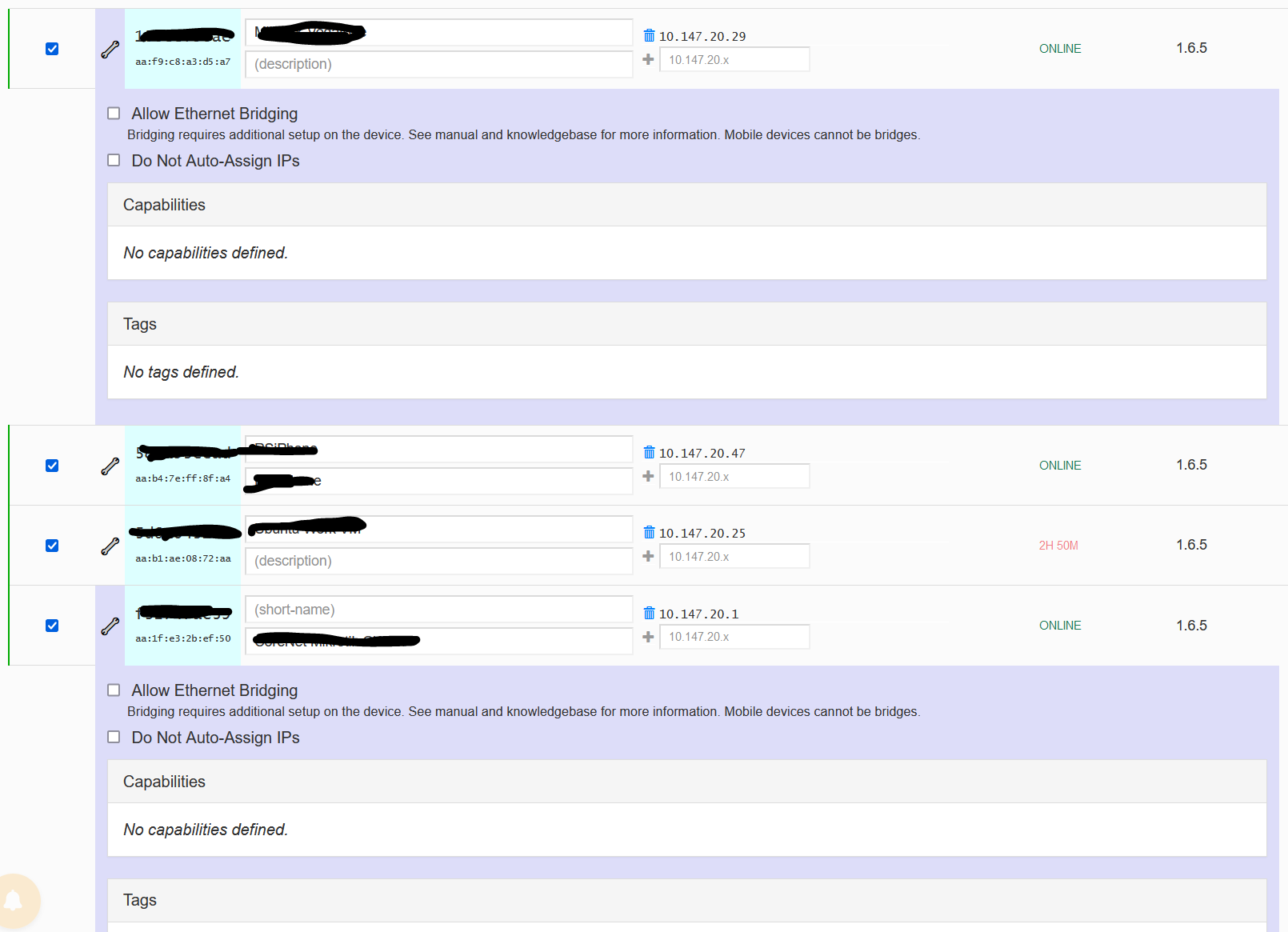
I have two routers here that I’m testing Zerotier with. It’s a long established Zerotier network that I’ve been using for a few years now.
Router 1 is a Chateau12
Router 2 is an RB3011
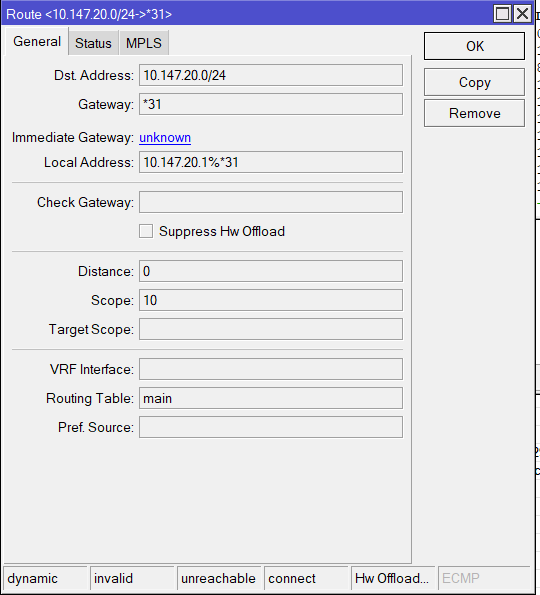
The Chateau connected to my Zerotier network with no issues via LTE. However the RB3011 is displaying the following:
The Zerotier Network is not being advertised yet so it’s not a routing issue. You can see from the screen shot that it says Immediate Gateway Unknown.
Bother routers are on the same LAN however that should not be an issue.
The Chateau is connecting to Zerotier via LTE and the RB3011 is bridged to an ADSL modem and connects to the internet via PPPoE.
If I set the default route of the Chateau to the RB3011 it still works correctly.
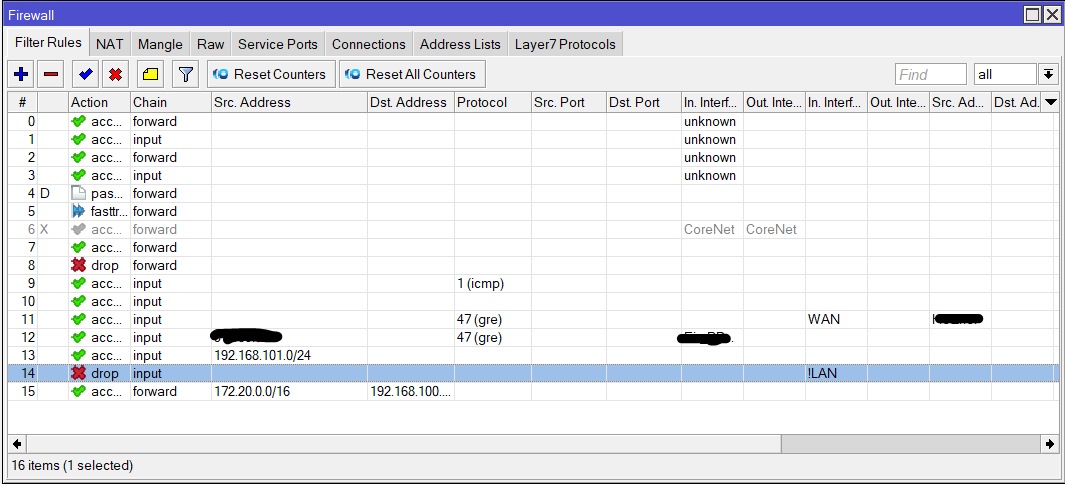
Firewall rules on both routers are straightforward. There are no custom mangle or raw rules other than some custom RAW drop rules on the RB3011. Even with these disabled the same issue occurs.
Both routers also have the recommended firewall rules at the top of the filter page as recommended on the Mikrotik Zerotier Documentation page. About the only difference is on the RB3011 the Zerotier interface is *31 and on the Chateau it is *13
The RB3011 does have 3 EoIP tunnels two of which use IPsec however the IPsec policies only apply to the tunnels and no other interfaces.
I have removed the Zerotier package on the RB3011, rebooted and reinstalled it. After another reboot still the issue again persists.
MRU on the RB3011’s PPPoE interface was manually configured to 1492. Removing the manual setting and allowing it to default to 1480 still results in the same Immediate Gateway error.
It has me baffled as I can’t see any reason why it won’t work!
This * stuff usually means that there is a reference to an unkown interface.
Have you tried renaming the zerotier interface?
Does it look different in the cli?
It’s secure as in it connects to the Zerotier controller. After that any connection to anything else on your zerotier network is peer to peer so nothing goes through any third party servers.