7.11 | Messed up fans with CRS312

Hello,

Changelog:
health - added more gradual control over fans for CRS3xx, CRS5xx, CCR2xxx devices;

Would be nice if it would work, but for my CRS312-4C+8XG 7.11 changed the fans profile in a weird way.
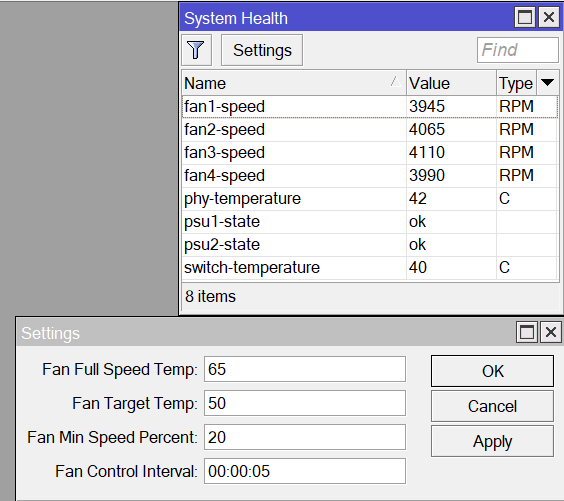
Up until now, I had:
20.png
Stable 40-45 Celsius at minimum fan speed of 45% / ~4K rpm

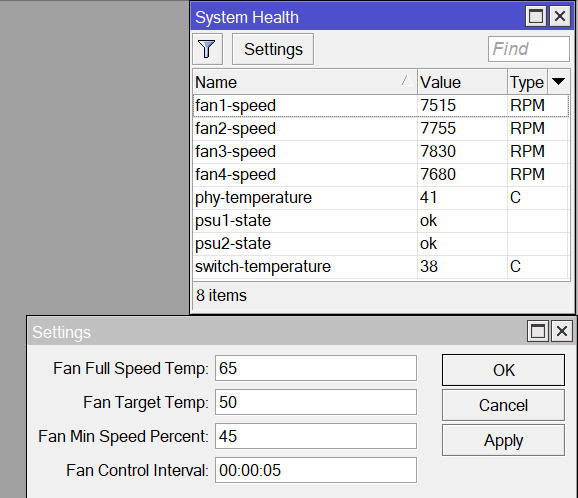
Now, with 7.11 I have:
7.11.png
A bit lower temperature, but the 45% translates to ~7.5K rpm now

The max speed of the fans seems to be around 8-8.5K rpm.
So 45% fan speed should be around 4K rpm.

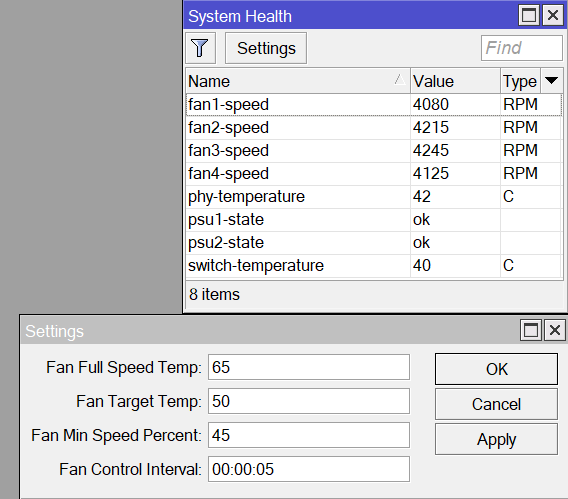
To be able to get the fans back to ~4K rpm, I need to change the minimum fan speed to 20%
7.10.2.png
Guess someone messed up somewhere with the %

Since I see no mention of it, already contacted support for this ?
They don’t read all threads here.

Indeed I did.

Mikrotik support reply:

Hello,

Thank you for contacting MikroTik Support.

In the latest version, we have implemented improvements to fan control, allowing for more gradual adjustments to fan speeds. It’s important to note that your CRS312 utilizes DC fans, and as a result of their inherent characteristics, the minimum speed at which they operate is ~ 4,000 RPM.

While the fan speed control is now more nuanced and gradual, it’s important to understand that the relationship between fan speed percentage and actual RPM is not linear in the traditional sense. To achieve fan speeds that are comparable to the previous behavior (where the RPM was around 4,000), we recommend setting fan-min-speed-percent to 20%, you can achieve RPM levels similar to what you experienced before the update.