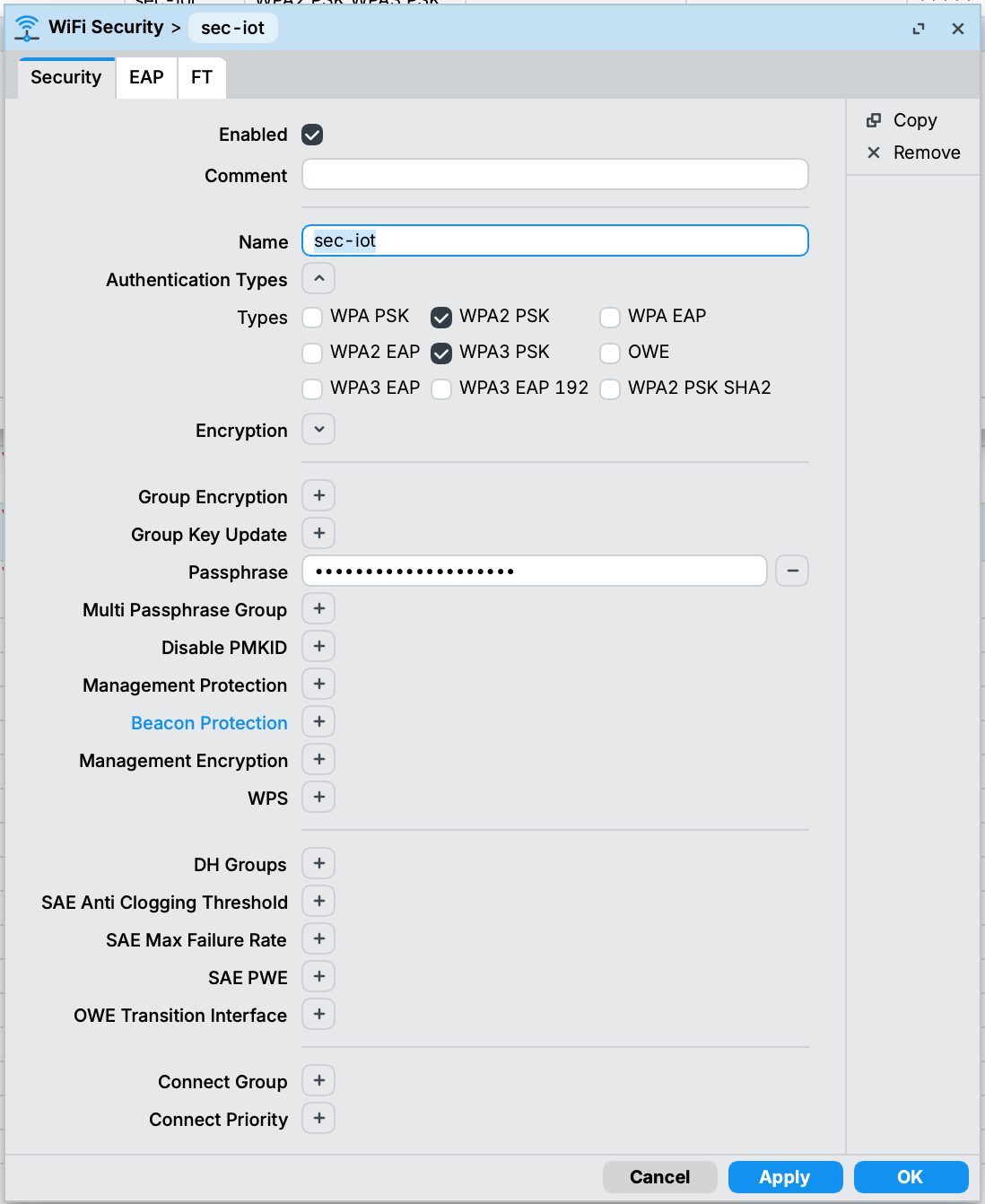
Not using CAPsMAN and I had same issue, iOS connects and auto-joins if wifi is saved but on 1st join it stuck after entering password and it was unable to join. MacOS was able to connect but auto-join when saved was not working (on OS startup or wifi enable/disable toggle), only manual join worked when clicked on listed wifi, could be due to some auto-join timeout because join took much longer than usual. These issues was not present when connecting to slave wifi interfaces.
Unsettling interworking.realms-raw on master wifi interfaces, as suggested above, resolved these issues.
Meaning that you did not manage to delete the interworking,realms.raw and it is still there or that you managed to remove the setting but still you cannoit connect wiht an IOS device?
The error talked about in this thread is about the (hidden and arbitrary) creation of a
interworking.realms.raw=""
value (when using Winbox 3.x on 7.22.x).
How come you have a interworking1 ?
(maybe some values is needed for it in your configuration?)
Do you have an export of the device before the upgrade?
I presume you have already tried on the IOS devices to "forget" the SSID and re-connect?
Since iPhones broken down I started to make experiments with setting and unsettling directly within configurations, but I get tired quickly since there 4 of configs.
Then I and created interworking1 for setting and unsetting separately in one place.
Didn't try to forget-and-reconnect manually, will do.
The command (copied from erlinden's suggestion in another thread) more or less means:
Code
Action
/interface wifi configuration
change to section where there is one or more occurrences of interworking.realms-raw=""
unset value-name=interworking.realms-raw [find]
find each and every occurrence of interworking.realms-raw in the current section and unset its value (i.e. set it to null, that is different from empty string)
So, yes, if the value in other configurations is under /interface wifi, your command will work.
Even with the commands listed, I was not able to get my 5ghz band to work with my apple devices. 2.4ghz band worked fine though. The only thing that worked for me was downgrading back to v7.21.3.
With 5GHz band there's a very real possibility that AP selects frequency that is either not supported by client (and client doesn't even show such AP in the list of detected SSIDs) or is subject to DFS and then AP defers start of transmission due to checking for radars (anywhere from 1 minute up to several tens of minutes, depending on frequencies chosen and actual scan results).
Either way, check what AP is doing (/interface/wifi/monitor <interface_name> run on CAPsMAN) ... it'll show something like this:
[CAPsMAN] > /interface/wifi/monitor cap-wap-5g-42
                  ;;; operated by CAP F6:1E:57:XX:YY:ZZ%vlan-99, traffic
                  ;;; processing on CAP
               state: running
             channel: 5260/ax/Ceee/DI
    registered-peers: 2
    authorized-peers: 2
            tx-power: 20
  channel-priorities: 0:5260/ax/Ceee/DI
                      1:5260/ac/Ceee/DI
state will show "scanning" (or something like that) while doing DFS check ... and channel will show you which actual frequency and channel layout was chosen by AP.
Also: some clients are not entirely happy if channel layout (for channels wider than 20MHz) is anything but Ce or Ceee or Ceeeeeee (i.e. anything else than C on the lowest 20MHz part of "wide" channel).
Just running into this issue. I have an existing AP (hAP ax^3) running a non-CAPsMAN configuration that is still running fine on 7.22.1.
But I just acquired a wAP ax to add some more coverage and decided this was the time to move to CAPsMAN with two SSIDs linked to specific VLANs. Configuration appears to be OK. I haven't touched the existing AP that continues to work. The CAPsMAN server is running 7.22.2 and the wAP ax is running 7.22.3.
Current behaviour is that Apple devices (iOS and MacOS) cannot acquire DHCP leases on the IG-LAN SSID, but can on the IG-IOT SSID. There are all devices with stored credentials to these SSIDs, not new connections.
I've tried the trick of unsetting the interworking.realms-raw (on the CAPsMAN server) and that didn't change anything.
I do note that that IG-IOT SSID is setup as a slave interface (cap-wifi1-virtual1), so my next step is to swap those two and see if that makes a difference, but any insight would be useful.
I didn't set the security.multi-passphrase-group="" and there's nothing in the Winbox UI to indicate that there's anything set on that value (WB 4.1 on MacOS)
On the channel.deprioritize-unii-3-4=no, I've set that to yes (although you'd think that this is the sort of thing that would get set by selecting the country value). Good call.
No idea why WB added tx-power=0. Looks like a slip of the mouse since it was visible in the UI. Again, nice catch.
Is the value interworking.realms-raw/unset supposed to show up somewhere in the exported configuration?
Updated configuration:
/interface wifi channel
add band=2ghz-ax deprioritize-unii-3-4=yes disabled=no name=2ghz skip-dfs-channels=10min-cac width=20/40mhz
add band=5ghz-ax deprioritize-unii-3-4=yes disabled=no name=5ghz skip-dfs-channels=10min-cac width=20/40/80mhz
/interface wifi security
add authentication-types=wpa2-psk,wpa3-psk name=sec-lan
add authentication-types=wpa2-psk,wpa3-psk name=sec-iot
/interface wifi
# operated by CAP D0:EA:11:11:EF:38%VLAN_MGMT, traffic processing on CAP
add configuration=cfg-LAN2G disabled=no name=cap-wifi1 radio-mac=D0:EA:11:11:EF:3A
# operated by CAP D0:EA:11:11:EF:38%VLAN_MGMT, traffic processing on CAP
add configuration=cfg-IOT2G disabled=no mac-address=D2:EA:11:11:EF:3A master-interface=cap-wifi1 name=cap-wifi1-virtual1
# operated by CAP D0:EA:11:11:EF:38%VLAN_MGMT, traffic processing on CAP
add configuration=cfg-LAN5G disabled=no name=cap-wifi2 radio-mac=D0:EA:11:11:EF:3B
# operated by CAP D0:EA:11:11:EF:38%VLAN_MGMT, traffic processing on CAP
add configuration=cfg-IOT5G disabled=no mac-address=D2:EA:11:11:EF:3B master-interface=cap-wifi2 name=cap-wifi2-virtual1
/interface wifi capsman
set ca-certificate=auto certificate=auto enabled=yes interfaces=VLAN_MGMT package-path="" require-peer-certificate=no upgrade-policy=none
/interface wifi configuration
add channel=2ghz channel.reselect-time=00:00:00 country=France datapath=datapath-iot disabled=no mode=ap name=cfg-IOT2G security=sec-iot ssid=\
    IG-IOT
add channel=2ghz country=France datapath=datapath-lan disabled=no mode=ap name=cfg-LAN2G security=sec-lan ssid=IG-LAN
add channel=5ghz channel.secondary-frequency=disabled country=France datapath=datapath-iot disabled=no mode=ap name=cfg-IOT5G security=sec-iot \
    ssid=IG-IOT
add channel=5ghz country=France datapath=datapath-lan disabled=no mode=ap name=cfg-LAN5G security=sec-lan ssid=IG-LAN
/interface wifi datapath
add bridge=internal-bridge name=datapath-lan vlan-id=30
add bridge=internal-bridge name=datapath-iot vlan-id=32
/interface wifi provisioning
add action=create-enabled disabled=no master-configuration=cfg-LAN2G slave-configurations=cfg-IOT2G supported-bands=2ghz-ax
add action=create-enabled disabled=no master-configuration=cfg-LAN5G slave-configurations=cfg-IOT5G supported-bands=5ghz-ax
Thanks to @infabo and @jaclaz - those were more slips of the mouse in Winbox. I haven’t tried the network reset on the iOS side yet as I have a lot of networks that I connect to and that is synced across devices.
Just remove definition of this particular wireless network, no need to reset all of them. And you can do it on a single iPhone first to see if this then cures the problem.
Hmm - still no go - tested both forgetting and a full network reset on a couple of devices.
Interestingly, I thought that I would try and end-run on the DHCP and setup the device's IP configuration manually for this wifi connection and even that doesn't work. Also noting that the problem isn't limited to iPhones - all Apple devices running the latest OS releases have these issues.
Bizarrely, the IOT network works fine, but the LAN consistently fails. I've tried deprovisioning the IOT network so that the AP is only publishing the LAN SSID which doesn't change anything either. So it's not just an ordering issue of which configuration is set to master and which to slave in the provisioning profile.
Just to make sure that I'm not going crazy, I just wiped the wAP-ax and set up a local multiple SSID configuration based on the configurations I was trying to push through CAPsMAN and... it works. So I guess I'm stuck here for the moment and losing the roaming options until this CAPsMAN/Apple thing gets sorted out.