hrico
May 8, 2010, 8:57am
21
Yes, you were right. When I debugged it I found out that it sends replies but never ends because there is no !done. But even if I put /cancel at the end, it never gets to this cancel.
mikrotik.Send("/interface/monitor-traffic");
mikrotik.Send("=interface=ether1");
mikrotik.Send("/cancel", true);
… is there any workaround?
I’ve used as a source this site http://wiki.mikrotik.com/wiki/API_in_C_Sharp .!done ?
you should execute your query, read necessary results and then stop it by executing “/cancel”
pro2
January 25, 2011, 5:13pm
23
Gostaria de sabe como removo um linha no firewall, no ssh eu uso assim como faz o mesmo na api-delphi/ip firewall nat remove [/ip firewall nat find src-address=10.0.0.1]
ekkas
January 26, 2011, 7:15am
24
There might be a shorter way, but I update address list by getting e.g.
/ip/firewall/address-list/print','?list=mylist'
Then parse the results an get the .id of the record I want to change.
'ip/firewall/address-list/remove','=.id='+theid
Hope it helps.
Ekkas
janisk
January 26, 2011, 7:37am
25
this basically is the way how you do that.
get the ID of the entry and remove by ID.
ekkas
March 1, 2011, 10:49pm
26
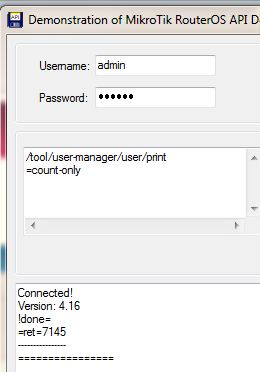
when I do a ‘query’ from terminal window:
I get an instant response, in this case 6925
But when I run API command:
Then it takes about 10 seconds to complete.
Am I doing the API command wrong?
Thanks
do you have the same result in case of API?..
ekkas
March 2, 2011, 2:27pm
28
What do you mean?
API =very slow
I mean, what do you receive in API response?
then you should write to support@, I believe
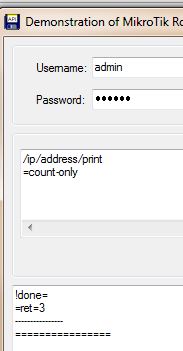
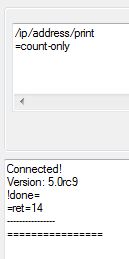
p.s. please mention that it doesn’t work for /ip/address/print =)
ekkas
March 2, 2011, 6:18pm
32
I’ll write to support.
It works for me on ip (ROS 4.16):
argh, it’s returned in the same sentence as ‘!done’, so “Query & Listen” do not see it %) “Query & Get All” works fine, sorry for inconvenience
ekkas
March 2, 2011, 10:59pm
35
No Problem. I always use getall. lolhttp://forum.mikrotik.com/t/api-and-date-filter/45109/1
janisk
March 3, 2011, 11:44am
36
if i remember correctly, then some long time ago getall was an alias for print, so you get same stuff using getall or print commands using API, and for details you have to use =detail= (not so old change)
please correct the docs: http://wiki.mikrotik.com/wiki/API#Command_description
if .proplist is absent, > all possible properties are included > , even those that have slow access time (such as file contents and perfomance counters). Thus use of .proplist is encouraged. Omission of .proplist may have high perfomance penalty.
janisk
March 7, 2011, 9:16am
38
thanks for pointing that out, wording has been updated.
huh, from the same place:
arguments that modify list of returned properties (> detail > , breif, …) have > no effect > in the API