which ap did you use in that project??
We used 952 dual band ap that comes with sfp port.in our observation most dual band android phones first connect on 2.4 and later auto shifts to 5 band . we need steering so that phones with both bands connect only with 5 . Thanks
rogers3b2, what tx-power levels do you use? Making tx-power on 2.4G band lower then on 5G band may help a lot.
yes, some people call that “making organic 5ghz” but in some cases you need to lower 2,4ghz to levels as low as 5dbm, sacrificing too much coverage, only suitable for high density setups
It does. e.g. A room with 3x WAP AC and ~150 clients. I set 5Ghz at 23db and 2.4Ghz at 17db. This gives me ~2/3 of 5Ghz clients and ~1/3 of 2.4Ghz clients
From my experience, the best working multi-AP setups is the ones where 2G coverage is as close to the 5G coverage as possible for each AP in the setup.
Those values a way too high. For the best user experience the tx-power of your APs should never exceed the max. tx-power of your wireless clients, which lies in the range from 13dBm to 17dBm (depending on the channel) for an average smartphone or tablet.
thats the difference in tx power needed between 5ghz and 2.4ghz to make clients to prefer 5ghz “organically”
to avoid having to do that is that we require the mechanism of band steering
That’s clear. What I was trying to say is that setting power for 2GHz to 17dBm and then rising the power for 5GHz above that value is not the right way to go. Instead, one should set power for 5GHz to 15-17dBm and then lower the power for 2GHz below that.
Also keep in mind that tx-power for ac-capable chipsets means total power, whereas for non-ac-capable chipsets it means power per chain (see here), so tx-power=17dBm for a 2-chain 2GHz hardware actually means 20dBm total power.
coverage at that power level you suggest is very poor
because that we need other mechanism to steer clients toward 5ghz
Do you remember that wireless is a bidirectional thing? I mean not only your clients should hear your access point, but you access point should hear you clients too. And so “at that power level” you actually get the best coverage possible for ordinary clients (like smartphones, tablets and laptops); tx-power values above that level will make you clients show you 5 bars of signal level on a greater distance, but that will not make the coverage any better (in fact, it usually makes it worse).
This, of course, does not apply to situations where all your clients are Mikrotik (or other brand) CPE devices, which allow the max tx-power value to be adjusted to the same level as it is on your AP.
@chechito I can see you have long experience with MT, but this answer puzzles me. Wi-Fi connection is bidirectional. With high power levels the AP can be received over a long distance, yes. However, there is no way for the low-powered client to reply or even ack. Thus, the high power of the AP is useless, even though the nominal coverage is great. I would agree with @andriys that the power levels of the AP and the clients should be equal.
Physically the 5GHz is about twice the frequency of 2.4GHz. The attenuation grows in square of the frequency, so the received level of 2.4GHz is four times or 6dB higher than 5GHz. By lowering the transmit power by 6dB on 2.4GHz both signals are received at equal strength. Changing that to 7dB would make more clients connect to 5GHz unless they natively prefer 5GHz (like Apple iOS devices do for example).
High transmit power levels are useful for PtP and PtMP scenarios where you control both sides of the link. Even then you should set the transmit power to the same level.
i am talking about wifi for smartphones tablets and laptops no client device under control, low tx power on client devices, mixed devices, windows, mac, android, iphone
i have the following example in some project, a small building, 3 floor with 1 ap per floor, fortunately is a high density deployment, most user concentration was on floor 2 the AP location was intended to distribute floor 2 users between the avaliable AP, because the lack of band steering, i barely achieve the required coverage because i had to lower 2.4ghz radio tx power until i get better signal in 5ghz ssid than 2.4ghz ssid that way 5ghz capable wifi device prefer 5ghz ssid, the following power setting was needed,
FLOOR 1 (brick walls)
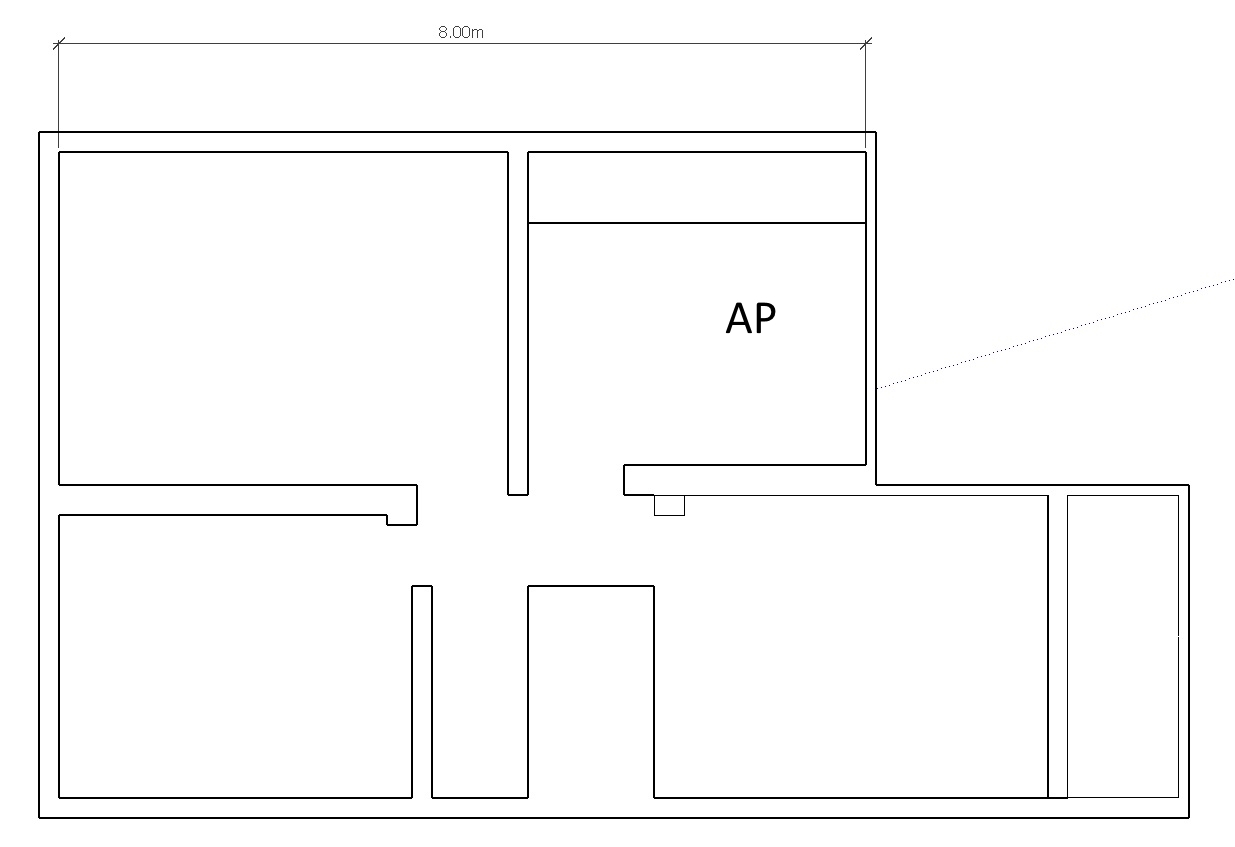
2.4ghz 12dbm setting effective power 15dbm
5ghz default (23dbm)
FLOOR 2 (open space less walls)
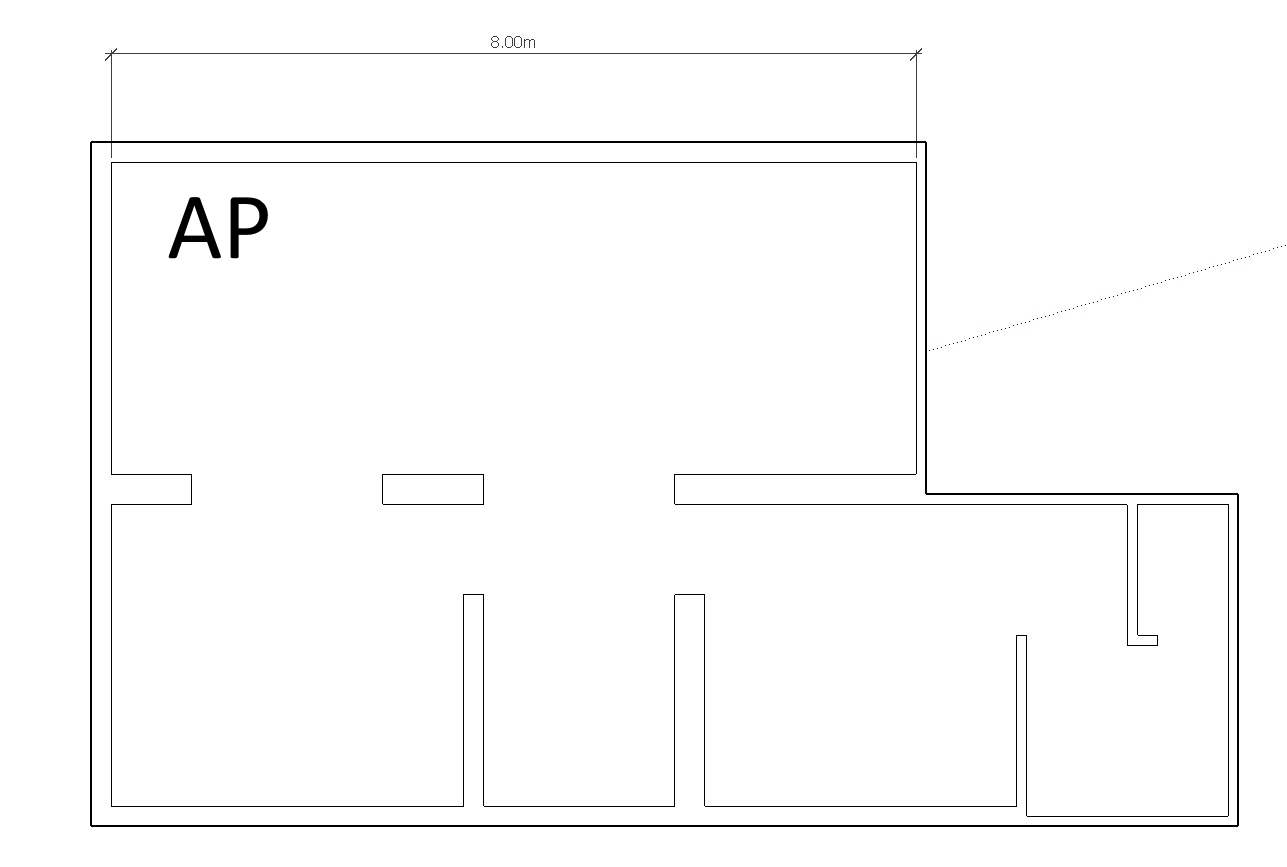
2.4ghz 2dbm setting effective power 5dbm
5ghz 20dbm
FLOOR 3 (brick walls)
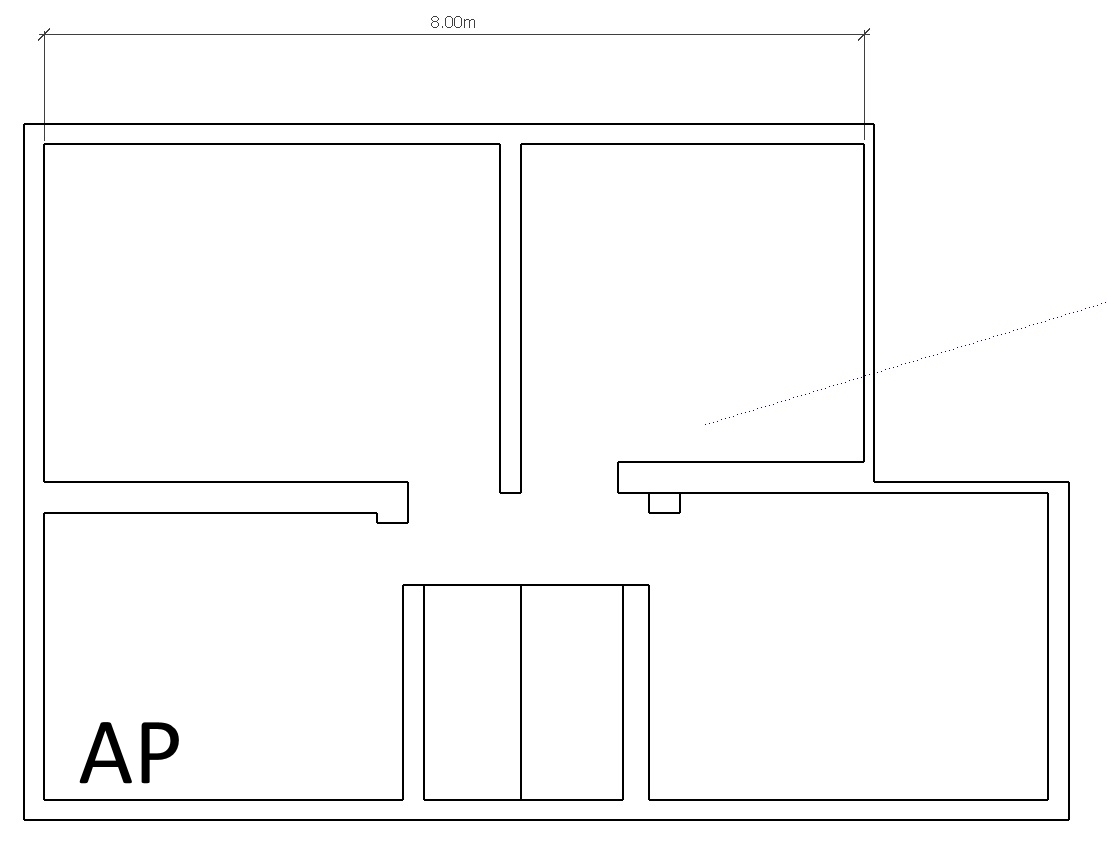
2.4ghz 10 dbm setting effective power 13dbm
5ghz default (23dbm)
as you can see is a very small area and 5ghz tx power are maxed out while 2.4ghz is very limited
only was possible use 20mhz channels in 5ghz to improve signal level over 2.4ghz, trying 40mhz channels on 5ghz to improve throughput was not possible because the signal level was always under 2.4ghz
@chechito If you want to get by with just one access point per floor, you need to locate it centrally. Just a bit north from the staircase in this case. (I assume its is a staircase at the middle of the bottom part of the floor map.) If you place the APs in the corner of the floor you are wasting 3/4 of the signal and there are more walls to penetrate on the way to the opposite corner.
Quite often you need more access points to get a good coverage in a brick building. Fortunately the APs are less expensive these days and CAPsMAN makes management easy. I just had a case where a client wanted ALL floor area covered, even in the basement with reinforced concrete walls. I made a plan and I placed one AP per room with tx power turned way down. I still don’t know why it was so important to get coverage in all utility rooms and storage areas, I tried to talk them out of it.
I believe 2,4GHz band would fit your case better. The signal penetrates the brick walls better and the building appears to be separate so hopefully the neighbouring APs won’t cause that bad interference. You’d get better throughput with 5GHz and 40MHz channels of course. Perhaps you can use both: 5GHz in the high density areas and use 2,4GHz for the additional supporting APs. The 2,4GHz APs are less expensive if you are on a budget (hAP Mini or cAP Lite for example). When you have more access points it is even more important to turn down the tx power to keep cell sizes small.
(Yes, I would like to see MikroTik implementing a band steering option, too. However, it won’t solve all problems.)
It all depends on noise. If you have a noisy neighbours or your windows overlook a flat with 49 AP’s or more… forget it with 2,4 GHz. Use 5 GHz ONLY!!!
Use 2,4 for legacy devices which cannot do 2,4. yes, 5 GHz equipment is more expensive, and you need more of that stuff to cover the area, but once done, you have a very good / perfect network. especially if you can use DFS channels…
@haik01 Yes, it depends on the environment. OP didn’t give a hint about it. The floor plan looks like it could be a small hostel (no bathrooms). The hostel could be in the jungle, mountains or downtown Bogota. There might be neighbours or not. Your advise suits Netherlands or Finland, where a single breakfast setup might cost 200€. In some other parts of the world, that might be the total budget for a WiFi installation: parts and labor. Even then it will make a big dent in the annual profit figure for a small business. Over here it is hard to keep in mind what it is to live on a shoestring. I try to give options and not to appear arrogant. Although it could just as well be that this is a wealthy villa with money to spend, too.
Yes, I agree with you and that is exactly the same advise I give to my Finnish customers.
We are in the networking business, not in desktop/phone business. When I get an order for a WiFi deployment, I cannot blame Apple, no client in the world will buy that excuse. Other WiFi vendors understand that and adjust their products to bad client behavior and band steering/client handoff/roaming controlled by the AP controller is industry standard. MikroTik, you need to get this (as proven by other WiFi vendors) functionality implemented or you will never get your share in Enterprise WiFi.
At last some improvement by mikrotik they introduced adaptive noise immunity on capsman in there latest release 6.41.
To tacle my issue at airport i make differnt ssid for 5 and 2 for 5 i just Mentioned word FAST only 5 ghz clients will be able to see these ssids.
Thanks
At the start there was discussion how to implement band steering. Selective beacons would be an easy solution. I found documentation how Ubiquiti does it. It requires keeping track of the clients even across multiple access points, so It requires quite a bit more work:
How Band Steering Works
- Controller maintains a list of 5GHz-capable devices, which is shared with access points.
- If a client connects to the 5GHz band, it is added to the list of 5GHz-capable devices.
- If a known 5GHz-capable device attempts to connect to the 2.4GHz band, the device is dropped initially and moved to the 5GHz band.
- To accommodate for legacy clients and coverage issues, if more than 8 such requests are received within 10 second period, the client is allowed to connect to the 2.4GHz band.
Different Band Steering Modes
Prefer-5GHz: If you configure the access point to use ‘prefer-5GHz’ band steering mode, the access point will not respond to 2.4 GHz probe requests from a client if all the following conditions are met:
- The client has already probed the access point on the 5GHz band and therefore is known to be capable of sending probes on the 5GHz band.
- The client is not currently associated on the 2.4GHz radio to this access point.
- The client has sent less than 8 probes requests in the last 10 seconds. If the client has sent more than 8 probes in the last 10 seconds, the client will be able to connect using whatever band it prefers.
Force-5GHz: When the access point is configured in ‘force-5GHz’ band steering mode, the access point will not respond to 2.4GHz probe requests from a client if all the following conditions are met:
- The client has already probed the access point on the 5GHz band and therefore is known to be capable of sending probes on the 5GHz band.
- The client is not currently associated on the 2.4GHz radio of this access point.
- All dual-band clients are pushed to connect to the 5GHz radio.
Oh how I wish Mikrotik would implement this !