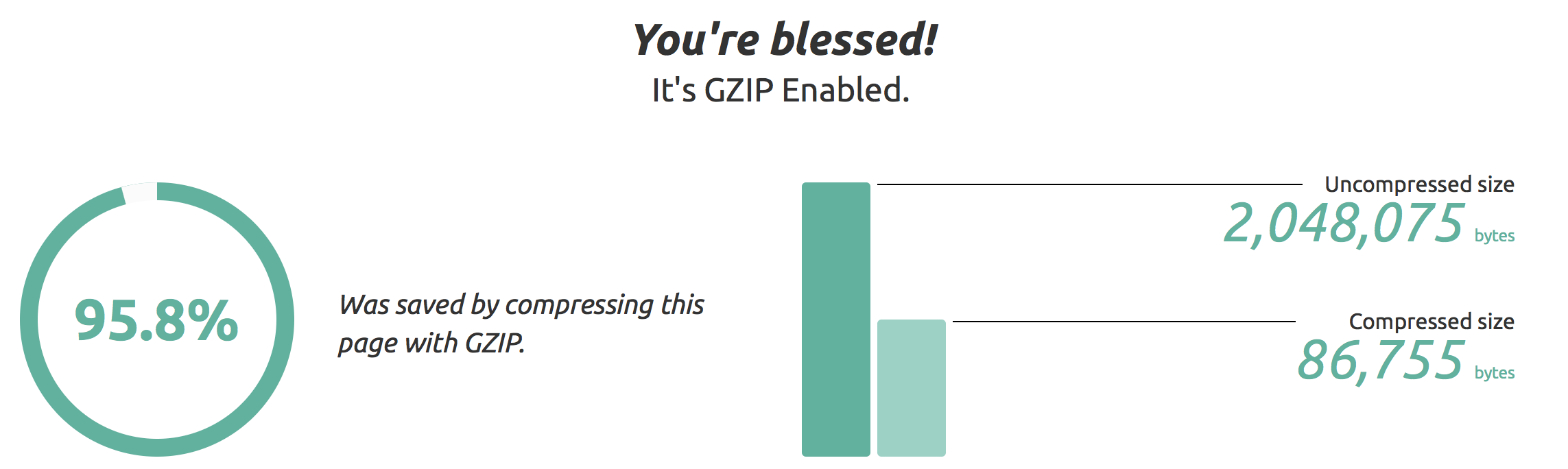
I see different data when downloading html or the dynamic.rsc when I test it on my own server:
Darn the whole bit below is obsolete because the things I though I could deduct, is bases on not cleared characters by RouterOS. The result is written on the same line as the line shown during transfer “-- [Q quit|D dump|C-z pause]” so I was mislead by what it seemed to state and I was looking for…GRRRRRRRRRRRRRRRR
David, please consider including blocklist.de’s block list. I’ve been using both your blocklist and the one from squidblacklist.org for a little bit and so far the only major difference is from blocklist.de. If you add that then I can drop squidblacklist.org.
 #    CHAIN                                             ACTION                            BYTES         PACKETS
 0  D ;;; special dummy rule to show fasttrack counters
      prerouting                                        passthrough                 205 064 681         238 851
 1    ;;; Attack from Intrus blocklist
      prerouting                                        drop                              8 846             206
 2    ;;; Attack from sbl malc0de
      prerouting                                        drop                                  0               0
 3    ;;; Attack from sbl dshield
      prerouting                                        drop                                 52               1
 4    ;;; Attack from sbl blocklist.de
      prerouting                                        drop                              3 309              42
 5    ;;; Attack from sbl spamhaus
      prerouting                                        drop                                  0               0
Hahahaha I know and on the moment I noticed that it was not funny because a lot of time went in. This is the part of my posting about it and what I put above it:
I see different data when downloading html or the dynamic.rsc when I test it on my own server:
Darn the whole bit below is obsolete because the things I though I could deduct, is bases on not cleared characters by RouterOS. The result is written on the same line as the line shown during transfer “-- [Q quit|D dump|C-z pause]” so I was mislead by what it seemed to state and I was looking for…GRRRRRRRRRRRRRRRR
Hello!
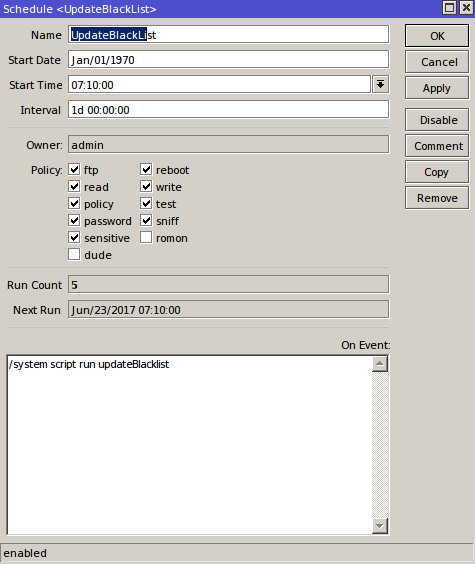
Funny thing, when I run the script manually, it works, downloads the file and installs address entries but when scheduler runs it, it increases the run count but the script wont start.
I have other scripts running off scheduler without problems.
##### Update your path, is you are using a USB Flash or other storage
I am thinking you meant to say “if you are using”
By the way, why is the default path “disk1/dynamic.rsc”?
Anyway, fun fun. I hadn’t tried this before:
jun/23/2017 10:50:44 system,error,critical router was rebooted without proper shutdown
jun/23/2017 10:50:44 system,error,critical kernel failure in previous boot
jun/23/2017 10:50:44 system,error,critical out of memory condition was detected
My poor little RB750 doesn’t seem to like it either way.
jun/23/2017 11:29:13 system,error,critical router was rebooted without proper shut
down by watchdog timer
jun/23/2017 11:42:31 system,error,critical router was rebooted without proper shut
down by watchdog timer
Hi Dave, I have now completed the changed script after start-up/reboot of the router. As the dynamic address are all lost during reboot they don’t have to be deleted.
In the updateBlacklist script I don’t delete the dynamic.rsc file after importing so that they are still available after a new start-up/reboot. If the file does not exist then the normal updateBlacklist script is run so that the router is never without your dynamicBlacklist.
Thanks , however this has first have to be agreed, because Dave has also to change the original updateBlaclist so that dynamic.rsc is not erased after import. There can be a problem when the file is always President on devices with not much free space.
This version is safe as it looks if the quick start is available and then use that. If the quick start is not possible then it downloads the dynamic.rsc file and imports it.
I can’t send Dave any kind of messages through the forum except by making posts. There is a button when I look at his profile but nothing happens when I click it.
because that is the default path of a USB or SATA drive. If the driver does not exist, it simply creates that path. This way the USB is used if it’s there.
I don’t have any 32M units myself, but the blacklist stats show that 8 of them are currently pulling the list. It looks like it was a bad weekend for botnets as the list grew to 21,000 items. it may simply be too much for the smallest of routers.
I rewrote the backend this morning. It now takes all of the sources and purges the /32’s into the their corresponding subnet, if it is listed. it cut the size by 50%. it was in the 42,000 range, now back down to 21,000.
Thanks Dave for the update and looking at the code and that you told that older equipment only removed one line when using the modern method. I thought why not use that as an advantage and combine the old and new method into this:
##### Find the "dynamicBlacklist" entries and remove them
:while ([/ip firewall address-list find list="dynamicBlacklist"] != "") do={ /ip firewall address-list remove [find list="dynamicBlacklist"]};
The modern equipment only execute the command once and the older quipment would repeat it until there are no more dynamicBlacklist entries.
Replaces this:
##### Find the "dynamicBlacklist" entries and remove them
:log warning "Removing expiring address-list entries...";
/ip firewall address-list remove [find list="dynamicBlacklist"]

##### Remove again - Some older RouterOS versions wont catch them all with the above line.
:foreach i in=[/ip firewall address-list find ] \
   do={ :if ( [/ip firewall address-list get $i list] = "dynamicBlacklist" ) \
    do={ /ip firewall address-list remove $i } }
I can’t test it on old equipment so I don’t know if is even slower than the :foreach or that it does even work that way on the old stuff.