The lost art of proofreading ... 
https://imgur.com/gallery/lost-art-of-proofreading-bqn62Sj#/t/proofreading
Wow, really? I know you are capable of making far more substantive criticisms than that (
It’s a work in progress and was never intended for publication or public sharing.
Nonetheless, funny you should say this because I write quite a bit, and (usually, so it seems) take great care to minimize language, syntax, grammar, and punctuation errors. I even (many decades ago) worked as a legal proofreader in NYC to put myself through college.
Now you’ve made it so I have no choice but go back and proofread my doc! Ugh – more work….
Just having a bit of fun, more like the old joke about the fortune teller:
I believe this YouTube channel can be of great help.
I do like this channel!
I think I may start sending this link to posters that don't describe how to reproduce their problem.
https://www.youtube.com/watch?v=wfNgbCEvQ4A easier to view on youtube
New Year challenge: Precision. 
That "sned" quote describes many of my posts here. I don't notice the typos, grammar, puctuation, or just plain confusing wording until after I press Reply. Fortunately, I can come back and edit.
Yep, I believe all of us do the same.
Luckily enough we don't anymore carve our writing in stone.
Imagine the enormous piles of discarded slabs in our backyards ...
One thing I would add is a basic diagram of how things are connected. At least for me, I find things much easier to understand when I have a "picture".
Writing turorials is hard. Getting the appropriate level of detail for the target audience is hard. I tend to go into much more detail than most people want, and often get off into edge cases that aren't helpful when trying to explain at the "first level of approximation" per sindy's sage advice:
I am not very good at that.
However, I have seen a lot of things (not by sindy) that are simplified to the extent of not being useful for understanding at a level needed to troubleshoot.
It may be good to start with a "high level" overview (tell they what you are going to explain), then go into more details (explain), then summarize at the end. (tell them what you explained). I think Ed Harmoush does a very good job of explaining in his practicalnetworking.com articles/videos.
That is a very insighful understanding, very clearly expressed.
I often am faced with the challenge of identifying exactly how simplified an explanation has to be.
And VLANs are a great (or horrible, depending on how you look at it) example of the challenge of this.
I have read much of what has been written here on VLANS, I have watched many video and read a lot of other tutorials, including the practicalnetworking.com guides (which are indeed great).
What I was focused on acheiving in my little tutorial is explain in extremely clear, simplified, and non-technical ways, how MT’s VLANs work without going off on analogies or generalizations, and certainly not (mostly because I am not capable of doing so) edge cases.
That is, I was imagining that I was an ethernet frame and figuring out how ROS should be configured in various situations: (1) I am untagged from a PC on a wired connection destined for the Internet, (2) I am the same untagged frame from a PC but on a wifi connection destined for the internet, (3) I am a frame on a wired connection coming from an IoT device, etc.
That level of visualization helped me understanding (to the extent to which I do) ROS’ firewall rules and routing config.
In VLANs, I had a huge struggle understanding the roles of “/interface bridge port” and “/interface bridge vlan” settings (huge!). I am very well aware (having spent hundred of hours looking at the material) that there is a huge amount of explanations, tutorials, etc. on these two commands. I still believe that the evidence of overall poor quality of explanation of these commands is clear from the abundance of, and extremely different forms of explanations for this (or is it, these) concept(s).
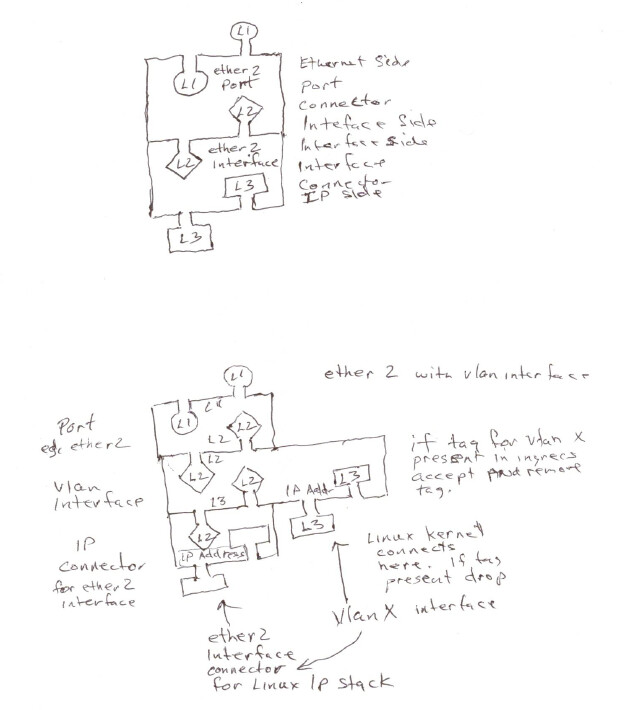
I think it would be possible to teach vlans to elementary school kids, if it was explained with models with "jigsaw puzzle pieces" with connectors that only connect to each other when they are compatible. Similar to the Scratch programming language. A shape for a port (with a "ethernet frame connector" at the top and a shape for an interface (where a vlan interface would have in Port connector at the top in from "l2 port" a connection on the top, to a port at the top
Something like this quick & dirty sketch showing how a Port and interface connect, and how a vlan interface gets inserted sort of like a shim with an extra "L3 type interface" coming out in addition to the original connection. The vlan has logic built in to remove the specific tag it matches on the way in, and to insert a tag for the vlan on the way out. (The model as presented is a simplification, and wouldn't work for Q-in-Q for example, so it is still not a complete model.) And just brain storming...
I haven't come up with a good way to conceptually explain a bridge with vlans.
Especially to incorporate "vlan-awareness" (which MikroTik/Linux refer to as vlan-filtering).
When a bridge is created without enabling vlan-filtering, the "virtual switch" part acts like a vlan-transparent switch, i.e. like a recently manufactured "dumb switch" that will pass vlan-tagged ethernet frames, but doesn't treat the tags as anything special. When not in vlan-aware mode, the only thing that is considered in the forwarding decisions is the dst-mac address and when learning only considers the src-mac address. Once vlan-aware mode is on, the switch actively examines the ethertype field, and if it finds a tag identifier (for IEEE 802.1Q the ethertype for tags is 0x8100), it then assigns the frame to its own "logical" switch, a separate one for each active vlan. The way that is easy to explain is like an electrical "bus" of separate "lanes", and only ports that are members of the vlan will have a connection to the "lane" representing the vlan for a specific vlan-id. But how to represent this is a picture without it becoming too "busy" is the hard part.
After making the sketch last night, I also think it would be better to have the "vlan interface" block have the "untagged" connection to the IP stack on the side. Then multiple block could be stacked one for each vlan sharing the port.
And I didn't even attempt the bridge part. I think it is important to first understand what the vlan interface does.
Just curious, what did you use to make the drawings?
yes. johnny makes awesome MT videos and will be back soon with new stuff
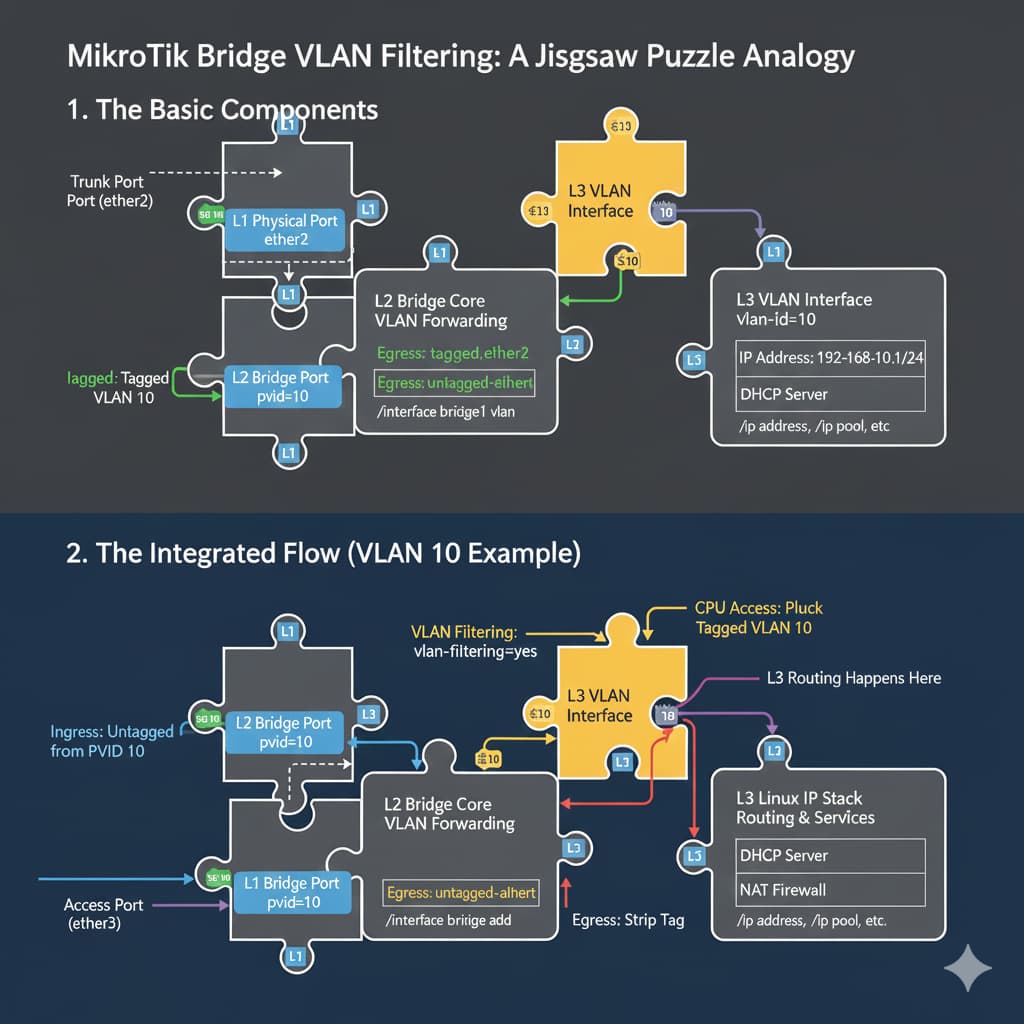
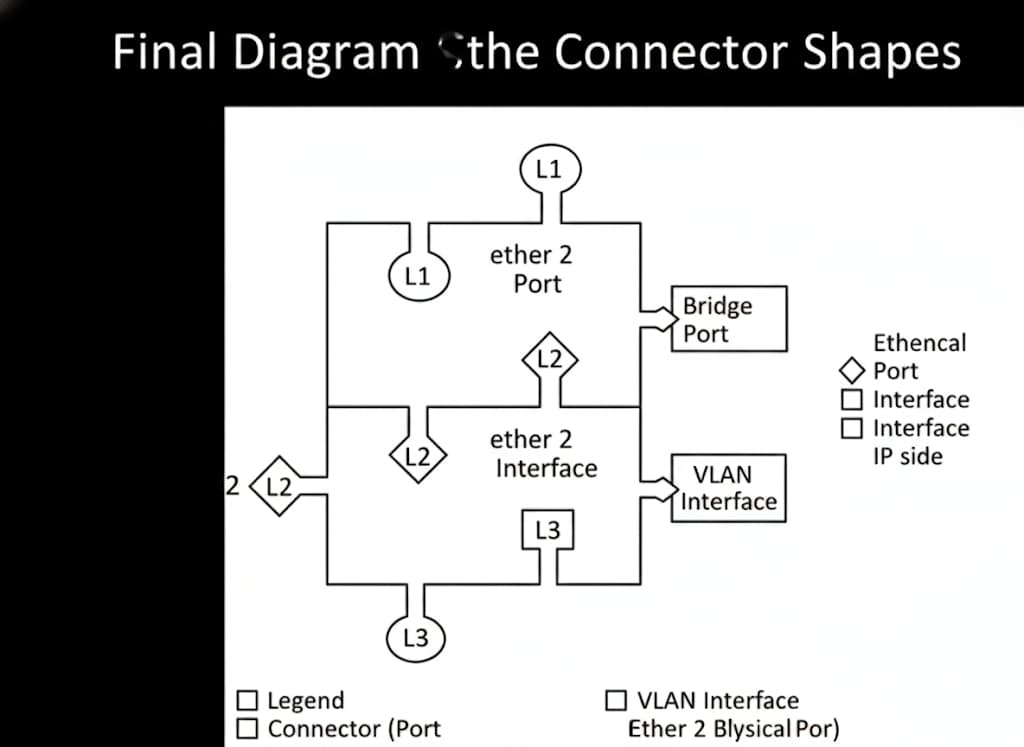
I used Gemini. It takes a bit of back and forth, and there are certainly errors and compromises in the product, but it’s cool.
As for developing the visual analogy and refining the corresponding conceptualization of The Way it Works, I have no choice but to leave that to you and others.
… and Gemini failed miserably as language models usually do, because it couldn’t grasp the essential part of @buckeye’s idea, i.e. that the shapes of the interlocks have to be unique for each layer as they indicate what can be attached to what. It used the same shape for L1 and L3, and the “arrow” and “L2 interlock” are also confusingly similar.
As for the jigsaw puzzle idea itself - no amount of distinct pin shapes can express that both tagged and tagless frames can pass through L1 (the physical interface).
Please do not misunderstand me - the jigsaw modelling is very nice and useful for various concepts, just not for VLANs.