CRS firewall hardware offload between bridge vlans

CRS317-1G-16S+ RouterOS 7.22.1

Goal: Firewall traffic from vlan99 to only allow specific host/port access to stuff in vlan100 and offload allowed traffic to get close to line speed.

So I’ve had this in my rack for a while working without issue, but recently I’ve tried to use some of the L3 features to do inter-vlan routing for interfaces on the same bridge. More specifically even with the in/out on the same interfaces. From everything I’ve read this should work but I just can’t seem to get any connections to be fast tracked. With firewall rules in place all processing is done on the cpu and with iperf between vlans I’m only getting ~500mbps. With rules removed and switch ports set with l3-hw-offloading=yesI can get the full line rate at ~9.6gbps.

The counters for the dummy fast track firewall rule have always been empty indicating none of the traffic is being fast tracked. I’ve also rebooted the switch multiple times. Even resorted to updating to the latest 7.x release with no change.

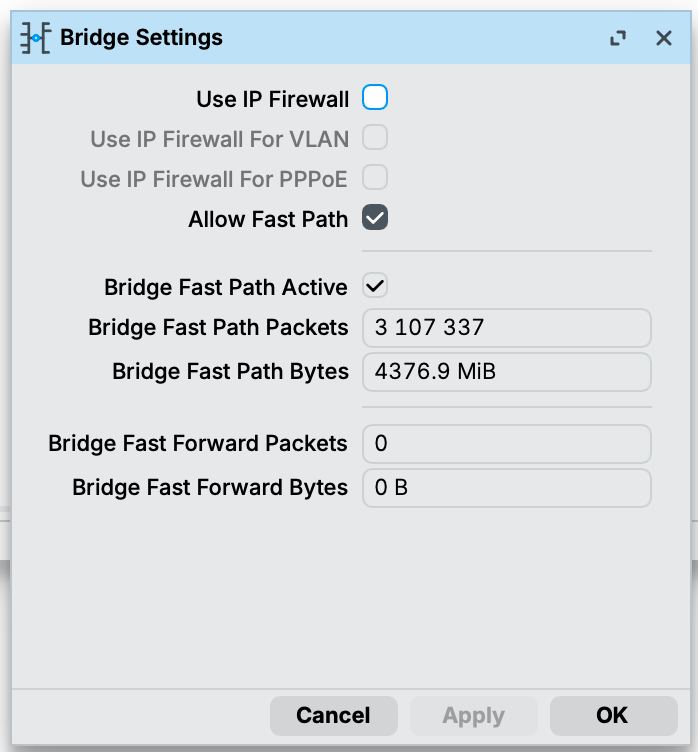
Config

[admin@mt-rack-switch-10g] > export compact
# 2026-04-03 09:10:42 by RouterOS 7.22.1
# software id = NFFW-76TF
#
# model = CRS317-1G-16S+
# serial number = D7EC0EFC3BA5
/interface bridge
add admin-mac=2C:C8:1B:FD:9D:88 auto-mac=no comment=defconf ingress-filtering=no name=bridge port-cost-mode=short vlan-filtering=yes
/interface ethernet
set [ find default-name=sfp-sfpplus1 ] comment=pve1
set [ find default-name=sfp-sfpplus2 ] comment=pve2
set [ find default-name=sfp-sfpplus3 ] comment=pve3
set [ find default-name=sfp-sfpplus13 ] comment=storage
set [ find default-name=sfp-sfpplus15 ] comment="bonding1 rack-switch"
set [ find default-name=sfp-sfpplus16 ] comment="bonding1 rack-switch"
/interface vlan
add interface=bridge name=vlan10 vlan-id=10
add interface=bridge name=vlan99 vlan-id=99
add interface=bridge name=vlan100 vlan-id=100
add interface=bridge name=vlan101 vlan-id=101
add interface=bridge name=vlan102 vlan-id=102
add interface=bridge name=vlan200 vlan-id=200
/interface bonding
add comment=rack-switch mode=802.3ad name=bonding1 slaves=sfp-sfpplus15,sfp-sfpplus16
/interface ethernet switch port
set 0 l3-hw-offloading=no
set 1 l3-hw-offloading=no
set 2 l3-hw-offloading=no
set 3 l3-hw-offloading=no
set 4 l3-hw-offloading=no
set 5 l3-hw-offloading=no
set 6 l3-hw-offloading=no
set 7 l3-hw-offloading=no
set 8 l3-hw-offloading=no
set 9 l3-hw-offloading=no
set 10 l3-hw-offloading=no
set 11 l3-hw-offloading=no
set 12 l3-hw-offloading=no
set 13 l3-hw-offloading=no
set 14 l3-hw-offloading=no
set 15 l3-hw-offloading=no
set 16 l3-hw-offloading=no
/interface list
add name=VLAN99_IN
/interface lte apn
set [ find default=yes ] ip-type=ipv4 use-network-apn=no
/interface wireless security-profiles
set [ find default=yes ] supplicant-identity=MikroTik
/system logging action
add name=syslog remote=10.100.1.13 remote-log-format=syslog syslog-facility=local0 target=remote
/interface bridge port
add bridge=bridge ingress-filtering=no interface=ether1 internal-path-cost=10 path-cost=10
add bridge=bridge interface=sfp-sfpplus1 internal-path-cost=10 path-cost=10
add bridge=bridge interface=sfp-sfpplus2 internal-path-cost=10 path-cost=10
add bridge=bridge interface=sfp-sfpplus3 internal-path-cost=10 path-cost=10
add bridge=bridge interface=sfp-sfpplus4 internal-path-cost=10 path-cost=10
add bridge=bridge interface=sfp-sfpplus5 internal-path-cost=10 path-cost=10
add bridge=bridge interface=sfp-sfpplus6 internal-path-cost=10 path-cost=10
add bridge=bridge interface=sfp-sfpplus7 internal-path-cost=10 path-cost=10
add bridge=bridge interface=sfp-sfpplus8 internal-path-cost=10 path-cost=10
add bridge=bridge interface=sfp-sfpplus9 internal-path-cost=10 path-cost=10
add bridge=bridge interface=sfp-sfpplus10 internal-path-cost=10 path-cost=10
add bridge=bridge interface=sfp-sfpplus11 internal-path-cost=10 path-cost=10
add bridge=bridge interface=sfp-sfpplus12 internal-path-cost=10 path-cost=10
add bridge=bridge interface=sfp-sfpplus13 internal-path-cost=10 path-cost=10
add bridge=bridge interface=sfp-sfpplus14 internal-path-cost=10 path-cost=10
add bridge=bridge interface=bonding1 internal-path-cost=10 path-cost=10
/interface ethernet switch l3hw-settings
set autorestart=yes
/ip firewall connection tracking
set udp-timeout=10s
/ip settings
set max-neighbor-entries=8192
/ipv6 settings
set disable-ipv6=yes max-neighbor-entries=8192 soft-max-neighbor-entries=8191
/interface bridge vlan
add bridge=bridge tagged=bridge,ether1,bonding1,sfp-sfpplus1,sfp-sfpplus2,sfp-sfpplus3,sfp-sfpplus13 vlan-ids=100
add bridge=bridge tagged=bridge,ether1,bonding1,sfp-sfpplus1,sfp-sfpplus2,sfp-sfpplus3 vlan-ids=101
add bridge=bridge tagged=bridge,ether1,bonding1 vlan-ids=102
add bridge=bridge tagged=bridge,ether1,bonding1,sfp-sfpplus1,sfp-sfpplus2,sfp-sfpplus3,sfp-sfpplus13 vlan-ids=10
add bridge=bridge tagged=bridge,bonding1,sfp-sfpplus1,sfp-sfpplus2,sfp-sfpplus3 vlan-ids=200
add bridge=bridge tagged=bridge,bonding1,sfp-sfpplus1,sfp-sfpplus2,sfp-sfpplus3,sfp-sfpplus13 vlan-ids=99
/interface ethernet switch
set 0 l3-hw-offloading=yes
/interface list member
add interface=vlan99 list=VLAN99_IN
/ip address
add address=10.100.1.21/24 interface=vlan100 network=10.100.1.0
add address=10.99.1.2/24 interface=vlan99 network=10.99.1.0
/ip dns
set servers=10.100.1.2,10.100.1.3,10.100.1.1
/ip firewall filter
add action=fasttrack-connection chain=forward comment="fasttrack established and related connection states" connection-state=established,related
add action=accept chain=forward comment="accept established, related and untracked connection states" connection-state=\
    established,related,untracked
/ip hotspot profile
set [ find default=yes ] html-directory=hotspot
/ip ipsec profile
set [ find default=yes ] dpd-interval=2m dpd-maximum-failures=5
/ip route
add disabled=no dst-address=0.0.0.0/0 gateway=10.100.1.1
/ip ssh
set password-authentication=yes
/ipv6 nd
set [ find default=yes ] advertise-dns=yes
/routing bfd configuration
add disabled=no
/system clock
set time-zone-name=America/New_York
/system identity
set name=mt-rack-switch-10g
/system logging
add action=syslog topics=critical
add action=syslog topics=error
add action=syslog topics=warning
/system ntp client
set enabled=yes
/system ntp client servers
add address=10.100.1.2
add address=10.100.1.3


Fasttrack rule lacks setting hw-offload=yes

Must have been leftover from other testing. I updated it to include that

/ip firewall filter
add action=fasttrack-connection chain=forward comment="fasttrack established and related connection states" connection-state=established,related hw-offload=yes
add action=accept chain=forward comment="accept established, related and untracked connection states" connection-state=established,related,untracked

Still have the same results with iperf between vlans of about ~475mbps

Thanks for the reply and for looking.

/tool l3hw print

This doesn’t seem to have any results for me nor do I see that tool

[admin@mt-rack-switch-10g] > /tool/
bandwidth-server     netwatch     traffic-generator     export         mac-scan       profile        torch
e-mail               romon        traffic-monitor       fetch          mac-telnet     snmp-get       traceroute
graphing             sms          bandwidth-test        flood-ping     ping           snmp-walk      wol
mac-server           sniffer      dns-update            ip-scan        ping-speed     speed-test

Second, confirm the bridge HW offload setting is actually applied:

[admin@mt-rack-switch-10g] > /interface bridge print detail
Flags: Y - MANAGED; D - DYNAMIC; X - DISABLED, R - RUNNING
 0   R ;;; defconf
       name="bridge" mtu=auto actual-mtu=1500 l2mtu=1584 arp=enabled arp-timeout=auto mac-address=2C:C8:1B:FD:9D:88 protocol-mode=rstp
       fast-forward=yes igmp-snooping=no auto-mac=no admin-mac=2C:C8:1B:FD:9D:88 ageing-time=5m priority=0x8000 max-message-age=20s
       forward-delay=15s transmit-hold-count=6 vlan-filtering=yes ether-type=0x8100 pvid=1 frame-types=admit-all ingress-filtering=no
       dhcp-snooping=no ra-guard=no port-cost-mode=short mvrp=no max-learned-entries=auto mlag-peer-port=none mlag-priority=128
       mlag-heartbeat=5s

Check that hw-offload=yes is shown (not just configured but actually active)

I don’t see it listed here so maybe I’m hitting a condition where it’s not enabled? To be honest I feel like I’ve read conflicting into on what to enable and not at this point. I only see hw offload settings on the switch.

If you are below 7.14, update first and retest before changing anything else

I was previously on 7.16 and upgraded to latest 7.22.1when I couldn’t get it working. Figured I’d try the latest version when I too read there were issues with previous versions.

Don't waste your time with that "RianKellyIT" account's reply. If you look at the account's post history, you'll see that it's most probably some bot repeating LLM outputs, including nonsense hallucinations.

Good to know. Any thoughts to the issue though? Played some more last night an I can’t seem to get it working

Hi,

I did not manage to reproduce the same behavior in our labs. Not sure what is different in your setup yet.

But here are few things that might give some answers:

  1. Does the fasttrack rule work when you disable L3HW on the switch menu /interface/ethernet/switch/set 0 l3-hw-offloading=no?
  2. Can you confirm that iperf client/server is using the CRS317 VLAN IP's as a gateway?
  3. Check the ARP table on the iperf client/server devices and see if the MAC addresses match with 2C:C8:1B:FD:9D:88, the CRS317 VLAN MAC addresses.
  4. Specify what IP/MAC is used on the iperf client/server and show the output of these commands:

/ip/route/print
/ip/arp/print
/interface/bridge/host/print where external
/interface/ethernet/switch/l3hw-settings/advanced/monitor

Last, try setting ingress-filtering=yes on /interface/bridge and /interface/bridge/port menus.

1 Like

This may be a user error here…
In my testing I was running iperf between a client that had the switch as its gateway but the iperf server had the upstream router as its gateway. The going in part that was confusing is that even in this configuration with the switch ports set with l3-hw-offloading=yesit does get ~9.4gbps and expectedly in the reverse it’s ~940mbps because my router is only a 1g interface. So ultimately this may be a non-issue, maybe?

Clients

test-vlan99, 10.99.1.222, bc:24:11:bc:51:7b (gw of CRS317 10.99.1.2)
test-vlan100, 10.100.1.222, bc:24:11:98:99:a2 (gw of CRS317 10.100.1.21)
storage, 10.100.1.42, e6:ab:b9:72:25:36 (gw of router 10.100.1.1)

Testing

With l3-hw-offloading=yes

# 10.99.1.222 -> 10.100.1.222
root@test-vlan99:~# iperf3 -c 10.100.1.222 | tail -5 | head -4
[ ID] Interval           Transfer     Bitrate         Retr
[  5]   0.00-10.00  sec  10.9 GBytes  9.37 Gbits/sec  340            sender
[  5]   0.00-10.00  sec  10.9 GBytes  9.37 Gbits/sec                  receiver

# 10.100.1.222 -> 10.99.1.222 (reverse)
root@test-vlan99:~# iperf3 -c 10.100.1.222 -R | tail -5 | head -4
[ ID] Interval           Transfer     Bitrate         Retr
[  5]   0.00-10.00  sec  10.9 GBytes  9.38 Gbits/sec  230            sender
[  5]   0.00-10.00  sec  10.9 GBytes  9.38 Gbits/sec                  receiver

Here's what's mentioned above. With l3hw offloading enabled I do get line rate to another host that doesn't use the switch as its gateway. At least in one direction because in reverse where the storage server initiates traffic it goes to the router as it's gateway which is has a 1g interface.

# 10.99.1.222 -> 10.100.1.42
root@test-vlan99:~# iperf3 -c 10.100.1.42 | tail -5 | head -4
[ ID] Interval           Transfer     Bitrate         Retr
[  5]   0.00-10.00  sec  10.9 GBytes  9.38 Gbits/sec   50            sender
[  5]   0.00-10.00  sec  10.9 GBytes  9.38 Gbits/sec                  receiver

# 10.100.1.42 -> 10.99.1.222 (reverse)
root@test-vlan99:~# iperf3 -c 10.100.1.42 -R | tail -5 | head -4
[ ID] Interval           Transfer     Bitrate         Retr
[  5]   0.00-10.00  sec  1.10 GBytes   941 Mbits/sec   64            sender
[  5]   0.00-10.00  sec  1.09 GBytes   938 Mbits/sec                  receiver

With l3-hw-offloading=no

# 10.99.1.222 -> 10.100.1.222
# negligible cpu usage
root@test-vlan99:~# iperf3 -c 10.100.1.222 | tail -5 | head -4
[ ID] Interval           Transfer     Bitrate         Retr
[  5]   0.00-10.00  sec  10.9 GBytes  9.38 Gbits/sec  360            sender
[  5]   0.00-10.00  sec  10.9 GBytes  9.38 Gbits/sec                  receiver

# 10.100.1.222 -> 10.99.1.222 (reverse)
# negligible cpu usage
root@test-vlan99:~# iperf3 -c 10.100.1.222 -R | tail -5 | head -4
[ ID] Interval           Transfer     Bitrate         Retr
[  5]   0.00-10.00  sec  10.9 GBytes  9.39 Gbits/sec  203            sender
[  5]   0.00-10.00  sec  10.9 GBytes  9.38 Gbits/sec                  receiver
# 10.99.1.222 -> 10.100.1.42
# ~80% cpu usage
root@test-vlan99:~# iperf3 -c 10.100.1.42 | tail -5 | head -4
[ ID] Interval           Transfer     Bitrate         Retr
[  5]   0.00-10.00  sec   571 MBytes   479 Mbits/sec  223            sender
[  5]   0.00-10.00  sec   569 MBytes   477 Mbits/sec                  receiver

# 10.100.1.42 -> 10.99.1.222 (reverse)
# ~80% cpu usage
root@test-vlan99:~# iperf3 -c 10.100.1.42 -R | tail -5 | head -4
[ ID] Interval           Transfer     Bitrate         Retr
[  5]   0.00-10.00  sec  1.09 GBytes   938 Mbits/sec  210            sender
[  5]   0.00-10.00  sec  1.09 GBytes   936 Mbits/sec                  receiver

Does the fasttrack rule work when you disable L3HW on the switch menu /interface/ethernet/switch/set 0 l3-hw-offloading=no?

Didn't seem to do anything at least with rule counters

Can you confirm that iperf client/server is using the CRS317 VLAN IP's as a gateway?

As noted with testing above this seems only work if both clients use the switch as it's gateway, but when they do the counters increment on the firewall rule and I do get near line rate in iperf testing.

Check the ARP table on the iperf client/server devices and see if the MAC addresses match with 2C:C8:1B:FD:9D:88, the CRS317 VLAN MAC addresses.

All the clients do indeed see the switch at the correct IP

root@test-vlan99:~# arp -n | grep '2c:c8:1b:fd:9d:88'
10.99.1.2                ether   2c:c8:1b:fd:9d:88   C                     eth0

root@test-vlan100:~# arp -n | grep '2c:c8:1b:fd:9d:88'
10.100.1.21              ether   2c:c8:1b:fd:9d:88   C                     eth0

root@storage:~# arp -n | grep '2c:c8:1b:fd:9d:88'
10.100.1.21              ether   2c:c8:1b:fd:9d:88   C                     ens18

Specify what IP/MAC is used on the iperf client/server and show the output of these commands:

Output of commands
[admin@mt-rack-switch-10g] > /ip/route/print
Flags: D - DYNAMIC; A - ACTIVE; c - CONNECT, s - STATIC
Columns: DST-ADDRESS, GATEWAY, ROUTING-TABLE, DISTANCE
#     DST-ADDRESS    GATEWAY     ROUTING-TABLE  DISTANCE
0  As 0.0.0.0/0      10.100.1.1  main                  1
  DAc 10.99.1.0/24   vlan99      main                  0
  DAc 10.100.1.0/24  vlan100     main                  0
[admin@mt-rack-switch-10g] > /ip/arp/print
Flags: D - DYNAMIC; C - COMPLETE
Columns: ADDRESS, MAC-ADDRESS, INTERFACE, VRF, STATUS
 #    ADDRESS       MAC-ADDRESS        INTERFACE  VRF   STATUS
 0 DC 10.100.1.251  D0:21:F9:7C:4F:39  vlan100    main  stale
 1 D  10.100.1.13                      vlan100    main  failed
 2 DC 10.100.1.2    BC:24:11:7E:F7:DE  vlan100    main  reachable
 3 DC 10.100.1.49   BC:24:11:71:6B:0F  vlan100    main  stale
 4 DC 10.100.1.52   D6:90:DF:7C:74:BB  vlan100    main  reachable
 5 DC 10.99.1.12    BC:24:11:1C:C2:70  vlan99     main  stale
 6 DC 10.100.1.187  84:2F:57:20:9D:EC  vlan100    main  delay
 7 DC 10.99.1.22    BC:24:11:83:AE:02  vlan99     main  stale
 8 DC 10.100.1.98   64:4B:F0:10:2E:D9  vlan100    main  reachable
 9 DC 10.100.1.3    F8:75:A4:48:4A:30  vlan100    main  reachable
10 DC 10.99.1.222   BC:24:11:BC:51:7B  vlan99     main  stale
11 DC 10.100.1.222  BC:24:11:98:99:A2  vlan100    main  stale
12 DC 10.99.1.11    BC:24:11:EB:A6:0D  vlan99     main  stale
13 DC 10.100.1.53   06:3E:E6:53:06:1F  vlan100    main  stale
14 DC 10.100.1.42   E6:AB:B9:72:25:36  vlan100    main  stale
15 DC 10.100.1.1    D8:B3:70:83:C6:2A  vlan100    main  stale
16 DC 10.99.1.21    BC:24:11:22:69:45  vlan99     main  stale
17 DC 10.99.1.13    BC:24:11:89:8C:92  vlan99     main  stale
18 DC 10.99.1.10    BC:24:11:1C:C2:70  vlan99     main  stale
19 DC 10.100.1.51   CE:77:CD:DF:7E:F3  vlan100    main  reachable
20 D  10.99.1.200                      vlan99     main  failed
21 DC 10.99.1.5     BC:24:11:BC:51:7B  vlan99     main  stale
22 DC 10.99.1.23    BC:24:11:C6:F9:DB  vlan99     main  stale
[admin@mt-rack-switch-10g] > /interface/bridge/host/print where external
Flags: D - DYNAMIC; E - EXTERNAL
Columns: MAC-ADDRESS, VID, ON-INTERFACE, BRIDGE
  #    MAC-ADDRESS        VID  ON-INTERFACE   BRIDGE
 66 DE 0C:C4:7A:BB:77:24    1  sfp-sfpplus1   bridge
 67 DE 18:FD:74:89:FA:B8    1  bonding1       bridge
 68 DE 18:FD:74:89:FA:B9    1  bonding1       bridge
 69 DE 98:4B:E1:33:F2:48    1  sfp-sfpplus13  bridge
 70 DE 18:FD:74:89:FA:9E   10  bonding1       bridge
 71 DE 18:FD:74:89:FA:9E   99  bonding1       bridge
 72 DE BC:24:11:1C:C2:70   99  sfp-sfpplus2   bridge
 73 DE BC:24:11:22:69:45   99  sfp-sfpplus1   bridge
 74 DE BC:24:11:83:AE:02   99  sfp-sfpplus2   bridge
 75 DE BC:24:11:89:8C:92   99  sfp-sfpplus3   bridge
 76 DE BC:24:11:BC:51:7B   99  sfp-sfpplus1   bridge
 77 DE BC:24:11:C6:F9:DB   99  sfp-sfpplus3   bridge
 78 DE BC:24:11:EB:A6:0D   99  sfp-sfpplus1   bridge
 79 DE D8:B3:70:83:C6:2A   99  bonding1       bridge
 80 DE 00:04:A3:FA:D3:15  100  bonding1       bridge
 81 DE 00:11:32:4A:85:3B  100  bonding1       bridge
 82 DE 00:A0:98:00:F3:F1  100  sfp-sfpplus13  bridge
 83 DE 00:C0:B7:EB:55:11  100  bonding1       bridge
 84 DE 06:3E:E6:53:06:1F  100  sfp-sfpplus3   bridge
 85 DE 18:FD:74:89:FA:9E  100  bonding1       bridge
 86 DE 4A:76:F3:5A:A6:25  100  bonding1       bridge
 87 DE 62:08:CA:7A:E7:A4  100  sfp-sfpplus3   bridge
 88 DE 64:4B:F0:10:2E:D9  100  bonding1       bridge
 89 DE 64:D1:54:E0:A2:BA  100  bonding1       bridge
 90 DE 74:6D:FA:53:8B:06  100  bonding1       bridge
 91 DE 78:20:A5:F1:4F:B5  100  bonding1       bridge
 92 DE 84:2F:57:20:9D:EC  100  bonding1       bridge
 93 DE 84:F1:47:23:86:1A  100  bonding1       bridge
 94 DE 98:4B:E1:33:F2:48  100  sfp-sfpplus13  bridge
 95 DE BC:24:11:2E:0B:D1  100  sfp-sfpplus3   bridge
 96 DE BC:24:11:3E:CE:CE  100  sfp-sfpplus1   bridge
 97 DE BC:24:11:6D:34:1E  100  sfp-sfpplus1   bridge
 98 DE BC:24:11:71:6B:0F  100  sfp-sfpplus2   bridge
 99 DE BC:24:11:7E:F7:DE  100  sfp-sfpplus1   bridge
100 DE BC:24:11:98:99:A2  100  sfp-sfpplus3   bridge
101 DE BC:24:11:9E:D0:56  100  sfp-sfpplus3   bridge
102 DE BC:24:11:AC:C4:67  100  sfp-sfpplus3   bridge
103 DE BC:24:11:B6:6A:37  100  sfp-sfpplus2   bridge
104 DE BC:24:11:E0:4C:C0  100  sfp-sfpplus1   bridge
105 DE CC:2D:E0:63:91:D8  100  bonding1       bridge
106 DE CE:77:CD:DF:7E:F3  100  sfp-sfpplus1   bridge
107 DE D4:90:9C:C9:13:CC  100  bonding1       bridge
108 DE D4:A2:CD:31:75:76  100  bonding1       bridge
109 DE D6:90:DF:7C:74:BB  100  sfp-sfpplus2   bridge
110 DE D8:B3:70:83:C6:2A  100  bonding1       bridge
111 DE E2:3E:2F:3D:A7:84  100  bonding1       bridge
112 DE E6:AB:B9:72:25:36  100  sfp-sfpplus2   bridge
113 DE E8:39:35:D2:50:F6  100  bonding1       bridge
114 DE F0:B3:EC:0C:D2:DB  100  bonding1       bridge
115 DE F8:75:A4:48:4A:30  100  bonding1       bridge
116 DE 18:FD:74:89:FA:9E  101  bonding1       bridge
117 DE BC:24:11:9D:F0:2E  101  sfp-sfpplus1   bridge
118 DE CC:2D:E0:63:91:D8  101  bonding1       bridge
119 DE D0:21:F9:51:47:13  101  bonding1       bridge
120 DE 18:FD:74:89:FA:9E  102  bonding1       bridge
121 DE 48:E1:E9:94:3C:DD  102  bonding1       bridge
122 DE 48:E1:E9:D7:6F:F6  102  bonding1       bridge
123 DE BC:FF:4D:90:11:58  102  bonding1       bridge
124 DE CC:2D:E0:63:91:D8  102  bonding1       bridge
125 DE D8:B3:70:83:C6:2A  102  bonding1       bridge
126 DE EC:B5:FA:A1:F0:2E  102  bonding1       bridge
127 DE 18:FD:74:89:FA:9E  200  bonding1       bridge
128 DE CC:2D:E0:63:91:D8  200  bonding1       bridge

Monitoring the output of /interface/ethernet/switch/l3hw-settings/advanced/monitor does indeed show that counter for fasttrack-hw-offloaded increments between clients 10.99.1.222 and 10.100.1.222 and the connections tab does show an H indicating it is hardware offloaded which I never saw on 10.100.1.42 in any of my prior testing

Last, try setting ingress-filtering=yes on /interface/bridge and /interface/bridge/port menus

I enabled this prior to the above testing but it doesn't seem to have changed any output to/from client 10.100.1.42. Or seem to have any effect to my previous testing results.

Summary

So I think in summary it's working as intended? I naively thought at least regarding firewall rules that if applied on the ingress interface (vlan99 for me) that I could just restrict it and leave every other vlan devices unchanged (ie: using the existing router gateway). The output with switch ports set to l3-hw-offloading=yes is what gave me this impression. Maybe this is just a quirk with the firewall and connection tracking I'm not really sure.

aside: when switching the switch ports l3-hw-offloading from no to yes or vice versa you can see the active transfer throughput change if an existing iperf test is running to a device that doesn't use the switch as its gateway.

root@test-vlan99:~# iperf3 -c 10.100.1.42
Connecting to host 10.100.1.42, port 5201
[  5] local 10.99.1.222 port 59794 connected to 10.100.1.42 port 5201
[ ID] Interval           Transfer     Bitrate         Retr  Cwnd
[  5]   0.00-1.00   sec  56.0 MBytes   469 Mbits/sec   15    281 KBytes
[  5]   1.00-2.00   sec  54.4 MBytes   456 Mbits/sec    9    329 KBytes
[  5]   2.00-3.00   sec  54.4 MBytes   456 Mbits/sec    1    349 KBytes
[  5]   3.00-4.00   sec  53.8 MBytes   451 Mbits/sec    5    301 KBytes
[  5]   4.00-5.00   sec  54.4 MBytes   456 Mbits/sec  107    226 KBytes
[  5]   5.00-6.00   sec  1.01 GBytes  8.69 Gbits/sec  136   1.21 MBytes
[  5]   6.00-7.00   sec  1.09 GBytes  9.38 Gbits/sec    0   1.45 MBytes
[  5]   7.00-8.00   sec  1.09 GBytes  9.39 Gbits/sec    3   1.47 MBytes
[  5]   8.00-9.00   sec  1.09 GBytes  9.38 Gbits/sec    0   1.48 MBytes
[  5]   9.00-10.00  sec  1.09 GBytes  9.38 Gbits/sec    0   1.49 MBytes
- - - - - - - - - - - - - - - - - - - - - - - - -
[ ID] Interval           Transfer     Bitrate         Retr
[  5]   0.00-10.00  sec  5.65 GBytes  4.85 Gbits/sec  276            sender
[  5]   0.00-10.00  sec  5.64 GBytes  4.85 Gbits/sec                  receiver

@EdPa I do appreciate your response and testing too.

This.

When a connection is initiated through one gateway and the return traffic flows through another (asymmetric routing), it never reaches the established state on the CRS317. As a result, the firewall fasttrack rule counter always stays 0 (unrelated to L3HW).

You could ditch the connection-state=established,related,untracked and fasttrack/offload the traffic anyway, but that defeats the purpose of the stateful firewall. A more optimal way would be to keep L3HW enabled on all switch ports, and use switch ACL rules for the stateless firewall via /interface/ethernet/switch/rule, which by the way, operates at line rate.

Alternatively, you could use the CRS317 as the gateway for your VLAN networks.