Please add an ARP mode that replies to ARP requests with info from the local ARP cache.
E.g. local-proxy-arp-cache
When the router receives an ARP request on an interface where this is enabled, it first does a lookup in its own ARP table.
When the entry is found there, a reply is sent that is exactly the same as when that particular device would answer the ARP.
When not, either an ARP request is made first and after reply the data is replied from the cache as above, or the router
replies with its own MAC address as in local-proxy-arp. (whatever is more convenient to implement)
This is useful in large WiFi installations where filtering has been implemented to reduce the amount of broadcast traffic.
Usually in such a setup, devices can not communicate with each other because they do not hear each other’s ARP requests.
A workaround for that is to setup local-proxy-arp in the router, but the result is that all such communication is flowing
via the router. This can be optimized by telling the requester the MAC address of the desired peer device on behalf of
that device.
Yeah, about that “solved”… If Let’s Encrypt support is solved by the solution (workaround is better word(*)) presented in that thread, then we can magically solve all other RouterOS shortcomings right away. Why didn’t we think about it before, it’s so simple, just add Linux machine to your router! You can solve pretty much anything that way.
(*) Don’t get me wrong, I don’t have anything against it, it’s nice idea, definitely better than nothing and can be good enough for someone.
To be honest, this is one of features which would be amazing and very appreciated.
Although it is possible to do through third-party device, it would be much more convenient to do it directly through ROS.
Unfortunately, I am afraid it won’t happen because it would be very specific integration of 3rd party service and that never happened in the past (same as we don’t have integrated support for 3rd party ddns or 3rd party VPN provider)
There are switch chips (also from QC) with support for IEEE1588 and sometimes SyncE since many years. It would be nice to know which Mikrotik products already have these built-in. Someone with this knowledge out there??
Also +1
I’m involved in a commercial project that is looking to use 802.11s but I have to install OpenWRT on Routerboards to get 802.11s support.
AFAIK, 802.11s is baked into the Linux kernel which is also used for RouterOS?
Using wireless snooper on RouterOS you wouldn’t even know there was a 802.11s mesh on your frequency!
Please add attribute or other way to set total-max-limit/total-limit-at via RADIUS.
There’s no way to do changes to a dynamic queues. In case of PPPoE network we can’t use manual queues.
Total-max-limit is used to limit up+down to a some total value.
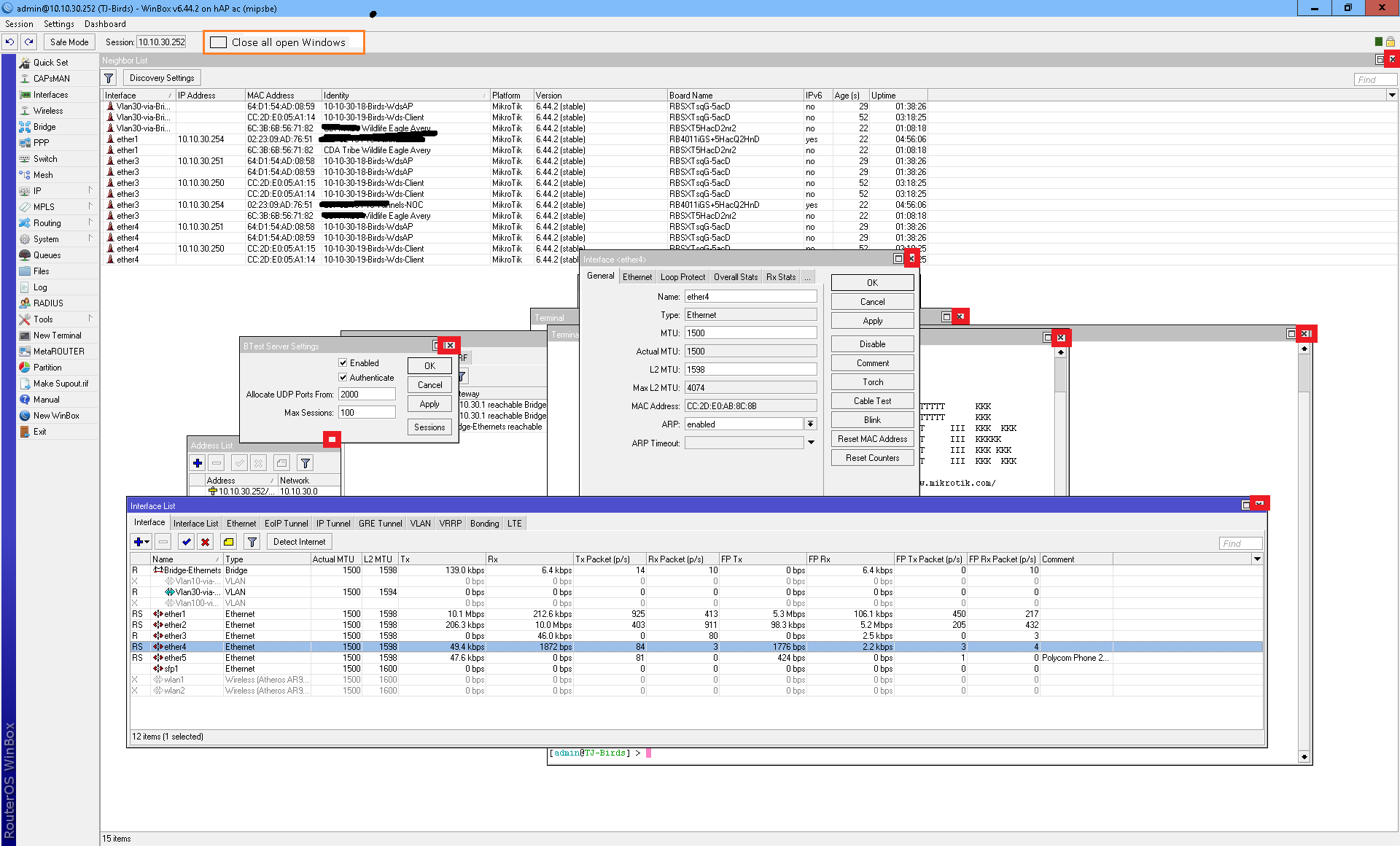
A feature I would like to see in Winbox is a new selection to close all winbox windows
Example - many many windows open in winbox , click close-all and presto they all close and you still have your connected winbox session
This is what I need, a way to make a firewall list based on ipsec identity. All that’s needed to make this work is the ability to define src-address-list when responder=yes:
When someone starts IP sec with the certificate=fred, then they are connected to mod-config and added to address-list firewallrulesA where we can firewall the road-warrior to specific services by simply using the address list.
Right now the only way to do this is to define an IP pool or static address for every firewall ruleset you want to tie to a user/certificate.
Hmmm , yea I know if I exit my winbox to a remote Mikrotik then the all the sessions associated with that winbox connection close.
What I am looking for is a simple way to have a winbox session to a remote Mikrotik , then have a quick/easy method to close all the open windows in that winbox session yet still keep my winbox session running.
Example - in my attachment image - a new selection to auto close everything with an X marked in red. Yet keep the Winbox still connected to the remote Mikrotik.
Or I’m not understanding you… or for sure it is the existing option “Session->Close All Windows”. It closes all the windows without disconnecting the winbox session. Please, check it
I would like to see a windows list in winbox, either as a menu item or by having a button corresponding to each window in the top bar (similar to the task bar in Windows).
This can be used to raise windows that are buried after opening others.
And/or a right-click function to lower a window.
I commonly open a “Log” window and set it fullsize, then open other windows on top of it.
When I mistakenly click outside an opened window, the Log window raises to top and covers everything else, without any way to get those raised again.
One of those additions could solve that.
When improving PPPoE, please look also into RFC4938. The link metrics extensions make sense with wireless links as well as with DSL, where bandwidth can change for an up-state interface.
PADQ information could be applied to QoS/queue parameters if made available by PPP event scripts (new events necessary).