We were fortunate to move to a larger property and house in July '23 and I took this as an opportunity to replace hAP ac (v1) units with hAP hAP ax3 devices with RB5009 acting as a central CAPsMAN and router. I use my home network as an extension of my office and do R&D for 802.1X testing so I have a relatively complex setup where each AP provides 3 SSIDs:
- WPA2-PSK for family and IoT (DHCP pool range is blocked from internet breakout, to allow for manual onboarding (simply making dynamic assignments static, setting a comment as reference and then finally allocating an IP outside of the pool range, which ultimately allows internet access)
- WPA3-EAP (RADIUS) for TLS authentication for access to the office network and immersive VPN (corporate devices, like my laptop)
- WPA3-PSK (RADIUS) for a captive portal where guests can register themselves and have time/bandwidth limits (primarily so that I can track down abusers to cell phone numbers used during self-registration)
When we first moved in the house had a single ISP provided CPE that handled PPPoE and dual band 2/5 GHz WiFi which worked amazingly well, I managed to setup a DNAT on the ISP router to the RB5009 so that I had external access (configuration revisioning via Oxidized and monitoring via Zabbix) and expected 802.1ax to perform even better. Wow, was I wrong…
I believe the crux of the matter to be that South Africa, where I reside, to simply have been lazy and copy & pasted the European WiFi regulations. Apartment living in Europe would create a lot of interference, so the country regulation settings restrict transmit power to 100 mW (0.1 W). The property is 16,000 m2, so I subsequently pickuped neighbour’s WiFi SSIDs stronger than the hAP ax3 around our house. I could not pickup any trace of my SSIDs outside the house, let alone along the perimeter wall.
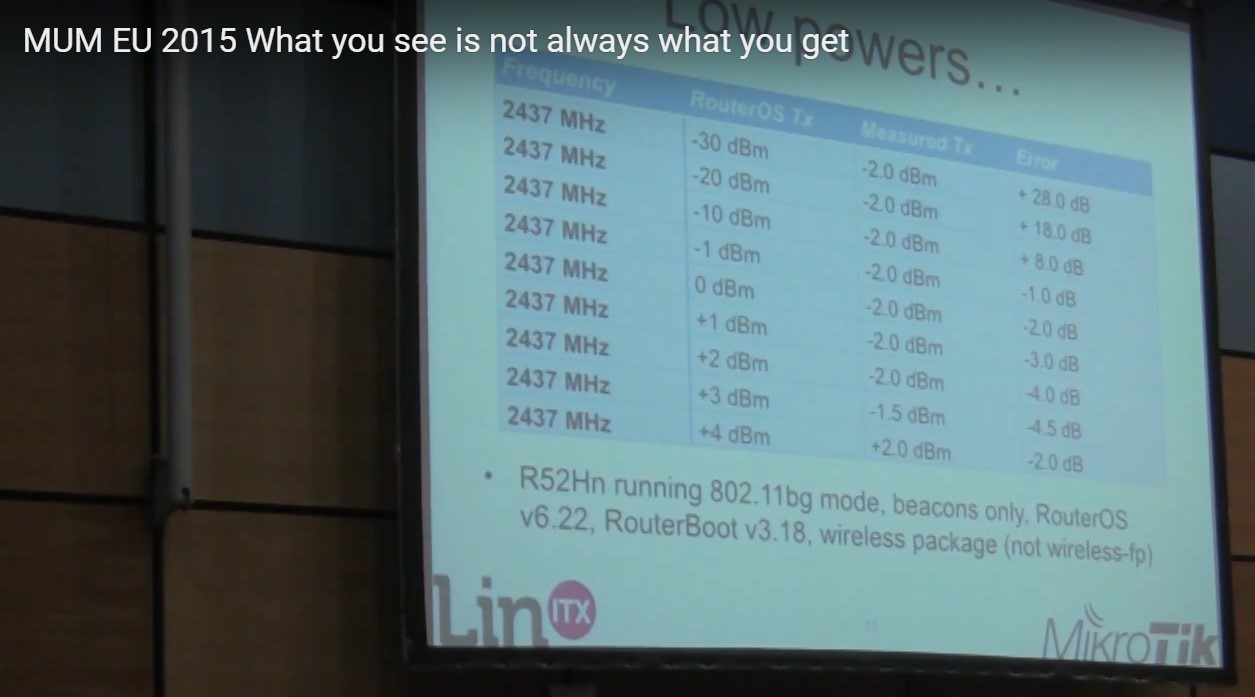
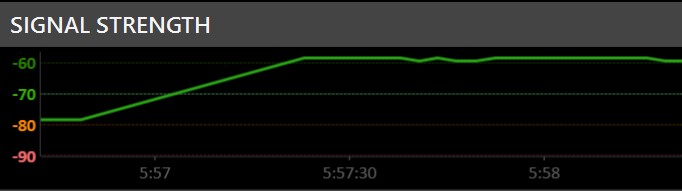
Changing the country to Taiwan, where regulations allow for 1000 mW (1 W) of transmit power, made a substantial difference though and transmit power (Status tab of the main AP, references as Tx Power) went up from 16 dBm to 27 dBm. Remember that dBm is logarithmic, so 16 → 27 is equivalent to a x10 increase. From what I’ve read in other forum posts the APs should automatically reduce Tx Power by the AP’s included antennea, but I do see an increase via Android WiFi Analyzer when I manually set the main SSIDs with antenna-gain=0.
Living in South Africa has another super annoying frustration, in that our government is completely incapable of governing anything and instead plunders state owned enterprises (SOE). You would think that population would subsequently vote them out but a lack of basic education and per-child low income grants keeps the mass populous committed to revoting for the dominant political party. The result is an ailing power utility (Eskom), which has both a monopoly but can’t reliably keep the lights on and we subsequently have scheduled load shedding multiple times a day where there simply isn’t power. The reason this is relevant, is that even with us having self sufficient off-grid solar, there are still instances where APs restart concurrently; primarily due to failures at electricity substations when components fail due to them heating (expanding) and then cooling down (shrinking) multiple times a day as a result of the load shedding (ie power often doesn’t return when it’s supposed to, resulting in batteries running down to a level where the inverter turns off when it’s a cloudy/rainy day).
The result is that APs concurrently initialise, selecting the same channel and then interfere with each other. I ultimately manually selected the 2.4 GHz channel for each AP, but there are only 3 non-overlapping channels to choose from in the 2.4 GHz band so I set those on opposite ends of the house, particularly upstairs/downstairs, to run on the same channel as the brick/concrete walls become metres thick when drawing a straight line between them.
After months of tinkering I have things working relatively well, I did however roll back from 7.13.1 to 7.13 as this was causing mobile devices (iPhones and Google Pixel 7) to often revert to LTE whilst over 150 IoT devices around the house also locked on APs that are further away than those relatively close (most probably the issue with beacons having a country of Latvia hard coded in 7.13.1 (known bug)). The following may help others in attaining a better experience, currently works better than Ubiquiti WiFi 6 APs and Aruba WiFi 6 APs.
Summary:
- APs are all LAN wired with various VLANs (assigned via RADIUS (PacketFence)).
- Fast Transition (fast roaming) with LAN hand over (ft-over-ds) ensures that clients can roam between APs when wireless communication between the APs is weak.
- PMKID is disabled on all SSIDs.
- Management protection is required for WPA3 networks and allowed for WPA2 (optional).
- wireless to wireless isolation is in effect on the WPA3-PSK, but this doesn’t appear to limit wireless clients connecting to different APs.
- 2.4 GHz radios have their channels set manually, 5 GHz hardly extends outside a single room due to everything being concrete/brick and mortar.
- WPA3-PSK has the password advertised as part of the SSID, the reason for this (as opposed to running an open network) is that there is still per connection encryption between each AP and the relevant client whereas an open network would result in packets in flight being unencrypted.
- RADIUS controlled SSIDs have a bogus VLAN assigned (3999), to ensure that clients land in the VLAN sent along with the RADIUS accept response
NB Please use a WiFi analyzer to ensure that you do not cause interference with neighbours, let alone doppler radar (can lead to air craft disasters) when changing the country to essentially break the law by transmitting beyond what the laws attempt to regulate.
[admin@core] > int wifi/export show-sensitive
# 2024-01-14 08:52:41 by RouterOS 7.13
#
# model = RB5009UG+S+
/interface wifi channel
add band=2ghz-ax disabled=no frequency=2412,2437,2462 name=ch-2ghz skip-dfs-channels=all width=20mhz
add band=5ghz-ax disabled=no frequency=5180,5260,5500,5580,5660,5745 name=ch-5ghz skip-dfs-channels=10min-cac width=20/40/80mhz
/interface wifi security
add authentication-types=wpa2-psk disable-pmkid=yes disabled=no ft=yes ft-over-ds=yes management-protection=allowed name=Home passphrase=secret wps=disable
add authentication-types=wpa3-eap disable-pmkid=yes disabled=no eap-accounting=yes ft=yes ft-over-ds=yes management-protection=required name=radius-eap wps=disable
add authentication-types=wpa3-psk disable-pmkid=yes disabled=no ft=no ft-over-ds=no management-protection=required name=radius-mac passphrase=internet wps=disable
/interface wifi
add channel.frequency=2462 configuration="wifi2 - 2.4 GHz" configuration.mode=ap disabled=no name="2G - Ash - Core Wireless1" radio-mac=48:A9:8A:56:05:9E
add configuration="wifi2 - 2.4 GHz - Guest" disabled=no mac-address=4A:A9:8A:56:05:9F master-interface="2G - Ash - Core Wireless1" name="2G - Ash - Core Wireless2"
add configuration="wifi2 - 2.4 GHz - Office" disabled=no mac-address=4A:A9:8A:56:05:A0 master-interface="2G - Ash - Core Wireless1" name="2G - Ash - Core Wireless3"
add channel.frequency=2412 configuration="wifi2 - 2.4 GHz" configuration.mode=ap disabled=no name="2G - Ash - Cottage1" radio-mac=48:A9:8A:07:5A:C8
add configuration="wifi2 - 2.4 GHz - Guest" disabled=no mac-address=4A:A9:8A:07:5A:C9 master-interface="2G - Ash - Cottage1" name="2G - Ash - Cottage2"
add configuration="wifi2 - 2.4 GHz - Office" disabled=no mac-address=4A:A9:8A:07:5A:CA master-interface="2G - Ash - Cottage1" name="2G - Ash - Cottage3"
add channel.frequency=2437 configuration="wifi2 - 2.4 GHz" configuration.mode=ap disabled=no name="2G - Ash - Game Room1" radio-mac=48:A9:8A:56:05:C9
add configuration="wifi2 - 2.4 GHz - Guest" disabled=no mac-address=4A:A9:8A:56:05:CA master-interface="2G - Ash - Game Room1" name="2G - Ash - Game Room2"
add configuration="wifi2 - 2.4 GHz - Office" disabled=no mac-address=4A:A9:8A:56:05:CB master-interface="2G - Ash - Game Room1" name="2G - Ash - Game Room3"
add channel.frequency=2437 configuration="wifi2 - 2.4 GHz" configuration.mode=ap disabled=no name="2G - Ash - Living Room" radio-mac=48:A9:8A:55:82:8E
add configuration="wifi2 - 2.4 GHz - Guest" disabled=no mac-address=4A:A9:8A:55:82:8F master-interface="2G - Ash - Living Room" name="2G - Ash - Living Room2"
add configuration="wifi2 - 2.4 GHz - Office" disabled=no mac-address=4A:A9:8A:55:82:90 master-interface="2G - Ash - Living Room" name="2G - Ash - Living Room3"
add channel.frequency=2412 configuration="wifi2 - 2.4 GHz" configuration.mode=ap disabled=no name="2G - Ash - Main Gate" radio-mac=48:A9:8A:0D:DC:F0
add configuration="wifi2 - 2.4 GHz - Guest" disabled=no mac-address=4A:A9:8A:0D:DC:F1 master-interface="2G - Ash - Main Gate" name="2G - Ash - Main Gate2"
add configuration="wifi2 - 2.4 GHz - Office" disabled=no mac-address=4A:A9:8A:0D:DC:F2 master-interface="2G - Ash - Main Gate" name="2G - Ash - Main Gate3"
add channel.frequency=2412 configuration="wifi2 - 2.4 GHz" configuration.mode=ap disabled=no name="2G - Ash - Office1" radio-mac=48:A9:8A:55:FB:83
add configuration="wifi2 - 2.4 GHz - Guest" disabled=no mac-address=4A:A9:8A:55:FB:84 master-interface="2G - Ash - Office1" name="2G - Ash - Office2"
add configuration="wifi2 - 2.4 GHz - Office" disabled=no mac-address=4A:A9:8A:55:FB:85 master-interface="2G - Ash - Office1" name="2G - Ash - Office3"
add channel.frequency=2437 configuration="wifi2 - 2.4 GHz" configuration.mode=ap disabled=no name="2G - Ash - Staff Village1" radio-mac=48:A9:8A:55:85:AC
add configuration="wifi2 - 2.4 GHz - Guest" disabled=no mac-address=4A:A9:8A:55:85:AD master-interface="2G - Ash - Staff Village1" name="2G - Ash - Staff Village2"
add configuration="wifi2 - 2.4 GHz - Office" disabled=no mac-address=4A:A9:8A:55:85:AE master-interface="2G - Ash - Staff Village1" name="2G - Ash - Staff Village3"
add channel.frequency=2462 configuration="wifi2 - 2.4 GHz" configuration.mode=ap disabled=no name="2G - Ash - Viv's Office 1" radio-mac=48:A9:8A:55:85:A5
add configuration="wifi2 - 2.4 GHz - Guest" disabled=no mac-address=4A:A9:8A:55:85:A6 master-interface="2G - Ash - Viv's Office 1" name="2G - Ash - Viv's Office 2"
add configuration="wifi2 - 2.4 GHz - Office" disabled=no mac-address=4A:A9:8A:55:85:A7 master-interface="2G - Ash - Viv's Office 1" name="2G - Ash - Viv's Office 3"
add configuration="wifi1 - 5 GHz" configuration.mode=ap disabled=no name="5G - Ash - Core Wireless1" radio-mac=48:A9:8A:56:05:9D
add configuration="wifi1 - 5 GHz - Guest" disabled=no mac-address=4A:A9:8A:56:05:9D master-interface="5G - Ash - Core Wireless1" name="5G - Ash - Core Wireless2"
add configuration="wifi1 - 5 GHz - Office" disabled=no mac-address=4A:A9:8A:56:05:9E master-interface="5G - Ash - Core Wireless1" name="5G - Ash - Core Wireless3"
add configuration="wifi1 - 5 GHz" disabled=no name="5G - Ash - Cottage1" radio-mac=48:A9:8A:07:5A:C7
add configuration="wifi1 - 5 GHz - Guest" disabled=no mac-address=4A:A9:8A:07:5A:C7 master-interface="5G - Ash - Cottage1" name="5G - Ash - Cottage2"
add configuration="wifi1 - 5 GHz - Office" disabled=no mac-address=4A:A9:8A:07:5A:C8 master-interface="5G - Ash - Cottage1" name="5G - Ash - Cottage3"
add configuration="wifi1 - 5 GHz" configuration.mode=ap disabled=no name="5G - Ash - Game Room1" radio-mac=48:A9:8A:56:05:C8
add configuration="wifi1 - 5 GHz - Guest" disabled=no mac-address=4A:A9:8A:56:05:C8 master-interface="5G - Ash - Game Room1" name="5G - Ash - Game Room2"
add configuration="wifi1 - 5 GHz - Office" disabled=no mac-address=4A:A9:8A:56:05:C9 master-interface="5G - Ash - Game Room1" name="5G - Ash - Game Room3"
add configuration="wifi1 - 5 GHz" disabled=no name="5G - Ash - Living Room" radio-mac=48:A9:8A:55:82:8D
add configuration="wifi1 - 5 GHz - Guest" disabled=no mac-address=4A:A9:8A:55:82:8D master-interface="5G - Ash - Living Room" name="5G - Ash - Living Room2"
add configuration="wifi1 - 5 GHz - Office" disabled=no mac-address=4A:A9:8A:55:82:8E master-interface="5G - Ash - Living Room" name="5G - Ash - Living Room3"
add configuration="wifi1 - 5 GHz" disabled=no name="5G - Ash - Main Gate" radio-mac=48:A9:8A:0D:DC:EF
add configuration="wifi1 - 5 GHz - Guest" disabled=no mac-address=4A:A9:8A:0D:DC:EF master-interface="5G - Ash - Main Gate" name="5G - Ash - Main Gate2"
add configuration="wifi1 - 5 GHz - Office" disabled=no mac-address=4A:A9:8A:0D:DC:F0 master-interface="5G - Ash - Main Gate" name="5G - Ash - Main Gate3"
add configuration="wifi1 - 5 GHz" configuration.mode=ap disabled=no name="5G - Ash - Office1" radio-mac=48:A9:8A:55:FB:82
add configuration="wifi1 - 5 GHz - Guest" disabled=no mac-address=4A:A9:8A:55:FB:82 master-interface="5G - Ash - Office1" name="5G - Ash - Office2"
add configuration="wifi1 - 5 GHz - Office" disabled=no mac-address=4A:A9:8A:55:FB:83 master-interface="5G - Ash - Office1" name="5G - Ash - Office3"
add configuration="wifi1 - 5 GHz" disabled=no name="5G - Ash - Staff Village1" radio-mac=48:A9:8A:55:85:AB
add configuration="wifi1 - 5 GHz - Guest" disabled=no mac-address=4A:A9:8A:55:85:AB master-interface="5G - Ash - Staff Village1" name="5G - Ash - Staff Village2"
add configuration="wifi1 - 5 GHz - Office" disabled=no mac-address=4A:A9:8A:55:85:AC master-interface="5G - Ash - Staff Village1" name="5G - Ash - Staff Village3"
add configuration="wifi1 - 5 GHz" configuration.mode=ap disabled=no name="5G - Ash - Viv's Office 1" radio-mac=48:A9:8A:55:85:A4
add configuration="wifi1 - 5 GHz - Guest" disabled=no mac-address=4A:A9:8A:55:85:A4 master-interface="5G - Ash - Viv's Office 1" name="5G - Ash - Viv's Office 2"
add configuration="wifi1 - 5 GHz - Office" disabled=no mac-address=4A:A9:8A:55:85:A5 master-interface="5G - Ash - Viv's Office 1" name="5G - Ash - Viv's Office 3"
/interface wifi access-list
add action=query-radius disabled=no radius-accounting=yes ssid-regexp="Guest"
/interface wifi capsman
set ca-certificate=auto enabled=yes interfaces=vlan1 package-path="" require-peer-certificate=no upgrade-policy=suggest-same-version
/interface wifi configuration
add antenna-gain=0 channel=ch-5ghz country=Taiwan datapath="VLAN: Home - Full" disabled=no mode=ap name="wifi1 - 5 GHz" security=Home ssid=Home
add antenna-gain=0 channel=ch-2ghz country=Taiwan datapath="VLAN: Guest - Full" disabled=no mode=ap name="wifi2 - 2.4 GHz" security=Home ssid=Home
add datapath="VLAN: Invalid - Isolated" disabled=no mode=ap name="wifi1 - 5 GHz - Guest" security=radius-mac ssid="Guest (pw: internet)"
add datapath="VLAN: Invalid - Full" disabled=no mode=ap name="wifi1 - 5 GHz - Office" security=radius-eap ssid="Office"
add datapath="VLAN: Invalid - Isolated" disabled=no mode=ap name="wifi2 - 2.4 GHz - Guest" security=radius-mac ssid="Guest (pw: internet)"
add datapath="VLAN: Invalid - Full" disabled=no mode=ap name="wifi2 - 2.4 GHz - Office" security=radius-eap ssid="Office"
/interface wifi datapath
add bridge=bridge disabled=no name="VLAN: Invalid - Full" vlan-id=3999
add bridge=bridge client-isolation=yes disabled=no name="VLAN: Invalid - Isolated" vlan-id=3999
add bridge=bridge client-isolation=no disabled=no name="VLAN: Guest - Full" vlan-id=53
/interface wifi provisioning
add action=create-enabled disabled=no master-configuration="wifi1 - 5 GHz" name-format="5G - %I" slave-configurations=\
    "wifi1 - 5 GHz - Guest,wifi1 - 5 GHz - Office" supported-bands=5ghz-ax
add action=create-enabled disabled=no master-configuration="wifi2 - 2.4 GHz" name-format="2G - %I" slave-configurations=\
    "wifi2 - 2.4 GHz - Guest,wifi2 - 2.4 GHz - Office" supported-bands=2ghz-ax
PS: I prefer for APs to stop transmitting a given SSIDs when they loose contact with CAPsMAN. This however results in provisioned wifi interfaces incrementing from wifi1,wifi2,wifi3,wifi4,wifi5,wifi6 to wifi1,wifi2,wifi7,wifi8,wifi9,wifi10. This causes a problem with the VLAN bridge configurations on each CAP so I have a simply script which runs every minute and restarts the device when uptime is > 10 minutes and wifi3 doesn’t exist. I can gladly share full sanitised CAP configs should anyone request them.