Maybe there is an issue, IDK.
But to clarify on the “duckdns” sub-case…
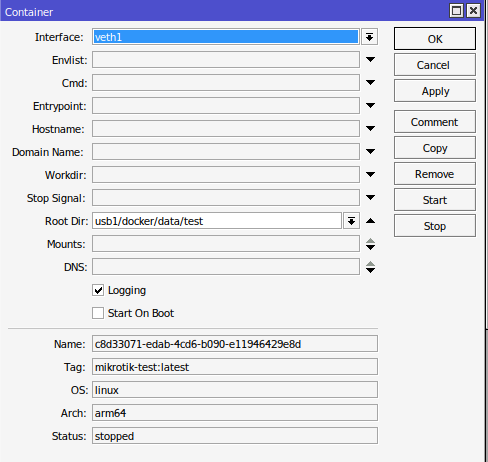
- Does it show “starting” for 10 minutes, or it goes to “running” and just does respond?
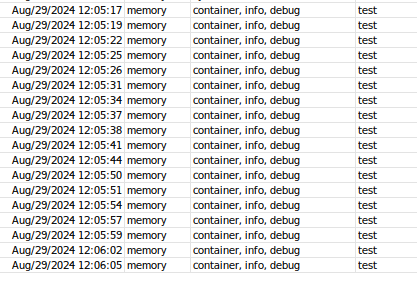
- Assuming logging is enabled, does anything appear during the 10 minutes?
- Does “/container/shell [find tag~“duckdns”]” get you the terminal of the container during this window?
I just think some less subject measurement be helpful to narrow this down. Since duckdns is a dns server, using dns test tool be useful. On “Linux” there is dnsperf, (or with WSL apt install dnsperf on Windows, or brew install dnsperf on Mac w/homebrew)… I have an old /bin/sh script that ran it, which I adapted here:
{
FILE=~/dnsperf.queries
DNSSERVER=192.168.88.1
CONNECTIONS=20
QUERIESPERSEC=100
DURATION=10
TESTHOST=google.com

echo "** DNSPERF TEST **"
echo "Running dnsperf to $DNSSERVER for $DURATION sec, using $CONNECTIONS connections, at max rate of $QUERIESPERSEC queries per sec."
echo "... using the following query file at $FILE:"
echo "$TESTHOST A" > $FILE
cat $FILE
echo "Starting dnsperf...\n"
dnsperf -s $DNSSERVER  -c $CONNECTIONS -l $DURATION -Q $QUERIESPERSEC -d $FILE
}
Anyway, I just think it good with the container to run some test tool against them - even outside the specific issue. This is generally not too hard since the whole idea of a container it does one things, so easy to test using off-the-shelf tools.
And, in fact some slight difference in how long “ssh” when running testing script is how the XZ vulnerability was caught… And here some cut-and-paste of duckdns from 7.14 and 7.15 showing it changed, might get more action from Mikrotik since there is some concrete thing to point to.