My wg client is 192.168.40.2, router 192.168.88.1. 192.168.88.108 is another device on the 192.168.88.0/32 subnet. 192.168.188.21 is another device in another subnet.
Ping from
192.168.40.2>192.168.88.1 ok
192.168.40.2>192.168.88.108 ok
192.168.40.2>192.168.188.21 failed
192.168.88.245<192.168.40.2 failed. (full packet loss)
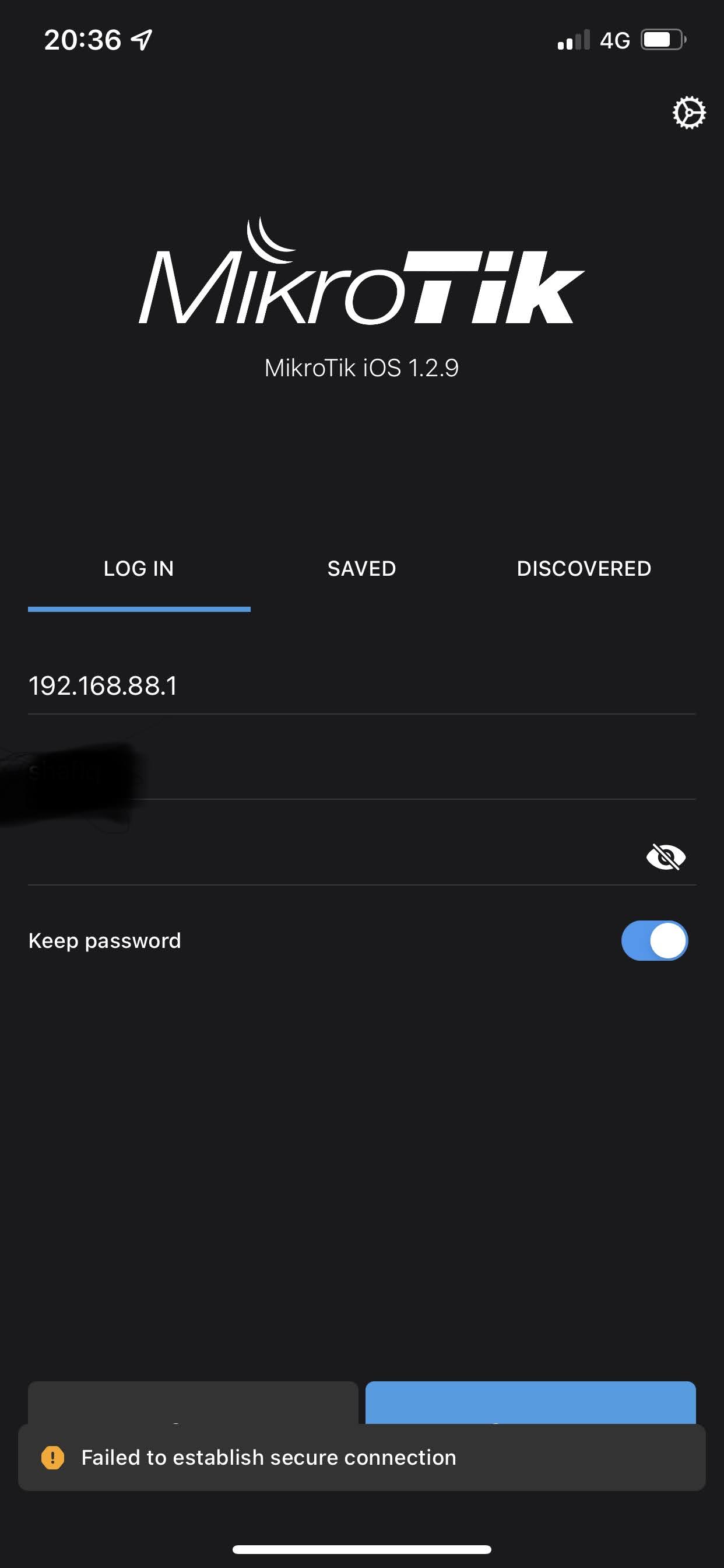
Also, I can access my router by browser but not with mikrotik app.

@anav … I disagree.
Perhaps you should read and inwardly digest the following:
https://www.wireguard.com/papers/wireguard.pdf
Step1 is Open the Wireguard Tunnel.
Then go to the MT APP.
You have to put in 192.168.88.1**:PORT#** on your APP
Papers schmapers… those are generic rules which are then to be applied to ones devices. Mikrotik is very flexible and allows one to manipulate traffic flow in various ways…
That’s expected and correct.
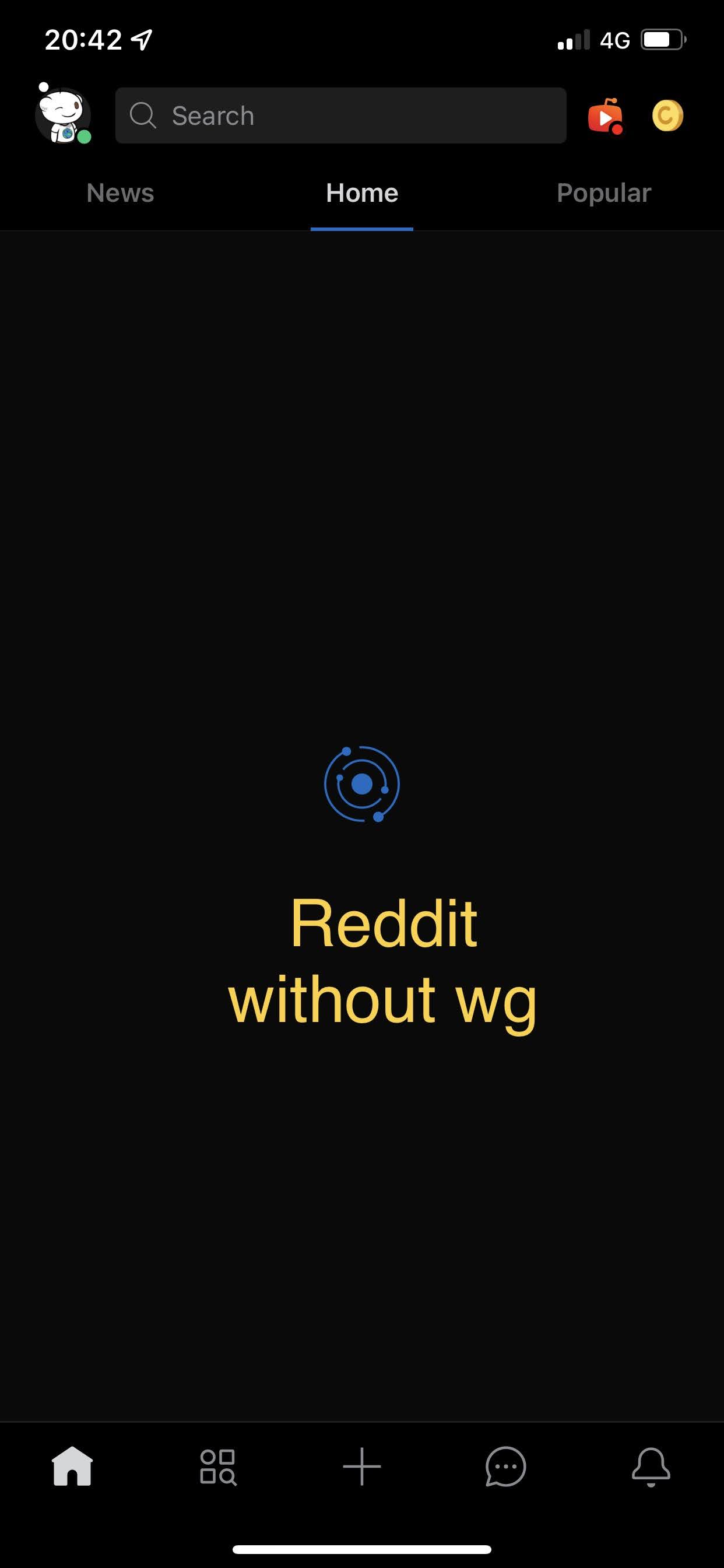
If you still have allowed IPs only with 192.168.88.0/24 on client, then 192.168.188.21 can’t pass through tunnel, because it’s in different subnet. And same goes for Reddit too. I understand that you rather believe your eyes than me, but it’s simply not possible.  Only way how it could pass through tunnel with allowed IPs 192.168.88.0/24 would be if you’d be accessing it using proxy server running on some 192.168.88.x. Or, just to cover all possibilities, you host Reddit servers in your LAN. Edit: or one more, it would be possible if it’s some dns-based blocking and you configure client to use router as dns server.
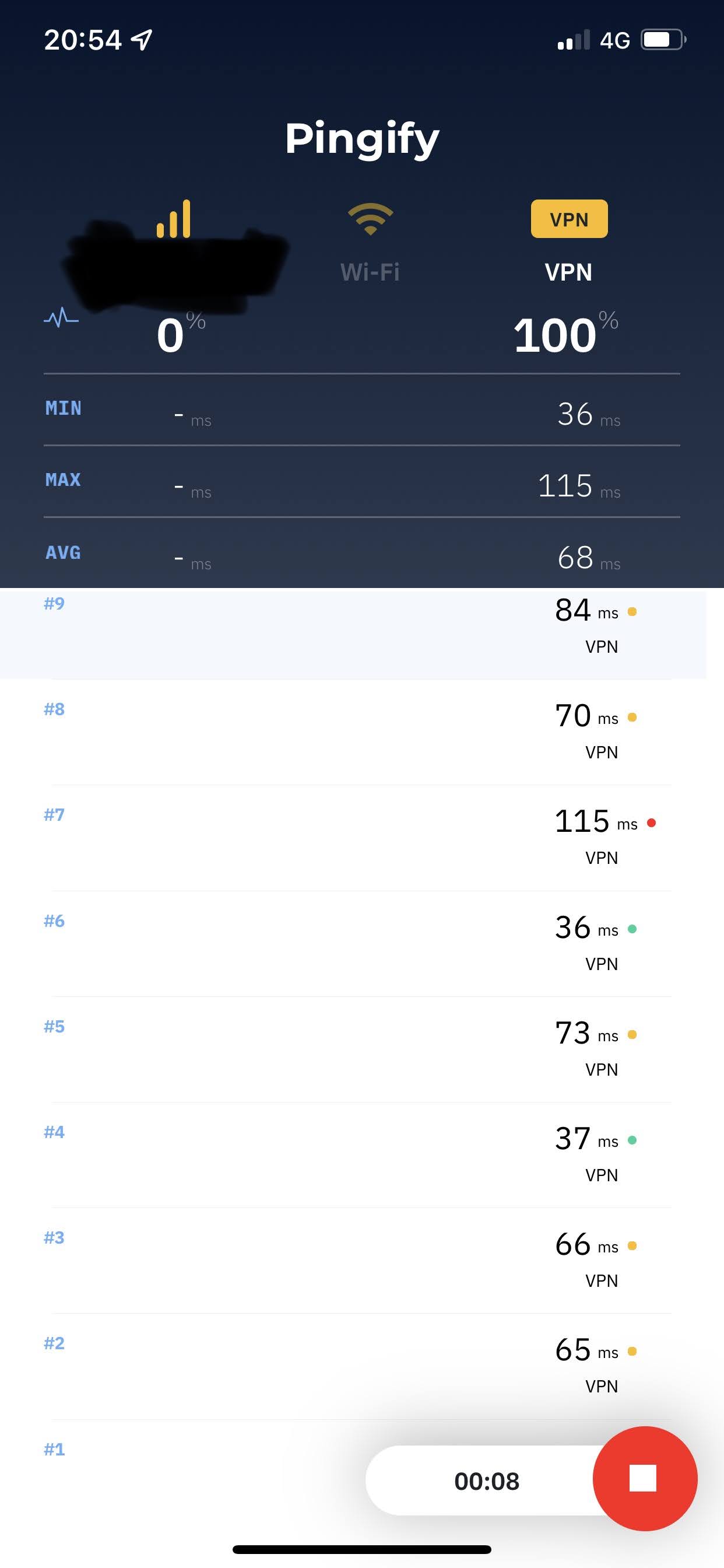
It should work, but it could be just client not answering pings. Not all devices do.
You can again use Torch to see what comes to router when you try to connect from app. Or some logging rule like:
/ip firewall mangle
add chain=prerouting in-interface=Home connection-state=new action=log log-prefix=WGnew
Or without connection-state if you’d want to log all packets.
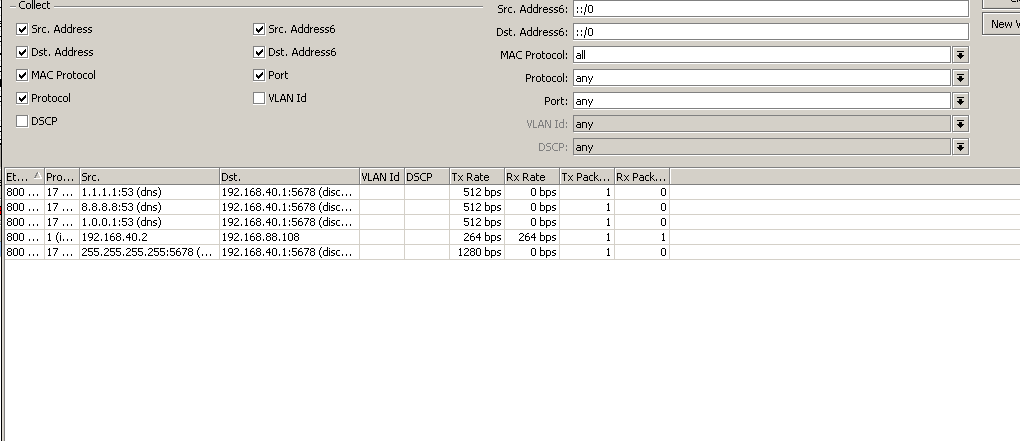
I’m also curious about those three weird lines in your screenshot, where router supposedly sends dns requests to 1.1.1.1/8.8.8.8/1.0.0.1 from 192.168.40.1:5678.
To clarify what SOB is saying…
Remote Client:
By putting in 192.168.88.0/24 ON the allowed IPs on the remote Client device under peer settings you are saying
ONLY ALLOW DESTINATION IPs out the tunnel that are in the subnet of 192.168.88.0/24
Thus you can try to reach anything but 192.168.88.0/24 and your client device will not let it hit the tunnel right from the beginning (will never reach server side).
The other question is reaching the router for configuration purpose. I noted you needed both the IP address and PORT at the MT APP after connecting to the wireguard interface first. The other part of that equation is ensuring on the WG server that you have allowed the WG interface access to the router in the input chain.
Probably a good idea to post your latest config on the server again.
I have a question regarding WG.
I configured MT to MT WG. It’s not a Site to Site. using to bypass the ISP FW With the mangle/NAT rules.
Problem:
Routes are working fine (maybe:d). But I have a problem with the DNS query. It looks like some websites are opening as usual, but some don’t. some apps like Facebook and youtube will open. Reddit doesn’t.
I even checked some pornography websites some will open some don’t. As weird as it is for me it gets better. all of this test was with windows and IOS clients. I test this with a TV as the main reason for this setup is browsing youtube on TV. It didn’t browse any filtered domain at first, then I changed the DHCP Server DNS to /32 WG IP and then it opened youtube but still behave like other clients. some domains will do some don’t.
Can you guys shine some light on this? please.
Could this be an MTU issue?
update :d
Yes, it was.
https://forum.mikrotik.com/viewtopic.php?f=2&t=182072&p=904300#p904300
It will have to be sob, I avoid mangling where possible and dont feel its necessary most of the time.
Here is current configuration:
# jan/09/2022 17:05:50 by RouterOS 7.1.1
# software id = BM4W-X3GK
#
# model = RouterBOARD 962UiGS-5HacT2HnT
# serial number =
/interface bridge
add admin-mac=xxxxxxxx auto-mac=no comment=defconf name=bridge
/interface ethernet
set [ find default-name=ether3 ] advertise=\
    100M-half,100M-full,1000M-half,1000M-full
set [ find default-name=sfp1 ] disabled=yes
/interface wireless
set [ find default-name=wlan1 ] antenna-gain=0 band=2ghz-b/g/n channel-width=\
    20/40mhz-XX country=no_country_set disabled=no distance=indoors \
    frequency=auto frequency-mode=manual-txpower installation=indoor mode=\
    ap-bridge ssid=bad station-roaming=enabled wireless-protocol=802.11 \
    wps-mode=disabled
set [ find default-name=wlan2 ] antenna-gain=0 band=5ghz-a/n/ac \
    channel-width=20/40/80mhz-XXXX country=no_country_set disabled=no \
    frequency=5765 frequency-mode=manual-txpower installation=outdoor mode=\
    ap-bridge ssid=bad station-roaming=enabled wireless-protocol=802.11 \
    wps-mode=disabled
/interface wireguard
add listen-port=13231 mtu=1420 name=Home
/interface pppoe-client
add add-default-route=yes disabled=no interface=ether1 name=pppoe-out1 user=\
    xxxxxxxxxxxxxx
/interface list
add comment=defconf name=WAN
add comment=defconf name=LAN
/interface lte apn
set [ find default=yes ] ip-type=ipv4
/interface wireless security-profiles
set [ find default=yes ] authentication-types=wpa-psk,wpa2-psk eap-methods="" \
    group-key-update=1h mode=dynamic-keys supplicant-identity=MikroTik
/ip pool
add name=dhcp ranges=192.168.88.10-192.168.88.254
add name=pinet ranges=192.168.188.20-192.168.188.254
/ip dhcp-server
add address-pool=dhcp interface=bridge name=defconf
add address-pool=pinet interface=ether5 name=pinetDHCP
/routing bgp template
set default as=65530 disabled=no name=default output.network=bgp-networks
/routing ospf instance
add name=default-v2
/routing ospf area
add disabled=yes instance=default-v2 name=backbone-v2
/routing table
add fib name=to_ISP1
/interface bridge port
add bridge=bridge comment=defconf ingress-filtering=no interface=ether2
add bridge=bridge comment=defconf ingress-filtering=no interface=ether3
add bridge=bridge comment=defconf ingress-filtering=no interface=ether4
add bridge=bridge comment=defconf ingress-filtering=no interface=sfp1
add bridge=bridge comment=defconf ingress-filtering=no interface=wlan1
add bridge=bridge comment=defconf ingress-filtering=no interface=wlan2
/ip neighbor discovery-settings
set discover-interface-list=LAN
/ip settings
set max-neighbor-entries=8192 rp-filter=loose
/ipv6 settings
set disable-ipv6=yes max-neighbor-entries=8192
/interface detect-internet
set detect-interface-list=all
/interface list member
add comment=defconf interface=bridge list=LAN
add comment=defconf interface=ether1 list=WAN
add interface=pppoe-out1 list=WAN
add interface=ether5 list=LAN
add interface=Home list=LAN
/interface wireguard peers
add allowed-address=192.168.40.2/32 interface=Home public-key=\
    xxxxxxxxxxxxxxxxxxxxxxx
/ip address
add address=192.168.88.1/24 comment=defconf interface=bridge network=\
    192.168.88.0
add address=192.168.188.1/24 comment=pinet interface=ether5 network=\
    192.168.188.0
add address=192.168.40.1/24 comment=wireguard interface=Home network=\
    192.168.40.0
/ip cloud
set ddns-enabled=yes
/ip dhcp-client
add comment=defconf disabled=yes interface=ether1
/ip dhcp-server lease
add address=192.168.188.21 server=pinetDHCP
/ip dhcp-server network
add address=192.168.88.0/24 comment=defconf dns-server=192.168.188.25 \
    gateway=192.168.88.1
add address=192.168.188.0/24 comment=pinet gateway=192.168.188.1 netmask=24
/ip dns
set allow-remote-requests=yes cache-max-ttl=2d query-server-timeout=100ms \
    query-total-timeout=5s servers=1.1.1.1,1.0.0.1 use-doh-server=\
    https://cloudflare-dns.com/dns-query verify-doh-cert=yes
/ip dns static
add address=192.168.88.1 name=router.lan
add address=104.16.248.249 name=cloudflare-dns.com
add address=104.16.249.249 name=cloudflare-dns.com
/ip firewall address-list
add address=192.168.88.2-192.168.88.254 list=allowed_to_router
add address=192.168.188.20-192.168.188.254 list=allowed_to_router
add address=192.168.40.2-192.168.40.12 list=allowed_to_router
/ip firewall filter
add action=accept chain=input comment="defconf: accept established,related" \
    connection-state=established,related
add action=drop chain=input comment="defconf: drop invalid" connection-state=\
    invalid
add action=accept chain=input comment="defconf: accept ICMP" protocol=icmp
add action=accept chain=input comment="Allow Wireguard" dst-port=13231 \
    protocol=udp
add action=accept chain=input comment="Allow ADMIN to Router" \
    in-interface-list=LAN src-address-list=allowed_to_router
add action=accept chain=input in-interface-list=LAN port=53 protocol=tcp
add action=accept chain=input in-interface-list=LAN port=53 protocol=udp
add action=drop chain=input
add action=accept chain=forward comment="defconf: accept in ipsec policy" \
    ipsec-policy=in,ipsec
add action=accept chain=forward comment="defconf: accept out ipsec policy" \
    ipsec-policy=out,ipsec
add action=accept chain=forward comment=Wireguard dst-address=192.168.88.0/24 \
    in-interface=Home
add action=accept chain=forward comment=Wireguard dst-address=\
    192.168.188.0/24 in-interface=Home
add action=fasttrack-connection chain=forward comment="defconf: fasttrack" \
    connection-state=established,related hw-offload=yes
add action=accept chain=forward comment="defconf: accept established,related" \
    connection-state=established,related
add action=drop chain=forward comment="defconf: drop invalid" \
    connection-state=invalid
add action=accept chain=forward comment=" Allow Port Forwarding - DSTNAT" \
    connection-nat-state=dstnat connection-state=new in-interface-list=WAN

add action=accept chain=forward comment="ENABLE LAN to WAN" \
    in-interface-list=LAN out-interface-list=WAN
add action=accept chain=forward dst-address=192.168.188.0/24 src-address=\
    192.168.88.0/24
add action=accept chain=forward dst-address=192.168.88.0/24 src-address=\
    192.168.188.0/24
add action=drop chain=forward comment="Drop All Else"
/ip firewall mangle
add action=log chain=prerouting connection-state="" in-interface=Home \
    log-prefix=WGnew

/ip firewall nat
add action=masquerade chain=srcnat comment="defconf: masquerade" \
    ipsec-policy=out,none out-interface-list=WAN
add action=dst-nat chain=dstnat comment=pihole_bypass disabled=yes \
    dst-address=192.168.188.25 dst-port=53 protocol=udp to-addresses=\
    192.168.88.1
add action=dst-nat chain=dstnat comment=pihole_bypass disabled=yes \
    dst-address=192.168.188.25 dst-port=53 protocol=tcp to-addresses=\
    192.168.88.1

/ip route
add check-gateway=ping disabled=yes distance=1 dst-address=0.0.0.0/0 gateway=\
    104.16.248.249 pref-src="" routing-table=to_ISP1 scope=30 \
    suppress-hw-offload=no target-scope=10
add check-gateway=ping disabled=yes distance=1 dst-address=0.0.0.0/0 gateway=\
    pppoe-out1 pref-src="" routing-table=to_ISP1 scope=30 \
    suppress-hw-offload=no target-scope=10
add check-gateway=ping disabled=yes distance=2 dst-address=0.0.0.0/0 gateway=\
    104.16.249.249 pref-src="" routing-table=to_ISP1 scope=30 \
    suppress-hw-offload=no target-scope=10
add disabled=no distance=1 dst-address=104.16.249.249/32 gateway=pppoe-out1 \
    pref-src="" routing-table=main scope=10 suppress-hw-offload=no \
    target-scope=10
/ip service
set telnet disabled=yes
set ftp disabled=yes
set ssh port=xxxx
set api disabled=yes
set winbox address=192.168.88.0/24,192.168.40.0/24
set api-ssl disabled=yes
/ip ssh
set forwarding-enabled=remote strong-crypto=yes
/ip upnp
set enabled=yes
/ip upnp interfaces
add interface=bridge type=internal
add interface=pppoe-out1 type=external
add interface=ether5 type=internal
/system clock
set time-zone-name=Asia/Dhaka
/system logging
add topics=wireless,debug
add disabled=yes topics=dns
/system ntp client
set enabled=yes
/system ntp client servers
add address=0.pool.ntp.org
add address=1.pool.ntp.org
add address=2.pool.ntp.org
add address=3.pool.ntp.org
/system scheduler
add interval=2d name=reboot on-event="system reboot" policy=\
    ftp,reboot,read,write,policy,test,password,sniff,sensitive,romon \
    start-date=jun/07/2020 start-time=05:05:00
/tool bandwidth-server
set enabled=no
/tool mac-server
set allowed-interface-list=none
/tool mac-server mac-winbox
set allowed-interface-list=LAN
/tool mac-server ping
set enabled=no
Thus you can try to reach anything but 192.168.88.0/24 and your client device will not let it hit the tunnel right from the beginning (will never reach server side).
this issue was fixed by adding 192.168.188.0/24 to peer field in the client. Does, this means if I don’t specify e.g: 0.0.0.0/0 wg will let anything to connect?
The other question is reaching the router for configuration purpose. I noted you needed both the IP address and PORT at the MT APP after connecting to the wireguard interface first. The other part of that equation is ensuring on the WG server that you have allowed the WG interface access to the router in the input chain.
Winbox can now access router , this is what preventing:
/ip service
set winbox address=192.168.88.0/24,192.168.40.0/24
Previously, It only had 192.168.88.0/24.
192.168.40.2>192.168.188.21 failed
This one is also solved by adding the subnet on allowed address field.
Sorry, for this one
192.168.88.245<192.168.40.2 failed.
. I missed typed . It was suppose to be
192.168.88.245>192.168.40.2 failed
I cant ping from my home network to wg clients.
@Sob I did ran torch, those three always appears regardless of whether wg client is connected or not. And I don’t have 8.8.8.8 in the configuration that I am aware of. I tried to torch other devices, but none showed those lines. log using mangle rule showing
WGnew prerouting: in:Home out:(unknown 0), proto UDP, 192.168.40.2:62671->192.168.88.1:53, len 69
with changing ports.
And, finally reddit works sometimes and sometimes it don’t. But, messenger not working on a blocked network. Exactly opposite issue what @own3r1138 has.
@anav ,do I need this? 
/interface bridge
add admin-mac=xxxxxxxx auto-mac=no comment=defconf name=bridge
Good day, glad you are sticking with it. Easy to get discouraged! Tenacity I admire!
Yes of course you need the bridge LOL…
Okay. yes, the correct fix was in the peer setting you stated.
If you had used 0.0.0.0/0 that would mean the client device would allow the subnet users or single user on client device (MT router or smart phone respectively) to be able to put in their destination, ANY IP address and the client wg interface would let it through. This is actually a typical scenario to allow those subnet or smartphone user to access ANY address on the internet through the Server Router.
Because its all addresses the more wide all inclusive 0.0.0.0/0 also includes all the subnets on the LAN SIDE of the Server router.
SO, to allow clients only to access the tunnel when looking to contact a specific subnet on the LANS side of the Server Router and not to any other subnets and not to the internet YOU DID THE RIGHT THING by stating 192.168.88.0/24
Correct on winbox access as well. It makes sense doesnt it.
There are a bunch of layers involved in accessing the router via winbox to config.
- System USERS, here one sets the users allowed, the passwords, and ALLOWED ADDRESSES (user centric but can reduce by Ip address)
- Tools–>Mac Server–>MAC WinBox Server : which details what interface list is allowed access to winbox (access to winbox)
- IP SERVICES -->Winbox: Sets the winbox port and allows which addresses as well and certificates { Port centric but can reduce by ip address and certificates even}
- INPUT CHAIN —> what interfaces, subnets, IP addresses are allowed access to the router.
One can quickly see that these work together and have to line up. One also should note that the pickier you get the more changes you need to make and to keep track of.
Hence typically we create a separate interface list entry for the trusted or management subnet/vlan called BASE, MANAGEMENT, CONTROL, etc…
This interface list entry can be used for
a. input chain
b. neighbours discovery (as typically all smart devices (which require management) get their IP address from the trusted or management subnet/vlan)
c. winmac server
It’s firewal, you don’t allow traffic from LAN to WG. Since you allow traffic between other LAN subnets anyway, you can use one rule to allow all:
/ip firewall filter
add action=accept chain=forward in-interface-list=LAN out-interface-list=LAN
And then you wouldn’t need the other four rules you have with subnet addresses.
Try to disable internet detect and check if it stops:
/interface detect-internet set detect-interface-list=none
That’s dns request, i.e. client uses router as dns resolver. If it uses it exclusively, it may get you around dns-based blocking, if router’s ISP doesn’t do the same thing. But if there are some other methods used, it won’t help.
Lets say you have a subnet then on your wireguard clients 192.168.40.0/24
Lets say they were allowed to access 192.168.88.0/24 on the wireguard server.
NOW you want the wg tunnel to act more like a peer to peer vpn and thus want some 192.168.88.0/24 users to access the client subnet at the other end.
As Sob noted you since the wg interface is like at the LAN level a forward chain firewall rule that is perhaps a tad more discriminatory would be in order
in-interface-list=LAN src-address-list=(if want to limit which originators on server subnet can access clients) out-interface=wg-interface dst-address-list=(to limit to exactly which client IPs are to be accessible)
One note though on the MT CLIENT router side, you have to ensure that return traffic from the client devices/users gets pointed back through the tunnel to the WG Server originators.
This would already be accomplished by IP routes presumably in existence.
Not sure how to on smart phones but may not be required??
@anav Thankyou. anyway, because I found my solution in one of your replays. all good.
@shafiqrahman if you have the issue too, check this I didn’t read all the posts I’m not sure if it’s your case or not but sounds like it.
Sorry, for the delayed response.
0.0.0.0/0 in the allowed address in the client peer section resolved the facebook/reddit issue. I tried to left the field automatic, but that failed. Had to add 0.0.0.0/0 to make it work. @Sob this helped
Try to disable internet detect and check if it stops:
now the three DNS lines were gone. Now, with
/interface detect-internet
set detect-interface-list=WAN internet-interface-list=WAN lan-interface-list=\
    LAN wan-interface-list=WAN
there is no more three lines. Now the firewall rules:
/ip firewall filter
add action=accept chain=forward in-interface-list=LAN out-interface-list=LAN
Added before the “lan to wan” field. And disabled this two.
add action=accept chain=forward comment=Wireguard dst-address=192.168.88.0/24 \
    in-interface=Home
add action=accept chain=forward comment=Wireguard dst-address=\
    192.168.188.0/24 in-interface=Home
I am confused about the other two rules containing subnet
And then you wouldn’t need the other four rules you have with subnet addresses.
add action=accept chain=forward dst-address=192.168.188.0/24 src-address=\
    192.168.88.0/24
add action=accept chain=forward dst-address=192.168.88.0/24 src-address=\
    192.168.188.0/24
NOW you want the wg tunnel to act more like a peer to peer vpn and thus want some 192.168.88.0/24 users to access the client subnet at the other end.
As Sob noted you since the wg interface is like at the LAN level a forward chain firewall rule that is perhaps a tad more discriminatory would be in order
in-interface-list=LAN src-address-list=(if want to limit which originators on server subnet can access clients) out-interface=wg-interface dst-address-list=(to limit to exactly which client IPs are to be accessible)
I am not clear about this line. My intention is to use the wg clients as devices as if they are on the same network. Mainly for a SIP client who doesn’t like firewalls/NAT etc.
This would already be accomplished by IP routes presumably in existence.
@anav you are right about this. My guess is that wg client route traffic is based on ip routes. Aside from the firewall the thing is not working is that pihole not blocking ads on the wg client side. Here the firewall export
/ip firewall filter
add action=accept chain=input comment="defconf: accept established,related" \
    connection-state=established,related
add action=drop chain=input comment="defconf: drop invalid" connection-state=\
    invalid
add action=accept chain=input comment="defconf: accept ICMP" protocol=icmp
add action=accept chain=input comment="Allow Wireguard" dst-port=13231 \
    protocol=udp
add action=accept chain=input comment="Allow ADMIN to Router" \
    in-interface-list=LAN src-address-list=allowed_to_router
add action=accept chain=input in-interface-list=LAN port=53 protocol=tcp
add action=accept chain=input in-interface-list=LAN port=53 protocol=udp
add action=drop chain=input
add action=accept chain=forward comment="defconf: accept in ipsec policy" \
    ipsec-policy=in,ipsec
add action=accept chain=forward comment="defconf: accept out ipsec policy" \
    ipsec-policy=out,ipsec
add action=accept chain=forward comment=Wireguard disabled=yes dst-address=\
    192.168.88.0/24 in-interface=Home
add action=accept chain=forward comment=Wireguard disabled=yes dst-address=\
    192.168.188.0/24 in-interface=Home
add action=fasttrack-connection chain=forward comment="defconf: fasttrack" \
    connection-state=established,related hw-offload=yes
add action=accept chain=forward comment="defconf: accept established,related" \
    connection-state=established,related
add action=drop chain=forward comment="defconf: drop invalid" \
    connection-state=invalid
add action=accept chain=forward comment=" Allow Port Forwarding - DSTNAT" \
    connection-nat-state=dstnat connection-state=new in-interface-list=WAN
add action=accept chain=forward disabled=yes in-interface-list=LAN \
    out-interface-list=LAN
add action=accept chain=forward comment="ENABLE LAN to WAN" \
    in-interface-list=LAN out-interface-list=WAN
add action=accept chain=forward dst-address=192.168.188.0/24 src-address=\
    192.168.88.0/24
add action=accept chain=forward dst-address=192.168.88.0/24 src-address=\
    192.168.188.0/24
add action=accept chain=forward dst-address=192.168.40.0/24 src-address=\
    192.168.188.0/24
add action=accept chain=forward dst-address=192.168.188.0/24 src-address=\
    192.168.40.0/24
add action=drop chain=forward comment="Drop All Else"
Well what isnt working is what I need to know LOL.
It means that client now routes everything via router. Which is fine, if it’s what you want.
About detect internet, I’d keep it disabled (set all lists to none), because I don’t think that it’s doing anything useful for you.
You have rule with dst-address=192.168.188.0/24 src-address=192.168.88.0/24, then subnet 188 is on ether5 and 88 is on bridge, and both ether5 and bridge are in interface list LAN. So rule with src-address-list=LAN dst-address-list=LAN covers it. Same for the other rule with swapped src and dst.
And did you configure client to use pihole as resolver? Last time it used router’s .88.1.
@anav firewall is working good.
Here is the export:
/interface ethernet
set [ find default-name=ether3 ] advertise=\
    100M-half,100M-full,1000M-half,1000M-full
set [ find default-name=sfp1 ] disabled=yes
/interface wireguard
add listen-port=13231 mtu=1420 name=Home
/interface pppoe-client
add add-default-route=yes disabled=no interface=ether1 name=pppoe-out1 user=\

/interface list
add comment=defconf name=WAN
add comment=defconf name=LAN
/interface lte apn
set [ find default=yes ] ip-type=ipv4
/interface wireless security-profiles
set [ find default=yes ] authentication-types=wpa-psk,wpa2-psk eap-methods="" \
    group-key-update=1h mode=dynamic-keys supplicant-identity=MikroTik
/ip pool
add name=dhcp ranges=192.168.88.10-192.168.88.254
add name=pinet ranges=192.168.188.20-192.168.188.254
/ip dhcp-server
add address-pool=dhcp interface=bridge name=defconf
add address-pool=pinet interface=ether5 name=pinetDHCP
/routing bgp template
set default as=65530 disabled=no name=default output.network=bgp-networks
/routing ospf instance
add name=default-v2
/routing ospf area
add disabled=yes instance=default-v2 name=backbone-v2
/routing table
add fib name=to_ISP1
/interface bridge port
add bridge=bridge comment=defconf ingress-filtering=no interface=ether2
add bridge=bridge comment=defconf ingress-filtering=no interface=ether3
add bridge=bridge comment=defconf ingress-filtering=no interface=ether4
add bridge=bridge comment=defconf ingress-filtering=no interface=sfp1
add bridge=bridge comment=defconf ingress-filtering=no interface=wlan1
add bridge=bridge comment=defconf ingress-filtering=no interface=wlan2
/ip neighbor discovery-settings
set discover-interface-list=LAN
/ip settings
set max-neighbor-entries=8192 rp-filter=loose
/ipv6 settings
set disable-ipv6=yes max-neighbor-entries=8192
/interface list member
add comment=defconf interface=bridge list=LAN
add comment=defconf interface=ether1 list=WAN
add interface=pppoe-out1 list=WAN
add interface=ether5 list=LAN
add interface=Home list=LAN
/interface wireguard peers
add allowed-address=192.168.40.2/32 interface=Home public-key=\

add allowed-address=192.168.40.3/32 interface=Home \
    public-key=
/ip address
add address=192.168.88.1/24 comment=defconf interface=bridge network=\
    192.168.88.0
add address=192.168.188.1/24 comment=pinet interface=ether5 network=\
    192.168.188.0
add address=192.168.40.1/24 comment=wireguard interface=Home network=\
    192.168.40.0
/ip cloud
set ddns-enabled=yes
/ip dhcp-client
add comment=defconf disabled=yes interface=ether1

/ip dhcp-server network
add address=192.168.88.0/24 comment=defconf dns-server=192.168.188.25 \
    gateway=192.168.88.1
add address=192.168.188.0/24 comment=pinet gateway=192.168.188.1 netmask=24
/ip dns
set allow-remote-requests=yes cache-max-ttl=2d query-server-timeout=100ms \
    query-total-timeout=5s servers=1.1.1.1,1.0.0.1 use-doh-server=\
    https://cloudflare-dns.com/dns-query verify-doh-cert=yes
/ip dns static
add address=192.168.88.1 name=router.lan
add address=104.16.248.249 name=cloudflare-dns.com
add address=104.16.249.249 name=cloudflare-dns.com
/ip firewall address-list
add address=192.168.88.2-192.168.88.254 list=allowed_to_router
add address=192.168.188.20-192.168.188.254 list=allowed_to_router
add address=192.168.40.2-192.168.40.12 list=allowed_to_router
/ip firewall filter
add action=accept chain=input comment="defconf: accept established,related" \
    connection-state=established,related
add action=drop chain=input comment="defconf: drop invalid" connection-state=\
    invalid
add action=accept chain=input comment="defconf: accept ICMP" protocol=icmp
add action=accept chain=input comment="Allow Wireguard" dst-port=13231 \
    protocol=udp
add action=accept chain=input comment="Allow ADMIN to Router" \
    in-interface-list=LAN src-address-list=allowed_to_router
add action=accept chain=input in-interface-list=LAN port=53 protocol=tcp
add action=accept chain=input in-interface-list=LAN port=53 protocol=udp
add action=drop chain=input
add action=accept chain=forward comment="defconf: accept in ipsec policy" \
    ipsec-policy=in,ipsec
add action=accept chain=forward comment="defconf: accept out ipsec policy" \
    ipsec-policy=out,ipsec
add action=fasttrack-connection chain=forward comment="defconf: fasttrack" \
    connection-state=established,related hw-offload=yes
add action=accept chain=forward comment="defconf: accept established,related" \
    connection-state=established,related
add action=drop chain=forward comment="defconf: drop invalid" \
    connection-state=invalid
add action=accept chain=forward comment=" Allow Port Forwarding - DSTNAT" \
    connection-nat-state=dstnat connection-state=new in-interface-list=WAN
add action=accept chain=forward comment="ENABLE LAN to WAN" \
    in-interface-list=LAN out-interface-list=WAN
add action=accept chain=forward comment="ENABLE LAN to LAN" \
    in-interface-list=LAN out-interface-list=LAN
add action=drop chain=forward comment="Drop All Else"
/ip firewall mangle
add action=log chain=prerouting connection-state="" in-interface=Home \
    log-prefix=WGnew
/ip firewall nat
add action=masquerade chain=srcnat comment="defconf: masquerade" \
    ipsec-policy=out,none out-interface-list=WAN
add action=dst-nat chain=dstnat comment=pihole_bypass disabled=yes \
    dst-address=192.168.188.25 dst-port=53 protocol=udp to-addresses=\
    192.168.88.1
add action=dst-nat chain=dstnat comment=pihole_bypass disabled=yes \
    dst-address=192.168.188.25 dst-port=53 protocol=tcp to-addresses=\
    192.168.88.1
/ip service
set telnet disabled=yes
set ftp disabled=yes
set ssh port=
set api disabled=yes
set winbox address=192.168.88.0/24,192.168.40.0/24
set api-ssl disabled=yes
/ip ssh
set forwarding-enabled=remote strong-crypto=yes
/ip upnp
set enabled=yes
/ip upnp interfaces
add interface=bridge type=internal
add interface=pppoe-out1 type=external
add interface=ether5 type=internal
/system clock
set time-zone-name=Asia/Dhaka
/system logging
add disabled=yes topics=wireless,debug
add disabled=yes topics=dns
/system ntp client
set enabled=yes
/system ntp client servers
add address=0.pool.ntp.org
add address=1.pool.ntp.org
add address=2.pool.ntp.org
add address=3.pool.ntp.org
/system scheduler
add interval=2d name=reboot on-event="system reboot" policy=\
    ftp,reboot,read,write,policy,test,password,sniff,sensitive,romon \
    start-date=jun/07/2020 start-time=05:05:00
/tool bandwidth-server
set enabled=no
/tool mac-server
set allowed-interface-list=none
/tool mac-server mac-winbox
set allowed-interface-list=LAN
/tool mac-server ping
set enabled=no
@sob, changed the firewall as you suggested. After two days of testing didn’t found any issue. But, I did set 192.168.88.1 as a DNS server on the wg client.But, no other device on my local network has a predefined DNS. Previous, firewall/ip route was redirected all traffic to pihole. But, there is no option to set that on wg(No dhcp for wg). And pihole is not reliable to be a DNS server, that’s why I put a script in place,if pihole failed as a dns.
Very nice,
Have changed my advice ref the forward chain rule for port forwarding, its now in the format:
add action=accept chain=forward comment=" Allow Port Forwarding - DSTNAT"
connection-nat-state=dstnat
No need to state NEW connection, because its redundant. If you think about it, the first packet will hit this rule match it and from then on traffic for this connection will always be matched by established/related. So any rule we put other than established/related is for the first new packet of the connection.
Why new is an option then is beyond me other than to reinforce that relationship?
What I do understand is that the need for in-interface-list=WAN is not required and I put it there by accident when modifying this default rule to the more simple accept rule…
add action=drop chain=forward comment=“defconf: drop all from WAN not DSTNATed” connection-nat-state=!dstnat connection-state=new in-interface-list=WAN
The rule above basically says drop all WAN traffic unless its destination natted.
So I changed this into two rules
Allow port forwarding from WAN
Stop all other traffic (wan and lan)
One can see the last stop rule is better because it drops all unneeded Wan & LAN traffic.
However you can see that the default rule does not stop LAN to LAN traffic including dst-nat traffic.
My modification cut out accidentally the LAN to LAN dst-nat part, although who the hecks wants to use dst nat lan to lan LOL…
/ip firewall filter
add action=accept chain=input comment="defconf: accept established,related" \
    connection-state=established,related
add action=drop chain=input comment="defconf: drop invalid" connection-state=\
    invalid
add action=accept chain=input comment="defconf: accept ICMP" protocol=icmp
add action=accept chain=input comment="Allow Wireguard" dst-port=13231 \
    protocol=udp
add action=accept chain=input comment="Allow ADMIN to Router" \
    in-interface-list=LAN src-address-list=allowed_to_router
add action=accept chain=input in-interface-list=LAN port=53 protocol=tcp
add action=accept chain=input in-interface-list=LAN port=53 protocol=udp
add action=drop chain=input
add action=accept chain=forward comment="defconf: accept in ipsec policy" \
    ipsec-policy=in,ipsec
add action=accept chain=forward comment="defconf: accept out ipsec policy" \
    ipsec-policy=out,ipsec
add action=fasttrack-connection chain=forward comment="defconf: fasttrack" \
    connection-state=established,related hw-offload=yes
add action=accept chain=forward comment="defconf: accept established,related" \
    connection-state=established,related
add action=drop chain=forward comment="defconf: drop invalid" \
    connection-state=invalid
add action=accept chain=forward comment=" Allow Port Forwarding - DSTNAT" \
    connection-nat-state=dstnat
add action=accept chain=forward comment="ENABLE LAN to WAN" \
    in-interface-list=LAN out-interface-list=WAN
add action=accept chain=forward comment="ENABLE LAN to LAN" \
    in-interface-list=LAN out-interface-list=LAN
add action=drop chain=forward comment="Drop All Else"
Am I interpreting you correctly?
Looks good!
For Reference…
https://forum.mikrotik.com/viewtopic.php?t=180838