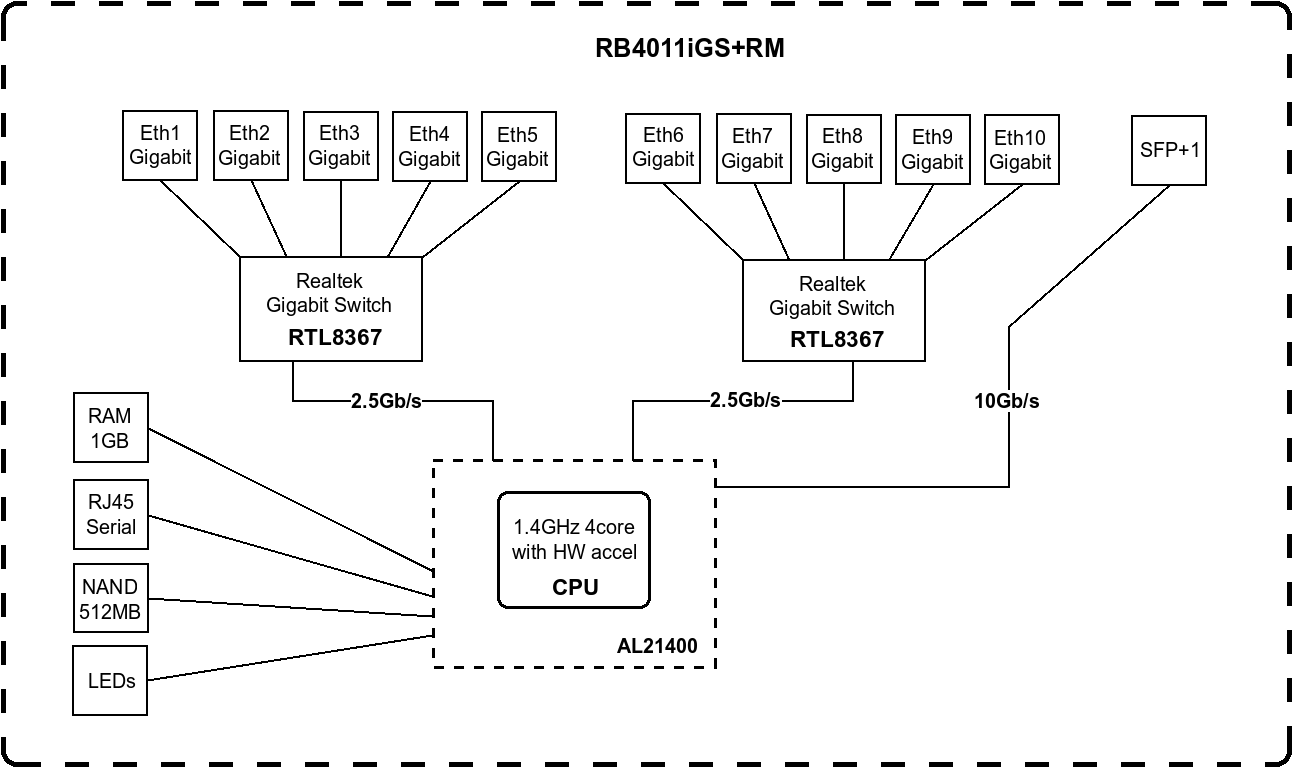
Please note that both RB3011UiAS-RM and RB4011iGS+RM has two switch chips. The former one has two QCA8337 with 1 Gbps link to each one of the two cores of the IPQ-8064 CPU and the later one has two RTL8367 with 2.5 Gbps link each to the AL21400 CPU (to which the sole SFP+ is directly connected via a 10 Gbps link).
Upon consulting the Switch Chip Features part of the documentation one can see that these two switch chips have different feature set, for example the QCA8337 has rule table while the RTL8367 does not (read the notes for important caveats). Also the two chips have different Bridge Hardware Offloading capabilities: enabling either MSTP or VLAN filtering on the former disables the hardware offloading on the given bridge (the footnotes are also contain important information on further limitations).
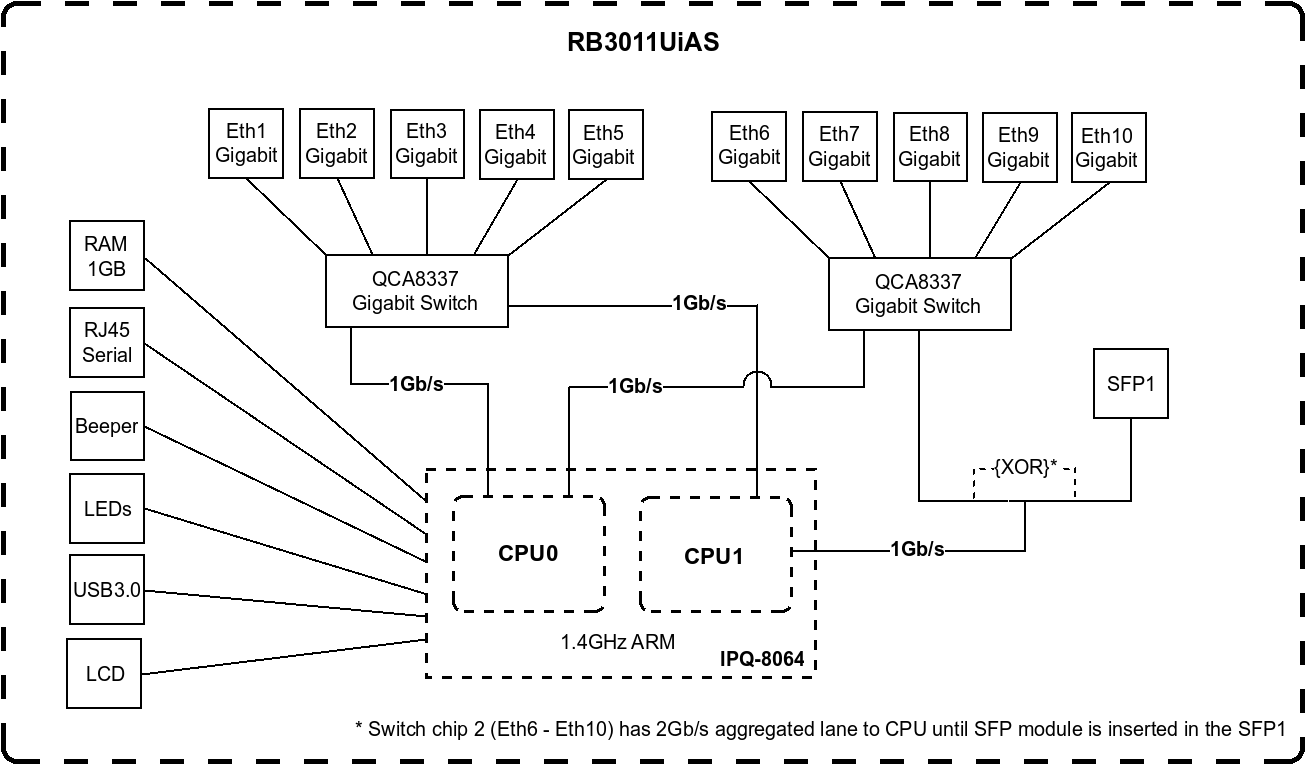
Further thing to keep in mind regarding the RB3011UiAS-RM is that in Port Settings On QCA8337 … switch chips, a default
vlan-header=leave-as-is
property should be used. The switch chip will determine which ports are access ports by using the
default-vlan-id
property. The
default-vlan-id
should only be used on access/hybrid ports to specify which VLAN the untagged ingress traffic is assigned to." Also have different Port isolation capabilities.
Since these routers have two switch chips they have to be configured according to this as it is described in the VLAN filtering with multiple switch chips section of the documentation’s Layer2 misconfiguration part.
Check out the CRS3xx, CRS5xx, CCR2116, CCR2216 switch chip features part of the documentation. Consult the L3HW Feature Support section of the documentation to get an overview of various features’ support and whether the offloading of a given feature is supported or not.
To sum it up if you wan to achieve way higher throughput on those devices than you have your work cut out for you as plenty of reading and comprehending awaits you than quite some reconfiguration, which may include not just the software configuration side however may hardware part as well (connecting the patch cables to different port in order to optimise the performance on the given hardware topology). Also you may get some inspiration from Edge Router & BNG Optimisation Guide for ISPs and the related thread How to: Edge router and BNG optimization for ISPs here on the forum.
One last advice: the risk averse method of moving to RouterOS v7 is by netinstalling the 7.13 or newer version on the router and rebuilding it from step by step using the exported (and copied to a computer) configuration
export show-sensitive file=a_filename_i_give_to_my_config
for information regarding what was the previous (working) setup.