as stated in the title, I am having trouble connecting to the antenna that is set as default. One day, my slave antenna froze and I had to restart it with a button; resetting it by disconnecting the power supply did not help. When I saw it in WinBox, I simply could not connect to it at all.
I went up to my roof (access to the antenna is very difficult and inconvenient) and unfortunately held the button down too long, which caused me to wipe the antenna's software. I watched the tutorials and figured everything out using netinstall, etc. First, I installed fw 7.20.4, which was a mistake because the master antenna has software 6.45.9, and I read that the software must be the same, that there is different fw for 60ghz, etc.
At the moment, both antennas have the same software 6.45.9, are pointed at each other, and should connect. I used guides on YouTube and GPT chat, but unfortunately I was unable to establish the connection that was factory-set. If I had known that this would happen, I would have made a backup of the software for both antennas before hanging them on the roof.
How can I connect my slave antenna to the factory-set master antenna? I know the login, password, MAC address, etc. When I press w60g Scan, it finds the antenna, but I don't know how to connect to it. I am asking for help from specialists. I tried to do it myself for 4 days, but failed.
I bought these antennas as a pair, the bridge is less than 600m long. I don't have physical access to the master antenna (difficult situation with my family).
Either wireless access list or wireless encryption blocking you to connect to master. Hard to know. When you do reset normally you have backup file on device but probably wipe it with netinstall. I suggest you to go master lhg side with your laptop and try to connect over wlan if there is ap on there and take master lhg configuration as rsc for investigation.
No need to get in. Stay in your car if you are able to connect ap.
Since this is user forum ask mikrotik over support@mikrotik.com if they can help. But remember that if you change default configuration they can’t help either.
Normaly the "master" is configured as ap.
The "slave" or however "other side" needs to be configured as station.
The standard configuration of the two sides is very similar, if the side that created issues is the "station" side, you should have no issues to connect to the ap side.
What are you using to connect to the LHG on your side? Webfig (browser) or Winbox? (the latter is preferred as it allows connection both via IP and via MAC (but of course the connection between the two needs to be established anyway to remotely acces the ap).
Post the configuration you have on the side that you can reach, follow the instructions here:
To have an idea of what a standard set of configuration of devices that are sold in pairs is, check this:
the cubes configuration is a little different as it has the 60 GHz and the 5 GHz interfaces in a bonding, but the overall configuration should be the same.
Your posted configuration has the wifi set with mode=bridge
That should be changed to
mode=station-bridge
to be able to connect to the other LHG (that should have mode=bridge).
If you prefer, the "master" has mode=bridge and the slave has mode=station-bridge.
You will probably need to remove the " put-stations-in-bridge=bridge1", cannot say if It will be removed automatically when changing mode.
I thought that the ssid was removed for privacy.
A "complete" entry should be:
/interface w60g
set [ find ] disabled=no mode=station-bridge name=wlan60-1 password=<your_password>
ssid=<ssid_of_master>
The "put-stations-in-bridge=bridge1" should be removed.
Don't worry about what you get from the "import" command (which BTW, why - the heck - did you use import?).
As a rule of thumb you do not use import unless you know what you are doing.
Very likely, since you don't have a /interface wireless, the /interface wireless security-profiles won't import.
# jan/02/1970 04:47:37 by RouterOS 6.45.9
# software id = GPAS-XXXX
#
# model = RBLHGG-60ad
# serial number = CCF340XXXXXX
/interface bridge
add name=bridge1
/interface w60g
set [ find ] disabled=no mode=station-bridge name=wlan60-1 password=20f3-4ec6 \
    put-stations-in-bridge=bridge1
/interface wireless security-profiles
set [ find default=yes ] supplicant-identity=MikroTik
/interface bridge port
add bridge=bridge1 interface=wlan60-1
add bridge=bridge1 interface=ether1
/ip address
add address=192.168.88.3/24 interface=bridge1 network=192.168.88.0
why I use import? Because UI of winbox is very bad for me I don’t need 95% of functions and i have problem to find what I’m looking for. I setted ssid in two places but when i download my config it wasn't there, so I should have set it in a third place...
The point is that a file - to be imported - needs to be specially crafted.
The “set” directive normally just sets something that must exist before.
The “add” adds something that must not exist before.
Essentially a file to be imported needs to be a “diff” file between the existing configuration and the wanted one, and making one that runs and imports correctly implies a good knowledge of RoS.
Winbox does have a lot of settings, but it remains the easiest way to deal with settings in most cases.
The alternative is command line in terminal, which is sometimes not exactly easy.
Try opening terminal and pasting in it (after having set the correct SSID):
/interface w60g
set [ find ] ssid=<ssid_of_master>
See if now it connects.
then try:
/interface w60g set [ find ] !put-stations-in-bridge\
Every time when I changed config i resseted it through winbox to default config without configuration, beacuse in most cases i cant overwrite config etc.
I got SSID from old photo when bridge was connected, its just Identity column from WinBox start page yes? Both my antennas had "MikroTik" Identity.
Yeah bridge is restore! First thing I did I go to master and backup config of it so now I have accces to AP but internet connection is not working
EDIT
Here is “master”
# dec/25/1973 02:57:43 by RouterOS 6.45.9
# software id = 0DY6-XXXX
#
# model = RBLHGG-60ad
# serial number = CF340EXXXXXX
/interface bridge
add admin-mac=2C:C8:XX:XX:XX:XX auto-mac=no comment=defconf name=bridge
/interface w60g
set [ find ] disabled=no mode=bridge name=wlan60-1 password=20f3-4ec6 \
    put-stations-in-bridge=bridge ssid=MikroTik-dfbc9
/interface w60g station
add mac-address=2C:C8:XX:XX:XX:XX name=wlan60-station-1 parent=wlan60-1 \
    remote-address=2C:C8:XX:XX:XX:XX
/interface wireless security-profiles
set [ find default=yes ] supplicant-identity=MikroTik
/interface bridge port
add bridge=bridge comment=defconf interface=ether1
/ip address
add address=192.168.88.2/24 comment=defconf interface=bridge network=\
    192.168.88.0
#interrupted
“Slave“
# jan/02/1970 03:02:58 by RouterOS 6.45.9
# software id = GPAS-XXXX
#
# model = RBLHGG-60ad
# serial number = CF340EXXXXXX
/interface bridge
add name=bridge1
/interface w60g
set [ find ] disabled=no mode=station-bridge name=wlan60-1 password=20f3-4ec6 \
    put-stations-in-bridge=bridge1 ssid=MikroTik-dfbc9
/interface wireless security-profiles
set [ find default=yes ] supplicant-identity=MikroTik
/ip hotspot profile
set [ find default=yes ] html-directory=flash/hotspot
/interface bridge port
add bridge=bridge1 interface=wlan60-1
add bridge=bridge1 interface=ether1
/ip address
add address=192.168.88.3/24 interface=bridge1 network=192.168.88.0
So this setup is connecting but internet is not working. Strange thing is that i can’t make full backup if i use command export it takes really long to save that file “it is still in progress” and sometimes its reconnecting beacuse i cant alain antenna perfectly without tips from winbox (1 degree left etc). I will do that tomorrow.
 changed that, now is: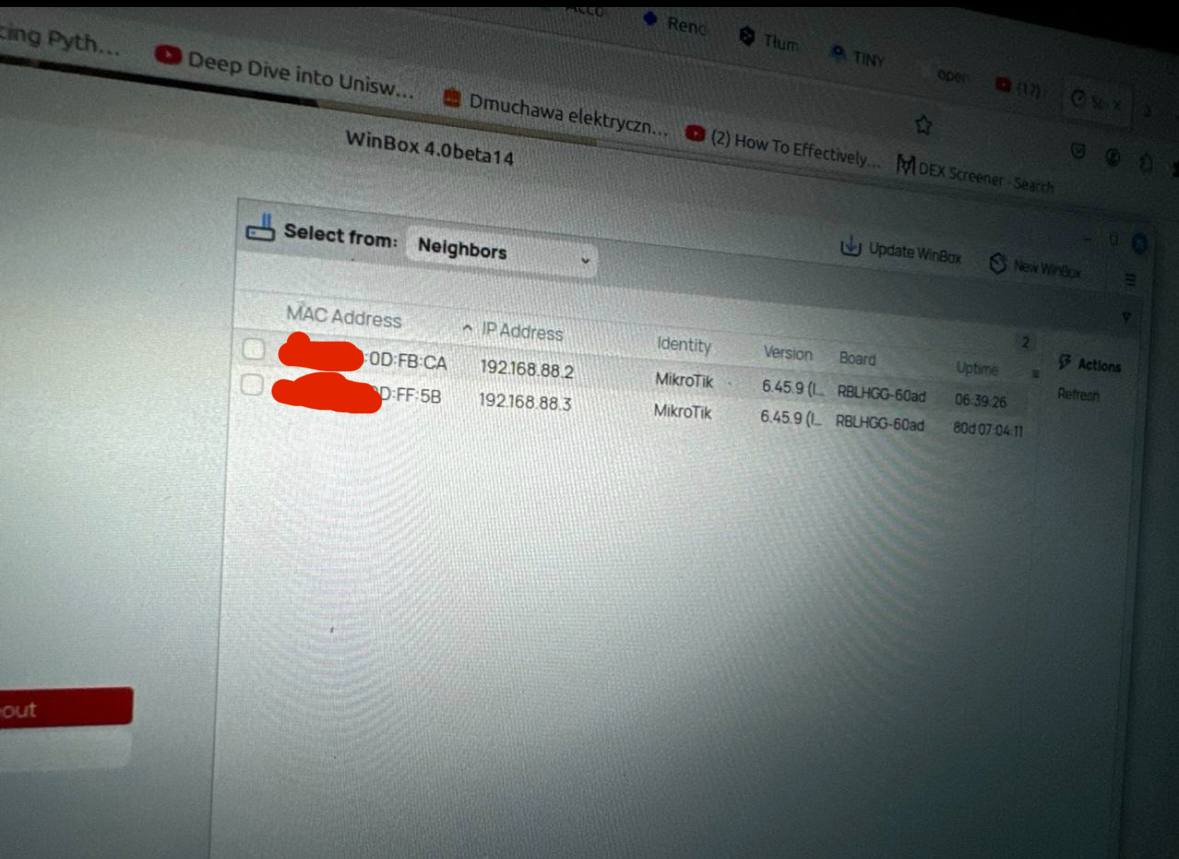
 so now I have accces to AP but internet connection is not working

