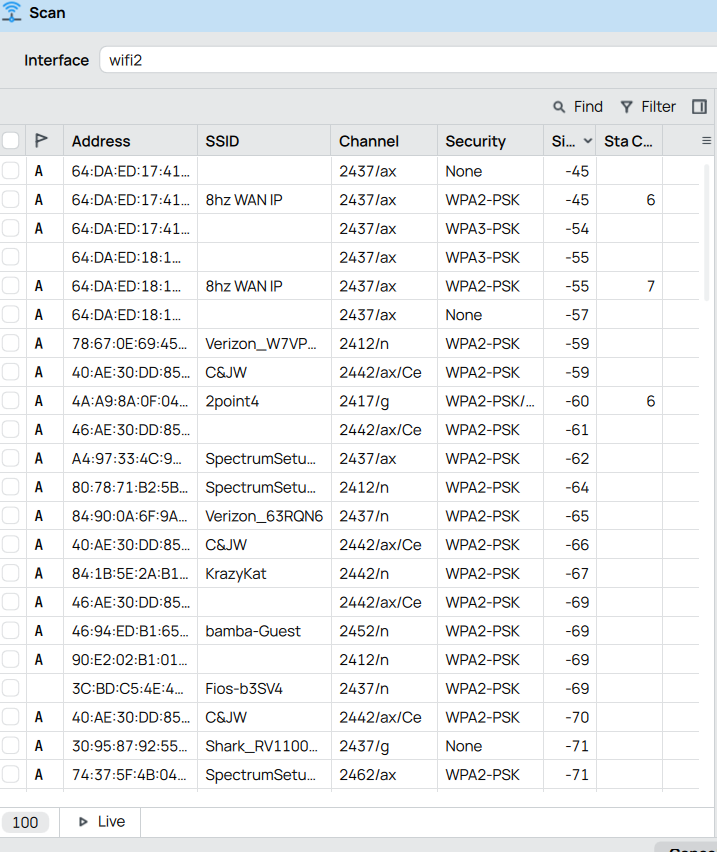
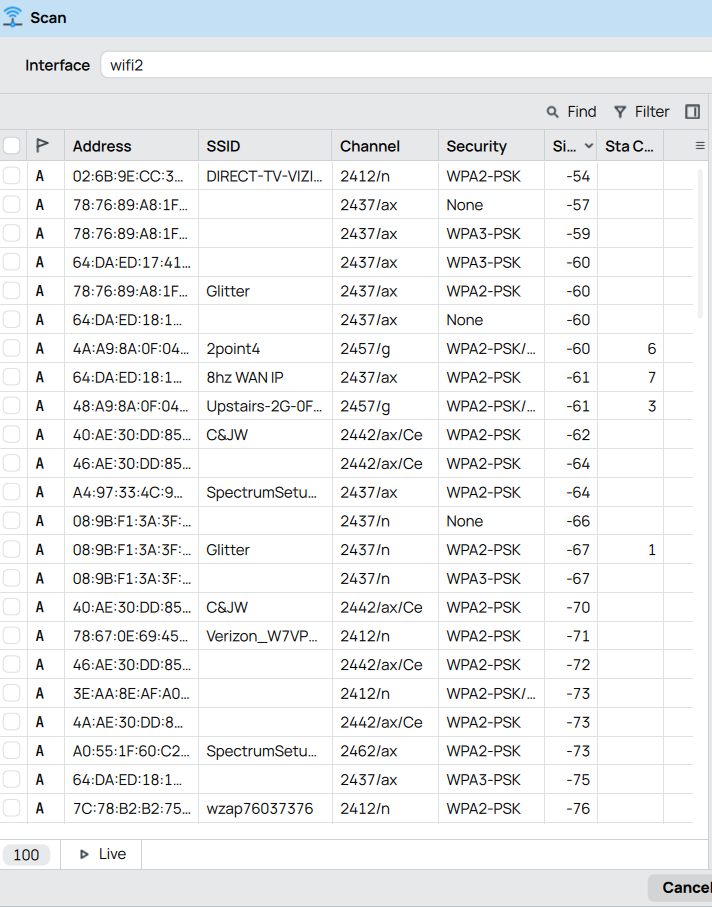
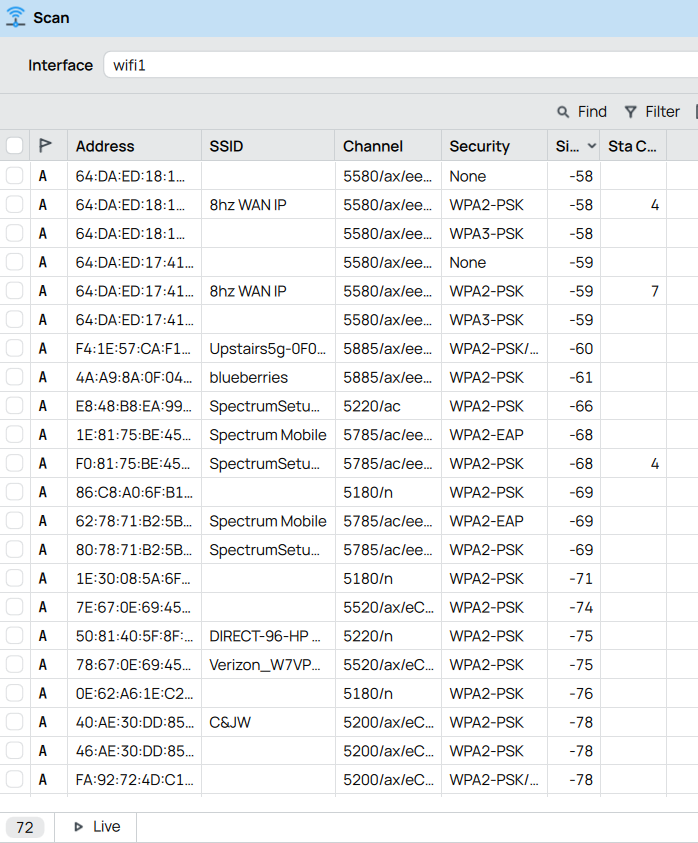
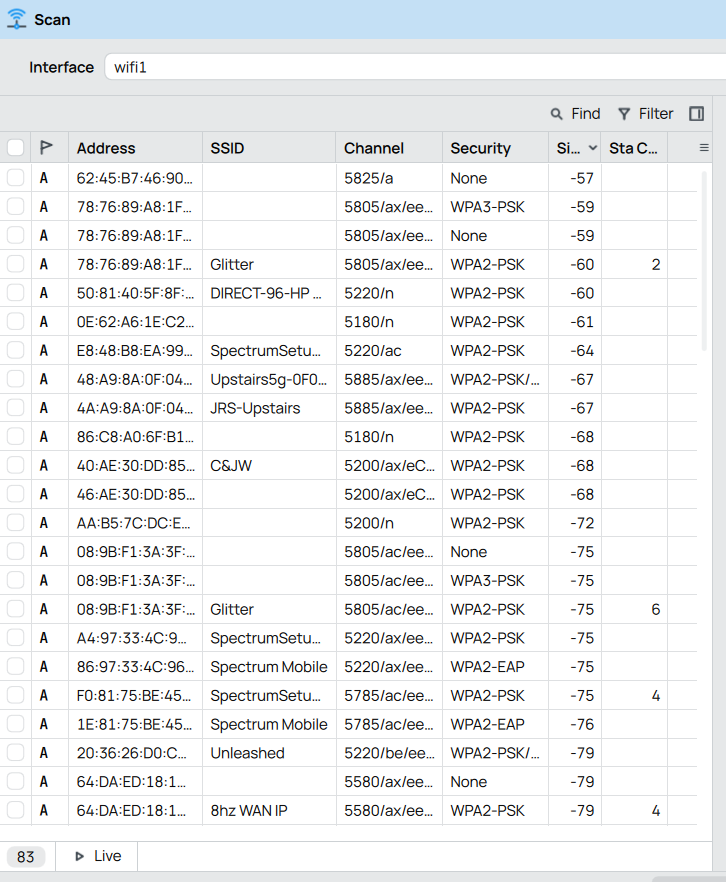
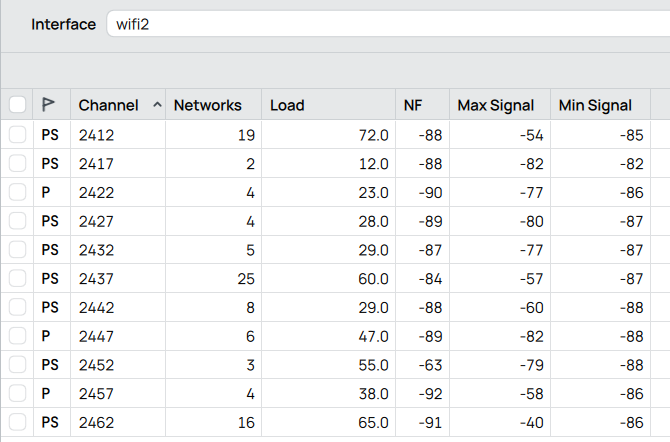
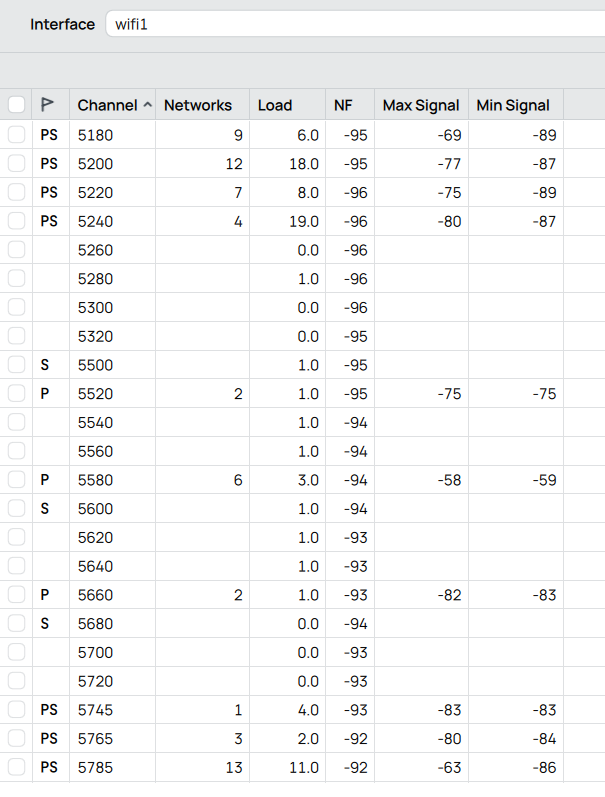
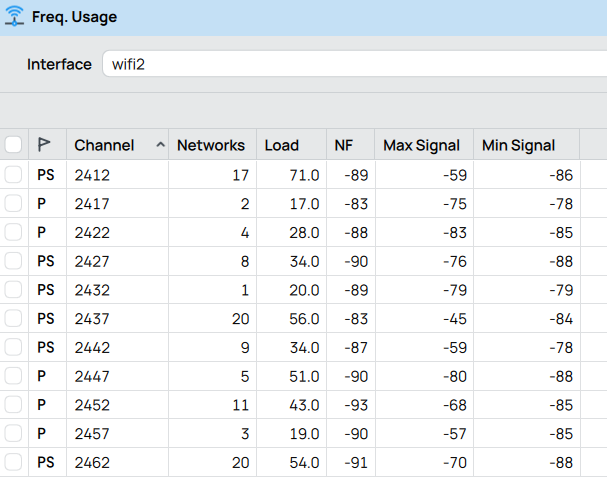
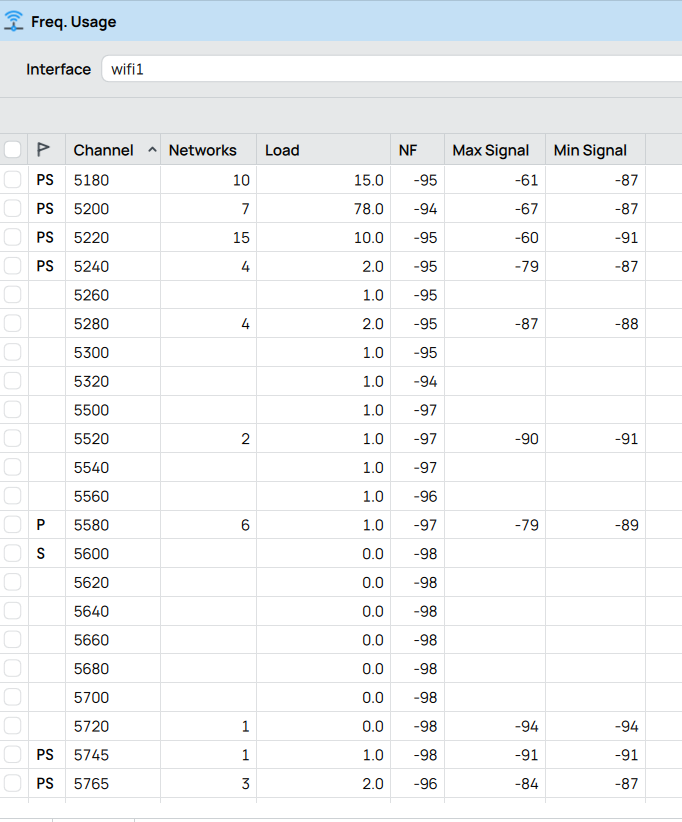
I have 2 hap-ax3's in a 2 story home and when I was first setting them up I fiddled a lot with settings. Now I see lots of associations and disassociations (connects and disconnects) and I'm wondering if they are configured in such a way so that they work more together (in concert, or in sync) than against each other. They are 1 flight and 20' over from each other (floor is 10" of concrete; walls are 6" of concrete), so they hear each other (their signals overlap).
And, there are many other wifi signals (neighbors) being heard strongly. I have attached freq. usage and scans from both machines.
We call them "downstairs" and "upstairs." Exports attached.
There are quite a few differences between their configs, such as only one has fq-codel set up -- I don't know why.
I'm primarily interested in whether the wifi settings are optimal.
I don't know how to use CAPsMAN and have too much on my plate to learn it now.
Do additional SSIDs use bandwidth because they are broadcasting their existance? Or in some other way?
I have been considering using VLANs (for a couple years now). I need to feel more comfortable with it before making the transition, particularly because this site is connected to many other sites via Wireguard and wifi-connected devices at this site need access to devices at those other sites.
I will try ax instead of g. The reason I had it set to g is because I have some IoT devices and wanted to maximize the likelihood of compatibility.
Anything else wifi-specific, like channel/frequency usage or roaming settings?
I changed 2ghz to ax and will monitor. So far, all stations reconnected at "N," when they were previously connected at "G."
I truly don't have the cognitive bandwidth now to learn CAPsMAN.
And I've read every article written here, watch dozens of video, read other articles, and have had tons of help with VLANs. I know enormously more than I used to know, but I'm still not fully confortable, and I know I am very very far from an expert, so I need to hold off on that for a while.
As for setting a specific frequency, I am concerned that in such an RF-crowded environment, a new transmitter will pop up without me knowing about on my selected frequency. How good are Mikrotik device at selecting the best frequencies on their own?
I would first avoid capsman and get vlans working and all the other fixes.
The only thing missing will be a bit more of a seamless transition between APs.
As for easy configuring, the only major configuration is the main router.
APs are fast and easy to setup, in fact there is no difference between them other than perhaps a different vlan going through it.
So saying capsmans is so much easier is a crock of doodoo
If it was so easy I would have done it ages ago but perhaps having a mix of capac and AX is the detractor if the OP has all the same wifi cpu chipsets in the house, then going capsman will be much easier
In my inexperienced opinion, I don't have a problem configuring the individual APs when the total number is so small. Hence, given my understanding that CAPsMAN's value is in managing/configuring multiple AP, I never looked into it.
anav, you have helped me tremendously with VLANs, and I am exactly where we left off. In fact, I am right now looking at the pile of new equipment for the next location, all configured and ready for installation, which location is 1000 feet from where I am now.
No worries, as always
network diagram, set of requirements, and config for main router and at least one of the APs........
The rest of the APs are identical save for a different IP address on the managment vlan and perhaps slighly different SSIDs/VLANS being used at the various APs.
Note, I looked at both configs, sorry both are not AP/Switch and are set up as routers,,,,,,,,