I sent the hex value
0x3032. nothing happened.
Not saying you’re wrong, but a quick google confirmed that most devices expect the string version either as 20 (0x3230) or the hex string “0x14” (as in the 4-char string) Probably OP’s phone wants a specific format and it’s just poor documentation.
Why not just try 0x0014 ? or like the rfc says 0x00000014
If you sending 20 as a string the vlan should be 12338, but this is out of range 
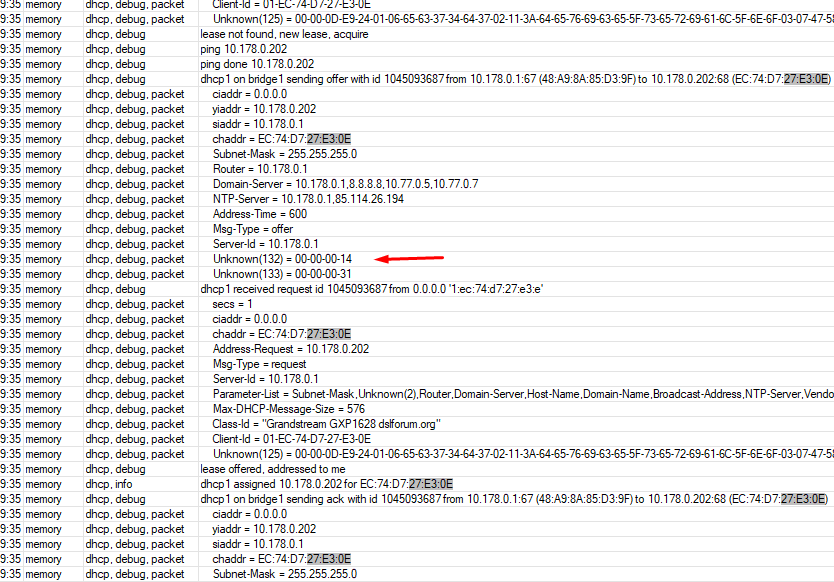

If it indeed expects raw, then it will probably expect the same for 133…
Ok, but this is the log from the dhcpserver in Mikrotik Device, that can’t parse the traffic.
How’s is the phones going ?
You can maybe try with wireshark to get the traffic, if the phone switch the vlan.
I don’t know if the dhcp options be msb or lsb ?
0x00000014
or
0x14000000
I meant that if sending 0x14 or 0x0014 or 0x1400 is the one accepted, then probably 0x01 or some variant of that will be acceptable for the priority, and not 0x30..0x36…
Sorry i was referring to the OP, not you.
No problem. Obligatory:
https://www.youtube.com/watch?v=YT1aCuPY8Uc
I will dump the log tomorrow using Wireshark and I’ll try to find a phone from another vendor
When i read about it on the web i found it, the Grandstream get the value as ascii chars like string, in this pdf https://www.grandstream.com/hubfs/Product_Documentation/DHCP_Options_Guide_Windows_Server.pdf i find it on page 27.
- Add the Option 132 under “Predefined options and values” with data type: “String” and select “Array”.
You have to change the config of the device also,
- Enable the DHCP VLAN Override by setting it to: “DHCP Option 132 and DHCP Option 133” under the web GUI of your IP Phone supporting the DHCP option 132.
The file: https://content.grandstream.com/hubfs/Grandstream_Feb_2021/Zip%20File/config-template.zip
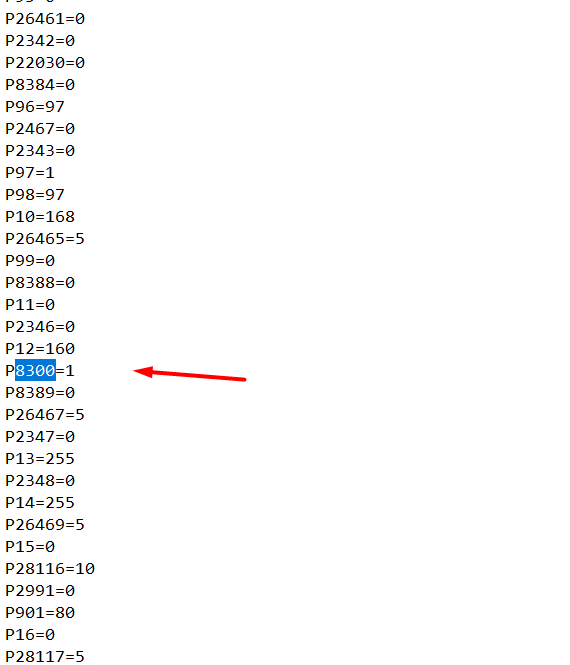
In the file: gxp16xx_config_1.0.7.74.txt
you can see:
# Enable DHCP VLAN, 0 - Disable, 1 - Enable. Default is 0
# Number: 0, 1
# Mandatory
P8300 = 0
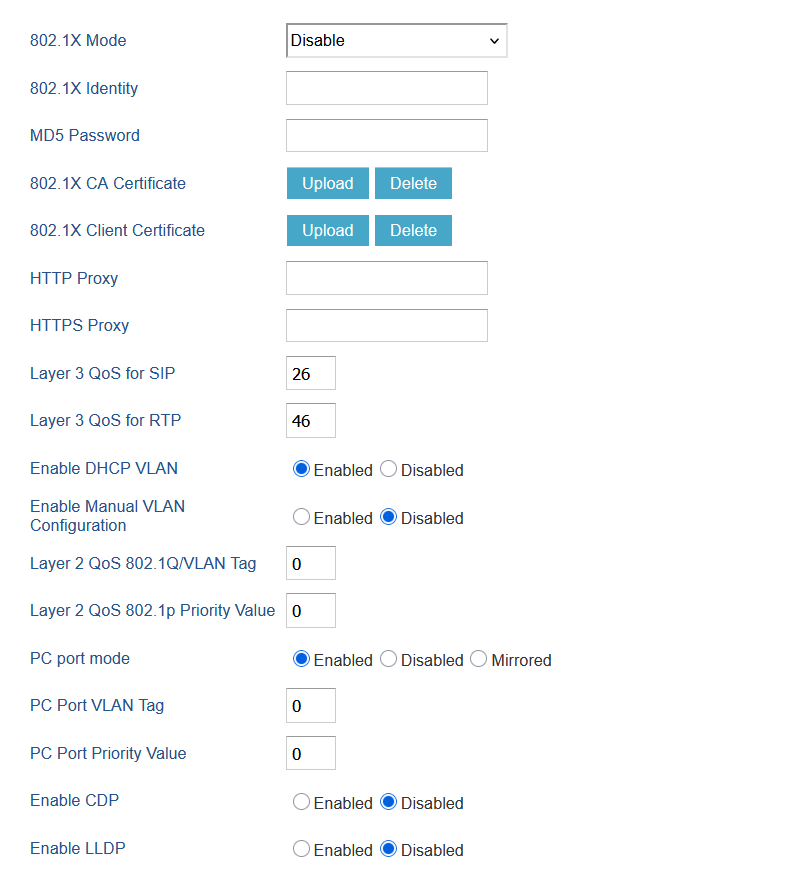
Have you tried to disable the PC Port.
Don’t forget to switch back to string 20.