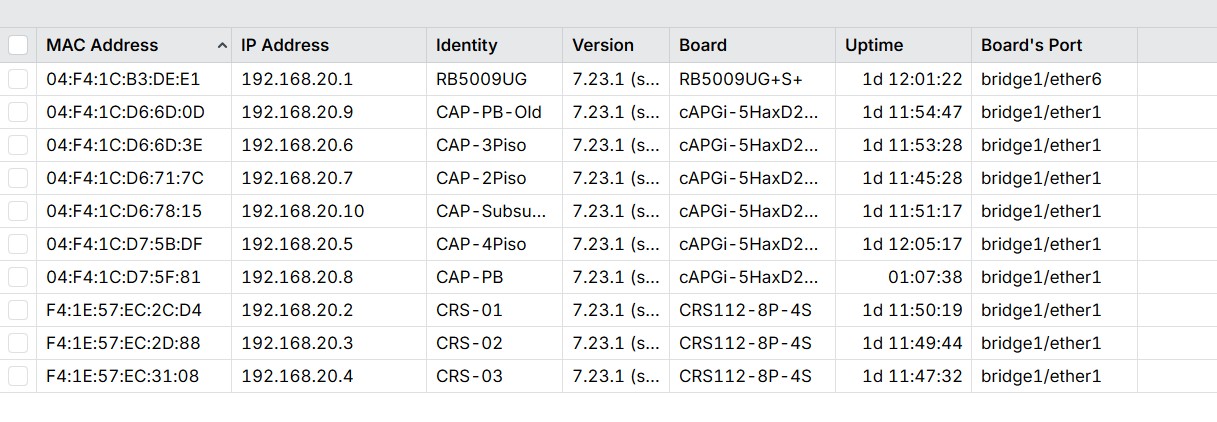
I do not understand which point you want to make with your screenshots.
you do not show cap ax signal strength anywhere
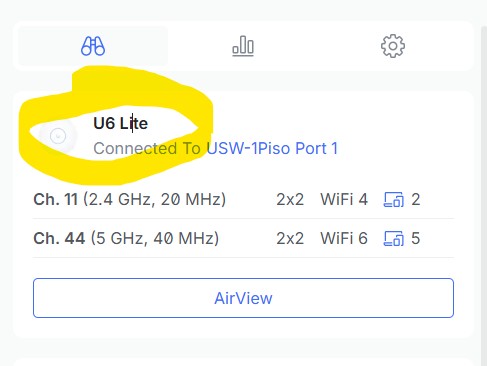
you show some u6-1Piso avg signal strength - compared to what? is this a "average" of all connected clients? If yes, do the math by calculating average by hand provided by /wifi/registration.
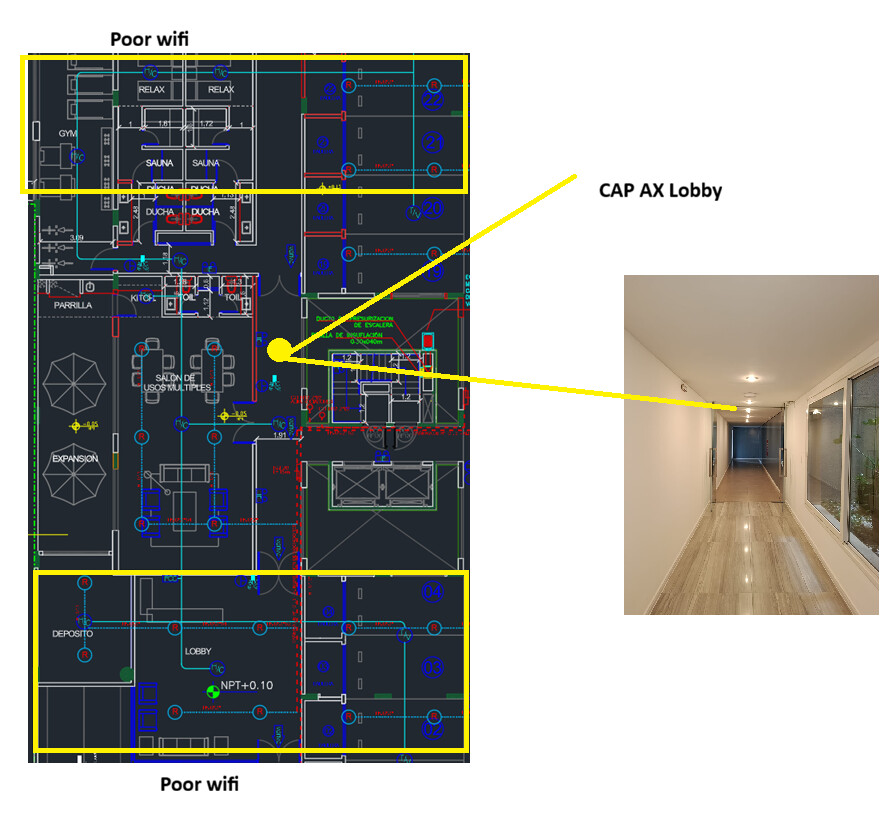
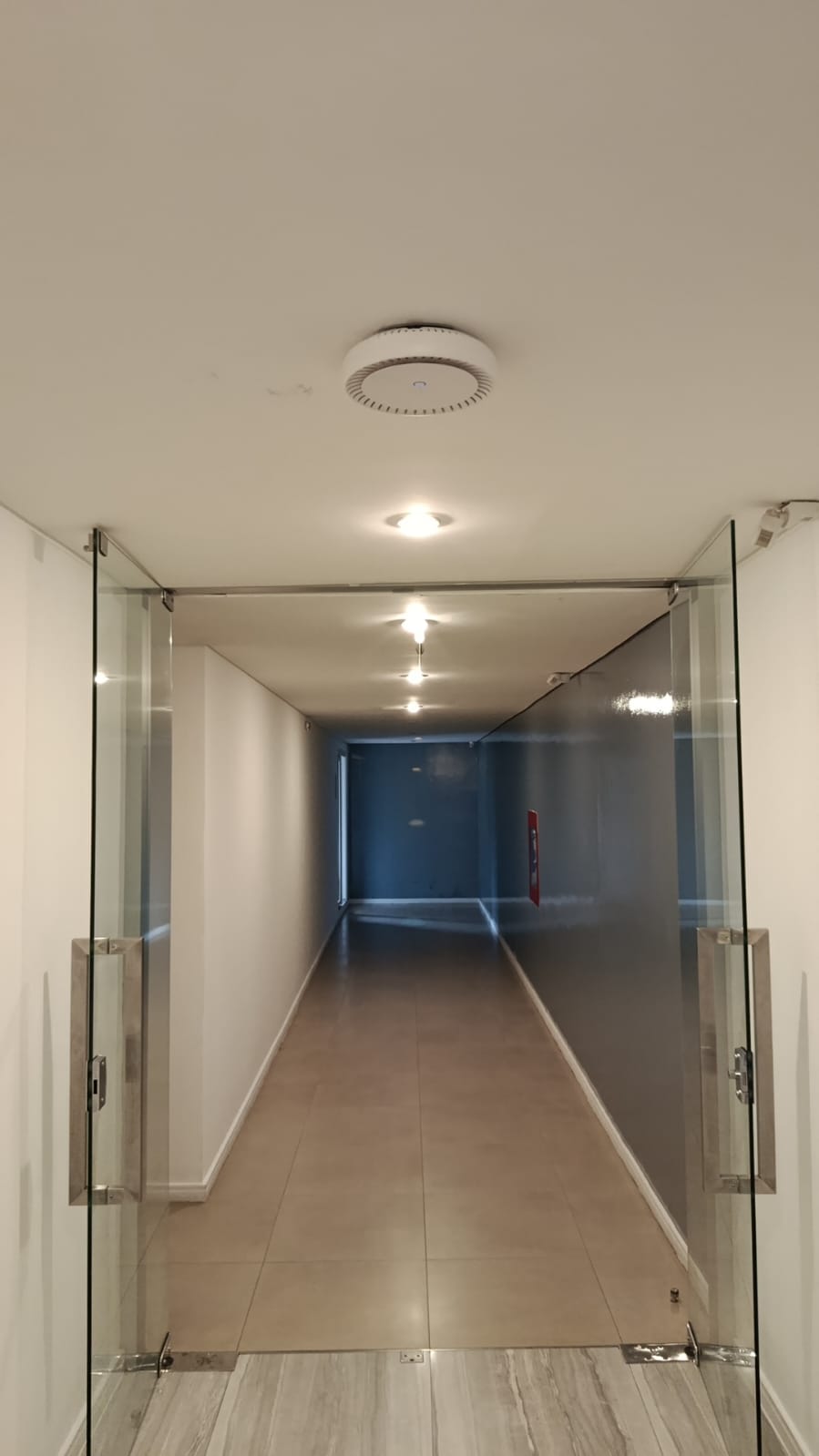
you put the u6lite on same location as cap ax? right?
Your signal-strength "reference client" is located where? And what are the values for capax/u6lite in comparison?
Do you have possibility to do bandwidth testing as well?
My test is simpler: Same access point in the same location, but with the CAP AX I'm getting poor results. In the lobby's yellow area, the signal drops drastically. With Ubiquiti, I get good results. (I briefly brought the hardware from another building where I had good results). Since I've already set up my network in this building with Mikrotik, I'm going to buy a couple more CAP AX access points to cover the areas where I'm getting poor results. I can't wait any longer for further testing. This is simply so you can conduct more tests and comparisons, or perhaps develop a CAP AX XL product or something similar.
I've now deleted CAPSMAN and put it in standalone mode to test each access point individually, turning off other access points in case there's a problem.
I'm sharing my standalone configuration... I created one for 2.4 GHz and another for 5 GHz to test each individually.
Please take a look and let me know if there's anything I can improve.
You seem to rely on frequency auto selection. Good luck with that. At least consider reselect-interval or reselect-time so CAPs have a chance to not select overlapping channels.
And for the laughs, you have 40mhz (5ghz) and 20mhz (2ghz) channel according to your unifi screenshot. But you have no configured a width on your CAP. Basically you can't compare results/strength/whatever as long you don't have comparable settings.
Hi, thanks for your comment.
I've already done all that, and I've followed a bunch of tutorials without achieving optimal coverage.
My comment here wasn't meant to start an unnecessary debate; I simply wanted to share my experience, and I see that other users have had similar experiences.
Your advice is very welcome to see what I could optimize.
I've already decided to solve the problem by adding two more access points to cover the areas where I can't get a signal.
I think that is great, at least for MikroTik. Be aware that you might have solved a non existent problem. Hope you enjoy the cAP AX's. If you need advice on configuration (there is a lot of crap on the Internet), always feel free to ask a question.
Okay... Ubiquiti covers my needs, except for the outdoor area, which no longer has coverage.
I know Mikrotik is super pro in granular customization, routing, switching, etc., but for these small projects, that's the least important thing for the user. What matters is that the Wi-Fi works quickly and covers all areas.
I finally managed to install another CAP AX, and I have a new problem: the store that supplies these devices doesn't have any more units available, so I have to install a CAP XL AC.
1- The front area, with two CAP AX units, works perfectly.
2- In the back (where the gym is), there's a small micro-cut because I installed a CAP XL AC in standalone mode (according to the suggested tutorials, this is the best way).
I repeat, I don't want to start any unnecessary debate, but honestly, I've never even worried about hardware versions. With Ubiquiti, I could just use any combination of hardware and a couple of settings, and the rest would happen automatically without any intervention. I've never even experienced micro-cuts, and I have both Wi-Fi 5 and Wi-Fi 6 devices, each with different versions.
Now, to get to the specific question: can I mix the CAP XL AC and CAP AX, or should I leave it in standalone mode?
To expand on erlinden's reply:
There are two versions of CAPsMAN:
1 "old" CAPsMAN, settings in menu under /wireless, driver package "wireless"
2 "new" CAPsMAN, settings under /wifi, driver package "wifi-qcom" (on Ax devices) or "wifi-qcom-ac" (on Ac devices)
Your new Ax devices use the "new" CAPsMAN and wifi-qcom drivers.
Your cAP AC XL is very likely using the "old" wireless package, that you should replace with the "new" wifi-qcom-ac to make it "compatible" with the "new" CAPsMAN.
Configuring the CAPs is slightly different if the device is Ax or Ac, depending on the complexity of your setup it might be not-so-easy.
There is some "work in progress" for having a "unified" set of settings, but not yet finished/tested, here, JFYI:
Experienced members (like erlinden is) usually point to the documentation as if it was trivial to understand and replicate it, rest assured it isn't, you will need some time and making some experiments to have the setup working.
Device 2 is on the same floor but behind a chimney in another room but is still solid, also device 6 is on another floor, at times it makes not a lot of sense. great plan to add more and turn the power down a bit. When they work it's worth it.
interface/wifi/registration-table/print detail stats interval=1 proplist=interface,uptime,signal,band,auth-type,tx-rate,rx-rate
Flags: A - AUTHORIZED
 0 A interface=wifi2 uptime=1w4h29m43s signal=-51 band=2ghz-n auth-type=wpa2-psk tx-rate=144.0Mbps rx-rate=130.0Mbps

 1 A interface=wifi1 uptime=3d4h30m17s signal=-57 band=5ghz-ax auth-type=ft-wpa3-psk tx-rate=6.0Mbps rx-rate=480.4Mbps

 2 A interface=cap-1 uptime=18h12m24s signal=-75 band=5ghz-ax auth-type=wpa2-psk tx-rate=6.0Mbps rx-rate=6.0Mbps

 3 A interface=wifi1 uptime=17h46m31s signal=-55 band=5ghz-ax auth-type=ft-wpa3-psk tx-rate=1201.0Mbps rx-rate=600.5Mbps

 4 A interface=cap-1 uptime=6h13m8s signal=-67 band=5ghz-ax auth-type=wpa3-psk tx-rate=720.6Mbps rx-rate=137.6Mbps

 5 A interface=cap-1 uptime=43m28s signal=-61 band=5ghz-ax auth-type=wpa3-psk tx-rate=1080.9Mbps rx-rate=1080.9Mbps

 6 A interface=cap-1 uptime=7m51s signal=-70 band=5ghz-ax auth-type=ft-wpa3-psk tx-rate=864.7Mbps rx-rate=907.4Mbps
Are you testing the signal by monitoring the registration table or directly on the end clients? I have bunch of cAP acs with the wifi-qcom-ac driver, and the registration table shows much weaker signals than the original wireless driver. However, the data rates stay at maximum even with the supposedly poor signal, and the throughput (both Tx and Rx) is fine, so I’m treating this as just a visual issue.
I already figured it out, hehe. I'll try each case, and if I can't get it working, I don't mind leaving it in standalone mode. Most things already work fine with roaming.
Fortunately, I use a completely flat network, without any additional VLANs.
As I mentioned, for my end users, the most important thing is that the Wi-Fi works well.