Maybe it will be enough for some users. But not to me.
I made some example. (After screenshot, I deleted this)
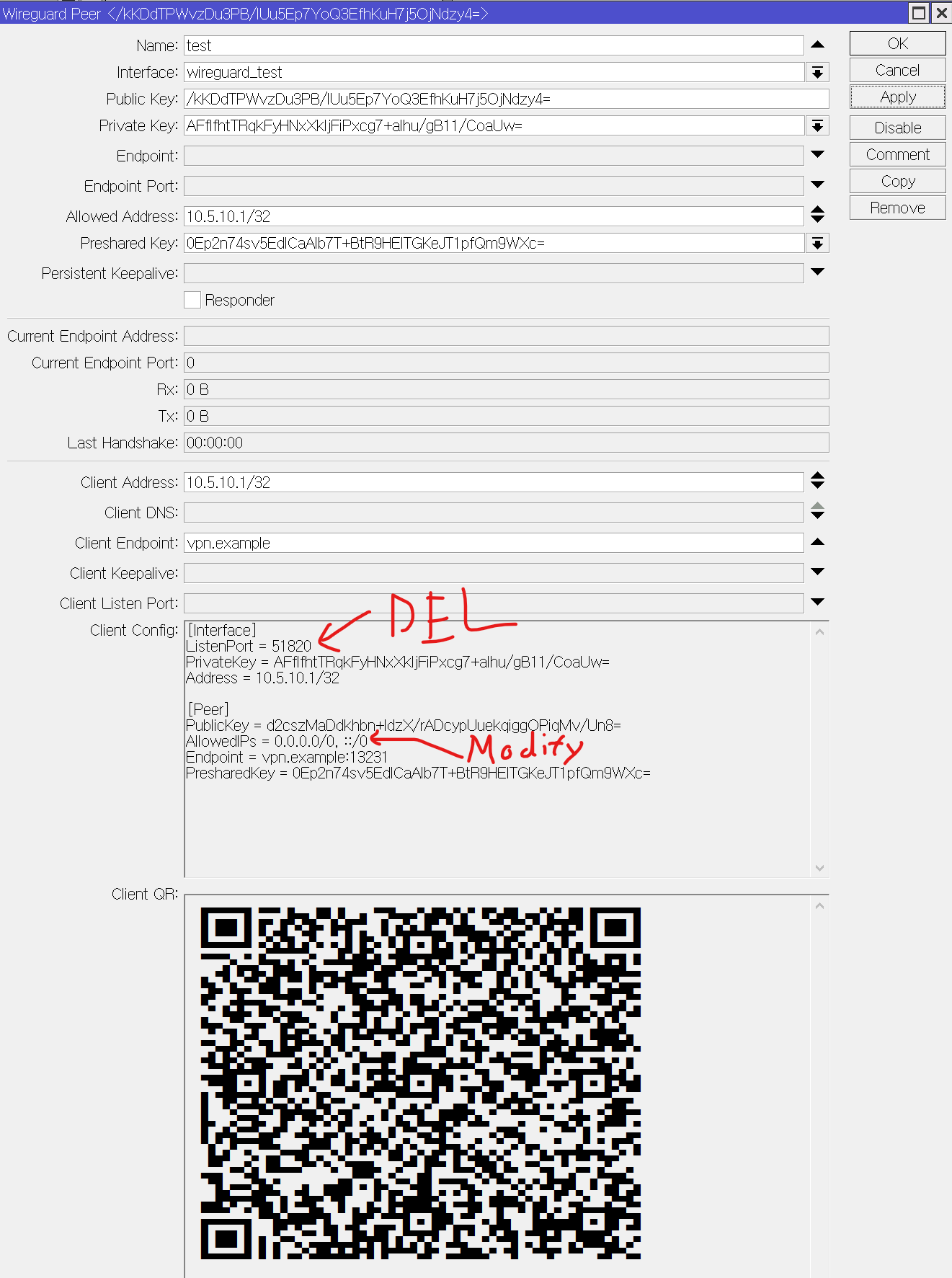
At below screenshot of WinBox 3.41
- you can see “ListenPort = 51820”. But I don’t need this. Basically without it, the client will use the random port to connect to the WireGuard server. Some situation may require this, but there is no reason for me now. So let it naturally use the random port.
- you can see “AllowedIPs = 0.0.0.0/0, ::/0”. But I have to modify this to “AllowedIPs = 10.5.0.0/16, 10.6.0.0/16, 172.31.56.0/24”. These are the subnets only reachable through the WireGuard in my company. And I don’t want to pass all internet traffic of client to the WireGuard.
At below screenshot of WinBox 4 (the same menu, the same item) - you can see “Comment” that holding the modification for convenience manage.
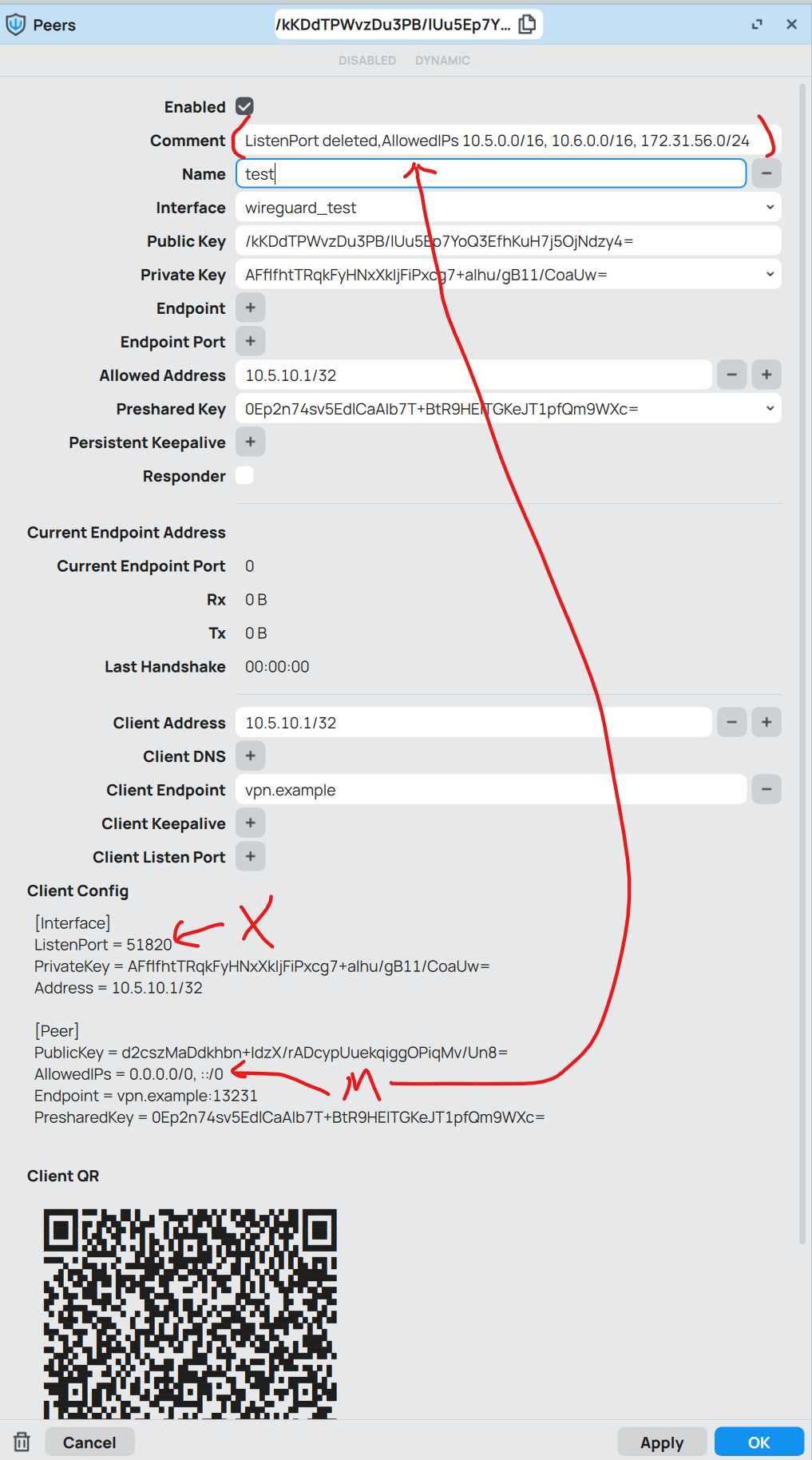
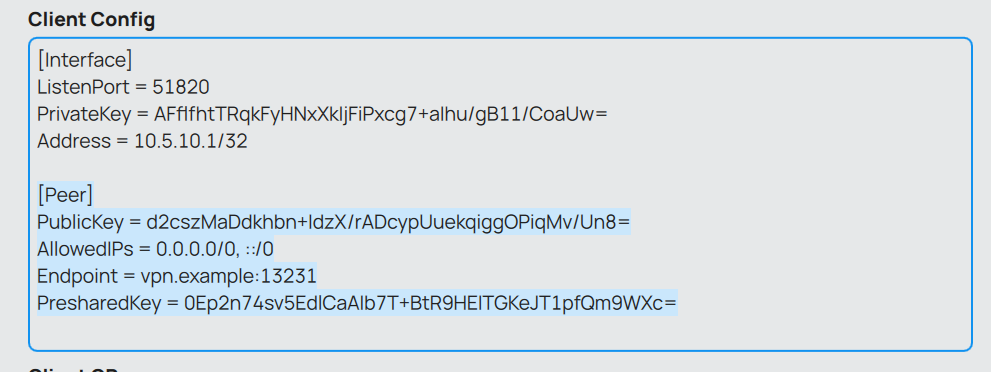
Oh, at Winbox 4, the problem is solved about “the mouse drag, showing the selected area. copy with Ctrl+C”
At below screenshot, this shows the selected area with mouse drag.
“Client ListenPort” looks like configurable, but it cannot be empty. - if empty then the default 51820 will be applied
- if provided then the provided value is applied, like screenshot at below.

Finally, I can show what I pass to the client.
With proper modification, the file looks like this at below.
(If I want to make QR, I have to use some internet site which can do it)
[Interface]
PrivateKey = AFflfhtTRqkFyHNxXkIjFiPxcg7+aIhu/gB11/CoaUw=
Address = 10.5.10.1/32

[Peer]
PublicKey = d2cszMaDdkhbn+IdzX/rADcypUuekqiggOPiqMv/Un8=
AllowedIPs = 10.5.0.0/16, 10.6.0.0/16, 172.31.56.0/24
Endpoint = vpn.example:13231
PresharedKey = 0Ep2n74sv5EdlCaAIb7T+BtR9HEITGKeJT1pfQm9WXc=
Summary, I want to request for
- “Client ListenPort” can be empty
- and “Client AllowedIPs” should be added.
then I can use the WireGuard “Client Config” and “Client QR” as-is.