I just answered on those that ask “did you manage to resolve this problem”.
Everybody, of course, has own needs and requirements on same hardware - MikroTik must work hard to fix this.
p.s. forums like this one is the place to be, before buy some equipment.
I noticed this comment too. I therefore upgraded my temporary CRS317 half an hour ago. Should know more tomorrow, but I am not optimistic.
I had to return my own CRS317 as it required repair according to Mikrotik. So I would assume that this firmware upgrade does not solve the issue… The changelog is not very informative so I cannot judge what is fixed. But resource allocation does not seem to be related to RX and FCS errors which seemed to be related to the flaps.
B.t.w. I am seeing 6 RX and 4 FCS errors within 40 minutes after the upgrade…
The only way to fix this problem is to send your devices back to your distributor! This is not a software bug!!!
We have serveral CRS317, CRS328 and the new CRS326 and they worked now without port flappings or other problems.
Now they running with RouterOS 6.46 since last friday.
Last Friday I received my CRS317 back from repair (took “only” 4 months) and now I have not seen any port flaps (0 link downs) nor any receive error counters increase (FCS errors not RX error events) that I used to see. So the repair was successful.
It is ridiculous to see that it took Mikrotik 4 months for a repair but it at least worked out well. I can now listen for a full day to streaming radio without disconnects, Would I recommend Mikrotik to friends? Don’t think so…
Hi,
want to share small story
I have two CRS326, both devices powered from APC UPS, both CRS’s are out of warranty.
My problem was:
port flapping on both devices
Both CRS’s with DAC cable on SFP+ interfaces won’t work at all.
High CPU temperature, 76-78 degrees in celsius.
I bought two 24V PSU from Mikrotik, those PSU’s are for CCR, not for CRS!
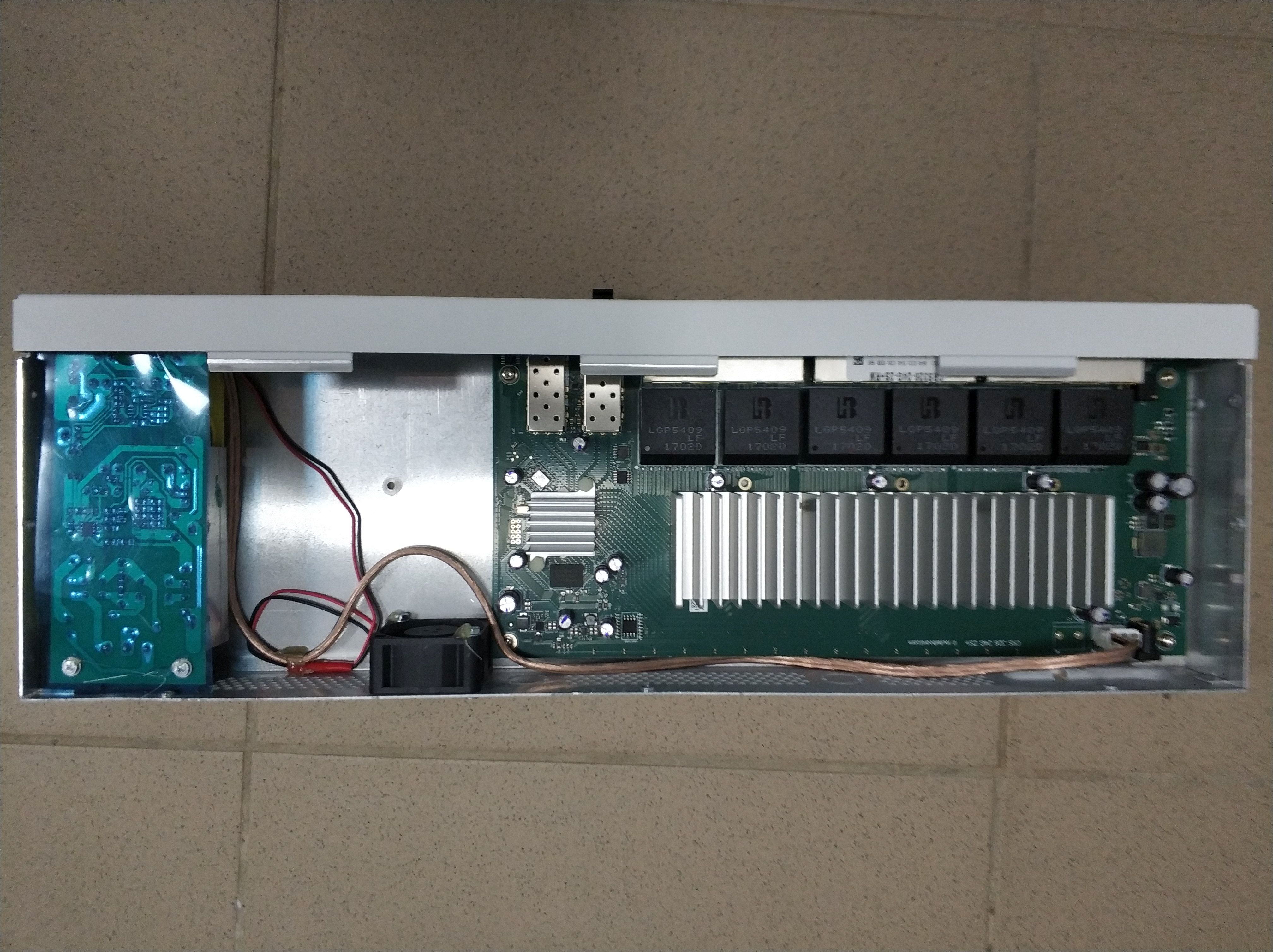
After few hours of DIY I have installed PSU and 24V fan to both devices.
Results:
Link via SFP+ with DAC cable between both Mikrotiks, no issues at all!
Regarding flapping: I see link down/up only at the morning and at the evening, only when computer is turnted to on/off. Before modification - up/down happens lot of times during a day.
CPU temperature dropped to 43-45 degrees in celsius due to installed fan.
Notes:
CCR PSU is too long to fit to CRS, 7mm of pcb have to be cut. There is enough space to do that.
PSU C14 inlet socket is also to big to fit to hole in CRS.
Soldering is needed: PSU cable is too short, routerboard PCB contains no internal connector for power.
Strictly do not reccomend to do that, you can damage CRS.
This is interesting. So the port flapping might be just because of noisy PSU? Should be quite easy to verify, put CRS on external clean linear lab powersupply and see if it fixes the problem, or maybe try adding a few ferrites on the wires from original PSU if that would make a difference… that is as long as yours is out of warranty. I RMA’d my CRS and got replacement that’s not flapping ports anymore, so can’t test it.
I have soldered fan wires directly to PSU 24V outlet. Fan could also produce noise.
Unfortunately both CRS are far enough from me, can’t do testing with lab PSU.
linkdowns.txt - events for few last days, 10/100M speed - should be PC NIC in low power mode, I think.
During transition between power modes the network adapter might lose connectivity for a short time.
Situation with new PSU is definitely better! linkdowns.txt (2.73 KB)
We bought CRS326-24S+2Q to replace the CRS317 devices. Mikrotik support told us the flapping problem between CRS317 and CRS328-20S-4C-4S+ is caused by the CRS317. That was over 1 year ago. They also told us to buy other devices but no CRS317. That means over one year later they still sell the faulty devices!! Back then I told MT support that I don’t think the problem is the CRS317 but the CRS328…
Now I testet the CRS328 ↔ CRS326-24S+2Q and of course I have flapping again. 696 link downs in 3 days. Well done Mikrotik!!
We decided to switch to another vendor. That was too much. Not only the problem itself but also the handling.
I had the flapping problem on the Crs317/CRS328 combo too. I had my CRS317 repaired (took them 4 months, unbelievable) but the link between the 2 is now absolutely stable: I just checked and the link is has now been up since Dec 18 (when I rebooted both switches for a SW u[date). So it shows that the CRS317 was at least part of the problem. It might quite well be that the CRS326-24S+2Q has the same problems as the CRS317… But you can not rule out the CRS328 either.
I don’t know what was done to my CRS317 but it now definitely works ok.
Handling of problems is indeed not good at Mikrotik. No information, terrible repair time.
One of my partner gave me the link to that thread when I was looking for a 10G Mikrotik switch.
I’m still interested in CRS317 switch. What I need is just the following things:
no crash
RouterOS as I need kind of integration with other things (at least via CLI)
no port flapping
VLAN mapping/translation on each port. Hardware based
dual power source
most links will be fiber connections at 10G, but I predict mixture of 1G/10G fiber connections with none or few copper 1G connections
I have no other Mikrotik devices. But, If everything works well, I may add more CRS317 or CRS326.
If problem really related to combination of CRS317 and CRS326 I might avoid it. But, there were people saying it is same issue even with recommended CRS309.
Could you please give me (other readers) what is the status with this issue?
Thank you in advance for your information!
PS CSR312 doesn’t fit as it has only 4SFP+ cages. CSR309 doesn’t fit as it has only one power source (maybe, there is a possibility to use POE-IN + power supply to achieve redundant power configuration?)
If you only need 10G go for the CRS317: it works well connected to anything but the CRS328 (and possibly the CRS326).
Since the repair my CRS317 - CRS328 link has been rock solid too. That connection was the only one with flapping. It is now up since Dec 18 without any issues whatsoever. I am happy.
I don’t know what was done to fix the switch, but new switches may still have the same problem: at least the temporary replacement for my own CRS317 had the same flapping problem. New CRS 317 switches may still have the problem connected to other Mikrotik switches like the CRS328. It would be nice if Mikrotik could comment on this. It is a shame that the repair took 4 months!
Right now I only have some 10Gb DACs (FS.com) and an S+RJ10 in the switch, but I used to have some 1Gb Fiber modules to an older (now removed) 1Gb switch. Worked perfectly fine. I never tried 10Gb fiber as I had no use for it.
CRS326-24S+2Q+RM @10gbps have the same problem of crs317.. port flapping, link down.. you have 24 ports but you have to do a lottery moving your link, hoping to found a working solution.. (yesterday: 10Gbps Dac to hpe server nic, on port 5 NO LINK, on port 7 flapping link, on port 9 OK).. very disappointed!
We have the same issues CRS328 to servers with 10Gtek X520 cards. 1G is fine, but 10G is unstable. We have 4 brand new CRS328 that do the same thing. Its very disappointing as we bought them so we could switch 10G traffic. Not sure what to do now as we need reliable 10G switching. Any recommendations?