I have only one bridge that contains all ethers and veth1.
veth1 having address 192.168.88.2
PC having address 192.168.88.254
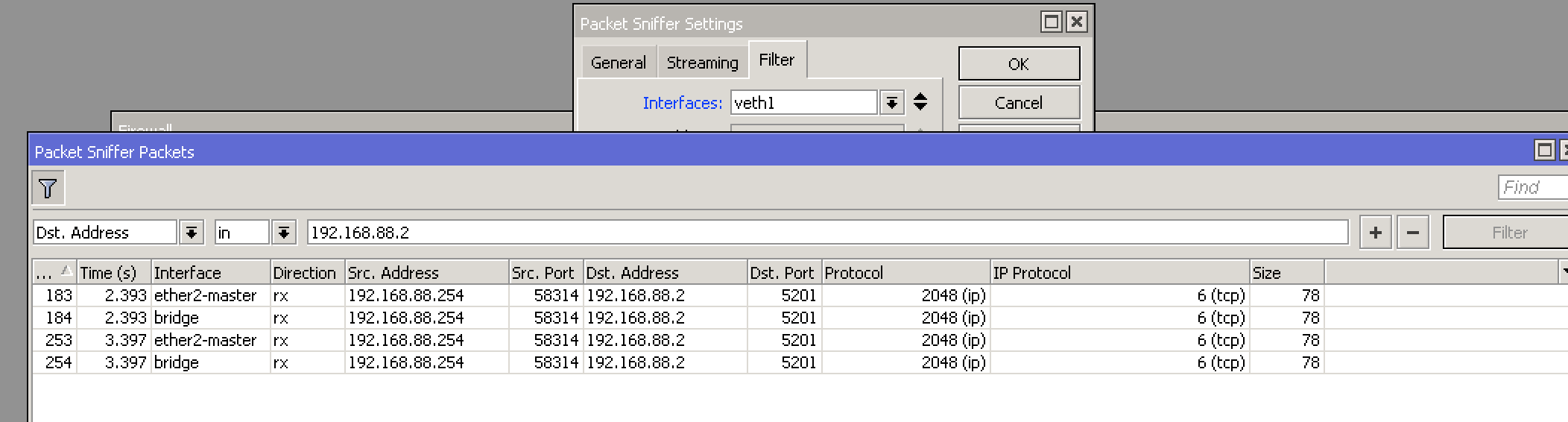
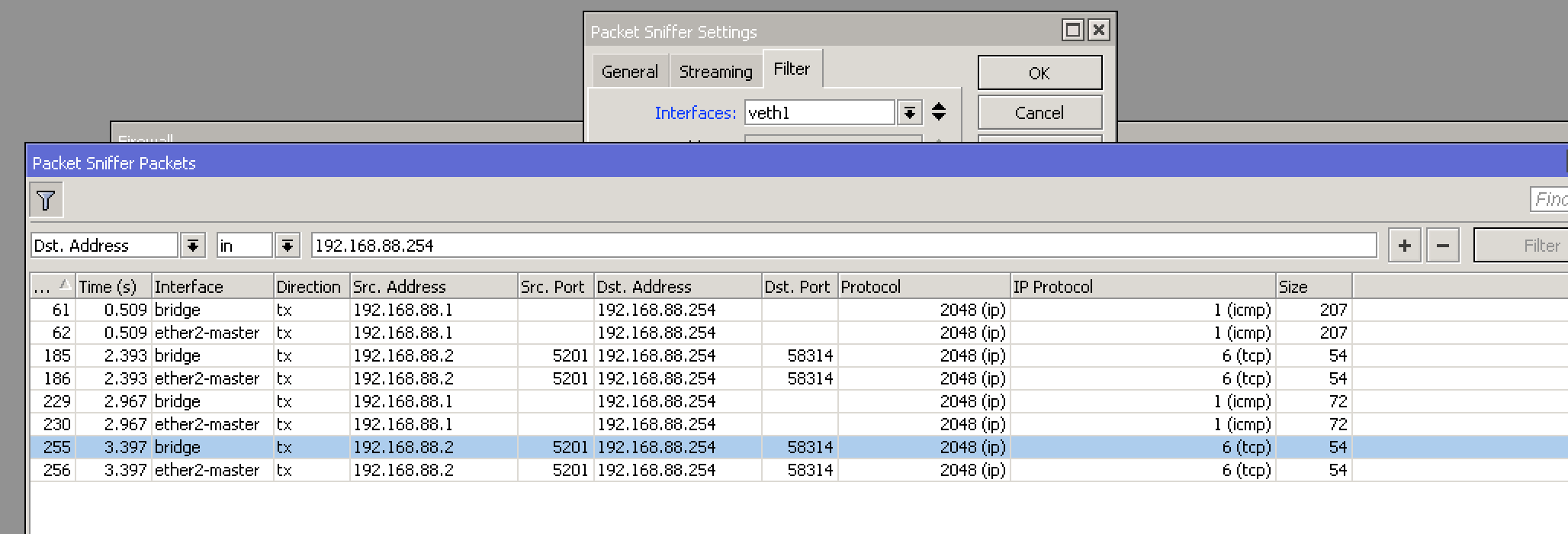
Packets from sniffer is in attachments
But iperf3 still having error
Allowing everything else from every other source, including the WAN is temporary for testing purposes only
Try adding this:
/ip firewall filter
add place-before=0 protocol=tcp dst-port=5201 \
    action=accept chain=forward out-bridge-port=veth1
done, nothing has changed
I don’t understand what’s going on, then. My rule specifically allows this connection at the first place in the configuration where it can take effect. The only thing I can think of to broaden it is to remove the “out-bridge-port” bit.
Your claim is that nmap still reports that port 5201/tcp is still filtered after adding this firewall rule?
yes, still filtered and also zero counters on new rule
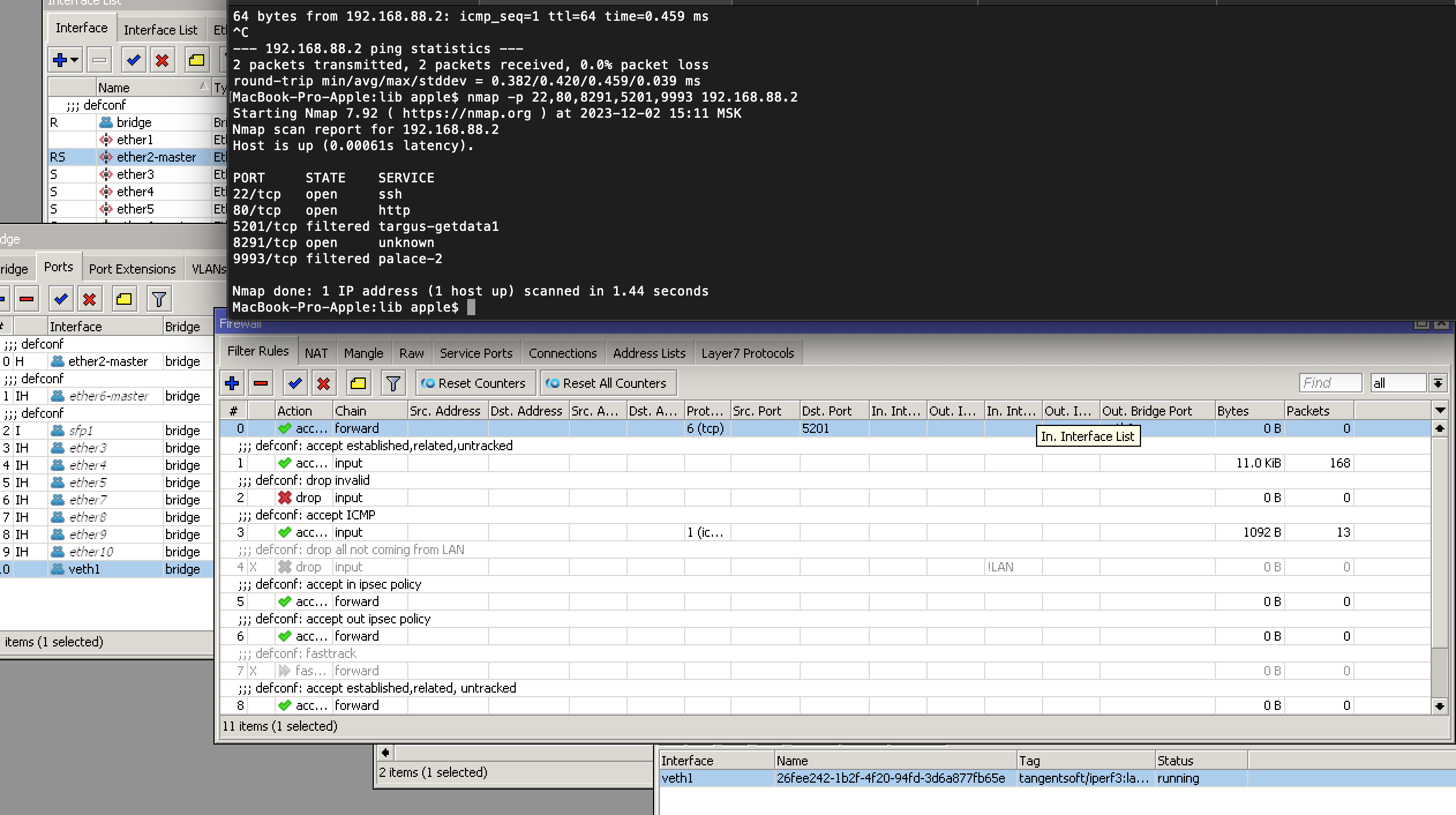
In that case, I would delete that empty “containers” bridge, delete the container, and recreate it using the command given at the top of my docs on this container.
am I need to use “bridge1” or already existing “bridge” ?
like this
 /interface/veth
  add address=192.168.88.2/24 gateway=192.168.88.1 name=veth1
 /interface bridge port
  add bridge=bridge interface=veth1
/container
  add remote-image=tangentsoft/iperf3:latest \
  interface=veth1 \
  start-on-boot=yes \
  logging=yes
   start 0
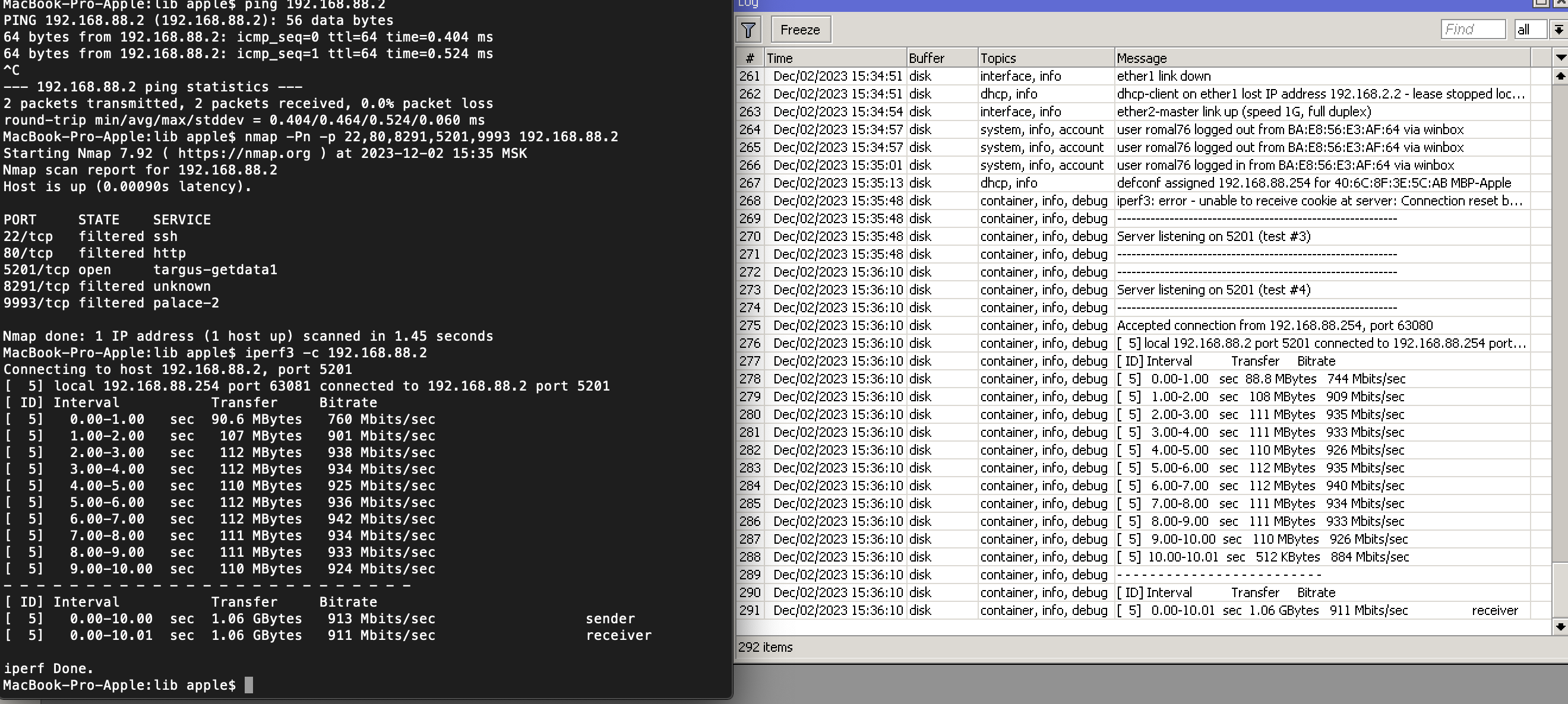
it’s working now, thanks
iperf 3.16 is out, with a significant performance jump in multi-stream tests. My RB4011 numbers went from 3.4 Gbit/sec for 4-stream downloads to over 4 Gbit/sec atop OM4 with generic SFP+ modules. IMO, it’s worth recreating your containers to use this version. (And upgrade your clients, too.)
Thank you very much for your effort & super detailed instructions, it greatly helped me learn! I manually compiled iperf3 using your Makefile/Dockerfile just now & uploaded it to my RB5009. It works but surprised to see CPU util jump to ~ 25% as iperf3 is doing its thing. If I just finished the compile form iperf master, that would mean I picked up 3.16 & whatever else, right ?
I hope to apply what I learnt as I wanted to “attempt” to install an image with OOKLA’s speedtest (built for arm64) so I can initiate a speediest to the Internet from RB-5009.
If you monitor the client side on your PC, you will find that iperf3 takes CPU resources to do its thing there, too. Why would a smallish ARM CPU be different?
You want my opinion, you should be thanking MikroTik it isn’t pegged at 100%. 
I picked up 3.16 & whatever else, right ?
You would have had to go out of your way to get anything else, assuming you’re using the latest version of the Makefile, which hard-codes the “3.16” release version string.
You can double-check it with a command like “docker run -it --rm tangentsoft/iperf3 --version”.
Ah, I missed the –branch that switches to the VERSION ! Thank you & for the command. A lot to learn 
PS: it isn’t fair comparison, but native iperf3 on rpi4 is ~ 4% CPU usage. oc MK RB5009 is slower clock speed & the iperf is running inside a container.
And you’re getting a lower speed test result on the Pi, aren’t you? CPU usage is a function of throughput. It takes more grunt to push 10G than 1G.
The rpi4 is 1Gbps capable, so I get around 945Mbps to the iperf server in my RB5009  The highest speed I can test is 1.5G from RB5009 to my Bell modem, the Mk is connected using the 2.5G port, but I can’t make that test as the Fibe modem doesn’t obviously run iperf.
Here’s a screenshot of the RouterOS profile I get while doing a ~4.1 Gbit/sec test over OM4 to an RB4011 with iperf3 3.16 set for 4 parallel threads:
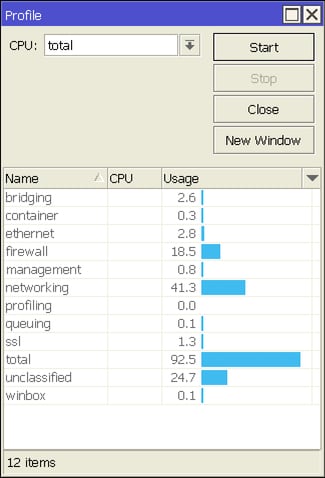
That’s a pretty direct scaling factor: four times the bandwidth for four times the CPU power.
Very very good
Is there an option to configure the container so that a port other than 5201 is used for testing? I would like to start multiple containers on one device and use different ports for them. Could the different containers then also access only one veth?
I would like to start multiple containers on one device and use different ports for them.
Why? What advantage do you expect from doing that?
Could the different containers then also access only one veth?
Again, why? Adding this requirement to the first makes it a "no, you can't do that" because you're essentially asking for multiple programs to bind(2) to the same port on the same device, which fails for reasons entirely independent of containerization.
Tell us what end goal you are trying to accomplish, not about the troubles you're running into with the solution you have decided on.
It is possible to get this container to listen on multiple ports, but you'll have to abandon some or all your prerequisites. That leads me back to asking "why" before I show how, to avoid spending time crafting a solution that you will then reject.
Dear @tangent
Perhaps I didn't phrase my question correctly, or it was misunderstood.
By multiple containers, I meant multiple iperf3 containers, not different ones.
As far as I know, you start multiple iperf3 instances on a Linux computer if several test clients are to perform the test at the same time. For example, you start 10 instances and then use ports 10001 to 10010 to distribute the clients to the individual instances. I use multiple probes to run regular tests. It can happen that tests overlap and the actual port 5201 is already being used by another probe. If you use multiple ports and assign each of them to a probe, you won't have this problem. I hope that answers your questions about why.
You can add an Alpine container (remote-image=library/alpine:latest cmd="sleep infinity" start-on-boot=no), then start the container in the shell:
/container run alpine cmd="ash"
In the shell, add the iperf3 package with:
apk add --no-cache iperf3
You can then create a simple shell script that starts a few instances of iperf3:
#!/bin/sh
/usr/bin/iperf3 -D -s -p 10000
/usr/bin/iperf3 -D -s -p 10001
/usr/bin/iperf3 -D -s -p 10002
/usr/bin/iperf3 -D -s -p 10003
/usr/bin/iperf3 -D -s -p 10004
/bin/sleep infinity
Don't forget to set the executable flag (chmod 755 ...). Exit the Alpine shell. Once that's done, you can start your iperf3 instances anytime from RouterOS with:
/container run alpine cmd="/path/to/script.sh"
You can verify that the iperf3 instances are listening in IP -> Services:
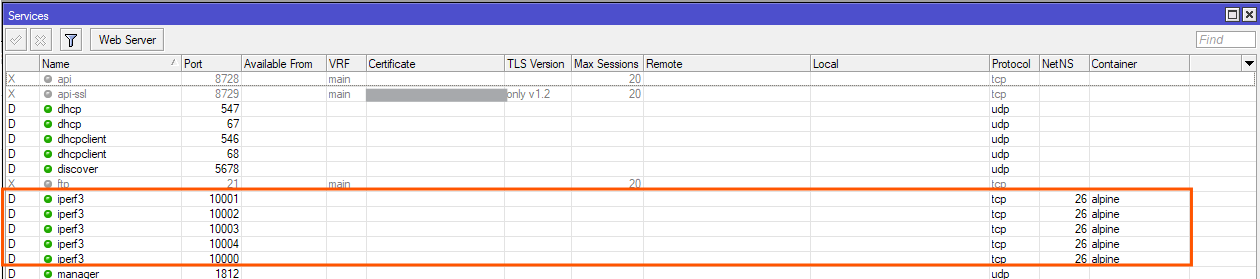
Once tests are done, press Ctrl+C to stop the container.
If you want the iperf3 instances to run all the time, edit the container to set cmd="/path/to/script.sh" and turn on start-on-boot=yes.