MikroTik RouterOS 7.22
the command I use is
ssh-copy-id -f -i pub-key admin@access-point
the error appears after entering the password
I search for the specific error message here but could not find it.
Do you have ssh config? /etc/ssh/ssh_config or ~/.ssh/config ? The error is, maybe, here. (it means, ssh config on your computer, not on the ROS device)
ssh-copy-id expects a Linuxy command interpreter on the other side. Mikrotik provides its own particular cli. Won't work.
Add the pub key manually either through the Mikrotik cli or the one of the guis.
i search the gui without result. than I used
/user ssh-keys private import user=admin private-key-file=net-ap.pub` to use a key net-ap.pub i first scp but now ssh no longer works
admin@net-ap: Permission denied (publickey,password).
Is there a way to find out what key routeros now is using? no acces to authoriyed_keys makes it a bit difficult.
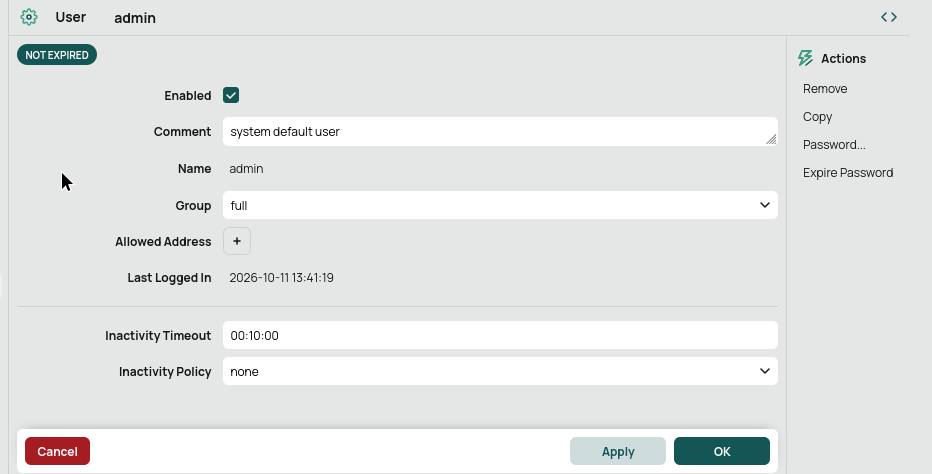
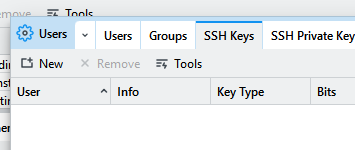
It's there in both gui interfaces (webfig and winbox) at system->users->ssh keys. You are of course free to use the cli.
(Just a pro tip: these interfaces are very much one-to-one, so you'll find the same functionality in all of them, and in the same place with very few exceptions. I think this is a big advantage of Mikrotiks.)
The problem with what you are doing is that you can import two sorts of keys: public and private. Public keys correspond to authorized_keys, they are used to log in to the router. This is what you want. This is listed simply as "ssh-keys".
Private keys allow the router itself to authenticate itself to others. You're using this, erroneously. This is listed as "ssh private keys" or "ssh-keys private" in the cli.
When you give a device/server/git forge/etc. your ssh key, it will never ask for the private side. This should be a hint that something is off.
You get a list of the SSH public keys added to the router, with the user the key is added for:
in the CLI: /user/ssh-keys/print
[admin@CHR] > /user/ssh-keys/print
Columns: USER, KEY-TYPE, BITS, INFO, FINGERPRINT
#  USER   KEY-TYPE  BITS  INFO             FINGERPRINT
0  admin  ed25519    256  jane@kali-linux  SHA256:rjaaoB...
in the GUI: Users > SSH Keys
ssh-copy-id looks like a shell script. Managing keys the RouterOS way is a PITA. Time for a ssh-copy-id-routeros variant.
I'm blind. apparently. Thanks!
EDIT: one thing that wasn´t apperent to me.
Now ssh without a password. See here to store and sync private keys in a sync keepassxc
@infabo no need for file upload, RouterOS 7 takes key inline:
ssh admin@router "/user/ssh-keys/add user=admin key=\"$(cat ~/.ssh/id_ed25519.pub)\""
Ed25519 needs 7.12+. That syntax error is ssh-copy-id sending shell commands to RouterOS console, so it can't work there.
As for ssh-copy-id-routeros, I made one, ssh-keyup:
pip install ssh-keyup
ssh-keyup admin@router
It detects RouterOS, skips keys already there and writes ~/.ssh/config alias. Works from Windows too.