No indeed, but do you mind to consider cli-only setups? Mikrotik site is the default place for changelogs as for me and this time this mess prevented me and maybe some other persons from understanding the whole picture of changes, this was the reason to ask about.
So to say, winbox under linux can be run in wine only, while ssh is always there. And winbox is not good tool to read huge changelogs as well.
I’m having a problem with the hotspot after versions 6.45 the hotspot simply does not redirect to the login screen until version 6.44.6 worked correctly
Very, very bad finding about performance of hAP ac2 for all ROS version after 6.43.16. Triple checked - for clear routing in all new versions the load is distributed over only 2 cores, which results in half of the performance in comparison with 6.43.16!!!
Test1 - ROS 6.43.16 clear routing of 700Mbps between two interfaces - RESULT 0% loss
[admin@hAPac^2] > system resource cpu print interval=1
I am sorry but what mess are we discussing. If you go to mikrotik site you will see the change log. If winbox does not suit you consider webfig.
It looks like all you want is the whole change log at the opening post, that might be a huge space consuming and not suitable for people who navigate via smartphone or other means. There is even a link on the opening post to look at the whole change log.
Here’s the problem with reading through change logs: long-term channel experienced version change from 6.44.6 to 6.45.8. Fine, this includes change log between 6.45.7 and 6.45.8. And one can skim through consecutive change logs until one comes to change log of 6.45.1, which lists “MAJOR CHANGES IN v6.45.1” and “Changes in this release” but doesn’t state which version it’s related to. 6.45(.0) was “factory only” without change log … and one can only guess which version preceded 6.45.1 … was it 6.44.6 or 6.44.5 or …? According to change logs in stable channel (mind that such admin is interested in long-term not in stable channel) 6.45. was preceded by 6.44.3 (with two factory-only releases in between). And then admin would have to “unroll” changes in 6.44 branch (so 6.44.6 less 6.44.5 less 6.44.4) and then add changes in branch 6.45 until 6.45.8.
I’d say that given that there are tens of thousands of MT admins (and “admins”) and at least hundreds of those who care, it would be highly sensible for MT to provide “cleansed” change log between versions which chronologically follow each other in long-term channel.
I promise not to post another word on this topic for at least a month or two. Over&out.
I think some confusion and unrest may relate to the wording chosen in the release notes. Previously (up to and including 6.44.6) the changelog started with “MAJOR CHANGES IN v[new release no.]” and did not state any since version number. The current heading for the v6.45.8, however, starts with a line “Changes since 6.45.7”.
I think it is correct to point out that the question now arises whether this obvious difference reflects an intentional change in practice, or if it is just an unintentional small mistake, and in fact a “MAJOR CHANGES IN…” section was intended to be published.
If you consider the above to be off topic, feel free to ignore.
On topic: No discernible problems experienced upgrading a ccr1009, a crs210, and six rb912uag-5hpnd from 6.44.5 to 6.45.8 - thanks for the good work!
ip ipsec policy peers where is state unknown.. IPSEC tunnels – some were working some not..
Manualy specified correct peers sand flushinng SAs solved the problem without reboot.
Everything else seems to be working after upgrade..
.
Kudos for :
/ip ipsec active-peers print
So we can see connected tunnels and RoadWarriors (IKEv2 with NPS)!!!
Is there any way to have a log of VPN users connections times and duration (history)
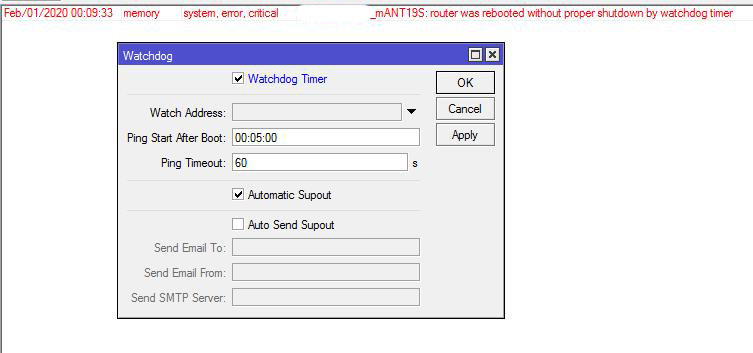
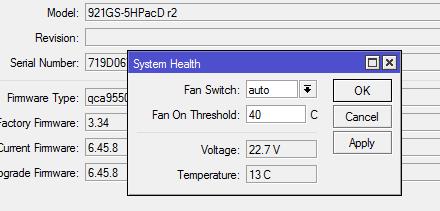
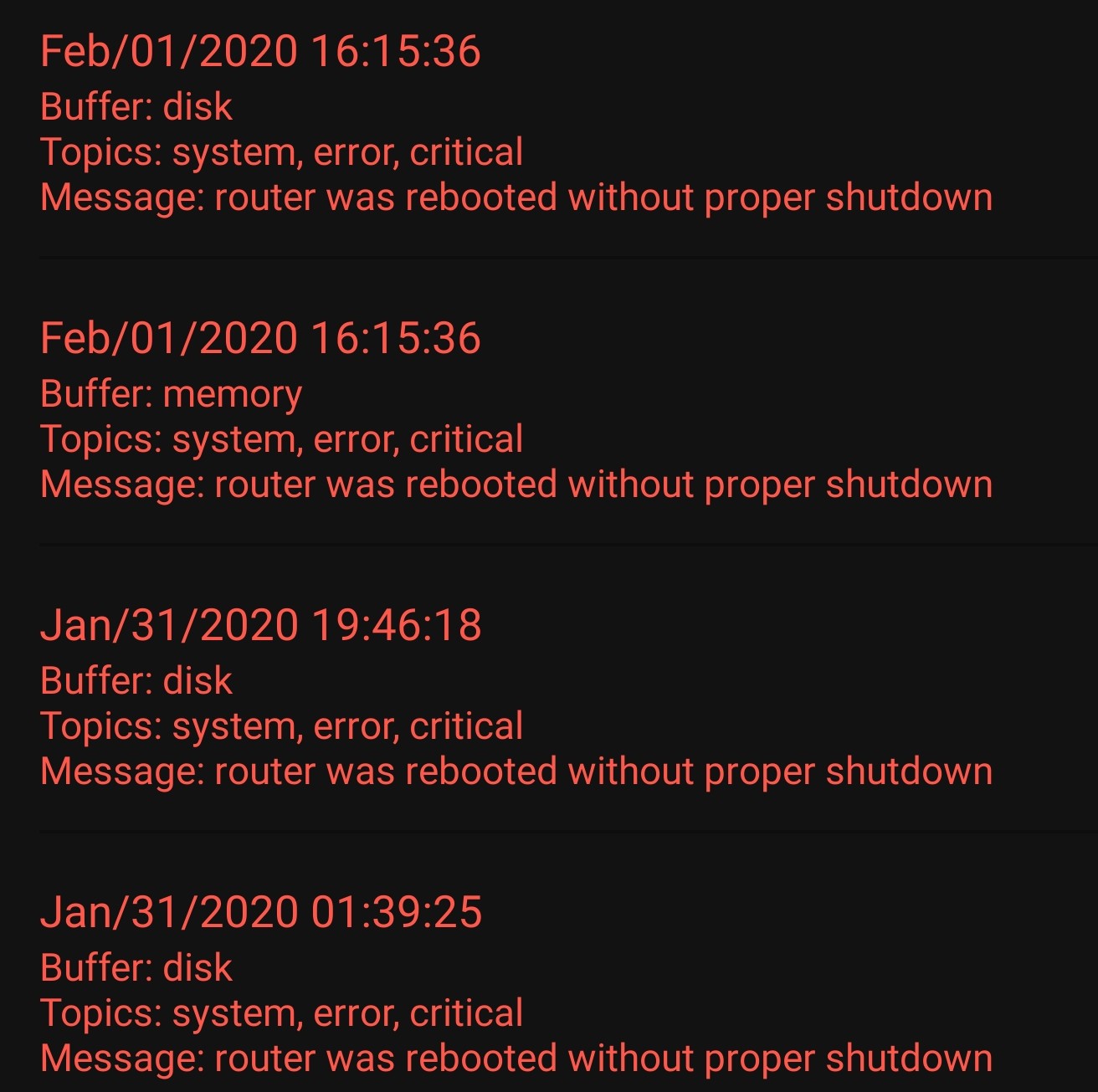
I have mANTBox19S, with version 6.44.6 there were no problems, after updating to 6.45.8, the device rebooted twice, with approximately the same interval of 24 hours, the settings did not changes, there are no logs yet, I am waiting for the third reboot today. And yet, in system/health appeared fan management.
adding, waited for the 3rd reboot, reboot on the watchdog timer, I do not use it and the default settings.
no this problems with :
ccr1016-12g, hAP, hAP lite, rb951ui-2hnd,sextant-g,mATNBox2-12s, hEX-PoE, LHG-2-XL, SXTsq5-ac, SXT2.
I can confirm unexpected reboot on HAP AC^2 15 hours ago (backed by UPS, no power issues).
No information in log.
Haven’t seen such reboots before on 6.44.6 and 6.45.7.
Other devices (not HAP AC^2) seems work without reboots.
hi,
for me no reboot problems with hap ac2 (uptime 26h), but I have another problem. I have a Netgear modem configured in bridge mode to my RB3011 and the dhcp client on the interface so the public address is released directly to the mikrotik. I’ve also configured a private lan between the mikrotik and the Netgear to manage the modem but after the upgrade to the 6.45.8 the modem is unreachable (ping, web interface, others…). If I disable the dhcp client the modem come back reachable. No problem with the prior version 6.44.6.
I’ve upgraded successfully the following devices without issues at this moment:
Hello.
Apart from some IPSEC issues, the peer need now to be specified, lost only 2 x Hap AC Lite. No lights, nothing. Router died.
Need to wait to get to the office to make in-depth verifications.
Another issue:
on a CCR in my Fiber POP, it just create dynamic queues with ipv6 class when a customer’s router get a ipv6 dhcpv6 lease.
On other 8 POPS, same configuration, it doesnt happen.
I have 3 hap ac2 on 6.45.8. Don’t any reboot. Who reboots - do you have an ntp package and does your ntp server work? I have rebooting from version 6.43.15 on all hap ac2. After removing this package, the reboots stopped on all hap ac2.
"I cannot login via api after upgrading from [version] to this v6.45.8. I am using [api implementation] in [language] documented here [url]. The code I am using is:
[short login code fragment]
I am getting the following result: [result from Mikrotik] or the following error message: [error message].