Busy patching in lab. No issues discovered thus far.
Uh, again… This breaks checksums for those that recorded them for the package files.
You should consider dropping the channel string from builds and push the exact same build without rebuild to long-term.
V6.49.18 on RB2011UiAS-2HnD mipsbe
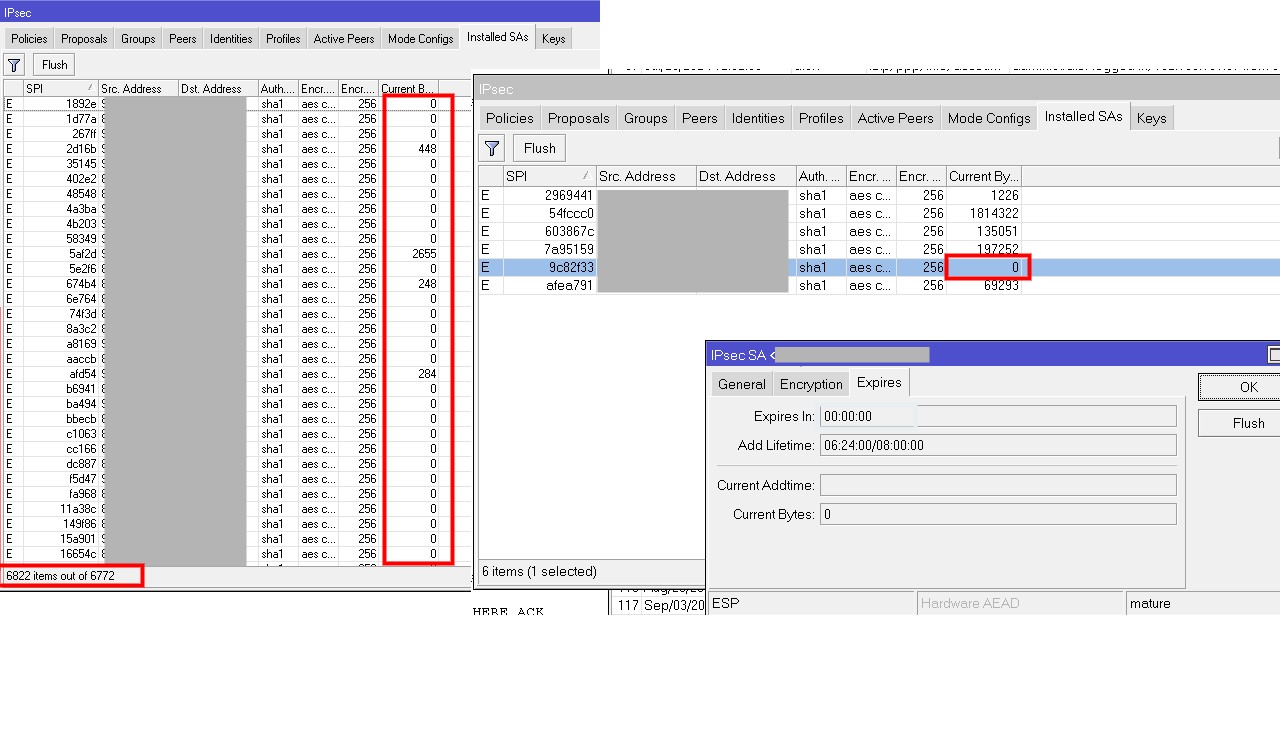
I have a strange problem, and I think it started with 6.49.13. I’ve noticed that a stable IPSEC connection (only one at all) that’s been around for 8 years is suddenly causing problems, and there are always short-term disconnections. Under IPSEC installed-sa, I found over 6,800 entries with current-bytes=0 , addtime=empty and expired-in=00:00:00 . Where do these come from, and how can I flush them using a script without losing the active connect ? DPD is set to 60s 5 retrys. In the list src+dest address are only the same 2 IP´s which are correct for the connection.
Example when it starts happen after a complete flush :
/ip ipsec installed-sa print
0 E spi=0x9C82F33 src-address=18.59.52.10 dst-address=72.78.72.1 state=mature auth-algorithm=sha1
enc-algorithm=aes-cbc enc-key-size=256 auth-key=“1afb26666315226bfda5371b2be8a01”
enc-key=“1efcc46999fd3566565665ffcb1138373b09aa1da6” add-lifetime=6h24m/8h
replay=128
/ip ipsec installed-sa> /ip ipsec installed-sa print where current-bytes=0
Flags: H - hw-aead, A - AH, E - ESP
Nothing is found.
With /ip ipsec installed-sa flush, I also delete the active connection.
set Route Comment is not working properly as it should, when you set the “Action” to accept it will show the route comment when you set it to reject it will show the comment and it appears to work correctly but when you re-login to winbox the comment will disappear again just like with the screenshot below, the comment is gone
https://help.mikrotik.com/servicedesk/servicedesk/customer/portal/1/SUP-185895
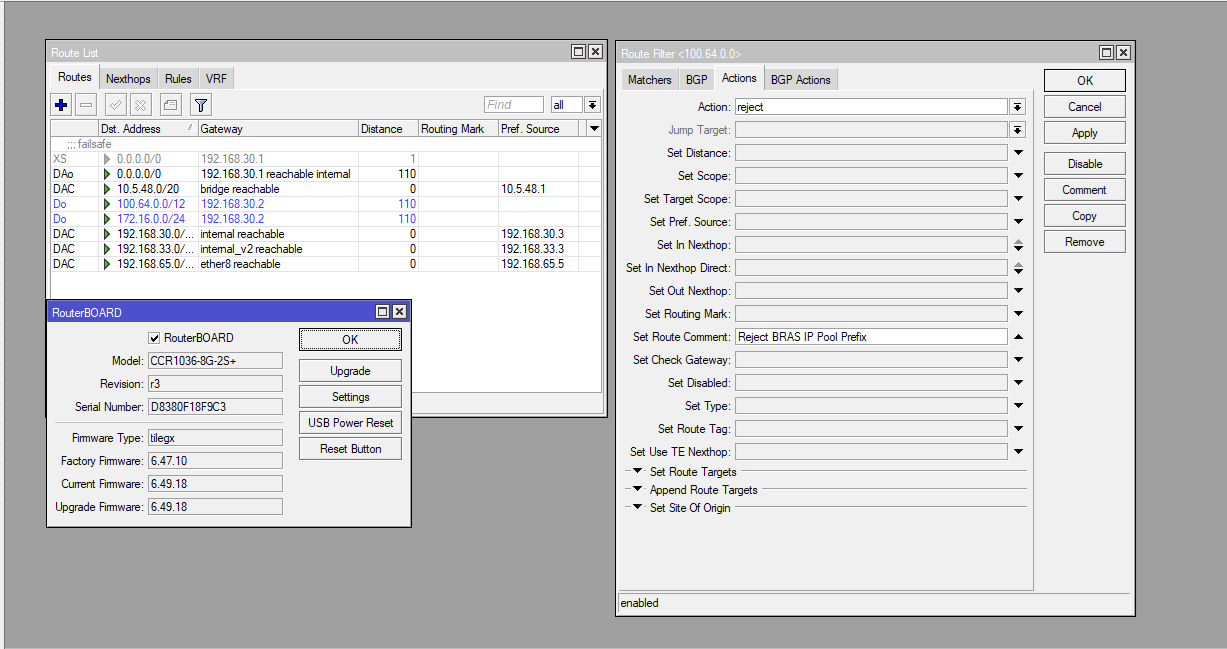
I got a deprecation type of response from mrz on this ticket so it won’t moved forward I just wonder why there are still some fixes being push through if v6 is totally deprecated, I could understand if recent code drop to v6 is purely security issue related fix which is not. I’m not questioning their decision but makes me wonder, set comment though not critical but very essential on documenting things and should be bug free in the first place, c’est la vie
Since 6.49.18 I have the problem that the 5GHz WLAN on my RB4011igs becomes extremely slow after 10-14 days of operation. I suspected Capsman and switched to local forward, unfortunately the same phenomenon. Does anyone have similar problems? After briefly deactivating and then activating the 5GHz radio, everything works again ¯_(ツ)_/¯
It would be useful to configure a reselect interval (CAPsMAN Only), I use 3 hours for 5GHz and 3 hours and 7 minutes for 2.4GHz, in this manner the reselects should not overlap, this way you avoid channel congestion, which is, I believe, what you are experiencing.
New version v6.49.19 has been released:
https://forum.mikrotik.com/t/v6-49-19-stable-is-released/262593/2