I still have problem with mark packet in ipv6.
When it is enable all traffic pass from input and drop to forward as invalid.
The connections show tab is empty.
When i disable mark packet, all work perfect but i have not QoS.
Let’s be more specific here, as we have two issues:
Wireguard interfaces did not receive a link local address, breaking at least OSPFv3. That is fixed now in 7.2rc1.
Please note that a link local address is assigned even if IPv6 is disabled (/ipv6 settings set disable-ipv6=yes). Looks like just another bug.
Connecting several peers just leaves the last one touched with a functional IPv6 connection. I think this is what is still broken. (Did not yet test myself.)
This behavior is described in SUP-67181. Please have a look and fix this, it hurts me as well.
Upgraded my RB4011 from 7.1 to 7.1.1 and it appears to work ok, also IPsec.
There is an IPsec issue with statically configured /ip ipsec identity which disappears after reboot, but it turns out that already existed in 7.1
(after re-adding it manually from export made before the upgrade IPsec works OK for me)
I also tried upgrading to 7.2rc1 and it was a complete disaster, SUP-69560 created with the relevant info.
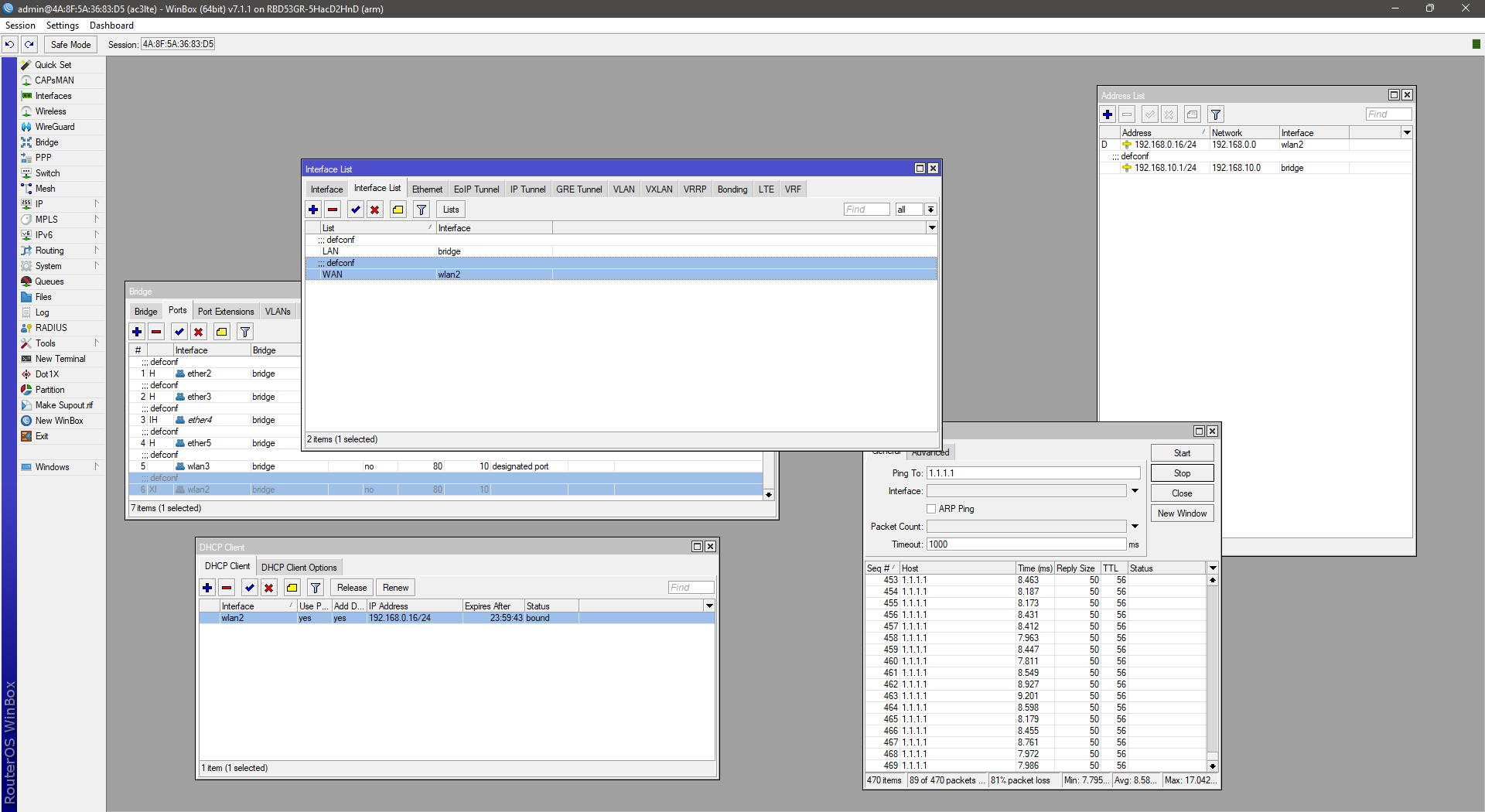
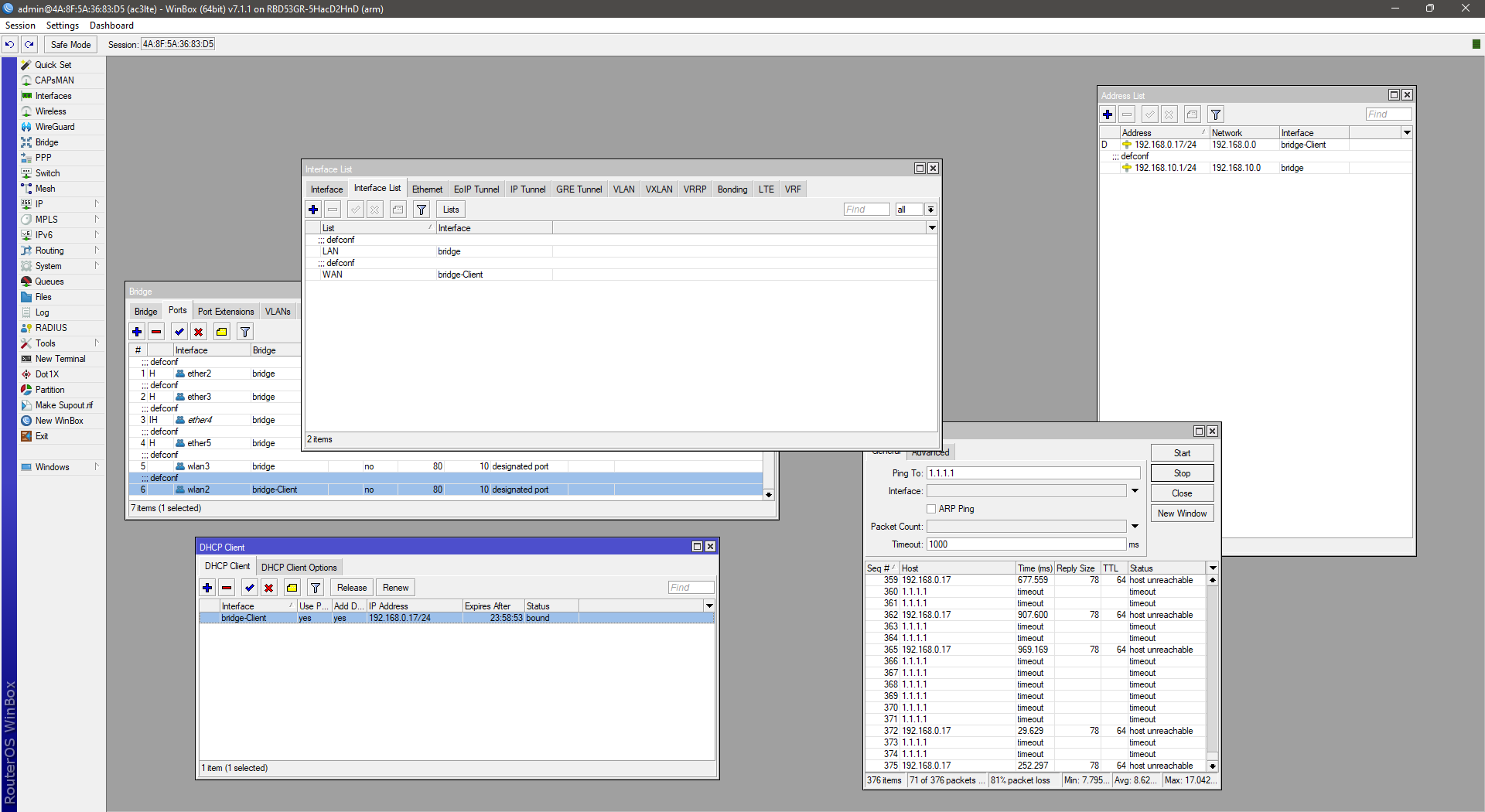
In release v7.1.1 has been error this profile:
WAN as wlan2 with DHCP Client,… for better management i select wlan2 as “Bridge-Client”, but ended with randomly error with connection timeouts.
On versions RouterOS v6.xx worked ok.
Problem (wanted solution): Standard settings working ok (i am not wanted this solution): How i can fix this please?
I have run into this multiple times. from 6.X to 7.1bet and from 7.1beta to 7.1 release I ended up with /ip ipsec identity being completely blank.
So if you have ipsec stuff, save your passwords. you probably will need them later…
The interesting thing was that on one router where I had issues after upgrade, i downgraded to release 6 and everything worked again.
So the identity config is not lost, its just hidden, disregarded in 7.
I had to Netinstall and get back running on 7.1.1. Here’s the serial console log, I tried everything including the backup boot loader but it always panics like this:
Could not mount ubifs/yaffs filesystem: No such device
[   10.000322] Kernel panic - not syncing: Attempted to kill init! exitcode=0x00000000
[   10.000437] CPU: 1 PID: 1 Comm: init Not tainted 5.6.3 #1
[   10.000494]   frame 0: __schedule+0x12288/0x7e0fb8 (sp 0xfffffe007a70fb20)
[   10.002498]   frame 1: __schedule+0x7bb290/0x7e0fb8 (sp 0xfffffe007a70fb90)
[   10.010159]   frame 2: __schedule+0x3ca50/0x7e0fb8 (sp 0xfffffe007a70fbc0)
[   10.017725]   frame 3: __schedule+0x40ca0/0x7e0fb8 (sp 0xfffffe007a70fc80)
[   10.025290]   frame 4: __schedule+0x431a8/0x7e0fb8 (sp 0xfffffe007a70fd20)
[   10.032856]   frame 5: __schedule+0x43270/0x7e0fb8 (sp 0xfffffe007a70fd60)
[   10.040422]   frame 6: __schedule+0x7de800/0x7e0fb8 (sp 0xfffffe007a70fd80)
[   10.048081]   <syscall 94 while in user mode>
[   10.052926]   frame 7: 0x45040 (sp 0x7f9cfb30)
[   10.057768] Rebooting in 5 seconds..
Resetting chip and restarting.
 logo.bmp not found or data is corrupted