will do… thanks.
reverted to 6.49.10 and all running again ‘like sunshine’
Hi guys
i am having issue in changing the L2MTU on V7.12.1 X64
Running 2 cards Intel XDA-520 and Mellanox Card dual 40Gbps all nics show up the same MTU 1500 and L2MTU 0 i cannot change the L2MTU.. is this done automatically? how can i change the L2MTU manually?
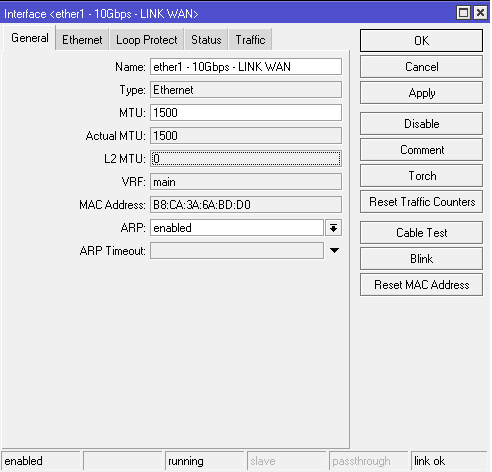
Unfortunately, this is not possible in ROS x86. Unwritten drivers. This is a very old problem.
I was able to import an ed25519 public key. But using:
HostKeyAlgorithms ssh-ed25519
on my client ssh config fails with an error:
Unable to negotiate with 192.168.3.1 port 22: no matching host key type found. Their offer: rsa-sha2-256
If I don’t insist on ed25519 as a HostKeyAlgorithm, I can connect fine, though. I think I must be missing something. Is there a key on the mikrotik I need to regenerate, also, or something else?
Note that host key and public key authentication are different things. To switch the former to ed25519 use:
/ip/ssh/set host-key-type=ed25519;
That fixed it, thanks!
I’ve updated from 7.10.2 and now have an issue where the terminal window is just hanging since updating to this version, in both WinBox and WebFig.
All of schedules and scripts have also disappeared 
Router: RB3011UiAS

CPU and Memory usage are both low.
CPU : https://imgur.com/a/61Z4IPI
Memory: https://imgur.com/a/YDlOzrd
Any Ideas?
Update
I’ve restored from a backup and things are back to normal, I’ll continue to monitor.
Hiya
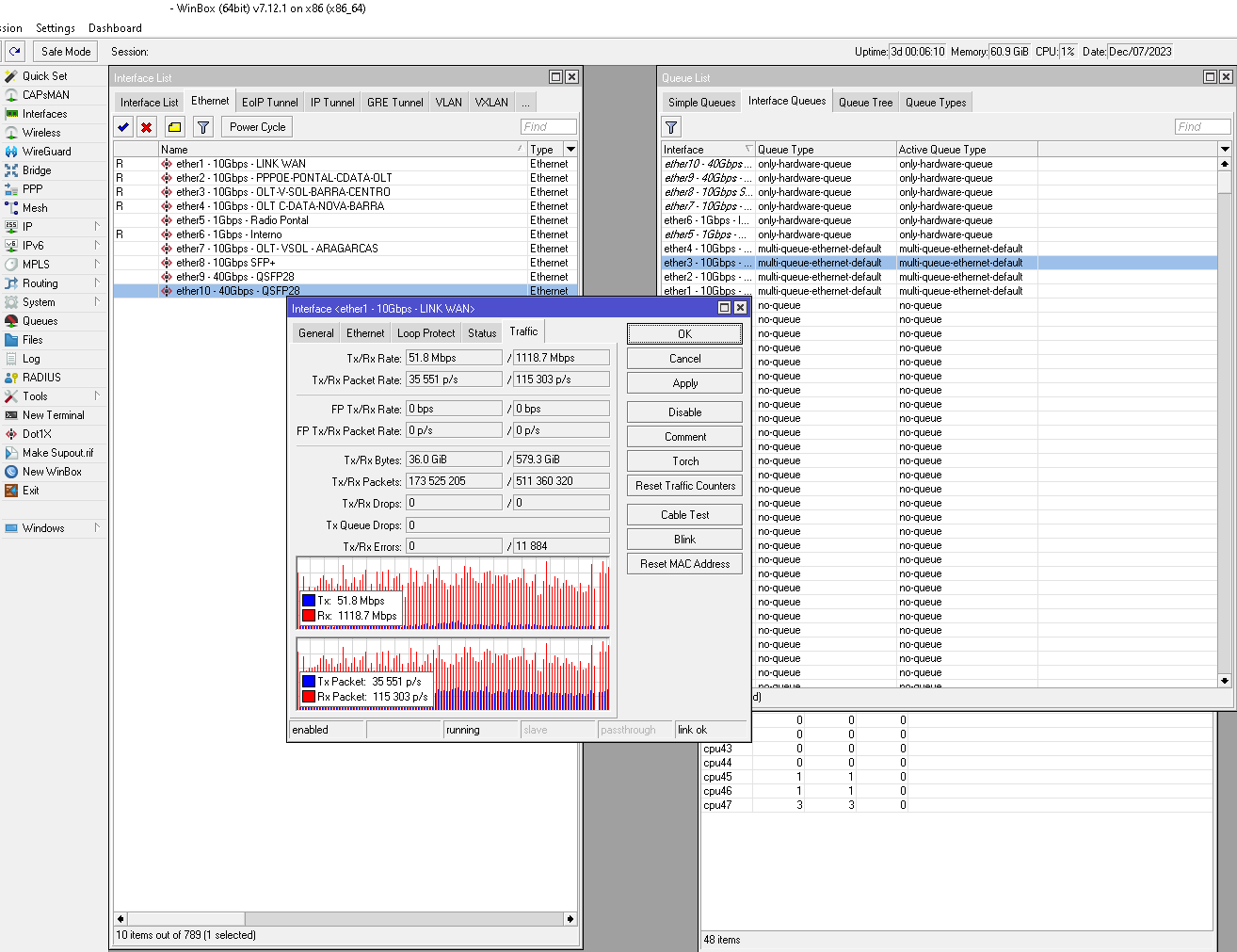
it looks like i am not the only one having issues then? I am running V7.12.1 stable.. just realized also… i was having queue drops and rx-erros..
queue drops increase i have fixed it using interface queues changing hardware defaul queue to multi-queue-ethernet-default..
but the RX-errors still increasing as shown on attached picture i am also using 2 slots intel x520 dae2 total 4 sfp+ ports and 1 Solarflare SFN7501 dual port sfp+
Rx-error only seems to happen on the Intel x520 cards.. the SFN running fine no erorrs..
wondering if could be and issue with the drivers on the intel x520dae2?
@BassTeQ
Please add image to the post, not a a link.
Use Full Editor & Preview → Attachments (below the post window), add files.
You can use Place inline to fit it inn to the post.
.
This problem can be solved. Go to the Interface Queues section. Select the interfaces where there are errors and change the queue type from “only-hardware-queue” to “mq-pfifo” and set the limit to 5000.
Hi thanks for your reply i will make test soon.. i have changed before from only-hardware-queue to multi-queue-ethernet-default.. will try to changed to mq-pfifo with limit 5000 now and run some testing later.
Hi
ok so i did further testing…
upgraded intel i350, i340, x520, x540 cards firmware via Dell website with firmware version Network_Firmware_WTTP6_WN64_22.0.9_A00.EXE
Version
22.0.9, A00
Release date
10 Apr 2023
after reboot on mikrotik server i made the changes on the only-hardware-queue to mq-pfifo 5000 as you mentioned..
after that i i connected the Mikrotik server direclty to switch CRS317… and decided to make some bandwidth tests… i connected another 2 Mikrotik CCR1036 sfp+ ports.. and fired up bt test client from ccrs side… made testing with TCP connections both and send only for mikrotik.. we have reached.. 9gbps in tcp and 200mbps upload tcp on the Dell R620 server.. WAN 10gbps interface… let it run for around 30minutes.. doind average 19% on cpu load.. with over 1million ppps being sent from bothe ccr1036 in TCP mode.. with random data enabled.
for my surprise no errors shown in 30minutes full blow testing.. so i tought that problem was fixed.. after we stopped testing.. we decided to forward some traffic from OLT clients on vlan and start pppoe-server…
after 5 minutes pppoe-server running with specific VLAN traffic at around 100mbps.. RX-ERRORS started showing up again.
we have flow-control off on mikrotik ethernet and on OLT sfp+ uplink port and also on the CRS317 ports all flow-control OFF disabled..
so i am running out of ideas.. unless there is a newer firmware upgrade i did not find yet. on dell website for this Dell Intel cards?
Any other ideas i could try out?
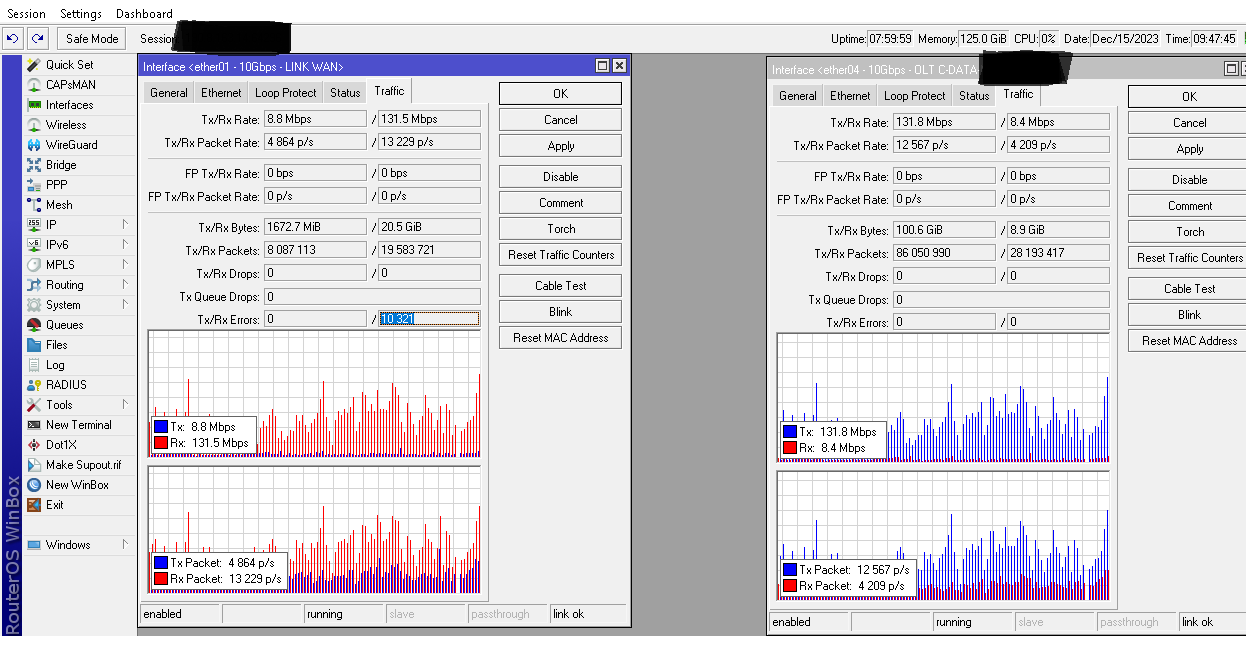
attached below picture describing error, only showing up on the WAN port.. on the OLT SFP+ Port no errors shown.. (the only difference between both ports is.. OLT SFP+ Uplink port directly connected to the Mikrotik server Port, and the WAN LINK Port connected to switch CRS317)
damm I really made a fool of myself I upgraded my CCR1036-12G to V7.12.1 I was otherwise running V 6.49. It runs as VPN Server and it just doesn’t work anymore Upload is now only max 2 Mbit and Active Connections don’t update so every time a router drops out and comes back on again, I just get a new extra line The same applies if remover from Connections, then just a new line with the same name comes up
Now comes the vest. I can’t downgrade again, I thought that after downgrading to V6 it must be the error so I tried to V 7.6 because it was very stable, but the same everything looks ok until it restarts then it comes up with V.7.12.1. I then tried a 7.11.2 because I’m desperate and it runs really many VPN Site to site but the same thing again, can’t downgrade?
All versions of V.6 have always run. I can’t say in V7 because it’s only now that I’ve upgraded my server, all clients are updated with V7 and have been running without problems.
Does anyone have a suggestion for a downgrade that works than normal system/routerborad/downgrade?
I can’t just take it out and do a net install
Regards
Jimmy
I upgaded my old 10 and 2 brand new CRS326-24S+2Q+ from 7.6 to 7.12.1
I faced a problem after the upgrade: the ETHER1 (management) interface was not reachable from 3 devices of 12.
One device was brand new, just got a DNS settings and an IP + DEF GW on the ETHER1 for the upgrade process.
The solution was to get back the ETHER 1 reachability to disable and re-enable the IP address on the ETHER1 interface.
RouterOS v7.13 has been released
http://forum.mikrotik.com/t/v7-13-5-stable-is-released/171923/1