Let us call this “luck” this time. But it would not be correct for everyone to post their findings here and assume that there is a bug and scare away others. When in the end, the issue for a particular user had nothing to do with the release/software. That is our goal - to not scare away others due to false reports here. A proper way is to let others know about known and confirmed bugs. If you can confirm the bug yourself (can reproduce it by following the same steps), or if support has confirmed that the bug is indeed introduced in this release.
I think for any software - proper way to report a bug is to contact the technical support, not user forum.
hAP AX2 7.13_Beta2
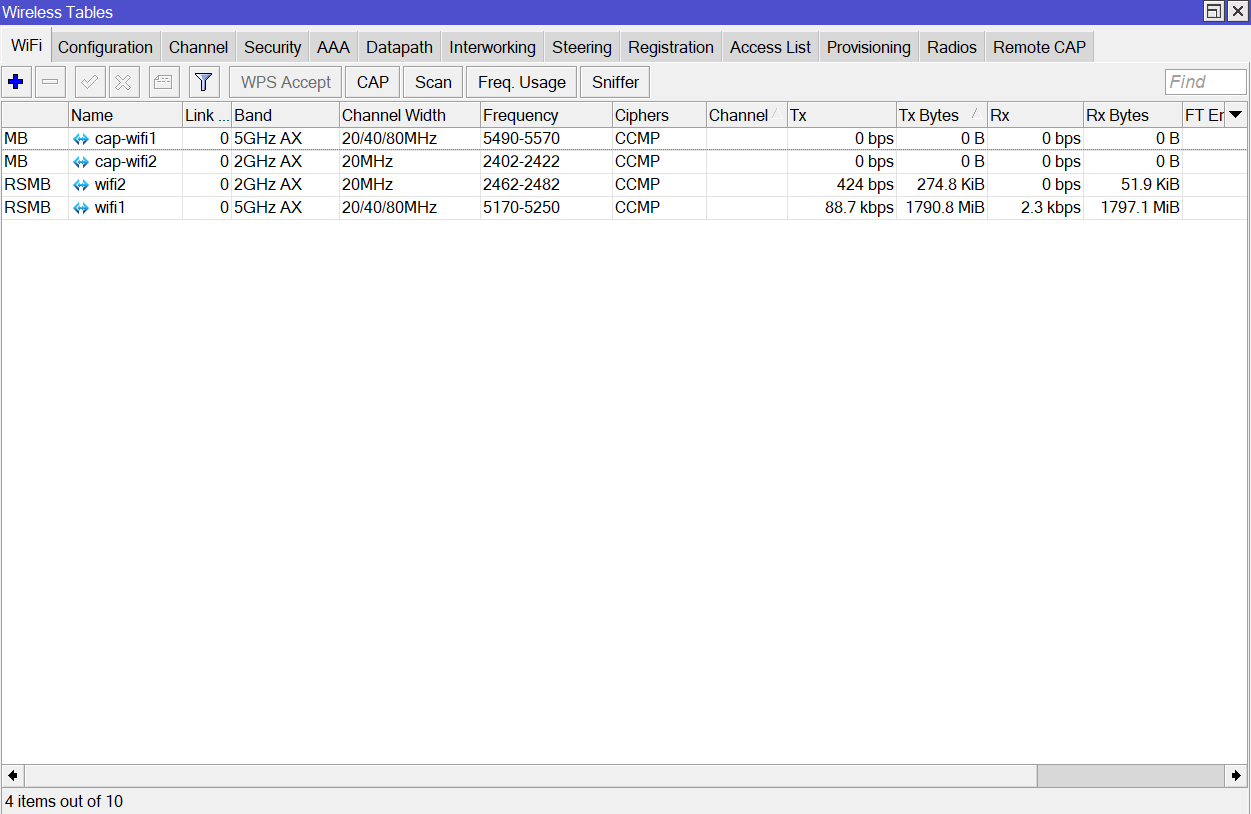
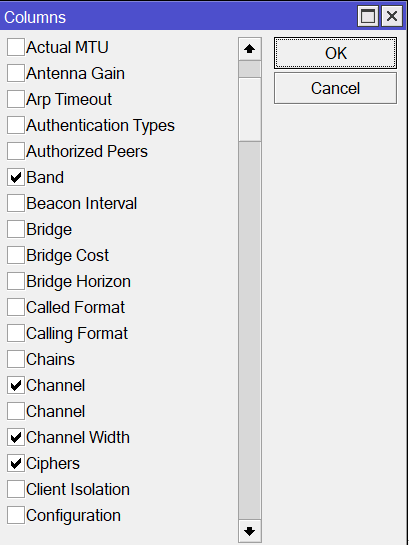
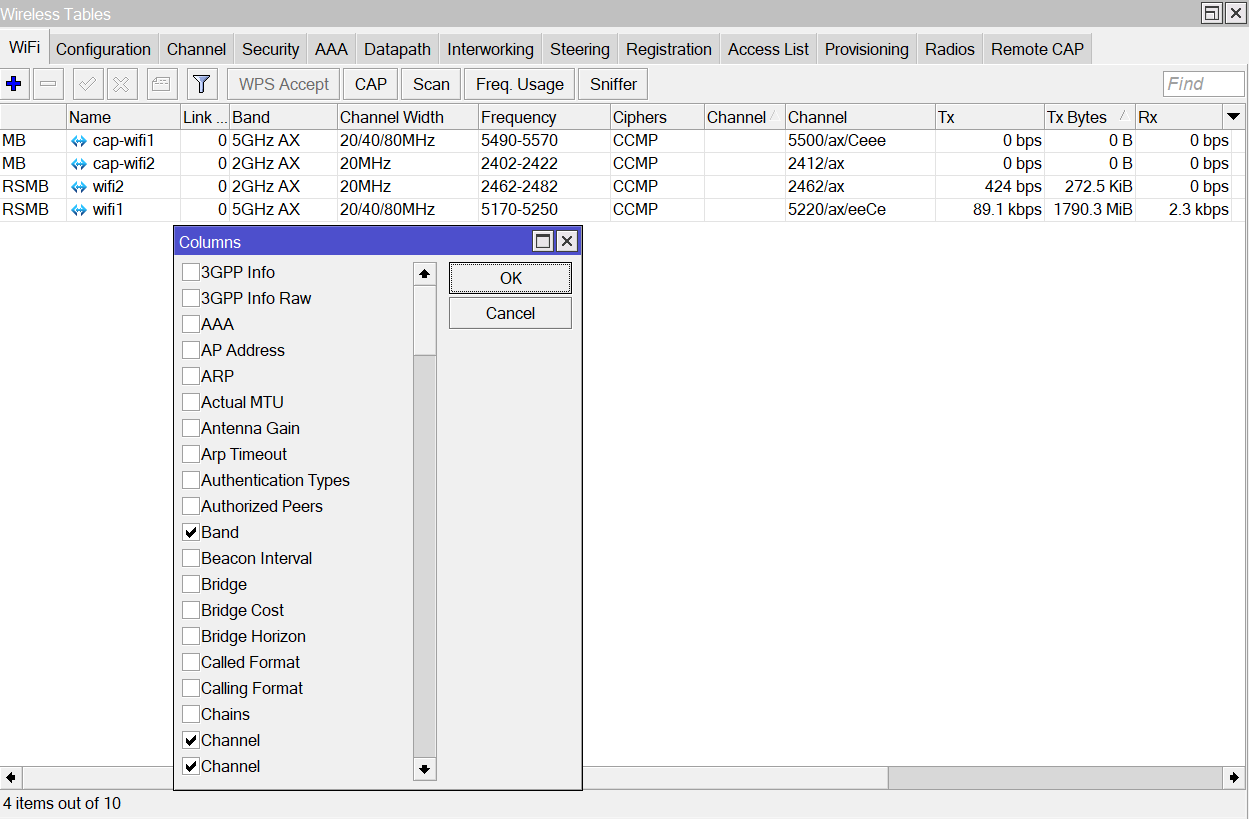
When I add channel to the WiFi menu with show coloums channel dissapears when I reopen the WiFi tab as follows below, also there are two instances in the show colums box.
Both methods have their pro’s and con’s. When bugs are reported on the forum, others can see if the bug they experience has already been reported, and it prevents many tickets being created for the same bug. That would save you a lot of work. Probably the ideal situation would be a more open ticket system, but of course it has the disadvantage that reporters may post personal information.
Also, I would not see how such an (annoying but minor) bug, as they often are, would “scare” others.
I will leave my ticket open as the bug actually hasn’t been fixed, or maybe what I experience is another bug.
(I confirmed that on 7.13beta2 a user-manager backup still locks the NFS share “in use”, and an “in use” NFS share still hangs the router in /system/reboot)
Maybe people are scared by bugs like the one I experienced with 7.13beta2: some grave problem in the bridge. I have not been able to work around it and reverted to 7.12 which solved it (by swapping to the partition copy made before upgrade).
I hope others are not affected by it or you have hints what could be wrong.
It is just a plain VLAN-filtering bridge and only ethernet ports were affected, WiFi still worked OK.
When i connect to an station wifi interface works, dhcp client got ip, but if i put wifi interface to bridge its stopped working, i put dhcp client to brige and got no ip address, if i add ethernet port to the brigde, same thing, on laptop has no ip.
I tried with static ips and routes, but same thing. I think has some bug with bridge.
I have upgraded an ac2 and a cap. Before, I had CAPsMAN with 2 SSIDs, “private” datapath going directly to LAN bridge and “public” (as slave cfg) being forwarded through CAPsMAN tunnel to a public bridge on CAPsMAN.
After upgrade, datapath configuration is not propagated to CAP, so I have to manually add wifi interfaces to appropriate bridge to make things work, which is not practical because wifi names change all the time. I can also set the datapath directly, but only if I create it locally, and only to the master configuration.
This is my first encounter with wifi2, so I have done my homework and read the forums, searched the Google, etc.
It seems that I have to set datapath config on ALL of the CAPs, which is totally against the goal of “managed”.
With old CAPsMAN it was enough to reset configuration into CAPs mode, and every change was made only on CAPsMAN, now we’ll need to be VERY careful to change ALL of the CAPs (and if some are down at the moment to get back to them later)…
Are there any plans to restore CAPsMAN “powers”, like “Capsman forwarding” or at least fix propagating datapaths to CAPs?
I have RB5009 as CAPsMAN and ax2 and ax3 as CAPs.
Upgraded my ax2 to 7.13beta2 and got a “no available channels” error for 5Ghz interface.
RB5090 and ax3 on RouterOS 7.12 and all working fine there.
My config for hap ax2:
# 2023-11-15 13:32:42 by RouterOS 7.13beta2
#
# model = C52iG-5HaxD2HaxD
# serial number = ******************
/interface bridge
add admin-mac=xx:xx:xx:xx:xx:xx auto-mac=no comment=defconf name=bridgeLocal port-cost-mode=short
/interface wifi datapath
add bridge=bridgeLocal comment=defconf disabled=no name=capdp
/interface wifi
# managed by CAPsMAN
# mode: AP, SSID: **********, channel: 5500/ax/Ceee
# no available channels
set [ find default-name=wifi1 ] configuration.country=Canada .manager=capsman .mode=ap .ssid=Home datapath=capdp disabled=no
# managed by CAPsMAN
# mode: AP, SSID: **********, channel: 2437/n/Ce
set [ find default-name=wifi2 ] configuration.country=Canada .manager=capsman .mode=ap .ssid=Home datapath=capdp disabled=no
/interface bridge port
add bridge=bridgeLocal comment=defconf interface=ether1 internal-path-cost=10 path-cost=10
add bridge=bridgeLocal comment=defconf interface=ether2 internal-path-cost=10 path-cost=10
add bridge=bridgeLocal comment=defconf interface=ether3 internal-path-cost=10 path-cost=10
add bridge=bridgeLocal comment=defconf interface=ether4 internal-path-cost=10 path-cost=10
add bridge=bridgeLocal comment=defconf interface=ether5 internal-path-cost=10 path-cost=10
/interface detect-internet
set detect-interface-list=all
/interface wifi cap
set discovery-interfaces=bridgeLocal enabled=yes slaves-datapath=capdp
/ip dhcp-client
add comment=defconf interface=bridgeLocal
/system clock
set time-zone-name=Europe/Kiev
/system identity
set name="hAP ax2"
/system note
set show-at-login=no
/system package update
set channel=testing
You still have what you bought a year ago. The technical datasheet did not change. They did not promise you wifi 5 wave 2 (just wifi5). Now MT offers a wave2 driver for several devices via software upgrade - which is an improvement that no other vendor would ever give away for free nor even think of.
By the way, both my hAP ac2 and cAP are restarting with:
13:18:02 system,error,critical router was rebooted without proper shutdown, probably kernel failure
13:18:03 system,error,critical kernel failure in previous boot
13:18:03 system,error,critical out of memory condition was detected
every few hours.
I will upload autosupout.rif as soon as I reset my password… Done: #[SUP-134525]
Not pressing anyone, just FYI, trying to help
Hello MikroTik, I posted a few questions earlier on this thread:
Is there going to be support for WDS ( dynamic and static mesh mode) in the new wifi2 packages? It would be useful for Audience devices that could be run in mesh mode and offer fast roaming + WPA3 for clients at the same time.
Will the NV2 protocol be made available for wifi2 devices ?(again, for wireless PTMP / Mesh mode, one might use NV2 for the wireless backbone and 802.11 standard for client access)
Ability to assign a VLAN tag to a wireless interface without using Bridge filtering on AC devices (this was asked before - useful for hAP ac2 devices with switch chip enabled VLAN filtering and multiple VLAN tagged wireless interfaces - which is a quite common usecase)
Maybe it’s too early to give an answer, but I would like to know if at least you have these features in mind for a future release… For no. 3 there are workarounds so let’s say that might not be so important, but 1 and 2 are really useful (especially mesh wds, which I need to deploy)
hap ac2, Wi-Fi coverage and speeds have really gotten better, with the same txpower, I have coverage for the whole house, I ran a test and with the installation of the wave2 package, the file (3GB) transferred 1 minute faster
free storage space 304 KiB
It’s confusing that there is only 24.7 MiB of free RAM
How to free up more RAM or is it planned in the future to disable unnecessary functions (packages) as was the case in version 6?
Thanks for the updates
wow, what a comeback. So it could be done in the end, huh?
Sadly for those that have qcom devices with 128MB of RAM, that’s pretty tight for the new drivers, you’d need to run those devices as pure access points and pray that they don’t run out of free RAM even so.
RAM consumption is a dynamic thing … and it starts from 0 after each reboot, so you should not worry about it too much. Unless your device crashes, like @sinisa observes. After all, until 7.12 wave2 driver, requirement was device with 256MB RAM. And I guess your hAP ac2 has 128MB …
How much free storage did you have on 7.12? I would expect it to stay more or less the same on 7.13. Wireless is now an extra package (2.8mb) and replaced by wifi-qcom-ac (3.0mb). The main package shrinked from 13.2mb to 10.9mb.
Not realy sure if i became stupid or i don’t understand something.
So for testing purposes i updated my old Hap Ac2 that serves as CAP. After update i deleted wireless package, made a reboot (wireless package not present anymore) and everything is ok, till now.
After reboot i placed wifi-qcom-ac-7.13beta2-arm.npk in files and rebooted one more time.
After reboot there is no wifi-qcom-ac package present in packages and also i don’t see my wireless interfaces. What am i doing wrong?
If i upload old Wireless package back again, it installs normaly and i can see my Wifi interfaces.