Why turning off ECN?
Thx!
Why turning off ECN?
Thx!
I was curious about the setup of this new queue and I upgraded a LtAP-mini to v7.14beta3. However, no new queue was created or applied to any interface. Am I doing something wrong?
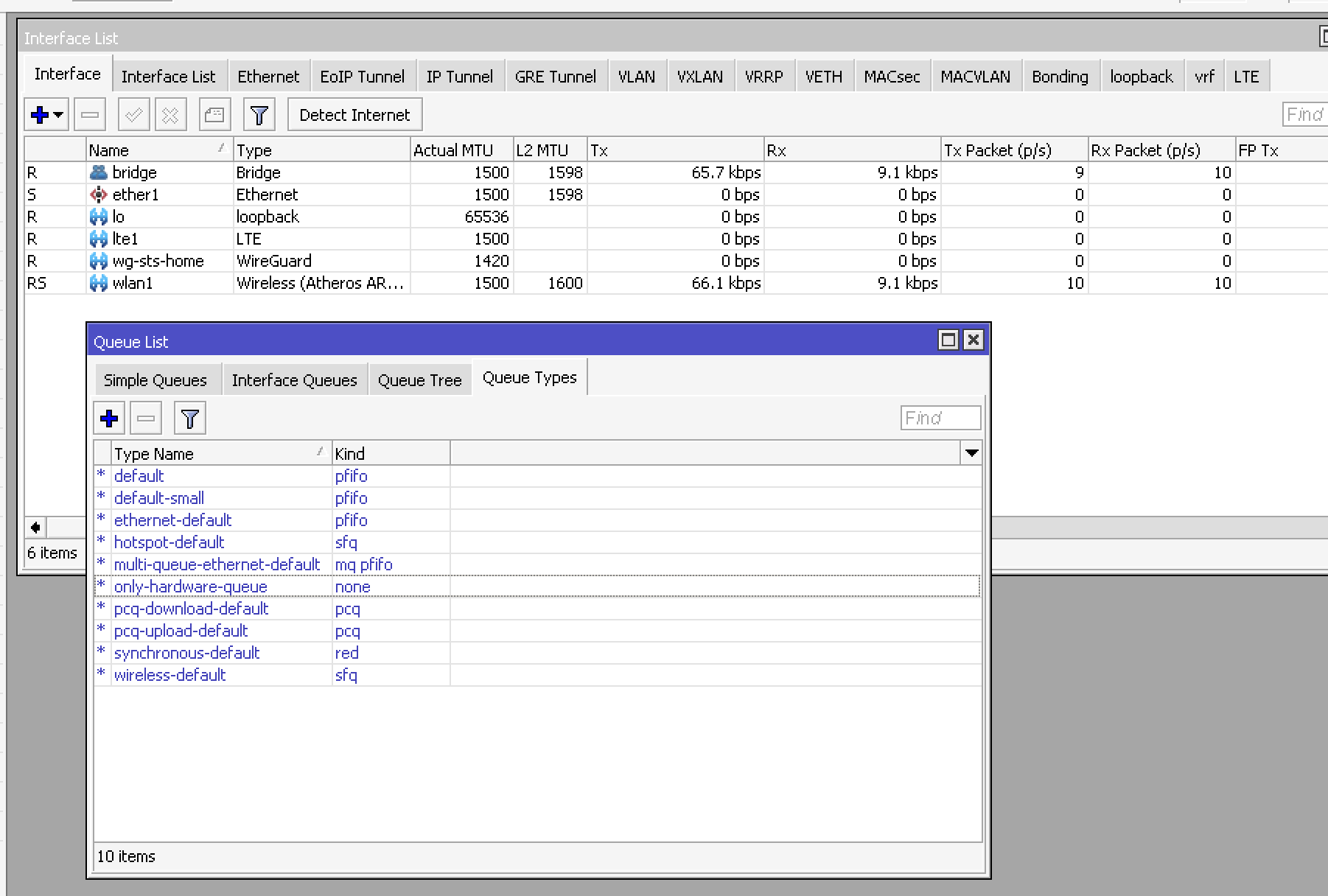
Thanks.
Why turning off ECN?
I’m not an expert, but I think @dtaht said somewhere that ECN off is a safer default as it can cause conflicts at times when it doesn’t get what it expects?
I reset my RB5009 to the default config to see if it auto put fq_codel on the interfaces, and it did not for me. I just used the reset config in Webfig, though… perhaps it needs to be hard reset? I just ended up putting fq_codel on all the interfaces manually to see how it does… so far so good.
Good news everyone… Regarding the broken bonding interface in 7.13 - got a response on the ticket and the nightly snapshot build for 7.14 (routeros-7.14alpha119-arm64.npk) seems to have solved the issue, at least on ccr2004. Hope it will be a part of the 7.14 build in the following days/weeks…
Default config is not applied when you upgrade. You can reset to defaults or add the new config manually.
how about if i need two lo?
What would be an “interface vrf”?
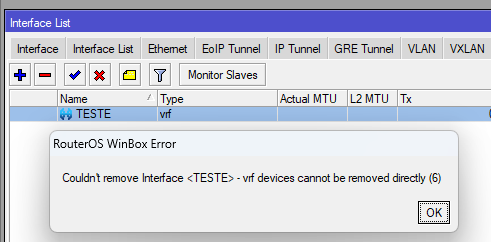
I created one just for fun, and I’m not able to remove it!
When I click remove, I receive the message "Couldn’t remove interface - vrf devices cannot be removed directly (6).
Undo also gives me the same error.
Even with the safe-mode activated and quitting without disabling removed that “vrf interface”.
I created an /ip/vrf and it appeard on interface vrf also.
But when I removed the /ip/vrf, it disappeared from /interface/vrf.
P.S.: It smells like Mikrotik guys are working on a subterfugie to allow route-leaking and its traffic.
Any chance of adding rtl8156 or fixing RB5009 2,5Gbe issues this time?
Question does MVRP implementation will be vendor neutral? Once it become stable?
ovpn - MT<–>MT is totally broken, unlike MT—>windows.
i wish if my config to be not happy , so i can play around.
Anyone can add something?
Why would you ever use OVPN between MikroTik routers?
There are so many good alternatives!
Why is MikroTik loading wireless package into CCR models? Please explain WHY! This makes ABSOLUTLY no sense to me …
Why is there always OVPN ? IPSEC ? MPLS ? BGP ? …
Same question. Not everyone needs it everywhere.
It’s part of the main package. Don’t use what you don’t want to use.
Legacy capsman is packed in (optional) wireless npk since 7.13. New wave2/wifi capsman is part of base package since 7.13. If you don’t need to run legacy capsman, then you’re free to remove wireless package.
Well, I certainly consider it a step backward that almost all functionality is now in a single “routeros” package.
I can fully understand why packages like “DHCP”, “PPP”, “ipv6”, “security” were merged with the system package! They often have nasty cross-dependencies and certain functions could fail to work when they are not installed.
But MPLS, BGP (and OSPF, IS-IS etc), CAPsMAN, Wireless, QuickSet and applications like proxy, SMB, should be in separate packages.
With a more user-friendly way to load/unload optional packages of course.
It would make devices like hAP ac2 and wAP ac become stable again. In most usage scenarios you don’t need many of those packages and there would be breathing room in the flash again.
Is there any upgrade restriction for 7.14 beta like 7.13?
- When upgrading by using “check-for-updates”, all versions earlier than 7.12 will display 7.12 as the latest available version. Upgrade from v7.12 to v7.13 or later versions must be done through 7.12 in order to convert wireless packages automatically. Fresh installation with Netinstall or manual package installation works in the same manner as always.
Of course! That is not going away… always first upgrade to 7.12 or 7.12.1
7.13 should be called 8.
Versioning a mikrotik is so cumbersome:
If MT would use semver they would indeed need to increase the major version here. While they try to keep BC by installing the wireless package automatically, this still has drawbacks. Less available flash for extra packages like container/zerotier and others. So this could really be a breaking change for some users.
But to summorize: First digit (7) is Just some marketing number. The second part/number (13) is what usually would be a major-version. They release “major versions” every few months and people keep complaining about not being able to “fire update button and forget” without issues. Sorry, dear IT professionals, major version upgrades need to be tested. Just don’t blame MT.
Rather the opposite, “no new features”, but fixes may still come (with the third version number increasing).
Mikrotik is not the only vendor doing this. GitLab is doing a similar thing (making minor versions a mandatory stop on the upgrade path) from time to time, if you wish an example.