*) disk - added exFAT and NTFS mount/read/write support (CLI only);
Is that using new kernel driver NTFS3?
If only the hapac2 could run clouflare zerotrust tunnel… oh wait, its an arm device, it already can, but why not a package for all devices!!! C’mon MT be diverse and non-discriminatory for a change, this ARM favouritism is annoying.  ( shedding no tears for hapac2 )
*) wifi - added “station-pseudobridge” interface mode (CLI only);
Any eta for ap-bridge?
my post to this: v7.13beta [testing] is released! - #187 by infabo
MT, please overthink your decision. Userbase is going mad about having a wifi config section even on a plain router without wireless. Just because now they could make use of capsman? 
What is this functionality doing?
Just reporting, once again, some minor problems I found on previous RouterOS versions, and weren’t fixed to this date:
- still can’t disable some “Interfaces/Add New” interface types, first reported on the v7.2.1 release post
http://forum.mikrotik.com/t/v7-2-1-stable-is-released/157240/129
I can remove using Skin Editor, it actually works on that session, but as soon as I logoff and login, some options are still there and cannot be disabled in a persistent fashion whatsoever.
- using Design Skin, I disable some Interface/Add New interfaces, and it kind of works ..
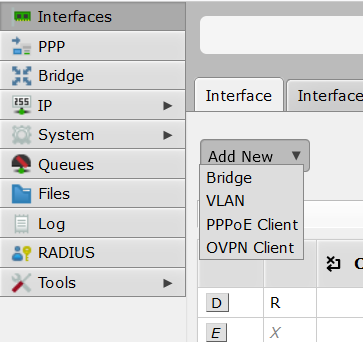
. - but as soon as I logoff and login again, the “disabled” options are there again, nothing is actually saved on the skin json file, and I cannot permanently disable those interface types
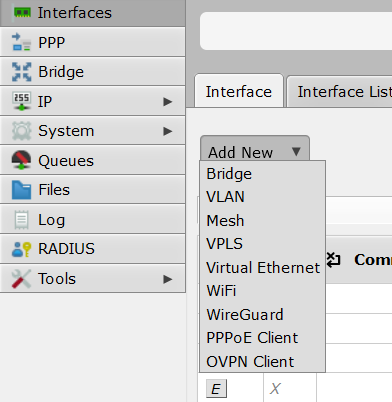
.
My first report on this on v7.2.1 thread:
http://forum.mikrotik.com/t/v7-2-1-stable-is-released/157240/129
.
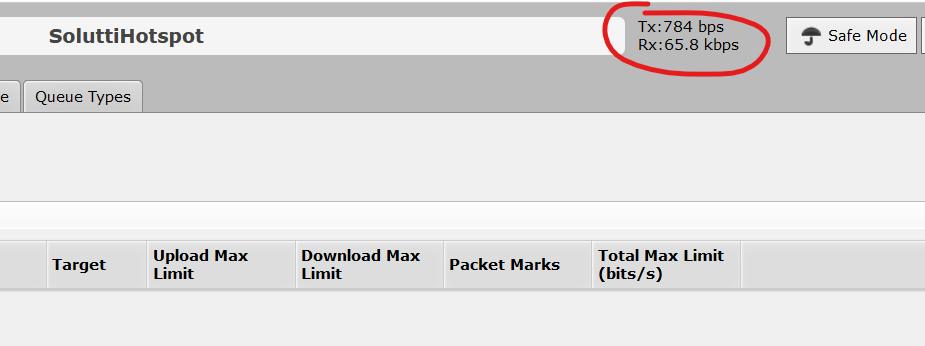
3) some wrong TX/RX information is shown in every page, on webfig, first reported on 7.12rc, still happening on 7.14beta
http://forum.mikrotik.com/t/v7-12rc-is-released/170147/179
It looks like your problems are not actually bugs, but you misunderstand how it works or what is meant.
1/2. you need to actually save it. either as “default” or as another name, which you then assign to a user group.
3. it is the traffic of the webfig session, the traffic of the webpage you are viewing.
Upgrading a RB951G (mipsbe) to 7.14 beta, I’ve seen this in the logs:

This is the link mentioned in the logs: https://wiki.mikrotik.com/wiki/Manual:RouterBOARD_settings
I don’t get it 
1/2) yes, I tried saving it on a skin different than default, have tried that several times, and nothing is actually saved (json file timestamp is unchanged). That’s really not the case. Since my first report, the skin is not ‘default’ and saved on a different name, applied to the admin group.
- hmmmm never thought on that one, as we never had any changelog regarding that. That being said, I’m seeing Mbit/s of traffic on a screen with no updating info whatsoever, so it really doesn’t seem to be “the screen i’m viewing” related at all. I would really insist it’s a bug while we don’t have any confirmation it’s a new feature (showing traffic on the actual session). If that’s the case, it’s buggy anyawy, as I’m seeing VERY high traffic on completly stale screens (no entries updating counters, something like that)
added a “vrf” interface for testing, now I cannot delete it. It doesn’t even show up in the terminal if you export the config… looks like a bug to me
as per “loopback” I could delete and re add it, but I cannot have more than one… this looks strange too, other vendors support having multiple loopbacks
The bug is probably that you’re able to add them at all. These interfaces are the previously hidden ones that are automatically created when you create VRF (in /ip/vrf). See VRF and hidden interfaces for a bit about that.
RB5009 was unresponsive for Winbox.
Connection refused.
I could get in using SSH or HHTPS.
Disable and enable of Winbox service and back online.
Never saw that prior to 7.14beta…
And again ?!?
Also seen on AX Lite LTE running 7.14b3.
Ticket SUP-138816 created with supout.rif.
You are right. I created a new VRF and added the previously created “vrf interface” to it, then I managed to delete the interface via deleting the whole VRF.
I am still having a lot of errors on my two LR8 Lorawan gateways.
I don’t know what happened with those products but for 6 months it seems to be a real mess.
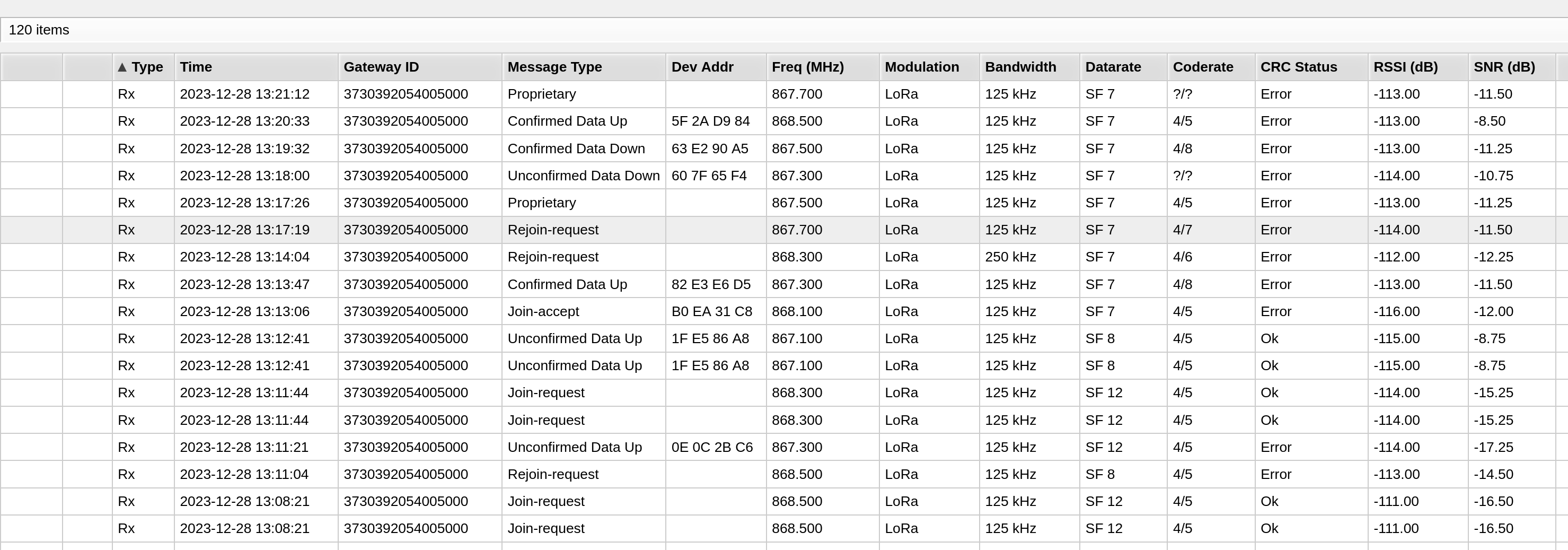
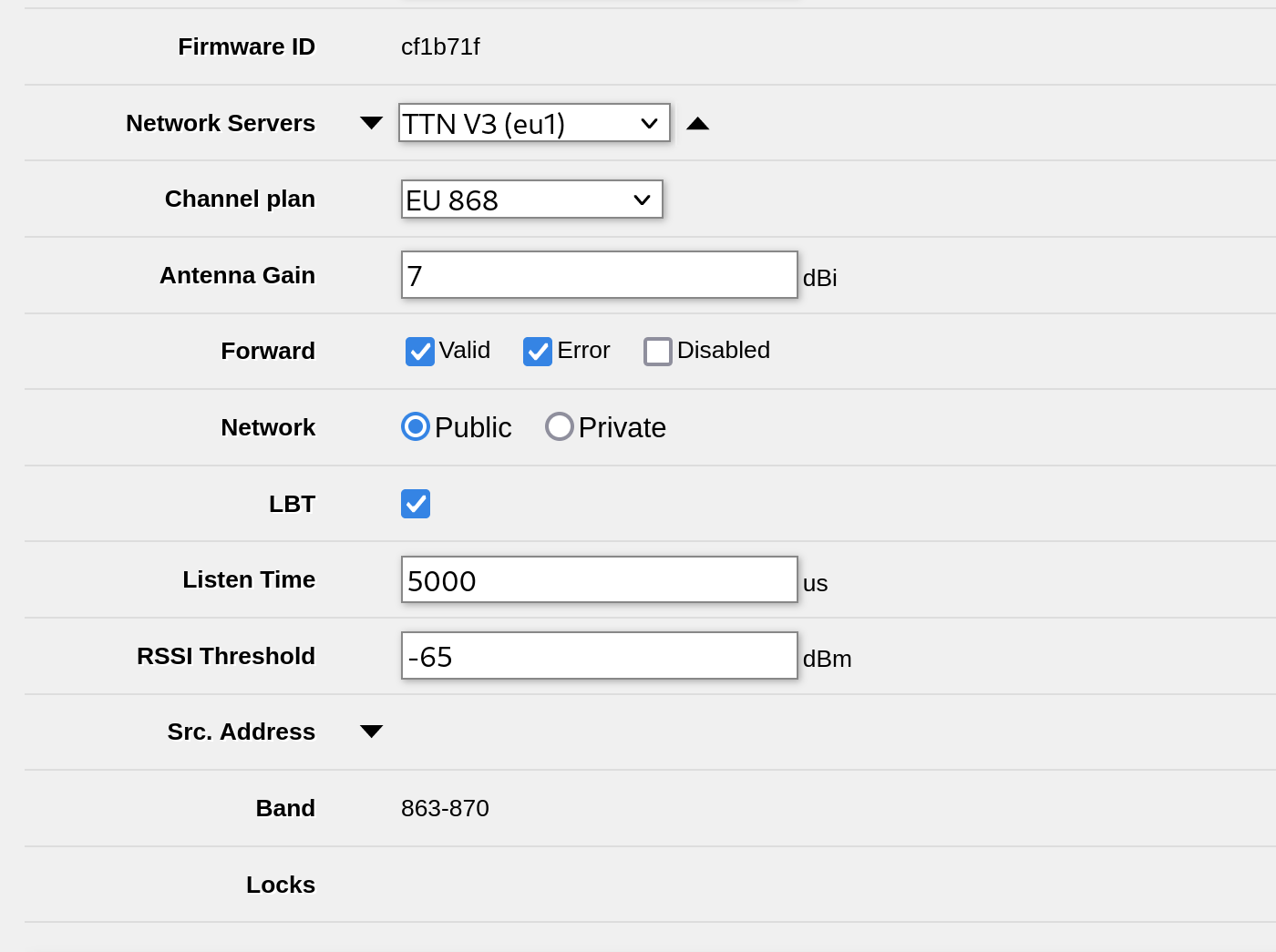
The LR8 is equipped with a 7 Dbi Mikrotik antenna it used to receive very well.
I don’t understand why RSSI went so bad so quickly.
The same happened suddenly on my two Lora LR8 gateways in two separate locations and I suspect a firmware issue.
You have provided so many details that they are sure to find a solution!!!
(At the time of this post there were no images or other details, but are little changes…)
Okay, sorry for the confusion. The signal is below -65 dbm and the information was confirmed up.
It is only the message CRC status “Error”, which seems to be confusing.
Is everything Okay?
Please add the capability of ZeroTier controller to use private roots/moons
Like zerotier-cli orbit on linux