Thank you
*) bgp - correctly synchronize input.accept-nlri address list;
What does this change mean?
In the past I have configured an input.accept-nlri on one peer, referring to an address list that has a single /16 entry, and I think at that time it meant that all subnets WITHIN that /16 (so also e.g. a /24 or /28 within that /16) would be accepted.
Now I should admit that I have never fully analyzed that to see if it really worked.
But today I ran into an issue where this peer became important, and I found that this input.accept-nlri does not work correctly!
When the address list with the single /16 item is specified, it accepts a route for the full /16 network, and also for /32 addresses within that network, but NOT for /24 or /28 routes within the /16. These are simply dropped and only appeared after I removed the input.accept-nlri .
Is that related to this “fix” and has that now maybe been broken? Because I think it worked OK before, although I am not sure.
Several pppoe drops with 7.15.3
- i think NLRI does not apply inmediatly, resend/refresh on BGP session is neeeded to enable/disable NLRI or any changes to it
- i have seen that NLRI does not drop /32 in ipv4 and/or /128 on ipv6 i dont know why, in mi case that is not a problem, i filter that routes
Correct, I submitted the same as a support case and the answer was that they were very surprised that I would assume that a /16 entry in the address list would admit all /24 entries “under” that /16 (while I would think that would be natural for many use cases), and when I replied that it DOES admit the /32 routes under the /16 network, it was said that this is a known bug.
So I had to remove my input.accept-nlri configuration because it is useless for me. Fortunately I was able to put an output filter at the other end, so I do not have 800 “filtered” routes in the table on this router (something I tried to avoid using input.accept-nlri )
*) poe-out - moved “PoE LLDP” property from “/interface/ethernet/poe” to “/ip/neighbor/discovery-settings” and enable it by default;
While this is definitely a good change, I think such modifications should be handled more gracefully. I am not sure if/what is the deprecation-removal policy on ROS specifically but such modifications result in instant syntax errors. While our automatic test suite detected this it would be great to keep these moved/renamed options and throw a warning “XYZ was deprecated, use ABC instead” and keep it for some time.
+1
This kind of changes causes problems when importing older exports into devices with newer version.
(of course when upgrading a device there is automatic conversion)
It happened before e.g. with “/tool email set”
This is actually even bigger of a problem when using any sort of automation or config management. With lack of transition period, the iffology for version if a bit painful at times. While I try to schedule regular maintenance windows at all sites I manage, such changes make these operations much harder.
Ideally, where possible, old behavior should probably be auto-converted on the fly for some time. Given that ROS doesn’t seem to follow semantic versioning, some even very loose policy of “hey, we will keep it for a year” would be better than nothing. In case of LLDP and move from per-port to per-device where conversion isn’t possible really, leaving such option even as no-op would make life 100x easier: we can throw a ticket to deprecate it internally in the configs and update docs rather than leaving note “hey, if it’s v7.15+ it will work differently”.
Mikrotik is not willing to change anything in either their changelog structure, versioning, handling of breaking changes nor will they introduce deprecation warnings. That’s not in their software engineering manual dated from 1999.
I suspect that there might be a memory leak in DNS on version 7.15.3.
The DNS cache has 4,000 entries, but the cache used is 29,093 KB.
After flushing the cache, there are 500 entries, but the cache used is still 28,338 KiB, only releasing 1,000 KiB.
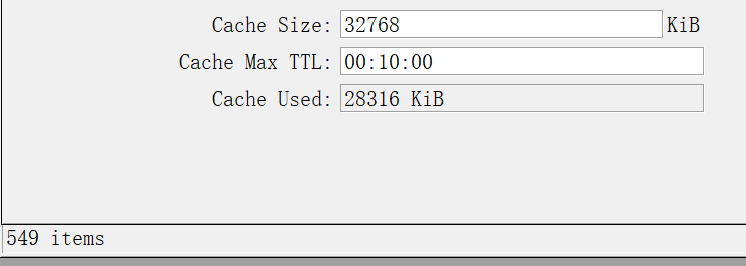
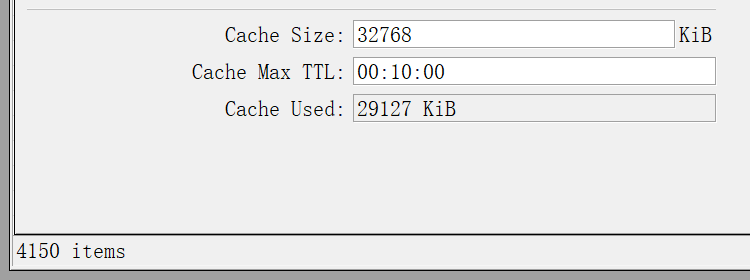
please check SUP-164084
RouterOS 7.15.3 dns memory leak
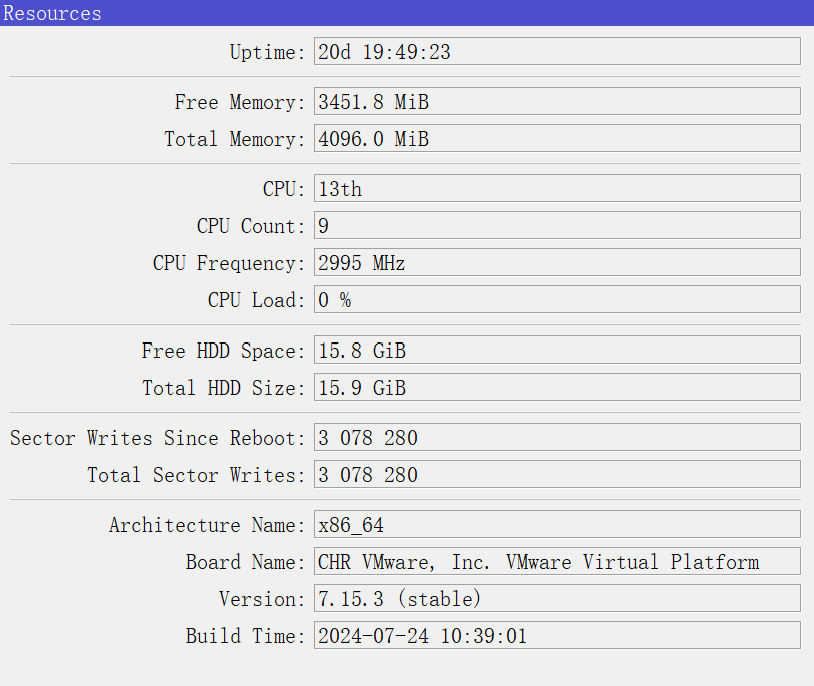
The runtime is 20 days, and currently, the DNS cache has grown to 42,375 KiB.
The DNS memory leak in RouterOS 7.15.3 is continuously occurring.
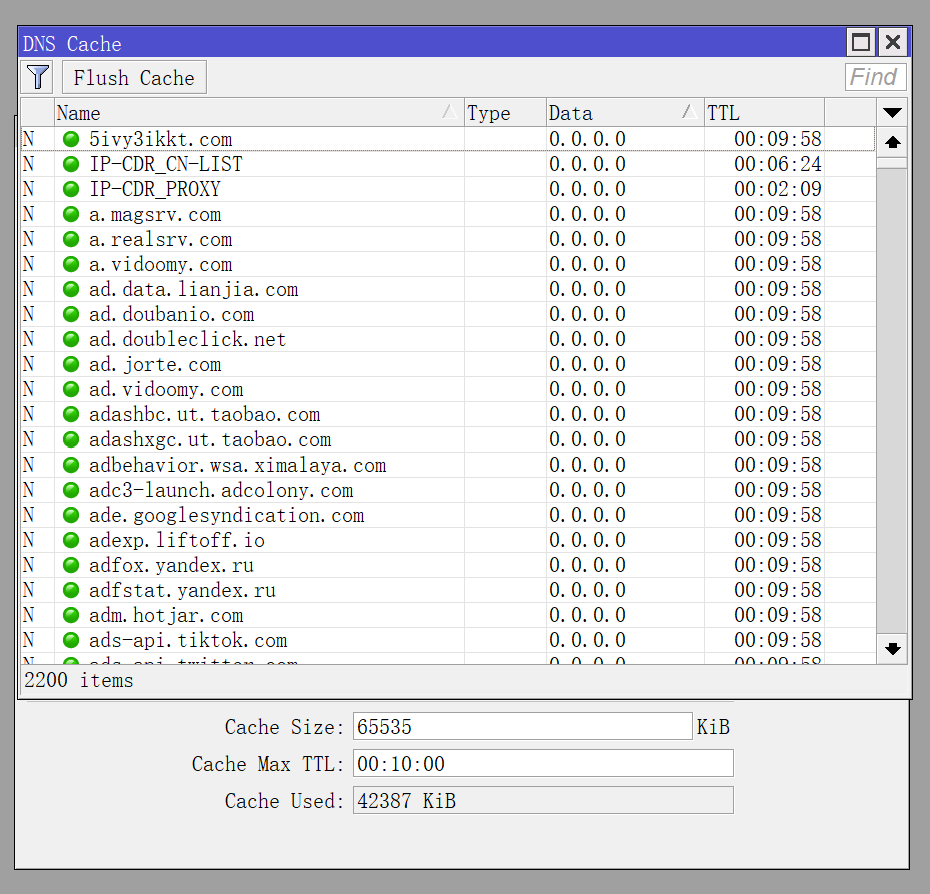
Can this be related to “adlist” functionality? I use my own manually managed blacklist which has entries as NXDOMAIN and do not see this problem.
Doing “adlist” vith A entries ‘0.0.0.0’ is probably not the best and most efficient solution after all…
Why have you set Cache size to 64MB? It seems that default on my routers is 2MB.
Will not not the router use up to 64MB if its set to 64MB? (If you have a lot of requests)
This.
It’s not a memory leak if service uses up to amount of RAM assigned. In this particular case, even if some DNS cache entries are expired it’s not required to actually purge them if feature/service uses less RAM than assigned. Maybe those entries remain in the cache but when they get hit again, DNS service actually goes out to refresh the status … and updating cache entry might be faster (less resource hungry) than creating a new one (not to mention periodic purging which costs CPU resources as well). Search has to be performed anyway (even if only to discover that wanted entry doesn’t exist).
That was my thought as well.
Currently, no adlist functionality is being used, so the issue is not caused by the adlist.
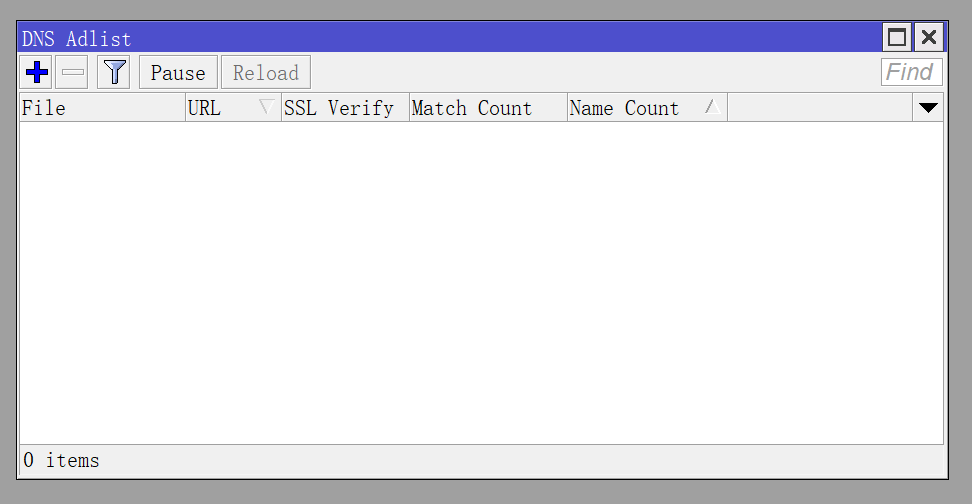
The design of the RouterOS DNS adlist is still incomplete.
It can only block domains by resolving them to 0.0.0.0, which may cause some apps to continuously send requests and try to connect.
I anticipate that, in the future, it will likely support feedback methods similar to other ad-blocking software, such as NXDOMAIN or simply not responding, which would improve the situation.
if I don’t keep increasing the size of the DNS cache, I get an error message saying “DNS cache full.”
At that point, even if you execute a DNS → flush cache command, it still doesn’t significantly reduce the “Cached Used” value—it might decrease slightly, but not by much.
At the very least, I think the continuous, never-ending growth is abnormal. I haven’t encountered a similar issue in versions prior to 7.15.

it will show cache full, an error message saying “DNS cache full” appears, which I hadn’t encountered before. Moreover, when the cache is full, you’ll notice that the DNS dynamic servers are much more likely to crash randomly. I suspect that when the cache is full, it causes certain anomalies that trigger these crashes. As a result, I have to keep increasing the DNS cache size to avoid the series of issues caused by the “DNS cache full” error. These issues did not exist before version 7.15, so with the same usage, I believe that version 7.15.3 has a memory leak in the DNS cache.
I’ve submitted a ticket, but wanted to post here just in case someone else has seen a similar problem.
I have five CCR2116’s in a full iBGP mesh. Three are peers with other providers, two sit in our core. We take full routes, but filter out AS-PATH’s longer than 2 ASN’s.
For a couple of years this has worked fine. But in the last number of weeks, one or more of them has rebooted randomly. Today, four of the five all suffered a kernel failure at the same exact time, created no support files, and rebooted at the same time due to watchdog timeout. The three borders did the same thing a few weeks ago; unfortunately, two had watchdog disabled and required truck rolls to reboot them. It appears I upgraded them all 25 days ago to 7.15.3, so I’m restarting them into their 7.14.x partitions. (Not sure if the first reboot happened under 7.14… prior to that they were running 7.12.)
Because of the simultaneous reboot, and since they’re all speaking BGP in the same ASN, I suspect an errant BGP message is the cause.
I have a number of CRS300’s also running 7.15.3, and they’re randomly rebooting every few days due to kernel failures as well, but those ones are likely the memory leak introduced in 7.15 (reportedly addressed in 7.16).
Other CCR2116’s carrying similar amounts of traffic as our BGP mesh (the CGNAT routers) have been up and solid for those same three weeks since updating.