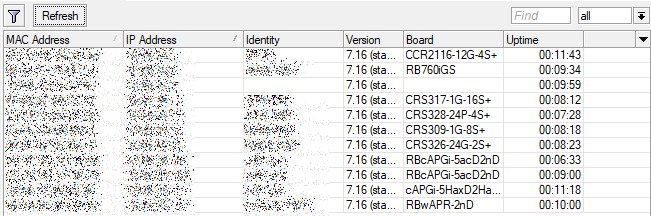
CHR x86_64 (ESXi 6.5) updated without problem [from 7.15.3], DHCP work as expected.
one HAP AX2 updated well but another is in loop…it is restarting…it is as capsman AP and in capsmanager is this message: disconnected RAP AX2 UP@18:FD:74:BB:A9:0C%*8, connection interrupted
then I get ip adress again and again disconnected RAP AX2 UP@18:FD:74:BB:A9:0C%*8, connection interrupted
power off and on did not help…I will have to go there…
Wireless dissociation issue affecting AX devices fixed? I see no mention of it… but surely by now?
If it’s not written, it’s not written, so it wasn’t done.
By what logic should it have been done, if it’s not written?
Sometimes we see e.g. a 3 lines changelog in some minor release. But that release introduces a bug in an area, completely different/unrelated to any changelog item.
So when bugs can sneak into, people assume, fixes can sneak without mentioning into releases as well.
And I sometimes see new CLI options/arguments or even commands in new releases that were not mentioned with a single word in changelog.
When I wanted to juggle the wlan names in my 4011 (apparently the defaults have swapped) I noticed an issue with WDS.
I don’t use WDS, but there are two fields “WDS default cost” and “WDS cost range” that may be new. In the physical interfaces they were set to 100 and 50-150 respectively.
But I also have two “virtual” interfaces below them, which were disabled during the upgrade, and these values were not set.
When I tried to rename them to align with the wlan1/wlan2 swap, there is an error message about invalid WDS cost range. I think it should have been set to 50-150 as well.
Also, when I now add a new virtual wireless interface, it has an invalid WDS cost range as well and cannot be saved until that is corrected.
they have always been there since 6.x
Yes, in previous versions they were 0 when created (and I put them in the default ones).
Evidently they added the cost control in the real interface, but recycling the interface also for the “fake” now gives an error uselessly.
For me upgrade went well on my setup:
RB5009 (non-poe);
CRS310-8G+2S+( that switch always update a bit longer, but this time it taken about 10 minutes);
cAP-AC (with qcom-ac)
cAP-AX
The changelog is massive, so it's possible that one of those many changes fixes the issue even if it doesn't explicitly mention ax wifi anywhere. Maybe it's a problem with bridges or drivers, or who knows what
IMHO it is okay to ask. I would even encourage you to ask on every single release. It is like in real life: the one that barks the loudest gets served. lol
*) console - added “about” filters for “find” and “print where” commands;
Hello, could someone explain where we can find or print about?
Hi, I have an ax3 and behind it powered by POE (from ether1) an ax2 is connected.
Since I have upgraded both devices to 7.16 there is a continuous error on ax3 “ether1 link down” → “ether1 link up” → “ether1 link down” and so it repeats continuously.
Any idea where the problem comes from? Thanks.
I have a device ax3 with power supply via PoE in Ether1.
Today on version rc5 and after updating to 7.16 also problems appeared “ether1 link down” → “ether1 link up” → “ether1 link down” and so it repeats continuously.
So, it seems to be a bug affecting “ether1” as I have tested that port as POE=Off and the same thing happens again.
Edit: I have downgraded to version 7.15.3 and still the same problem: “ether1 link down” → “ether1 link up” → “ether1 link down” …etc. Any solution from Support ?
Hi,
Do you have more information on which devices it is available? or how to check?
Regards,
It worked on 7.16 rc5?
I have downgraded to version 7.15.3 and still the same problem
*) wifi-qcom-ac - improved memory allocating process;
Upgraded a single hAP ac2 so far to check if (hopefully) OOM reboots are really fixed with this one…
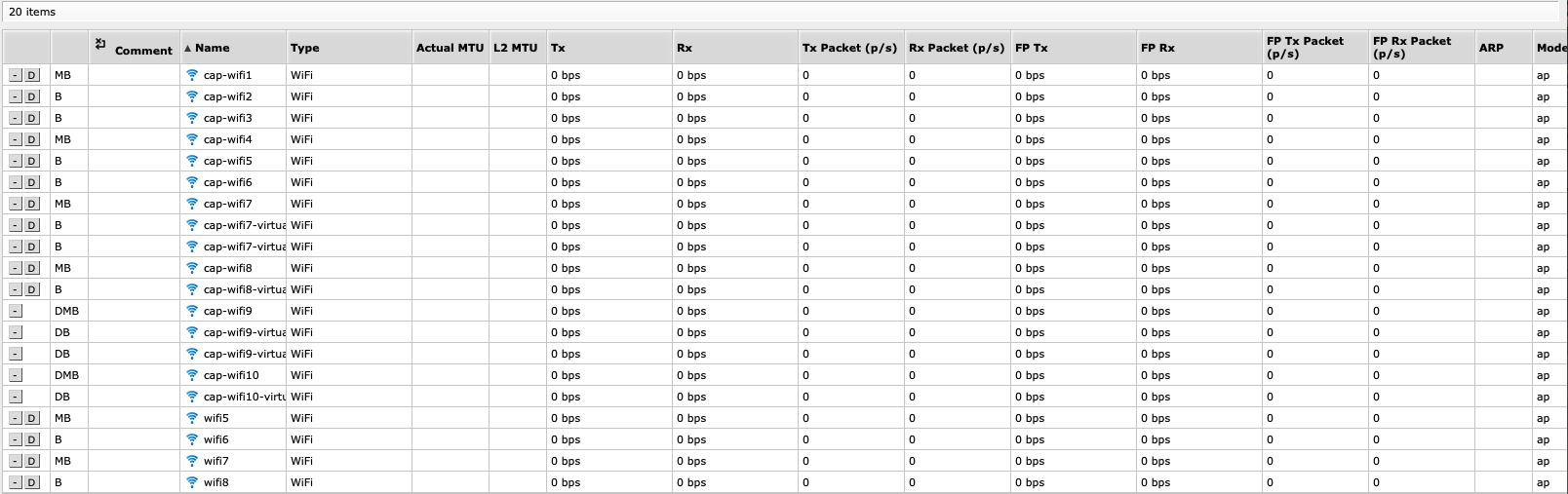
Is it normal for CAPSMAN not to show traffic from the CAPs? I’ve upgraded, things work but I only see traffic on the individual CAPs but not on CAPSMAN.
RB912R-2nD is not showing Identity and Board anymore (3rd from top)…
Edit: After another reboot, it shows up correctly…