Re
IDK. Perhaps a reboot, perhaps DNS...IDK what fixed it. Maybe it was the builtin trust store not actually being trusted — despite setting as =all. This was a fresh CHR and all is default value, so should have applied it.
But, yes, I got SNI matching working as expected using FQDN matching cert's CN and/or SAN.
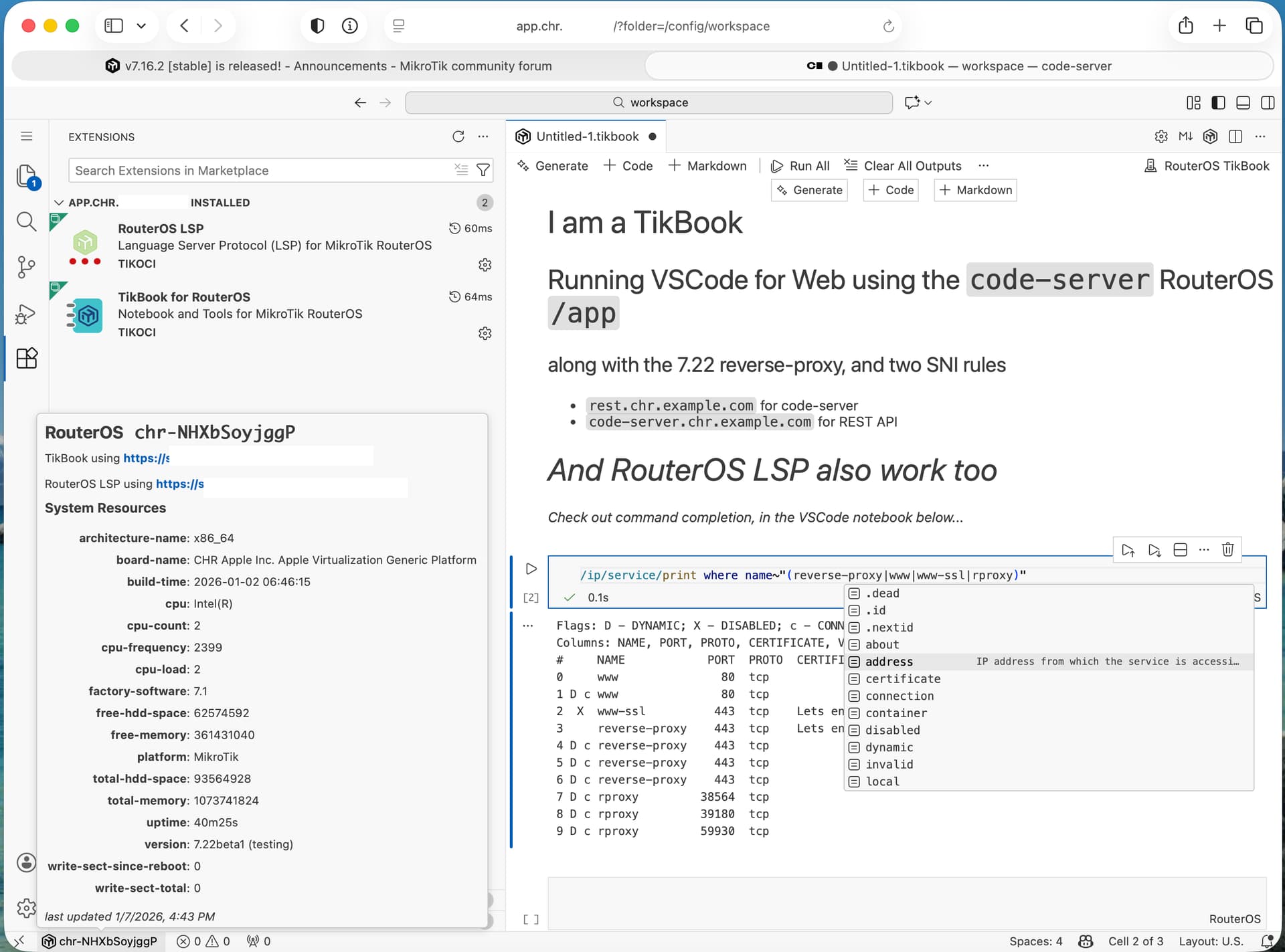
I can do one better: a RouterOS notebook using /app and reverse-proxy.... This was my main test case for /app. I used the code-server container since I wanted to see if it allowed VSCode extensions – including my RouterOS Notebook ("TikBook") extension for VSCode to work. TikBook (and all VSCode extension that support web) require HTTPS and browser CORS, you often need a reverse-proxy to work with code-server – which is why I'm excited about this feature._
Anyway, the /ip/service reverse-proxy does seem work! Here is what I did to test this it:
- I added some CNAMEs in a test DNS domain, mapped to router public IP. e.g.
code-server.chr.example.comandrest.chr.example.com. - Used
/certificate/enable-ssl-certificate dns-names=code-server.chr.example.com,rest.chr.example.com(*with actual DNS domain/CNAMEs). Side note: the entirereverse-proxyfeature be easier to use with a wild card cert...however/certificate/enable-ssl-certificatedoes not allow that...perhaps/ip/cloudDDNS does, but I'm using free CHR for testing nowNote from MT help: If the used DNS name is not the default http://example.sn.mynetname.net, port TCP/80 must be available from the WAN.
- Enabled
code-servercontainer via/app/enable code-server, which get VSCode for Web. Taking note of the "internal" IP address once it gets enabled, typically 172.18.0.2 (but perhaps .3, etc depending on if you have more/app's). - Enabled the reverse-proxy globally (so the "SNI rules" next will work) via
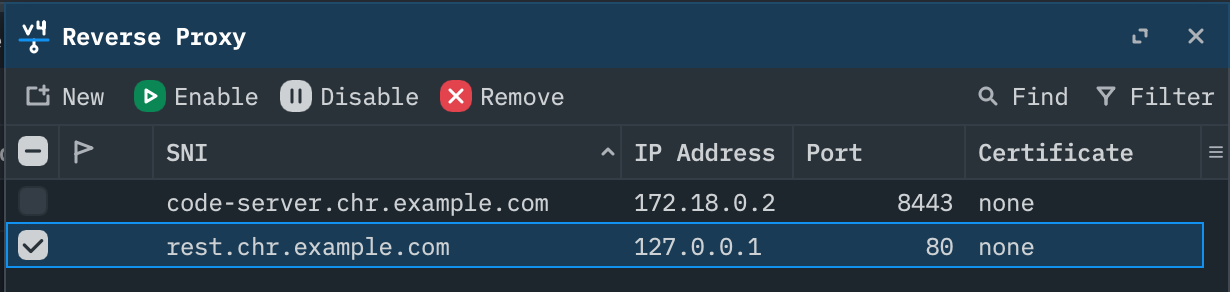
/ip/service/set reverse-proxy disabled=no certificate=[/certificate/get [find private-key=yes !expired] name] - Using WinBox4 (*since there is no CLI for this part – an oddity in itself)... add the two CNAMEs as SNIs. One pointing to the REST API (including winbox), which is needed for LSP and TikBook extensions (& need to use a valid HTTPS cert to for browser;s CORS)
- Goto a browser and navigate to
https://code-server.chr.example.com, provide the password set incode-serverapp (default "password", but can be changed in/app). And VSCode for Web will appear (assuming firewall allow the path), and web-enabled extensions should all work. - Searched for "TikBook" from VSCode's Extensions on left, and click install. In Extension Settings for TikBook, set
https://rest.chr.example.comas base URL, which gets code-server access to the REST API and must be https. You can use option+shift+M will bring up menu to set URL and user/password.

Shocked this all work — so great work here. Still unsure why it didn't work initially. Perhaps it was the built-in trust but IDK. Anyway, lots of good stuff in this release.
In a quick test, the iPhone teathering "just worked", once you said to "Trust" RouterOS on phone — that quite a nice feature for low-cost backup internet option.