There appears to be a “new” issue (at least from 7.9.1 but it could be in any version after ~ 7.7) with WiFi in station mode (connecting to another AP), with a DHCP client on the wireless interface.
When the WiFi gets established, the DHCP client does not always succeed in getting an address. When it gets disconnected and re-established, it usually succeeds again.
I have seen it happen a couple of times now, but do not yet know how to reproduce. Did anyone else see this by chance?
Until MT releases a ZT.npk for its products with different architectures, I’m going to keep dreaming about 0O0VPN. You’re invited too if you don’t snore too much. I know you’re going to dream about you’re beloved ZT.
Could be an old signed/unsigned C char issue, which in case of bootloaders may be causing a boot loop.
Hello.
So the fix is only for 4011 ?
Or also for the 2004 and the hAP ac series?
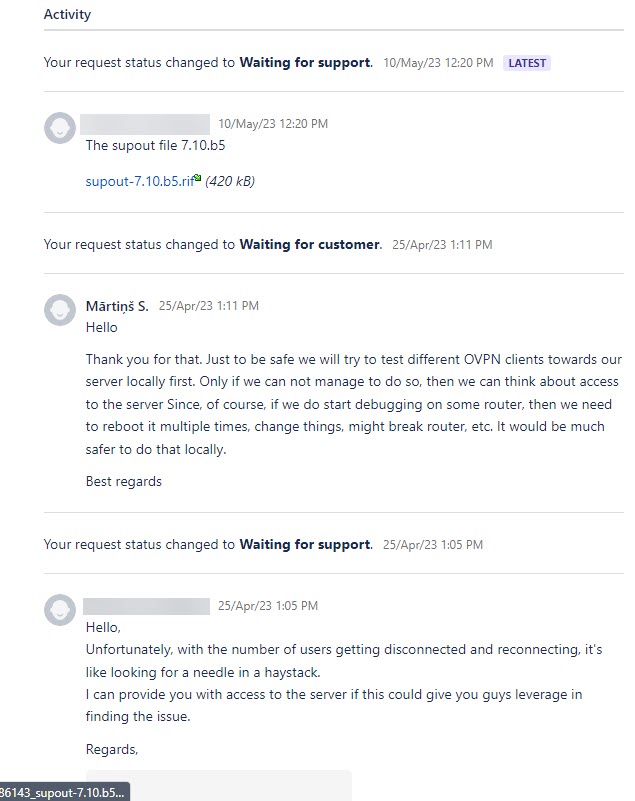
If you experience problems with OVPN even after 7.10rc installation, then please let us know about that through support@mikrotik.com. Several issues regarding the OVPN service have been addresses in v7.10.
The last visible changes regarding OVPN were in 7.10B5. I didn’t check the newer releases because no changes to OVPN were mentioned in the changelogs.
29/Oct/22 SUP-96432
ownr, I get it you want to have OVPN working…
29/10/22 is what … 7.6-chain ? Maybe 7.7 ? Serious ?
At least do the effort then to provide supout from recent 7.10-chain where this still happens.
Well, the ticket was opened in 2022. It doesn’t mean I did not update it.
http://forum.mikrotik.com/t/v7-10beta-testing-is-released/166567/1
http://forum.mikrotik.com/t/v7-8-stable-is-released/164757/1
OK, then it is in the hands of the Powers that Be now 
What happens is that the client does get connected to the WiFi network, but sometimes the wireless interface does not go to the “up” state. So the DHCP client does not get an address.
It will remain stuck in that condition until the WiFi connection is interrupted for some reason.
This is on RB951G-2HnD devices, so old wireless code.
The network you are connecting to is also MT or other vendor ?
I have been using station mode quite a bit last weeks (AX Lite and mAP) and can’t say I saw this happening.
WiFi AP being connected is from Ubuiqiti or Cisco, have seen it happen on both. We have several RB951G-2HnD and they have been upgraded from 7.7 to 7.9.1 when this first happened, before there was no such issue and there has been no config change.
Normally such a situation will mean loss of connectivity (for me) to the router, as they connect to local WiFi and then setup a VPN over that, but now I managed to reproduce it in a test device that was accessible via ethernet and I saw that state where it was connected but the interface was still down.
The same result, to 7.9.1 I upgraded manually with netinstall and now the same situaion with 7.9.2 Mikrotik 4011 with WiFi RB4011iGS+5HacQ2HnD, why it can be? Thx.
Not good experience with the upgrades. All my hAP AC2 upgraded without problems.
I had issues with:
- 1 x RB450Gx4 that after the upgrade never came back online (it’s 30 KM away from where I am)
- 1 x CRS326-24G got stuck after I reboot second time with the firmware upgrade. I did a hard reset and came back online
- 1 x RB4011 got stuck after I reboot second time with the firmware upgrade. The onsite person reboot it and came back
I halted all remaining upgrades as I don’t trust the quality of this version.
The RB450G was born with v6.x, why was there a need to put v7?
But I wonder how is possible to work like this, without testing the updates locally first…
And then you go to put the updates released the day before in a device at 30Km?
But how do you work?
MikroTik will also make mistakes, but “you” who complain are no less…
Thanks to @AlexPebody collaboration, is solved on this way
http://forum.mikrotik.com/t/cant-upgrade-firmware/167105/1
I hope MikroTik investigate…
After some experiments, the upgrade fail, but is not one file download corrupted the problem…
Respectfully disagree. i have upgraded RB450Gx4 without issues. used the IOS app to trigger upgrade in my case (home setup).
in my case, reason i got RB450GX4 few years back was because v7 would first be supported for ARM.
all stable 7.x has been good on my RB450GX4 (home setup with vlans,wireguard,zerotier) and have been happy with it.
ipv6 dhcp-server bug report.
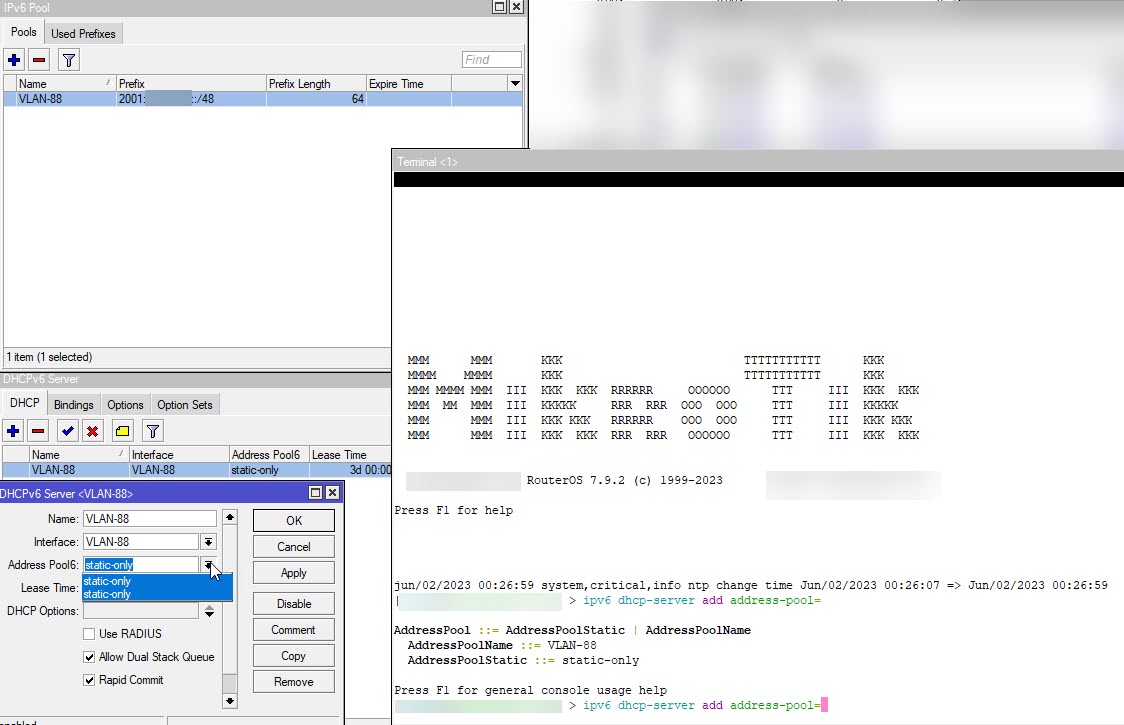
Hey, I noticed a issue that’s present in the most recent update.
On 1 interface, There is an LTE/5G modem sending RAs. In Mikrotik, I have set IPv6 forward to true and Accept router advertisements to “yes if forwarding disabled”. As expected, Mikrotik ignores those RAs. After I set Accept router advertisements to Yes, It still continues to ignore RAs and never does any thing with it until I reboot the mikrotik device. After rebooting, It assigns an IPv6 address from the advertised prefix and every thing works. Now, If I set Accept router advertisements to “Yes if forwarding disabled”, It still continues to use details from the RAs and does not get rid of the address on the interface and the dynamically added routes.
There are some issues related to wireguard but I don’t really know what’s going on there.