If you want to do this
- under files Backup your config and copy to something off the router
- export file= show-sensitive and copy to something secure off the router (this is not for sharing)
- upgrade to latest stable channel release (as of 2022-03-26 that is v7.1.5), or if you want the bleeding edge testing channel release v7.2rc5
after reboot, test to make sure everything still works as before. VPN, etc.
Then repeat backup/export with new file names
Then login from your off-bridge access port on ether5 to make changes to the bridge (so you don't saw off the branch you are sitting on)
The intent is to chage as little as possible, but since I am new to RouterOS there may be mistakes here, so make sure you have good backup! And hopefully someone else can point out any mistakes before you try. Most of the ideas for this taken from router.rsc from this Switch with a separate router (RoaS) Also from this post in this thread How to create most basic VLAN
#since we are working off bridge, enabling vlan-filtering up front.
/interface bridge add name=BR1 vlan-filtering=yes
ingress behavior
/interface bridge port
Only adding unused ports to bridge at this time. Leave pvid set to default of 1 for ether4 (new trunk to switch). Ether3 will be vlan 10 access port so pvid set to 10
add bridge=BR1 ingress-filtering=yes frame-types=admit-only-untagged-and-priority-tagged interface=ether3 pvid=10
add bridge=BR1 ingress-filtering=yes frame-types=admit-only-vlan-tagged interface=ether4
egress behavior
/interface bridge vlan
configure ether4 just like ether 2 was, ether 3 will be an access port for LAN (vlan 10) for RPi to be connected to
add bridge=BR1 tagged=BR1,ether4 untagged=ether3 vlan-ids=10
add bridge=BR1 tagged=BR1,ether4 vlan-ids=20
add bridge=BR1 tagged=BR1,ether4 vlan-ids=30
add bridge=BR1 tagged=BR1,ether4 vlan-ids=40
add bridge=BR1 tagged=BR1,ether4 vlan-ids=50
#Now the part I am least confident about, switching the vlan interfaces from ether5 to BR1 (you may want to make another backup before proceeding)
I am sure this can be done with the CLI, but I don't know the syntax (probably with [ find ...] but I will leave those instructions to someone that knows more about RouterOS scripting than I do.
I did it on my lab router by creating a vlan under my off bridge interface, then using winbox to change the interface
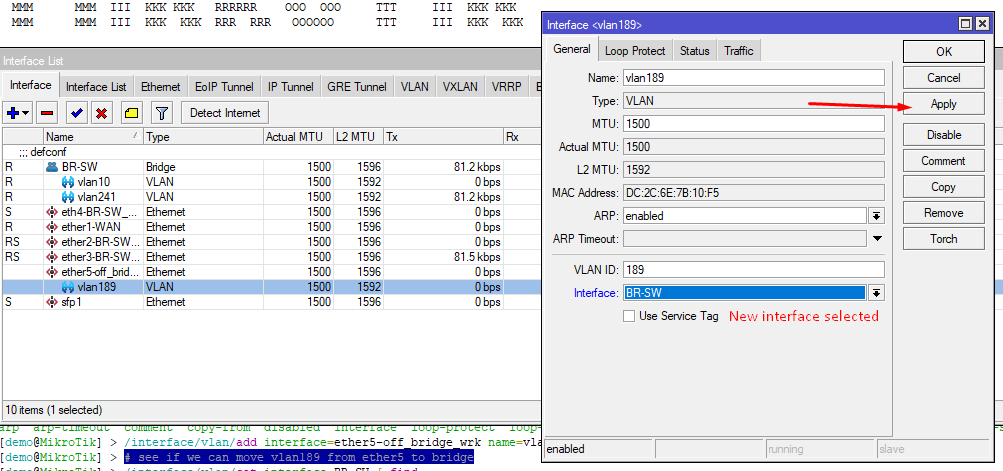
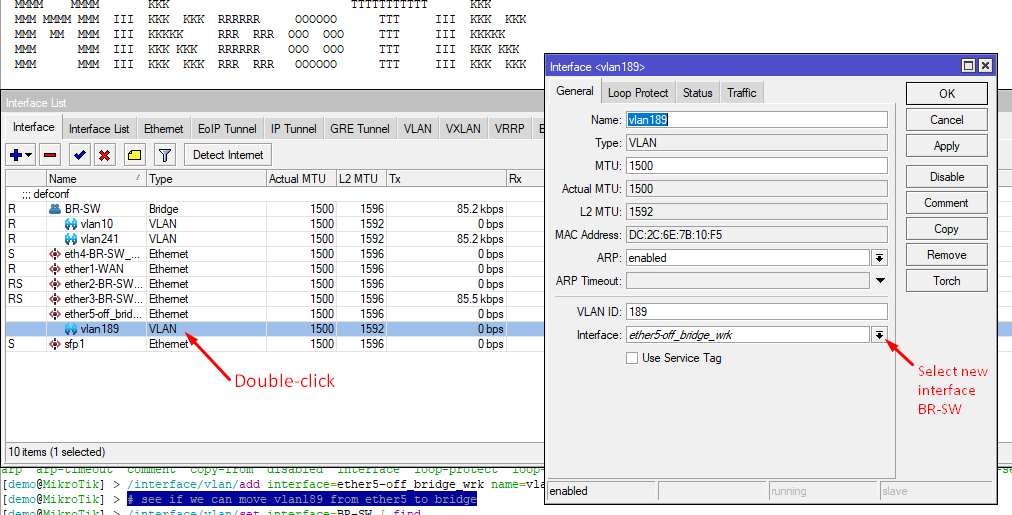
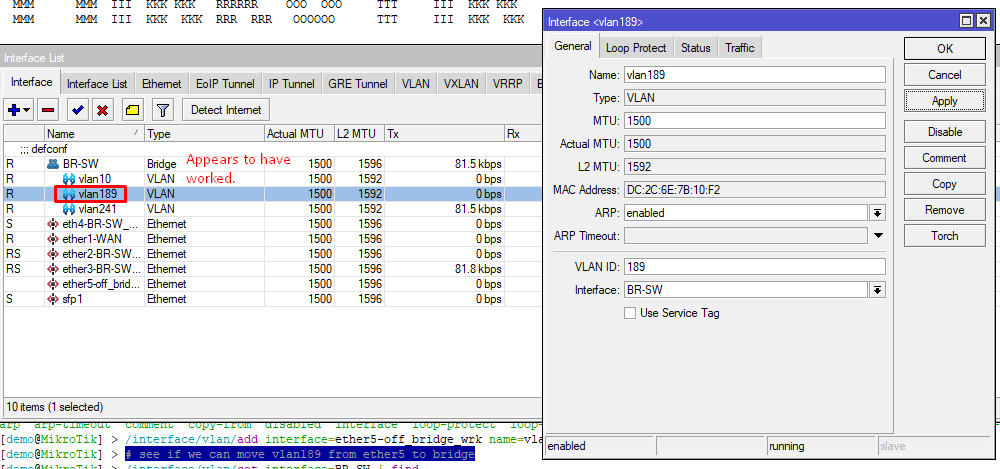
Hopefully by doing this, all the reset of the config will continue to work like it did before. You will have to move the trunk link from ether2 to ether4, then see if things are still working from connections on the D-Link switch. Also you should be able to plug a laptop into ether3 and it should behave like it did when connected to a LAN access port on the D-Link switch.
Anyone have any comments or warnings?
If this works then we can reconfigure ether2 as a trunk port, so you can move the cable from the D-Link switch back to ether2, and you can then reconfigure ether4 to be a spare access port for a wired connection to a vlan of your choice.