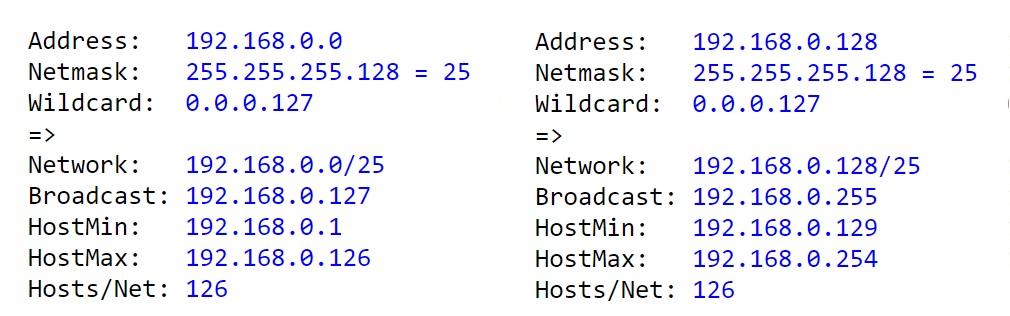
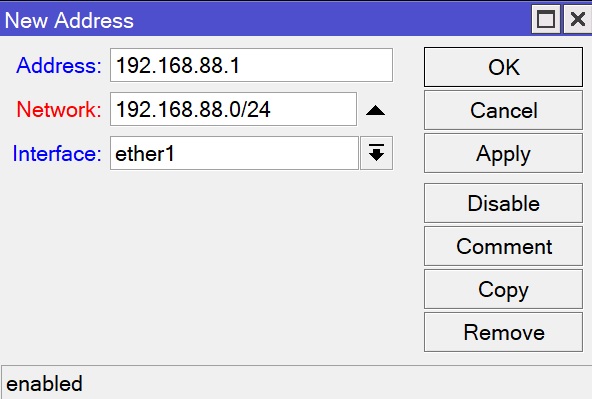
Your OCD is right - x.x.x.128 cannot be used as a host address in a /25 subnet. If RouterOS does permit that, it also permits x.x.x.0 in a /25, and both are wrong.
Both are network addresses, so they can be used at other places, but not in /ip address.
At this point it feels like I’m talking to a wall. I REALIZE how it works, I’m saying that if you gave a monkey an example of XXX.XXX.XXX.0/25 Subnet >>> XXX.XXX.XXX.1/25 Network Address and told it to replace it on .128/25, it would make it like so: XXX.XXX.XXX.128/25 Subnet >>> XXX.XXX.XXX.129/25 Network Address.
This is how my router defines the Network Address out of the box, not as 0/24, but as 1/24. If I change it to 0/24, the subnet stops working. I am crazy at this point?
Why is Network Address not set as 0/25 but as 1/25? That has been my question all along. If you are setting a 128/25 you set the Network Address as 128/25 and every other combination follows the same logic, but for anything that starts with a 0/XX, the Network Address get set to 1/XX. That’s not consistency and I don’t understand the reasoning behind it. Wait, don’t tell me that this has been 30 posts of misunderstanding and the Network Address of 128/25 is actually 129/25?
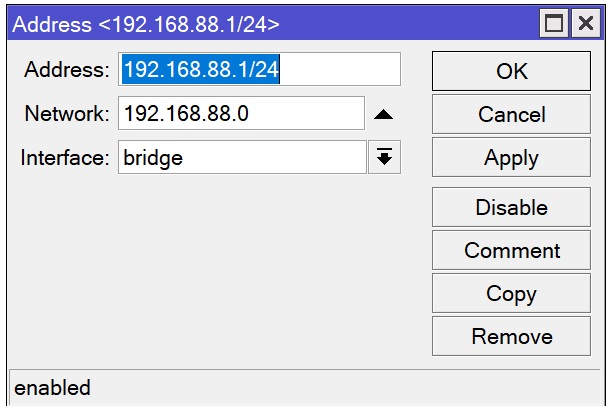
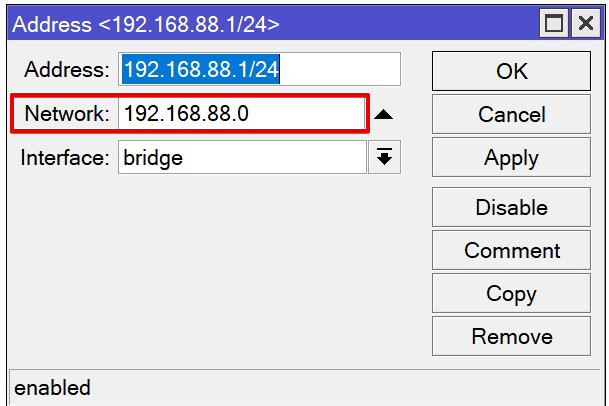
At your screenshot it defines your router’s address - 192.168.88.1, your network address - 192.168.88.0 and your subnet will be 192.168.88.0/24.
And as you was already told several times - it won’t let you set you router’s address to 192.168.88.0 because it is not a valid address for a device in 192.168.88.0/24 subnet - it is reserved to be network address for this subnet.
Sorry, I was under the assumption, that you can SOMEHOW define the following: router’s address - 192.168.88.128, your network address - 192.168.88.128 and your subnet will be 192.168.88.128/24. I’m glad that’s not the case.
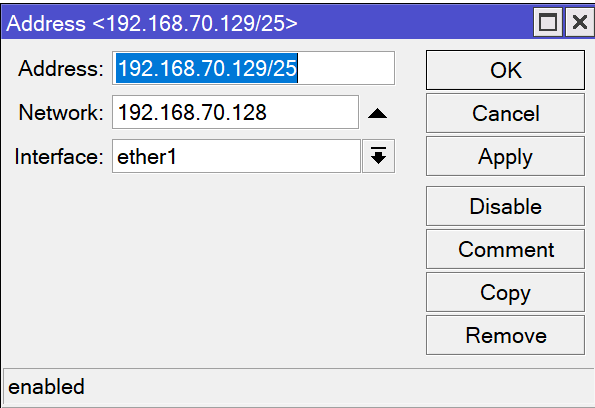
Can you confirm that this is the correct setting for a XXX.128/25 subnet?
Sure, but again, as already stated, it would require to specify both values.
And with the current approach the only occasion when you need to specify network manually is when you are using /32 addresses for ptp link: you need to put the address of the other end of the link there.
Easy to understand way would be to have separate fields for IP address and mask (but I’m not advocating for it, I like current /). And to not have editable field for network at all, because IP address and mask is enough (except for peer-to-peer use, so there should be optional field for peer’s address, but “network” is not correct name for it).
Well, it is not wrong, but it confused me at first. Interface address list makes more sense as that section shows addresses assigned to an interface or set of interfaces after all.
Wait, it is the “interface’s” own address, isn’t it? In this case interface = bridge. You could always run separate subnets for each ethernet port and have separate “own” addresses per interface.
The main problem/misuderstanding in this discussion is that sometimes you/we have to be flexible in terms of used vocabulary and accept slightly different meaning in different ROS’ configuration areas. It is not a SOHO router and some network knowledge is expected.
That is why MCNA course should be taken.
Do not focus on particular name of a window or function. They are grouped logically and you SHOULD be able do differentiate meaning
of “Address list” in context “list of interfaces’ addresses” and and the second “Address list” which is used in the firewall.
However Address list in the Firewall “corner” is the list of all addresses or subnets grouped by group name. So frankly speaking this window (or CLI configuration branch) should be called “List of Address Groups”. And this definition should be used instead of “address list” to be precise.
If you expect a fully bells&whistles equipped WIZZARD which shows you what to do step by step then do not buy Mikrotik.