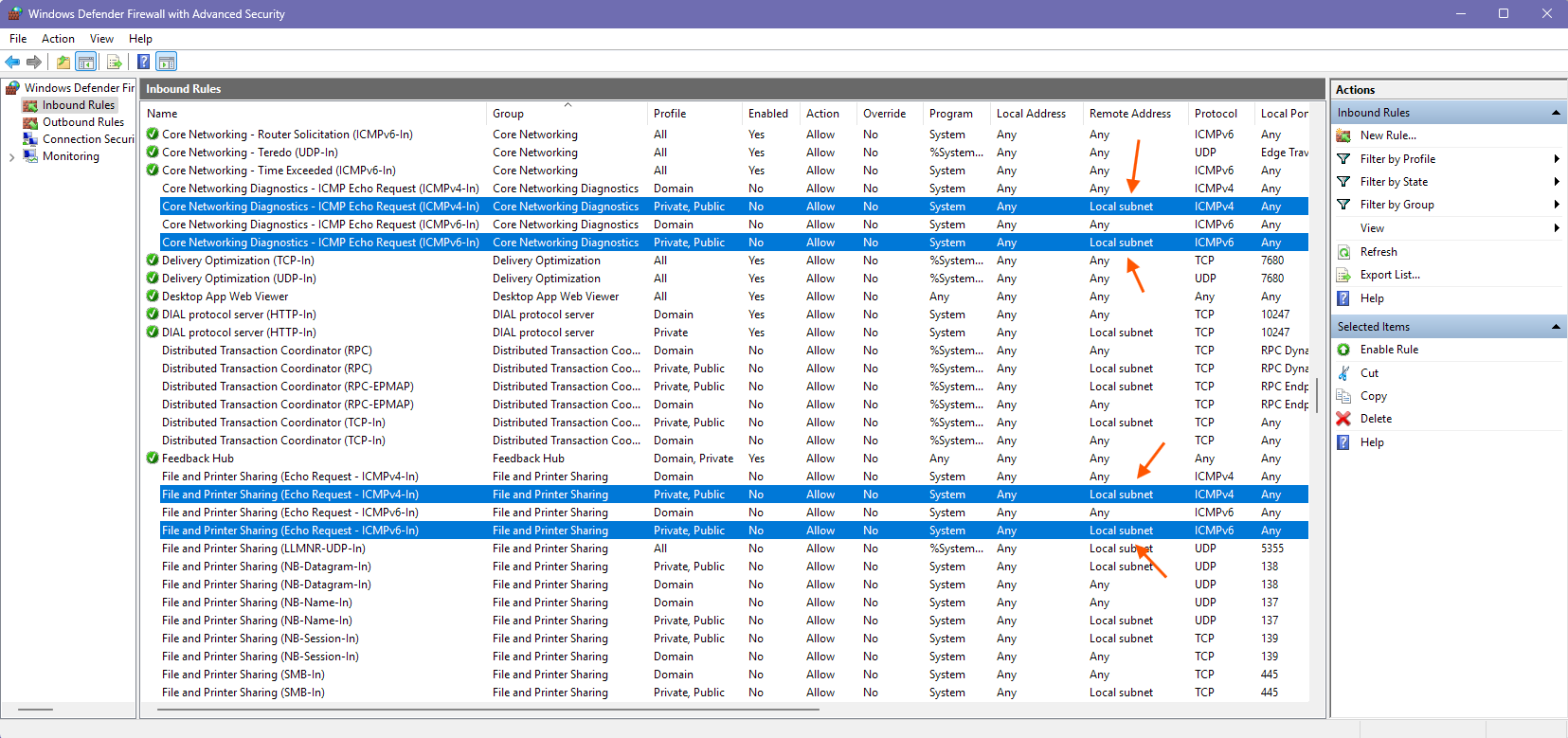
There are two sets of firewall rules that can be enabled under Windows to accept pings.
-
You can either enable the File and Printers Sharing feature and the related Echo request rules will be enabled.
-
Or you can enable the Core Networking Diagnostics rules.
However, as you can see, by default if you are not part of a Windows Domain, those rules only accept incoming request from “Local subnet”. Even if they are enabled, you’ll need to modify the rules and change Remote Address to Any to be able to answer incoming ping from 192.168.20.0/24 on PC2.

The same applies if you want to use the file sharing feature itself. If not in a domain, by default only connections from the same subnet are accepted.
I guess PC1 can answer ping and not affected by the firewall because it runs the WireGuard client and has the WG tunnel as network interface.