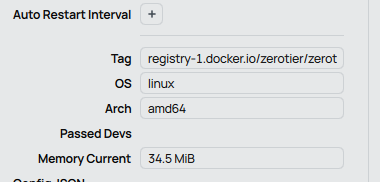
7.20.4 Zerotier container issue

Hello everyone,

I am encountering a persistent issue while setting up ZeroTier within a container on RouterOS 7.20.4.

I have successfully installed and started a standard ZeroTier container image. The attempt to join a ZeroTier network is reported as successful by the CLI, but the device never actually connects or appears on the network.

Configuration Details & Steps

RouterOS Version: 7.20.4 (Stable).

Action: Executed the join command inside the container: zerotier-cli join <NETWORK_ID>

CLI Response: The command returns a positive status: 200 join OK

Problem Symptoms Despite the 200 join OK response, the following issues are present:

The device does not appear in the ZeroTier Central (online console).

The command zerotier-cli listnetworks returns an empty list.

The ZeroTier container logs show a recurring error indicating a failure to access the required network device: ERROR: unable to configure virtual network port: could not open TUN/TAP device: No such file or directory

Investigation and Question It appears the container lacks the necessary permissions or access to the TUN/TAP device (usually /dev/net/tun) required by ZeroTier to create its virtual network interface.

Does RouterOS 7.20.4 require any specific, additional configuration steps to allow container access to TUN/TAP or to grant the necessary capabilities? This might be related to how container isolation is handled in this specific RouterOS version.

Any guidance or clarification on how to properly configure the container environment on RouterOS to ensure TUN/TAP access would be highly appreciated.

Thank you!

Question
If your device is able to run containers, why don't you use zeotier package directly ?

Sorry, I forgot to mention, I am using CHR

Have you seen this thread already ?

Recent ROS version made quite some changes to containers and related interfaces so I don't know if it still applies.

It might also help if you show your config on CHR (remove serial, public IP, passwds, ...).

It might also help if you show your config on CHR (remove serial, public IP, passwds, ...).

All my config? Or only info about containers?

Container for certain, probably also bridge related settings.
Rest we will have to see ...

1 Like

Alright, thank you, give me a little bit time to hide all IP and names

I am using zerotier container for x86 firmware @ 7.20.2
it works fine
I did not upgrade to 7.20.4 because I found problems in the new firmware as reported in this forum

Please note if some of your container do not work, there may be due to the fact the container acquires the network device name as veth?. your container may default to use eth0, etc

this is how I check out recently when move to 7.20.x firmware

Це гарний план дій.

Ось як можна сформулювати вашу відповідь англійською мовою, щоб вона була чіткою та інформативною для форуму:


That makes sense. I am currently using a VETH interface setup.

I will try downgrading my CHR instance to RouterOS 7.20.2 first to see if that resolves the regression.

If the issue persists on 7.20.2, or if I still need to apply those explicit device and cap-add settings, I will post my full container configuration for further analysis.

Thank you!

Which docker image are you using ?
Do instructions as linked above still apply or are there changes ?

Testing it myself now on CHR and can't seem to get it working ...

container/print
Flags: S - STOPPED, R - RUNNING
Columns: NAME, ROOT-DIR, INTERFACE, ENVLISTS, MEMORY-CURRENT, TAG
NAME ROOT-DIR INTERFACE EN MEMORY-CURRENT TAG
2 R A pcie1/A veth9-A 7.4MiB registry-1.docker.io/zerotier/zerotier:latest

container/config/print
registry-url: https://registry-1.docker.io
username:
password:
layer-dir:
tmpdir: pcie1/pull
memory-high: unlimited
memory-current: 30.5MiB

envs clear

mounts clear

int veth print
Flags: X - disabled; R - running
2 R name="veth9-A" mac-address=(hide) address=(hide)/30 gateway=(hide) gateway6="" dhcp=no

int bridge print
Flags: D - dynamic; X - disabled, R - running
(have no bridge)

Log while start container:
start
started PATH=/usr/local/sbin:/usr/local/bin:/usr/sbin:/usr/bin:/sbin:/bin /entrypoint.sh
=> Configuring networks to join
=> Joining networks from command line:
=> Starting ZeroTier
=> Writing healthcheck for networks:
=> zerotier-cli info: [Error connecting to the ZeroTier service: connection failed

Please check that the service is running and that TCP port 9993 can be contacted via 127.0.0.1.]
=> Sleeping infinitely
Starting Control Plane...
Starting V6 Control Plane...
ERROR: unable to configure virtual network port: could not open TUN/TAP device: No such file or directory

I have no firewall NAT, but have firewall rules:

> ip firewall/filter/print
Flags: X - disabled, I - invalid; D - dynamic
0 D ;;; special dummy rule to show fasttrack counters
chain=forward action=passthrough

1 ;;; Established and related
chain=forward action=fasttrack-connection hw-offload=no connection-state=established,related log=no log-prefix="Default"

2 ;;; Established and related
chain=forward action=accept connection-state=established,related,untracked log=no log-prefix="Default"

3 ;;; Drop Invalid
chain=forward action=drop connection-state=invalid log=no log-prefix="Default"

4 ;;; Ping
chain=forward action=accept protocol=icmp icmp-options=8:0-255 log=no log-prefix="Default"

5 ;;; DSTNAT
chain=forward action=accept connection-nat-state=dstnat log=no log-prefix="Default"

7 ;;; A to Internet
chain=forward action=accept dst-address=!(my lan) in-interface=veth9-A log=no log-prefix="A"

13 ;;; A Drop All FORWARD
chain=forward action=drop protocol=!icmp in-interface=veth9-A log=no log-prefix="A"

20 ;;; DROP all FORWARD
chain=forward action=drop log=no log-prefix="DROP FORWARD"

21 ;;; Established and related
chain=input action=accept connection-state=established,related log=no log-prefix="Default"

22 ;;; Ping
chain=input action=accept protocol=icmp icmp-options=8:0-255 log=no log-prefix="Default"

23 ;;; Invalid
chain=input action=drop connection-state=invalid log=no log-prefix="Default"

25 ;;; A Drop ALL INPUT
chain=input action=drop in-interface=veth9-A log=no log-prefix="A"

29 ;;; Winbox from LAN
chain=input action=accept protocol=tcp in-interface-list=ospf dst-port=8291 log=no log-prefix="Winbox"

31 ;;; Drop All
chain=input action=drop log=no log-prefix="Default"

from container i can ping 1.1.1.1

Just official one

with the standard environment parameters

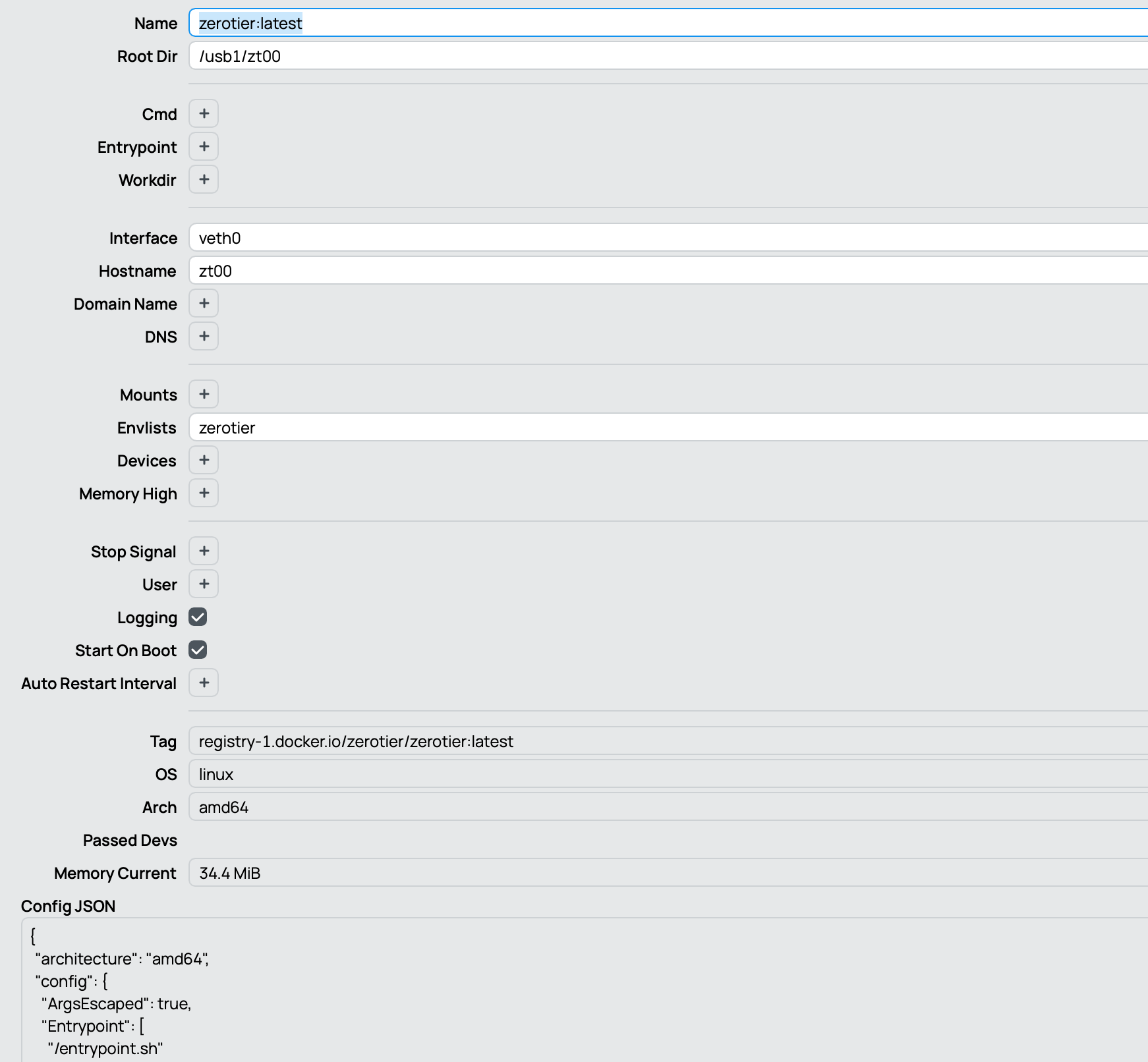
image

Are you using the mounts configuration, or are you only relying on envs to pass the device to the container? Show please

I only use envs

I recreated the container with environment variable bindings, setting the same three envs as you did, but the problem hasn't gone away :frowning:

Not sure what wrong with your settings

I run two instances of zerotier containers in my x86 router. They work.

“Testing it myself now on CHR and can't seem to get it working ...”

Good afternoon, did you manage to get it working?

Nope, but haven't tried further over the weekend.

@ckleea
can you provide more detail how your settings are ?
Bridge, veth, firewall, ... and container, please.

I just follow standard veth and bridge configuration for container
A separate bridge for vethx interfaces with subnet of 172.18.0.0/24

For firewall, I just port forward 9993 to the zerotier container interface.

Within the zerotier container terminal, zerotier-cli listpeer can list the peers and use as usual