Yes, and also you can set it on this page.... but my dubts was about the "default settings".
I don't know if was the problem with the process about DHCPv6 Client (probaly not), if is a single process.
But for the next versions, i guess if we can see the process, maybe is workfull for us.
Today, we have the IP > Services, where we configure the management services, like winbox, ssh, telnet, etc..
But if we have System > Services, where we see about the process, i guess we can have a direction about some problems...
Just status (active, inactive, failed...), just to know about the process, and maybe restart that, probaly will be very workfull.
It's just a suggestion to next versions.
Where did you find the build date? Its not mention in the build here nor, in the download page at MT or in the router.
/system/package/print
That you can see in gui as well, but only if you install image 
Thought you couldn't find it?
I cant find it. I can not install all version to see build version. Why not for MT to post it. This just changed the last days
rextended probably extracted it from npk.
Yes, just open 7-zip and see the date of the files, but installing them show exact time of build...
Didn't you see it? I told you...
YES, YES I do see it after you last post in the INSTALLED image. But I like to have a table of all image with correct date. I have not time to install all image just to get the time out of it 
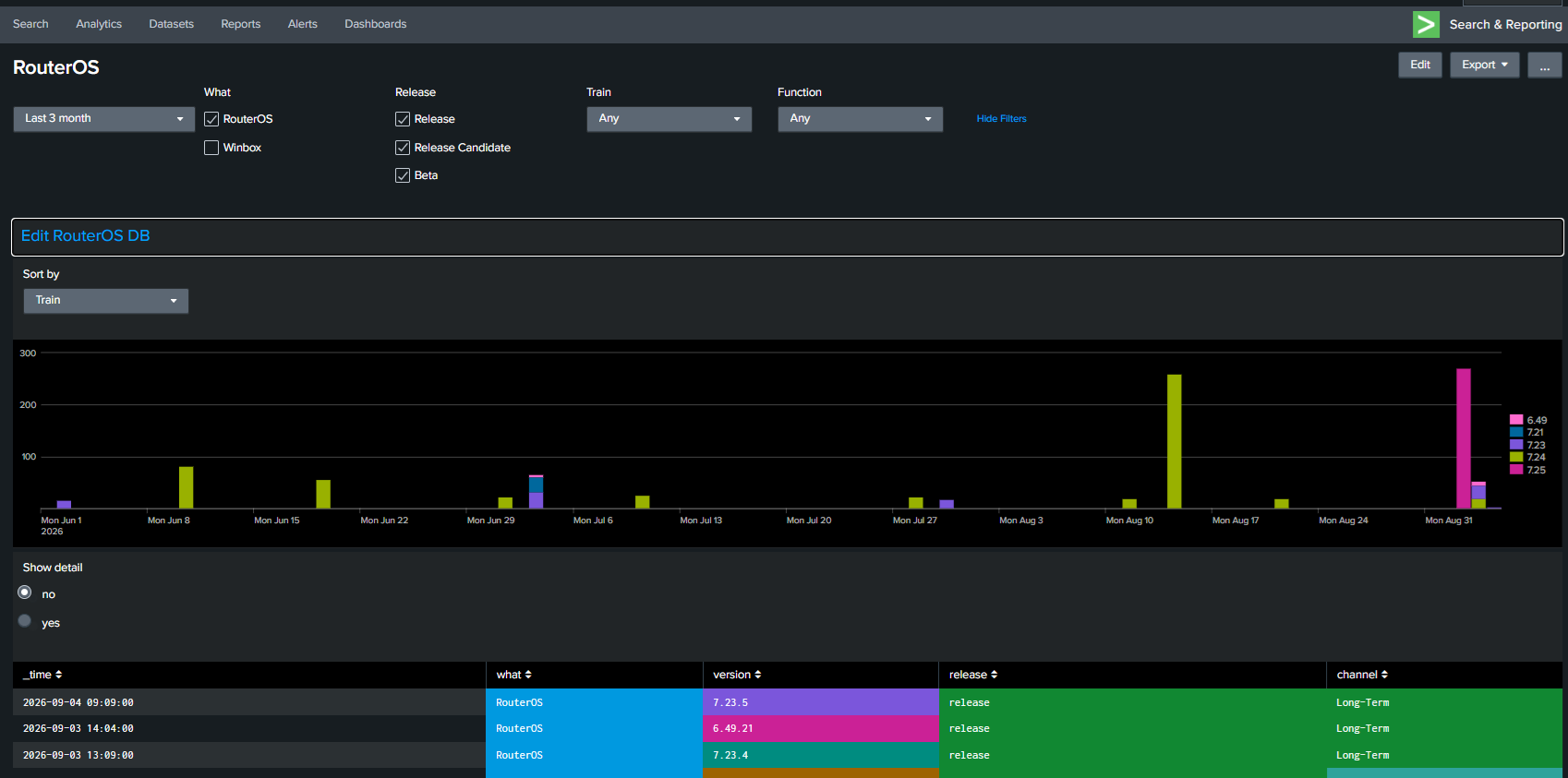
Image from my Splunk-RuterOS DB the last three month.
I can select a function like BGP and see what every image has changed to BGP etc
Just for fun, so no critical stuff. Just do not understand MTs changes to this when time is there, just post it like they have done the last 10+ yeares
Or use 7-Zip,
go to \nova\etc\ and see the date of "lognames" (is not everytime precise, but is closer, and subtract/add timezone)
Is wrong only for 6.49.1, and is why I put wrong time, but fixed when I install it.
I have an advantage because I have... hardware to sell!!!

It is actually convenient to have one device on each single 6LT / 7LT / 7† / 7rc / 7beta / 7alpha version
7† is not a footnote, but plug&pray...
That do work, thanks. Extracting image using som zip and it seems that all folders has at least correct date. Some files get current time when extracted.
Dear @normis and the rest of the Mikrotik team.
Thank you for the security update and the hard work to reply to concerns posted.
4 devices successfully upgraded with no issues / no detections of the vulnerability.
Hi,
There is a display issue in switch rules, ports are displayed as 'unknown' in the web gui on a CRS310-1G-5S-4S+.
Coming from lasted previous LTS 7.21.4 to 7.23.5.
No issue on CLI and WinBox, the issue seems to be only a display bug on web gui. Here are the screenshots. No issue too on my other MikroTik devices, only on my CRS310-1G-5S-4S+.
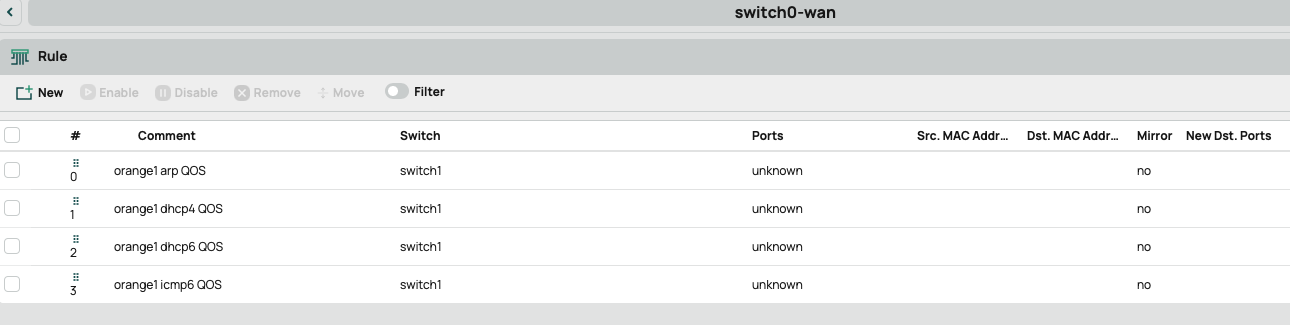

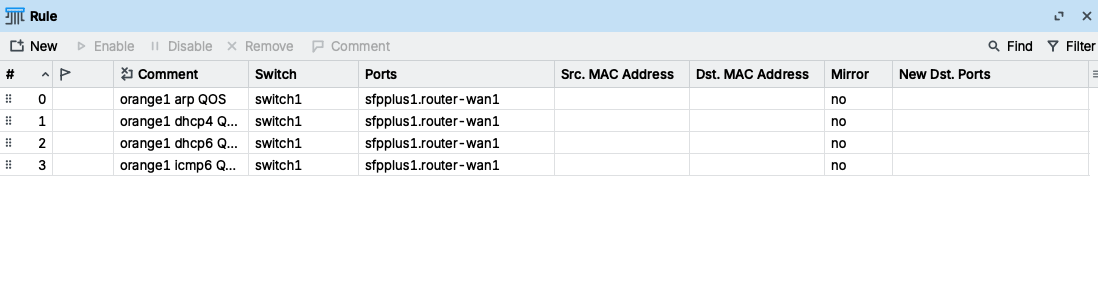
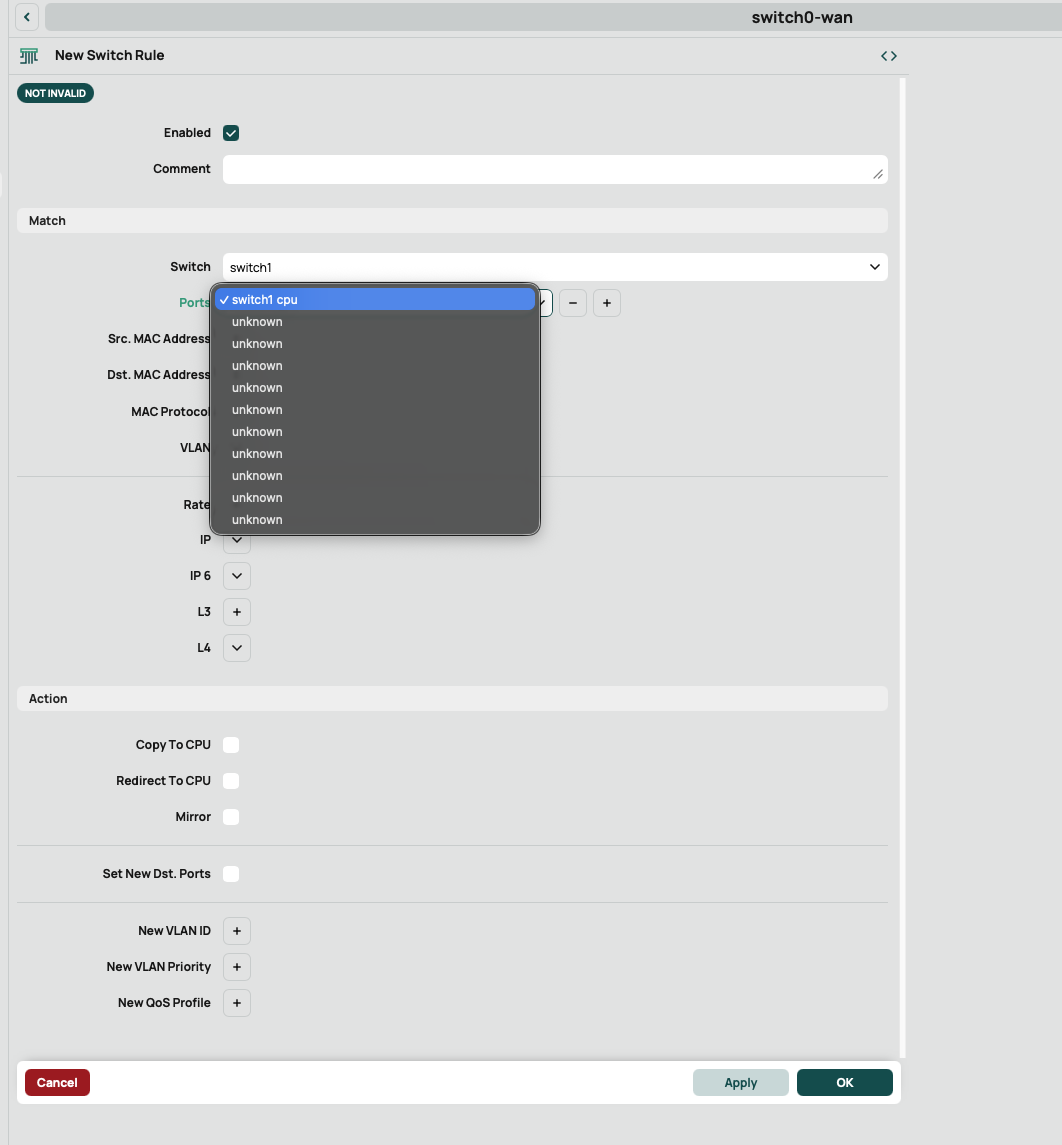

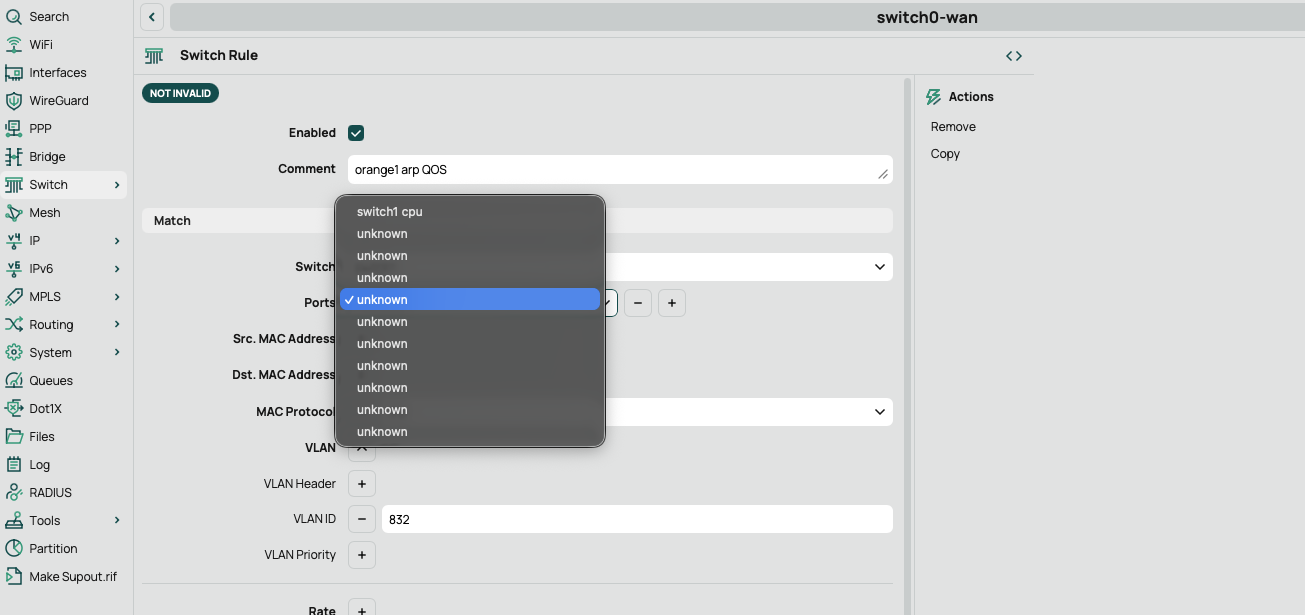
thanks
Just installed 7.23.5 on hap-lite (smips) - all OK
I try to /tool/ip-scan and there is no command ??!?!?!
I compare 7.21.5 and 7.23.5 - commands are missing !!!
- flood-ping
- ip-scan
- mac-scan
- ping-speed
Where is this in changelog ?
What else is missing ?????
They have been removed for SMIPS since 7.22
Other thing no longer available for SMIPS in the main package:
And hotspot has been moved to a separate package, but it was already the case since 7.20.
I am on long-term channel.... changelog 7.21.5 and changelog 7.23.4 (longerm releases) there is nothing in.
Seems like I need to read all change logs in stable chanell between long term releases. That is so wierd, not informational and confusing.