Does LX300 counts ?
Contact that printer but do not forget of labor/free time




For the 7.24.1 release topic:
Updated my hone RB5009, no issues so far and I can confirm disabling/enabling wireguard peers works as intended again.
For the printer side-topic:
Do yourself a favor and buy a used mid-tier business color laser printer (HP, Kyocera, Brother, ...). They are quite cheap, I got my HP 4000-something even for free when a nearby company replaced all their printers at once.
They work reliable, support PCL6/Postscript (the not so old also PDF) and the supplies last forever in home use. No ink to dry out. Works with Windows, Linux and macOs.
They support raw print, so if anything else fails all that's required to print a postscript or PDF file is to send it to the printer's IP at port 9100 using netcat or similar.
Ink exhausted, S4 sleeping state

The scripts in ppp-profiles are not executing.
Too short, it doesn't even help with verification...
Previous version (what?) work, this version not? What hardware?
Where's the script? What if there's an error in the script?
Works for me.
Thanks for the update!
Great to see another stable RouterOS release with fixes across bridge, switch, container, SSH, and system components. I’ll make sure to take a backup before upgrading and test 7.24.1 carefully, especially on production devices.
Appreciate the continued work and improvements!
It makes perfect sense to put into production a software that was released only 8 days ago...
Poor your customers... I feel sorry for them.
DoH problems with 7.24.1. Log flooded with:
DoH server connection error: The user callback function failed
DoH server connection error: timeout sending data
Sometimes crash dumped. Any solutions ?
Contact support and produce supout.rif
You help yourself and the other users.

Can you share your wifi config, @maisondasilva? Just to be sure. This version introduced a new wifi driver and I read about problems with FT-over-DS when enabled. But there could be more problems.
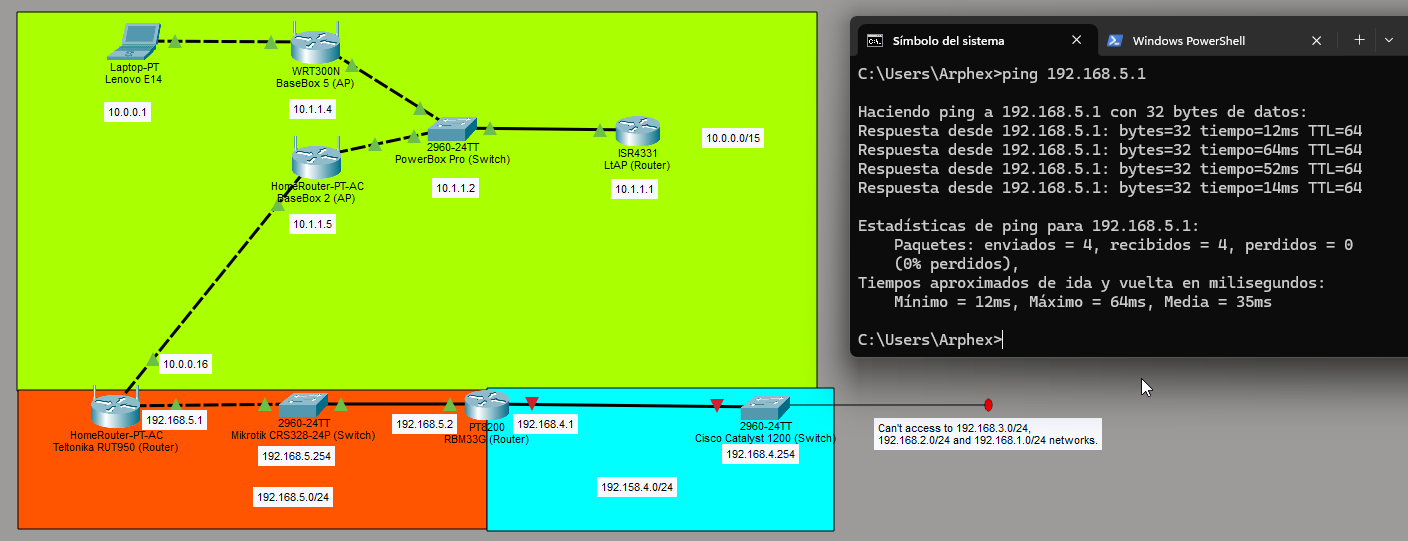
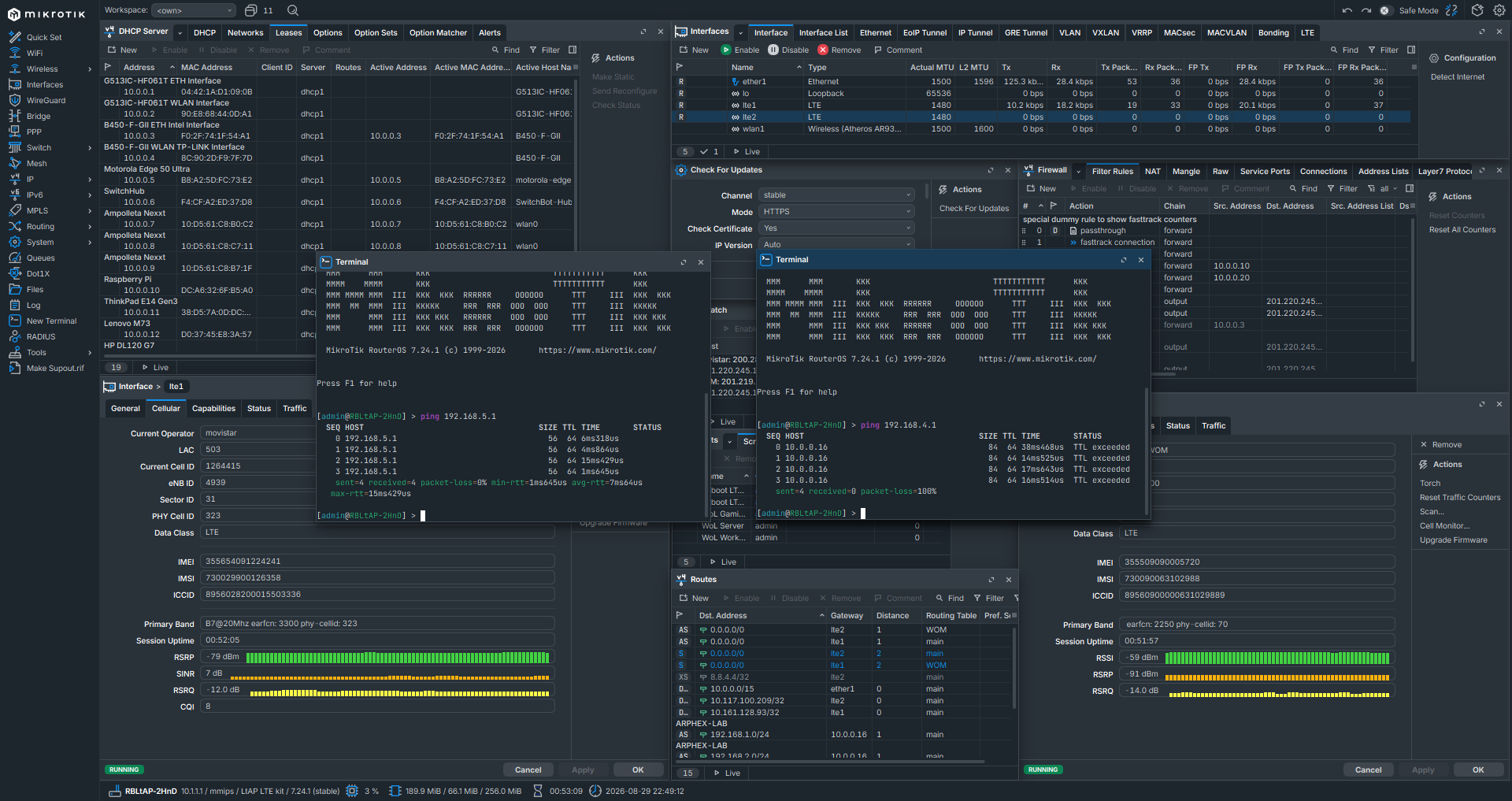
Hello, you broke the static routing with ROS 7.24+ with TTL expired/excedded.
Now I can't access to my networking lab!
Plz fix. With 7.23 works well.
Fixed: Found bad routing rules on Teltonika RUT950. Weird to see that with 7.23 anyways was working, but seems that with 7.24 all works according to rules.

Sure. My configuration is fairly basic and similar across my hAP ac² and hAP ax² devices.
On 2.4 GHz, I use a standard b/g/n configuration for compatibility with IoT devices. I use WPA2-PSK security, and I don't use FT or FT-over-DS.
I don't use any special roaming configuration. The main issue I noticed with RouterOS 7.24 was more frequent dropouts on the 2.4 GHz band, mainly affecting some Sonoff IoT devices and devices related to my photovoltaic system.
Please provide config, just to rule out anything.
Hap ax
interface wifi
set [ find default-name=wifi1 ] channel.frequency=5180 comment=XXXXXX-XXXX-5G configuration.country=Brazil .mode=ap .ssid=XXXXX-XXXX-5G \
    datapath.bridge=bridge1 disabled=no mtu=1500 security.authentication-types=wpa3-psk
set [ find default-name=wifi2 ] channel.frequency=2412 .width=20mhz comment=XXXXX-XXXX configuration.country=Brazil .mode=ap .ssid=\
    XXXXX-XXXX datapath.bridge=bridge1 disabled=no mtu=1500 security.authentication-types=wpa2-psk .disable-pmkid=no
Hap ac
interface wifi
set [ find default-name=wifi1 ] channel.frequency=2437 .width=20mhz comment=XXXXX-XXXX configuration.country=Brazil .mode=ap .ssid=XXXXX-XXXX datapath.bridge=bridge1 disabled=no mtu=1500 \
    security.authentication-types=wpa2-psk
set [ find default-name=wifi2 ] channel.frequency=5240 comment=XXXXX-XXXX-5G configuration.country=Brazil .mode=ap .ssid=XXXXX-XXXX-5G datapath.bridge=bridge1 disabled=no security.authentication-types=\
    wpa3-psk
Is this useful to you?