You don't have to assume, it is hinted at in the original post, but yes. Protect your management ports.
I can download only a 20kB/s...
No problem, because I download locally then update machines from local sources...
But is really slow today...
Everyones downloading the updates right now, kind of to be expected.
Especially in this moment, it could be because everyone is upgrading at the same time.
I can't upgrade directly on the device via the RouterOS interface (IPv4: bad HTTP response); for now, I'm downloading it using wget directly from the Mikrotik website, but it's going VERY SLOWLY.
Maybe the server is overloaded?
I mean technically you are correct, it’s 10 times slower - from 300KB/s down to 30KB/s 
And restarting the download fixed it once again.
Anyway, everything seem to be fine so far here (hAP be3).
according to someone who looked at the changes earlier, there are fixes to RSA signature validation and some other changes in the SSH authentication code. so i'd guess an SSH authentication bypass seems very likely, and we can speculate this might also affect IPsec and other things that use RSA authentication.
Upgraded my RouterOS fleet to 7.24.2 today following the important security update notice. Devices covered: 2x RB5009UG+S+, 1x RB5009UPr+S+, 1x CRS310-8G+2S+, 2x wAP 60G/RBwAPG-60ad (Wireless Wire), 1x hEX/E50UG, and 1x CHR. All upgraded successfully and are reporting 7.24.2 with no issues observed so far.
Upgraded L009 arm64 (wireguards, vlans, radius, eoip, e-bgp, iptv multicast ...) without any issues. Works perfectly so far.
Dear MikroTik team, thank you fixing the issue even for a 6.x branch, and notifying us about this through iOS app notification.
All fine with this stable build on my RB5009Upr. Not noticed problems with it.
CDN should help. But, few months ago ping to mt.lv was about 15ms, now over 50ms. Traceroute is very long. ISP was changed?
I think their internet connection is saturated by people trying to upgrade. Even the forum is (was) slow.
CCR-1009, after upgrade PPPoE client is not working any longer! Had to downgrade back to 7.21.5 (long-term)!
Was it a server or a client for your ISP? Try again. Sometimes ISPs have a problem with suddenly disappearing and then re-connecting too soon.
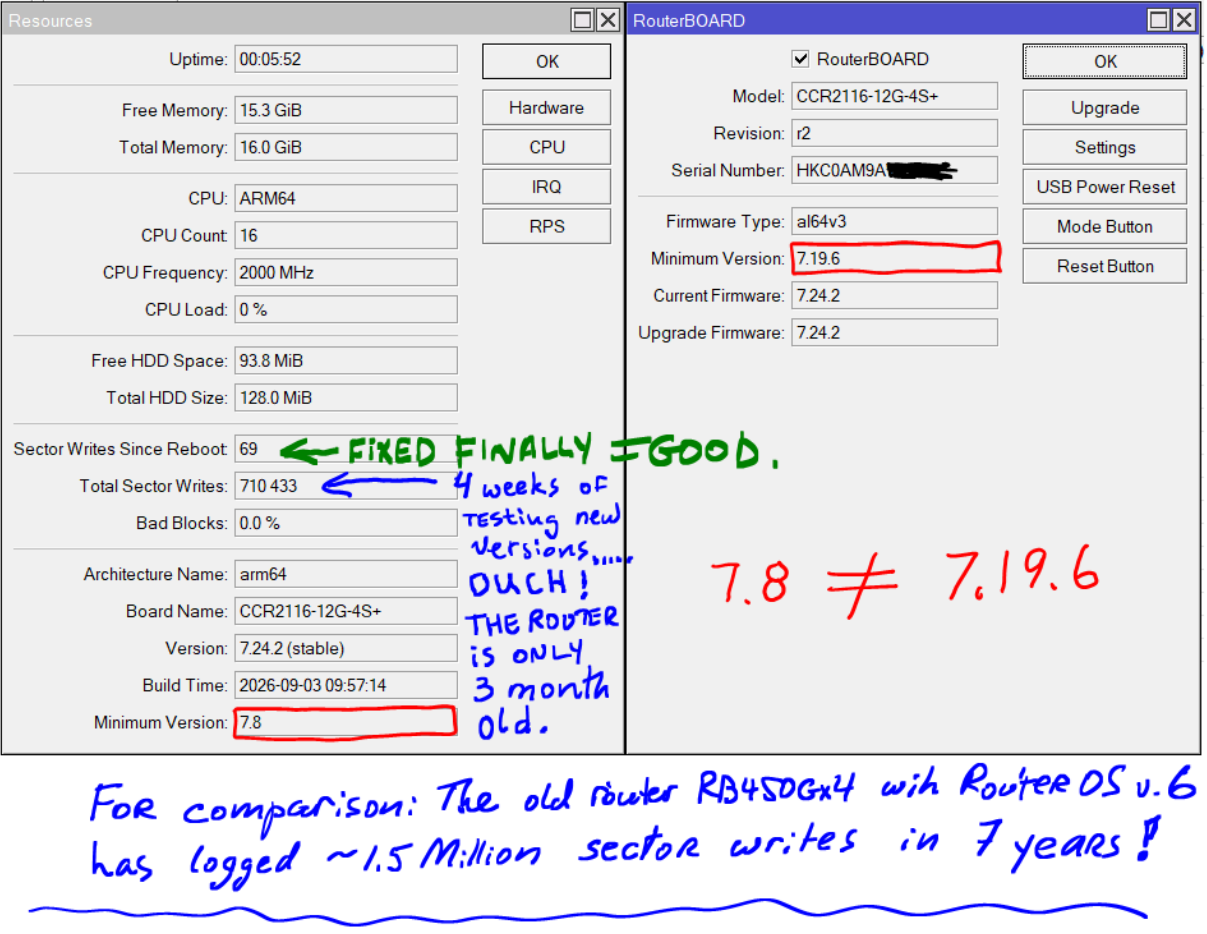
What in your config is causing this amount of sector writes? In the recent months the only excessive sector writes I experienced were because of container healthcheck. But that was fixed.
PPPoE client. It just stopped working at all, not getting any IP address from ISP. regardless of how long the PPPoE interface is disabled and then enabled, it just never come up...
As mentioned, after downgrade back to 7.21.5 it came back instantly.
From what I can tell so far, this is correct.
With that said, the specific specific bypass they fixed requires an extremely unlikely configuration (in 2026) that hasn't been relevant in the wild since the 2000's.
This clearly isn't the reason for all of the releases being pushed, it's more defense in depth... which is good thing.
The much more practical thing to worry about here is an exposed management plane.
Mikrotik hAP ax² ||
Every time, I perform the upgrade through WebFig > Terminal using the following commands. I have never encountered any issues. Also, the hAP ax² is an extremely stable and remarkably trouble-free router.
/system package update check-for-updates
/system package update download
/system reboot
/system routerboard print
/system routerboard upgrade
/system reboot