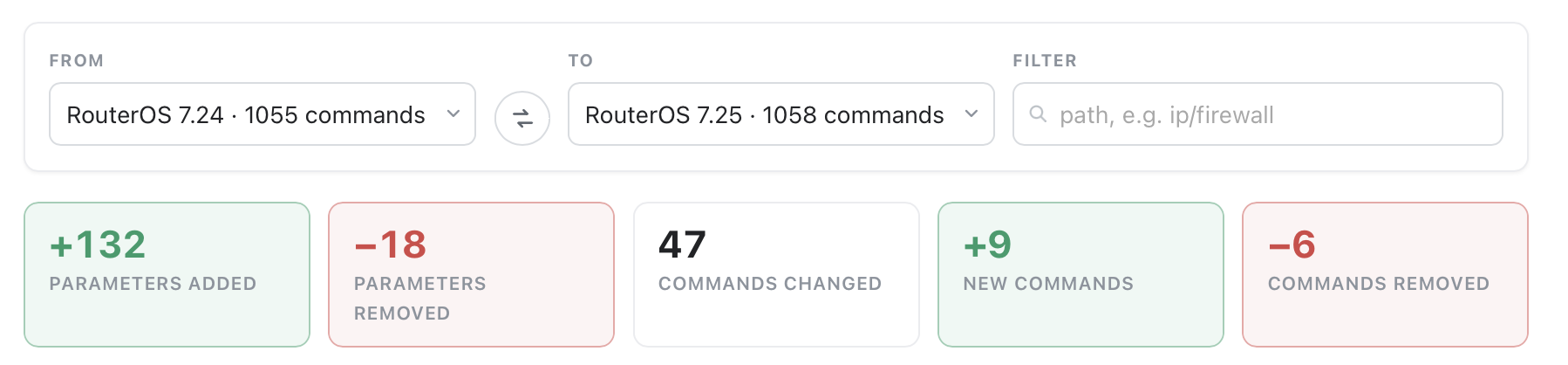
I've long posted some stats on a new stable. But MikroTik added the new Version Compare to manual.mikrotik.com so we have "official" stats on the #cmds and #attributes...
Now... I'm not sure if it's 7.24.5 (not 7.24) nor 7.25 (not 7.25beta), or if that's updated upon a release... I'll still share my "CLI diff" from 7.24.5 to 7.25: RouterOS Schema — Side-by-Side Diff
which shows: (some of the difference in counts is the I count attributes by verbs, include standard verbs; mikrotik ignores "standard verbs" like get/set/remove/print, and uses one set of attributes in their diff counts)
I got wifi working on hap be lite. I did the following to get it successfully enabled:
Update routerOS and firmware to 7.25
Disable channel reselect time/interval
Disable MLO
Reboot the device
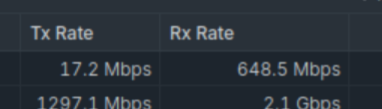
Afterwards, wifi started working for me. The reboot is important, just changing settings is not sufficient. Wifi speed is around 500-700mbit/s download, 1gbps upload on 5GHz with a wifi7 client, measured with iperf3 in local network.
I've downgraded to 7.24.5 and everything is ok again. You need to load both routerOS and your wi-fi module package to files, then go in system/packages and selection routerOS -> downgrade
Should I familiarise myself with the new wifi/network menu and consider migrating my old configuration (configuration, channel, security, etc.) to the new system? Is that expected to work with CAPsMAN right now?
It is working with capsman out of the box. You disable the old wifi config and capsman provisioning, set up new config in network, keep capsman enabled (without provisioning settings) and it will distribute the network settings to the caps. I find this pretty comfortable for simpler wifi setups. If you want to set all details manually (channels per radio etc), I think the old method could probably be more appropriate.
I use a smol BananaPi M4 Zero (https://www.banana-pi.org/en/banana-pi-sbcs/171.html) with Armbian for my AI-programmed "Word and Moon Clock display" (like https://www.qlocktwo.com/). I start this simply via a cronjob, which opens a browser and this connects to my internal Apache2 with the clocks. Worked for years now
After the 7.25 update, the BananaPi did not see any of my WLAN-networks. Simply not in the list of available networks (my networks are not hidden). And the one it had already did not connect. I updated Armbian via mobile-hotspot from phone -> nothing.
Now I removed the following suspicious options in my CAPsMAN (suspicious beacuse everything manually enabled is suspicious to me in CAPsMAN if something does not work):
Went to Radios -> Action -> Provision
BANG -> BananaPi sees the WLAN-networks!!
Now I went back and enabled the 3 options exactly the way they were before.
Again: Radios -> Action -> Provision
Rebooted the BananaPi -> still sees the networks.
Strange but in a certain Mikrotik-way familiar
All other devices I checked, saw the networks everytime (Shelly Plugs, Nixie-Tubes... all that chepo stuff).
After this update IPv6 on the router fails. The router gets a prefix via dhcp client, adds a dynamic pool, addresses are added from this pool to the interfaces. Even IPv6 routing works reliably, but the router itself can not access any IPv6 resources after some time. Releasing the prefix (/ipv6/dhcp-client/release [ find ]) makes the client bind a new one, and things works for some time - until it fails again.
As I use netwatch extensively this is an issue for me...
After updating an RB3011UiAS to RouterOS 7.25, access via WinBox 4.4 gets stuck on the loading screen with the message "Downloading logged-in user information...". Authentication appears to complete, but the administration interface doesn't fully open, preventing normal device management. Has anyone else experienced a similar problem?