Access points with KERNEL FAILURE - I'm going crazy

Friends, technicians, anyone... Could someone please give me a hand (supout.rtf on the way...)

The network consists (simplified) of:

router + capsman (wave2):

RB4001iGS+ as router (7.20.1)

PoE switch (connected with router per SFP+)

CS610-8P-2S+ as switch (2.20)

APs (CAPs):

mANTBox 15s.ac RBD22UGS-5HPacD2HnD (qcom-ac + 7.20.1 / 7.19.x / 7.18.2)

wAP.ac RBwAPG-5HacD2HnD (qcom-ac + 7.20.1 / 7.19.x / 7.18.2)

capXL.ac RBcAPGi-5acD2nD (qcom-ac + 7.20.1 / 7.19.x / 7.18.2)

I added the aforementioned PoE switch to the network a week ago. It replaced the messy PoE injectors in the rack. At the same time, I updated all three APs (cleanly, via Netinstall) to ROS 7.20.1 from the old 7.13.5. From that moment on, HELL broke loose! ! !

First, it started with mANTBox... the device kept "dropping out." I found that after the aforementioned tasks - after about an hour, the device would get into a kind of "bootloop" from which I could only "get it out" by disconnecting the power supply. The LOG referred to: KERNEL FAILURE IN PREVIOUS BOOT. I reset the device via WinBox and set it up again (identically). The error stopped. The same thing started happening with capXL ac, but after a few days rather than hours. I did the same reset, the same settings, and after a few hours, KERNEL FAILURE again... No matter what I did, the result was the same. I started changing the ROS - downgrade (but only via WinBox, I can't do it via Netinstall - I'm not near the devices) to 7.18.2. It took exactly 9 hours and again: ROUTER WAS REBOOTED WITHOUT PROPER SHUTDOWN, PROBABLY KERNEL FAILURE + KERNEL FAILURE IN PREVIOUS BOOT. Only “immune” device was and is the wAP.ac ! I am absolutely helpless... Out of desperation, I tried changing PoE between low/high, auto/on, priority, manual link speed… dumb things, since I can't explain what's going on. The switch is brand new, Im not the biggest master in ROS but I know what I'm doing, and yet I can't explain the situation... It seems pretty much like SW/HW issue for me, but since i did “two changes” at once (injectors→switch , 7.15.x → 7.20.1), im lost…

I would be grateful for any advice!

Thank you!

Dont run 7.20x - its full of issues.

Anything special to your CAPS settings? Or did you just reset it to CAPS Mode?
Care to share?

/export file=anynameyoulike

Remove serial and any other private info, post as Preformatted text by using the </> button.

Every version has its quircks...this functionality should work just fine.

Try to replace it back.

@savage - thank you for your reply ! As i mentioned, i went throught three last versions, 7.20.1 / 7.19.x / 7.18.2. Without change…

@erlinden - thanks for feedback ! I will be able to get output later, but theconfig in short was/is : clean Netinstall upgrade to 7.20.1 with “No default config”. The configuration on APs itself (every three piece has the same config) = enabling CAP Mode pointing to capsman, configuring WiFi manager to capsman, disabling ipv6, putting ether+wifi1+wifi2 interfaces to bridge, set DHCP client on created bridge. Nothing more… For all three devices.

UPDATE1: i connected to the APs to check their uptime status… capXL is now running for more than 24hours, however it was “restarting” yesterday. But the mANTBox is doing the same again. Kernel failures…however it was running now OK for days…

UPDATE2: since 7.20.2 was released, i updated all three devices (only via WinBox, no Netinstall option is now possible). mANTBox crashed couple of minutes after update…

Im “scared” that i bought a switch for nearly 200EUR-os especially for this purpose into the rack, and i have to throw it out and put back 4adapters and 3PoEs… I dont think the issues are SW related, however wAP.ac runs without ANY interruption the WHOLE time (week+).

@memelchenkov - thanks for hint, i was thinking about the same, but then asked myself “why should i do this” ? I have a dedicated device to solve this purpose… Like, im just thinking out loud, i know that this should be also part of debugging. Im also thinking that switch makes issues, but i somehow cannot believe it - why, how ?

Did you also upgrade firmware?

It seems your config (or at least the approach) is perfectly fine...

If a device which worked well suddenly getting problems, the first thing you may want to check is its power supply. So revert your old power sources and you’ll get understanding the new switch is the issue or not.

@erlinden - Yes :frowning: I always do it as part of an update “process”. SW+FW
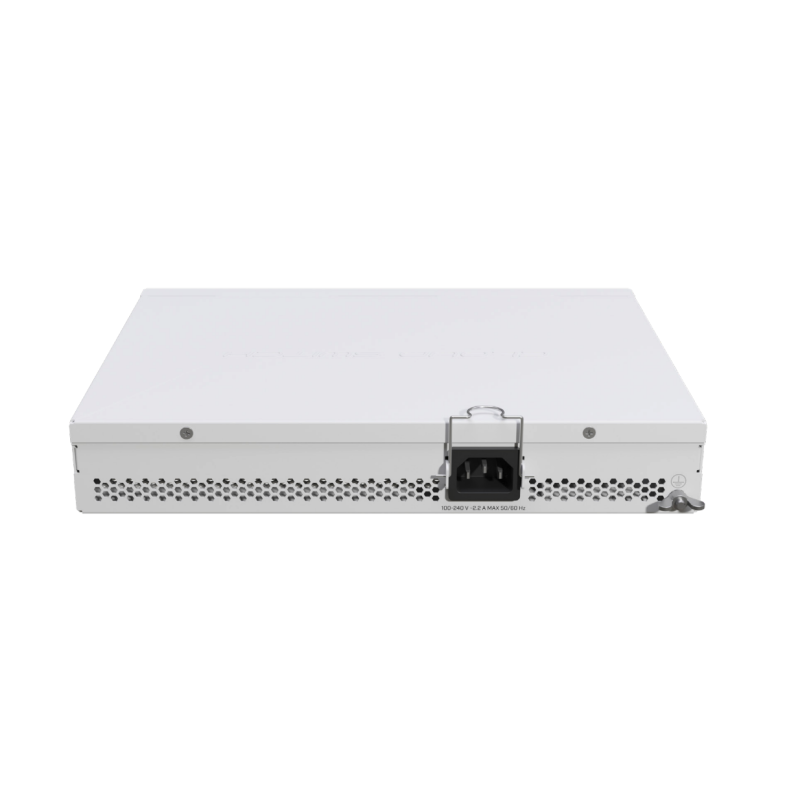
@memelchenkov - As I wrote, I did two “changes” at once. I replaced the CSS610 (8G) without PoE + injectors with the CSS610 (8P) with PoE. I don't want to...i didn't want to admit that it's a damn switch. It's a device designed precisely for this purpose, and I finally have everything neatly arranged in the rack, just as it should be. And yet...

Do you use the power supply that came together with the switch?

@erlinden - CSS610 with PoE has no external PSU :frowning:

UPDATE 25.oct:

Unfortunately, I still haven't received a response from MikroTik regarding "supout.rtf" (I sent it by email, and I realize that I'm at the back of the queue). Since the situation was becoming unbearable, with both me/us and WiFi devices going crazy, I disconnected one of the three APs, specifically "capXL.ac," and put it into operation via a PoE injector... The switch has a "HEALTH" tab in the UI where it displays POWER MANAGEMENT values. The power consumption of the connected devices is really minimal compared to the capabilities of the switch, but I found it interesting that with three connected APs, their power consumption is a maximum (peak) of about 12W (+- 4W per AP). As soon as I disconnected one - the aforementioned capXL.ac - the power consumption did not change much! It was also about 12W (peak), but now distributed between about 8W and 4W, in favor of the mANTBox (which was the second device to "drop out")... I don't know what to think about it, but it seems strange to me, to say the least. Anyway, we'll see how the devices behave now. It's clear that something "won't be right," most likely the switch, unfortunately, but I have no idea how I can complain about it after confirming it...

UPDATE 26.oct:

A morning check showed that capXL.ac was unavailable again. This means that even reconnecting via the PoE injector, which had been working for a year, did not solve the problem. The other two APs (wapAC and mANTBox 15s) connected to the switch are currently working without any problems. This raises the question: what happened? Did something happen during the netinstall, but it only affected capXL and mANTBox? Or did some kind of hardware error occur with capXL, and when all three devices were connected to the switch, this error also affected the others (although wapAC worked stably the whole time...)? I am speculating because I have no idea what to do, what happened, or where it happened... I will start by testing the netinstall and I hope to receive a message from MikroTik support soon to help me identify the problem... This is how I am groping in the dark.

UPDATE 29.oct:

Unfortunately, I did not receive any RELEVANT response from Support either... I don't want to lie, but honestly, the response that "the errors are caused by insufficient RAM (128MB) and I should upgrade my devices to .ax versions" does not satisfy me... I have more than one or two devices with this amount of memory, and they perform the AP task without any problems. Just as these devices did before the aforementioned changes... Between us, just today I witnessed (a sudden network outage during a Teams meeting :D) how, in a completely different place, "hax AX3" suddenly restarted with a "Kernel Failure" message in the logs :slight_smile: The fun is starting to end... Returning to the topic, I will try switching back to the archaic 7.13.5, which worked for a year on the aforementioned APs. If that doesn't work, it's high time to switch to a competing brand. It will be a huge debacle to change around 20 devices in all the locations where I have gradually purchased them over the years, but this cannot happen again... I am at a stage where I may be able to build a new home. I cannot afford to change all the network devices here after a year due to unexplained errors...

SAD STORY “CLOSED”…

1 Like

In case you really have a default configuration with minimal changes I'd classify this is a BS response. I have a cap ac working perfectly fine with never OOM situation.

That triggers me... @infabo, @dwnldr can you share the config of the CAPS?

/export file=anynameyoulike

Remove serial and any other private info, post as Preformatted text by using the </> button.

i am still using 7.19.4 for capsman at live sites as its the most stable for me. (sites with over 30+ aps , mixture of WAP_AX,CAP-AX and MANTS_AX)

Sites i have running AC are on 7.14.3 and stable (CAP-AC)
Having to lab and test latest versions to see if they actually work is becoming VERY time consuming.

I'd follow @erlinden's suggestions first. Both to make sure RouterBOOT is also updates - mismatched firmware can lead to problem & post at least the relevant parts of the configuration of the CAPsMAN controller and one of the problematic AP's configuration. e.g.

Now also underlying this is wifi-qcom-ac has undergone a lot of changes since 7.14. While of course upgrading from an older stable to newer stable should work, the reality is there "issues" that have cropped up various versions, since wifi-qcom-ac is still undergoing changes.

Now many are fixed in even newer stable/testing version (and sometimes depend on firmware matching). Also, the recommend configuration has somewhat changed (like roaming). Basically Wi-Fi remains troublesome to get right, so not wrong to be a bit frustrated.

IMO the cAP-XL-ac is not a great device... it is the last devices released that does not support newer AX version. So it's kinda like buying a new car, only find out next years model was entire redesigned.

Now MikroTik sells capAP-XL-ac and should work fine and other do have it working successful. But the newer wifi-qcom-ac driver - which allow compatibility with newer CAPsMAN – does use more RAM. So MikroTik has do many things to keep it working on both the RAM and flash... which comes back to that not all version work perfectly since it seem to require constant tweaks to keep with the hardware limits on AC device. So easy to get a "bad" version especially when you upgrade through many intermediate versions.

Anyway, showing the config may help as someone may spot problems in config. i.e. there may be something you're doing that is using more RAM. But the wifi-qcom-ac driver does lock up RAM, so less is available for other configuration and thus AC-based APs really do have be just APs, not doing other things. And if you need anything more the Wi-Fi, you do need newer APs with more CPU/memory.

This is truism of MikroTik. It really is helpful to have some lab to test upgrades, especially when you have dozens of devices. I think MikroTik is closing in some long-term V7 which may help, but version 7 (despite be several years old) still lacks the stability of V6... Which means testing.

Hi Guys !

Thank you very much for your responses.Big big thanks !

As i mentioned, FW upgrade is for me always part of ROS process. So the FW version always matches ROS. My plan is to visit today the property and netinstall all 3 devices again (i take the export too, and post it here) with “7.13.5”. However also 7.14.3 was mentioned as “proofed .ac” firmware.

Should i try x.14 guys ?

For wifi-qcom-ac good ROS steps in my experience are:

  • 7.13.5
  • 7.15.3
  • 7.19.6

@infabo Thank you for your response. 7.20.1 / 7.19.x / 7.18.2 was already tested as mentioned above. Without luck :confused: So i have to go to for 7.15.3/7.14.3 or 7.13.5 :confused: